In 2026, “LinkedIn invitation limits” have become one of the most common issues for users doing client outreach on LinkedIn. Whether it is a new account or a long-term operating account, sending too many connection requests, having a low acceptance rate, or using an unstable login environment can all trigger platform restrictions and disrupt normal lead generation workflows.
This article explains LinkedIn’s risk control system, analyzes the real reasons behind account restrictions, and shares 6 safe lead generation and anti-ban strategies to help you acquire clients more safely and consistently.
I. Why Is Your LinkedIn Account Restricted From Sending Connection Requests?
When using LinkedIn for client acquisition, many users encounter messages such as “You’ve reached the invitation limit” or “Unable to send more invitations.” In most cases, this does not mean the account is permanently banned, but rather that LinkedIn’s invitation restriction mechanism has been triggered.
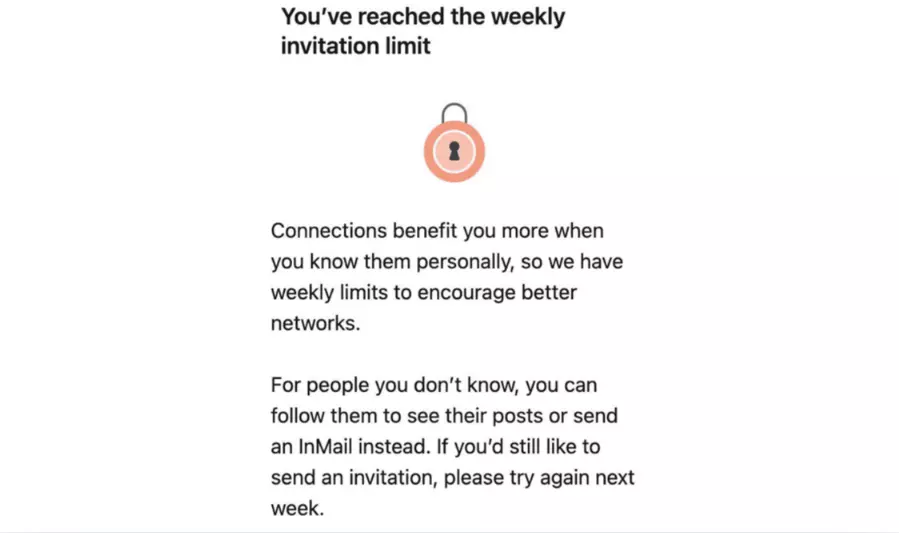
To prevent spam marketing, mass outreach, and automated behavior, LinkedIn sets connection request limits for different account types. If you send too many invitations in a short period, maintain a low acceptance rate, or show unusual login activity, the system may temporarily limit your invitation function.
In addition, different account types have different usage quotas. Free accounts, Premium accounts, and Sales Navigator accounts vary significantly in weekly invitation limits, profile views, and InMail quotas.
The table below summarizes common LinkedIn limitations and recommended operating ranges in 2026 to help reduce restriction risks.
| Limits / Features | Free Account | LinkedIn Premium (Without Sales Navigator/Recruiter) | LinkedIn Sales Navigator |
| Weekly Connection Requests | 100 | 100 | 150–200 |
| Recommended Daily Requests | 20 | 20 | 30–40 |
| Maximum Connections | 30,000 | 30,000 | 30,000 |
| Invitation Note Character Limit | 200 | 300 | 300 |
| Daily Profile Views | 80 | 150 | 1,000 |
| Messages to Connections | 100/week | 150/week | 150/week |
| InMail Credits | 0 | Depends on plan | 50/month |
Note: LinkedIn does not publicly disclose all limits. Actual quotas may vary depending on account trust level, SSI score, account age, and behavioral quality.
II. LinkedIn Lead Generation: Core Tips to Add Connections Efficiently Without Restrictions
Many users focus only on “adding more people” when using LinkedIn for lead generation. In reality, LinkedIn prioritizes account authenticity and relationship quality. Sending large numbers of invitations aggressively may result in restrictions, even if it generates short-term leads.
1. Build a Stable and Secure Login Environment
LinkedIn strictly monitors login environments. IP addresses, browser fingerprints, and location changes directly affect account trust scores. An unstable environment can easily trigger invitation restrictions or account reviews.
For long-term LinkedIn lead generation or multi-account operations, the key is building a stable and isolated environment:
● Use fixed and stable residential IPs: Avoid public VPNs or heavily shared proxy nodes, as these IPs are more likely to be flagged. Dedicated static residential proxies provide each LinkedIn account with a stable and independent network environment, reducing account association risks. For example, IPFoxy’s dedicated static residential proxy service uses real ISP-based residential IPs with high cleanliness and stability, helping maintain consistent login regions and reducing abnormal login risks.
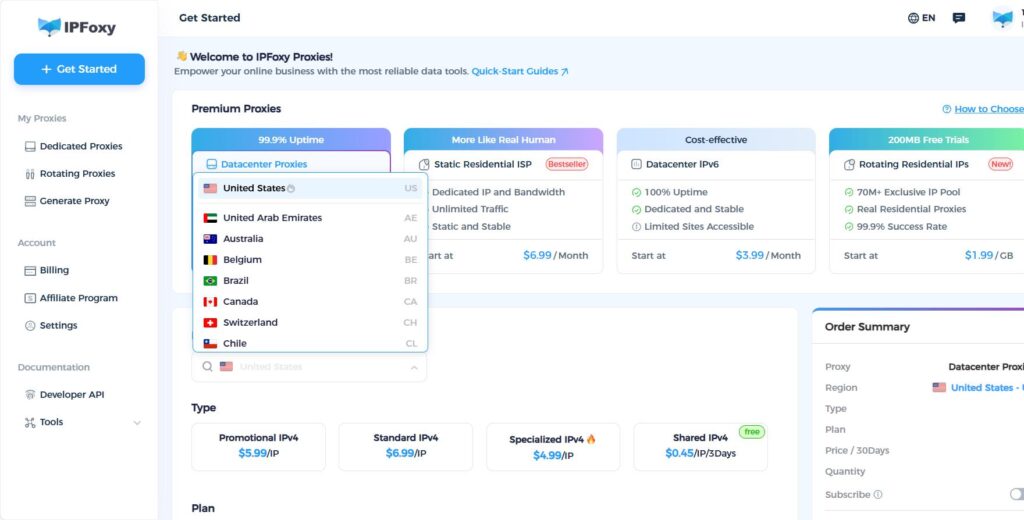
● Isolate browser environments: Before operating LinkedIn accounts, clear Cache, Cookies, and HSTS records to avoid account association risks caused by historical data. For multi-account operations, it is recommended to use an Anti-detect browser to create isolated environments for each account. Combined with IPFoxy’s dedicated static residential proxy service, this setup enables a “one account, one IP, one environment” strategy to reduce platform risk detection.
2. Prioritize Adding 2nd-Degree Connections
Compared with completely unfamiliar users, LinkedIn trusts people with existing social relationships more, such as mutual connections, industry peers, or local contacts.
When generating leads, it is better to prioritize:
● Users with mutual connections
● People in the same industry
● Contacts from the same region
● Users who have already interacted with your content
Instead of mass-adding completely unrelated strangers. This significantly improves invitation acceptance rates and reduces the risk of being flagged for aggressive marketing behavior.
3. Use LinkedIn Groups for Lead Generation
LinkedIn Groups are highly effective networking channels. After joining industry groups, you can directly interact with or message group members, even if they are not your direct connections.
When viewing the group member list (“See all”), you can directly click “Message” to contact 2nd- or 3rd-degree connections. This method does not consume invitation quotas and feels more natural, reducing risk control triggers.
4. Add Personalized Notes to Invitations
Many users simply click “Connect” when sending invitations. However, adding personalized notes can significantly increase acceptance rates.
For example:
“Hi, I noticed you’re also involved in e-commerce and would love to exchange industry insights.”
Compared with overly promotional messages, short and genuine industry-related notes are more likely to build trust. Higher invitation acceptance rates usually improve LinkedIn’s evaluation of your account quality.
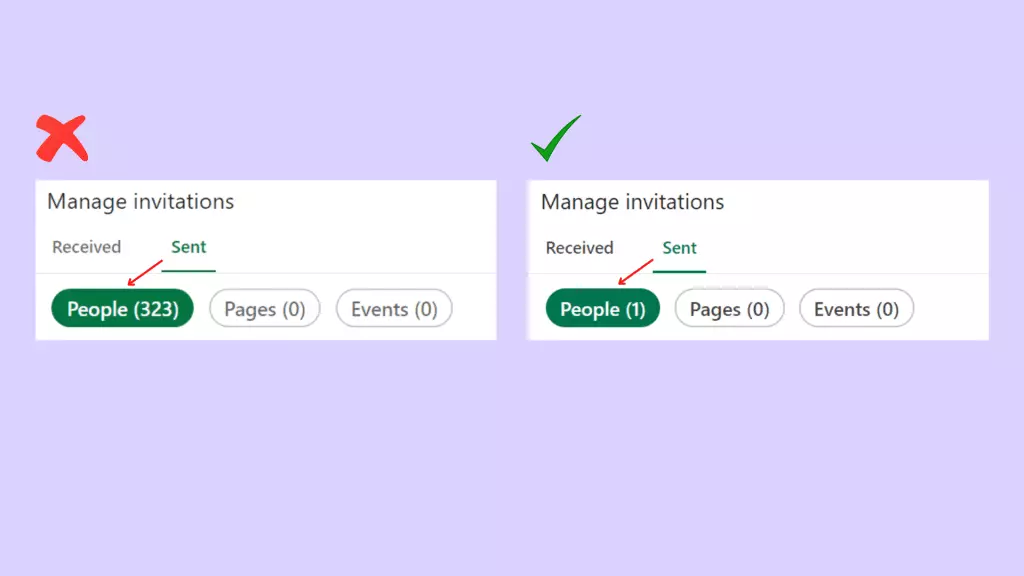
5. Withdraw Ignored Invitations Regularly
If your account accumulates too many pending invitations, LinkedIn may interpret it as poor social quality, negatively affecting account trust scores.
It is recommended to regularly withdraw:
● Invitations ignored for more than 2 weeks
● Untargeted contacts
● Low-relevance users
This helps free up invitation quotas and lowers the risk of restrictions.
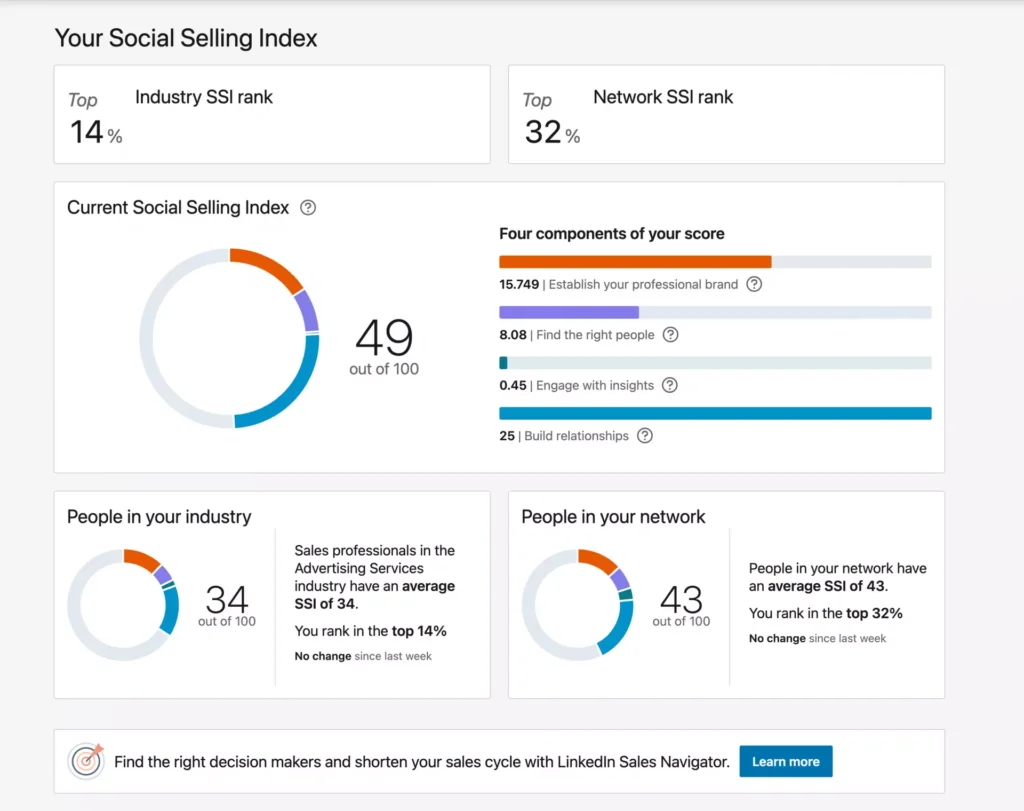
6. Improve Your LinkedIn SSI Score
SSI (Social Selling Index) is LinkedIn’s core metric for evaluating account social quality. A higher SSI score usually means the account appears more authentic and active, making it more trusted by LinkedIn.
To improve your SSI score:
● Complete your profile
● Publish industry-related content
● Increase engagement activities
● Build relevant professional connections
Compared with aggressively adding connections in a short time, improving overall account quality is the real long-term strategy for LinkedIn lead generation.
III. What Should You Do If Your LinkedIn Account Gets Restricted?
When LinkedIn displays messages such as “Unable to send invitations” or “Account Restricted,” it usually means the account is under temporary restriction or review, not permanently banned. At this stage, the most important thing is to stop high-frequency actions immediately.
1. Stop Sending Connection Requests Immediately
Once restricted, stop:
● Sending additional invitations
● Mass-adding strangers
● Frequently visiting unfamiliar profiles
Continuing these actions may extend the restriction period or trigger stricter risk controls.
2. Clean Up Pending Invitations and Reduce Activity Frequency
If your account has many unanswered invitations, withdraw older requests and reduce overall activity frequency to allow LinkedIn to reassess your behavior patterns.
3. Return to Normal User Behavior
During the restriction period, focus on low-risk activities such as:
● Browsing industry content
● Liking and viewing posts
● Improving your profile
The goal is to make your behavior look like normal platform usage instead of aggressive marketing.
4. Complete Verification or Appeal Processes
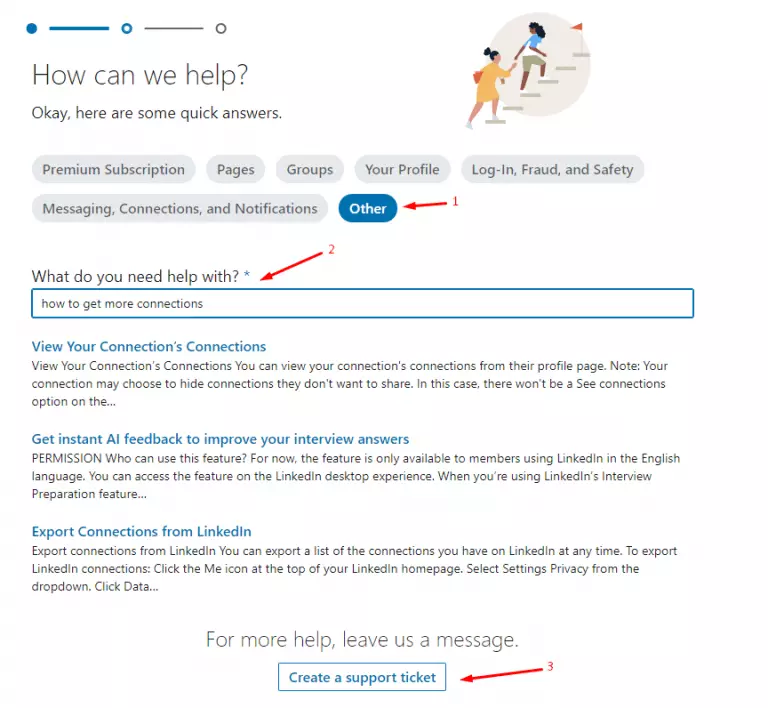
If LinkedIn requests identity verification, complete the required email or identity checks. In some cases, you can also submit an appeal explaining that your account is used normally and not for automation.
IV. FAQ
Generally, below 30 is considered low activity, often seen on new or inactive accounts. Scores between 30–60 are normal operational ranges. Above 60 indicates active engagement, while scores above 80 usually represent strong social quality and content activity. However, standards may vary by industry and region.
Yes. In most cases, only certain features are limited, such as sending connection requests. Browsing, engagement, and content posting usually continue working normally, and restrictions are often gradually removed afterward.
It is recommended to spend 1–2 weeks warming up a new account first by completing the profile, browsing content, and performing light interactions before gradually increasing invitation volume.
V. Conclusion
Overall, the core of LinkedIn lead generation is not about “adding more connections,” but about controlling activity frequency, improving account quality, and maintaining a stable account environment. Only by operating within LinkedIn’s platform rules can you maintain healthy invitation functionality and achieve long-term, stable client acquisition.