Whether you want to use Grok for real-time global news or leverage its strong coding and reasoning capabilities for productivity, Grok has become one of the most differentiated AI assistants on the market. This guide covers everything from account setup and core features to advanced workflows, complete with practical examples and useful tips.
I. What Is Grok?
Grok is a series of AI models developed by xAI, first launched in November 2023 and now evolved to Grok 4. Built on a 314-billion-parameter Mixture-of-Experts architecture, Grok performs especially well in mathematical reasoning and code generation while also supporting real-time web access. The latest Grok 4.3 features a 256K context window and reaches inference speeds of up to 344 tokens per second.
Compared with mainstream AI models such as OpenAI and Anthropic, Grok’s biggest advantage is its direct integration with X, allowing it to react quickly to breaking news and trending topics. Grok also has a more humorous and personality-driven response style, often expressing tone and preferences in conversation.
1.Real-Time Search and Web Browsing
Grok can directly access the X platform in real time, giving it a clear advantage over other generative AI tools when handling breaking news and trending events. It can also read and summarize webpage links directly. Users can paste a URL and instantly receive key takeaways and analysis without needing additional plugins.
2.Code Interpreter (Real-Time Python Execution)
Grok includes a built-in code execution environment that supports real-time Python execution. Users can submit data analysis tasks, mathematical calculations, or debugging requests, and Grok will run the code inside a sandbox environment and return the results. This is especially useful for developers and data analysts.
The platform also includes a Markdown-based code editor where users can inspect and manually edit Grok’s generated code, significantly improving the coding workflow.
3.Grok Imagine Image Generation
Grok Imagine is xAI’s AI image generation tool. Compared with tools such as Google Veo and OpenAI Sora, its moderation system is relatively less restrictive. Under normal use cases, Grok Imagine can generate high-quality illustrations, concept art, and creative visuals from text prompts, making it practical for designers and content creators.
4.Real-Time X (Twitter) Search
This is Grok’s most unique competitive advantage. Grok can access live X platform data, enabling it to track hot topics and breaking news faster than most other mainstream AI models. If you need to monitor public discussion trends or viral posts around a topic, Grok is currently one of the few AI assistants capable of doing so effectively.
5.Long-Form Conversation and Memory Features
Grok includes unique modes such as “Humor Mode” and “Rebel Mode,” making conversations feel less robotic. In long discussions, users can expand the conversation timeline, navigate between response versions, and switch or edit historical replies at any time. This provides strong workflow management capabilities for extended sessions.
II. 2026 Guide: How to Register and Use Grok
Grok is deeply integrated with the X platform. Due to xAI’s regional access restrictions and X’s strict risk-control system, Grok generally requires a more stable network environment than tools like ChatGPT or Claude. Before learning how to use Grok, users should first complete the following preparations.
1.Network Environment Setup
Grok applies strict controls against suspicious logins. IPs from unsupported regions may fail to access Grok, while frequently switching between countries or using heavily shared datacenter IPs can easily trigger account restrictions on X.
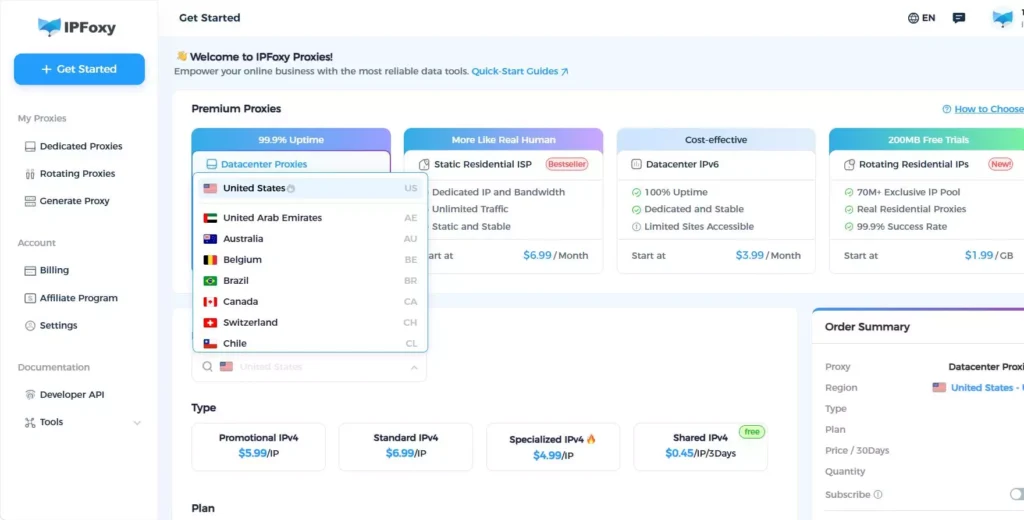
For this reason, accessing Grok usually requires a clean and stable IP from the target region. Professional proxy providers can help solve this issue. For example, IPFoxy Proxies offers dedicated static residential proxy services with support for precise geo-targeting across 200+ countries and regions, helping reduce detection risks from shared or datacenter IPs and improving Grok accessibility.
After preparing the network environment, follow the steps below to register and use Grok.
2.Access Methods
Grok currently provides three primary access options:
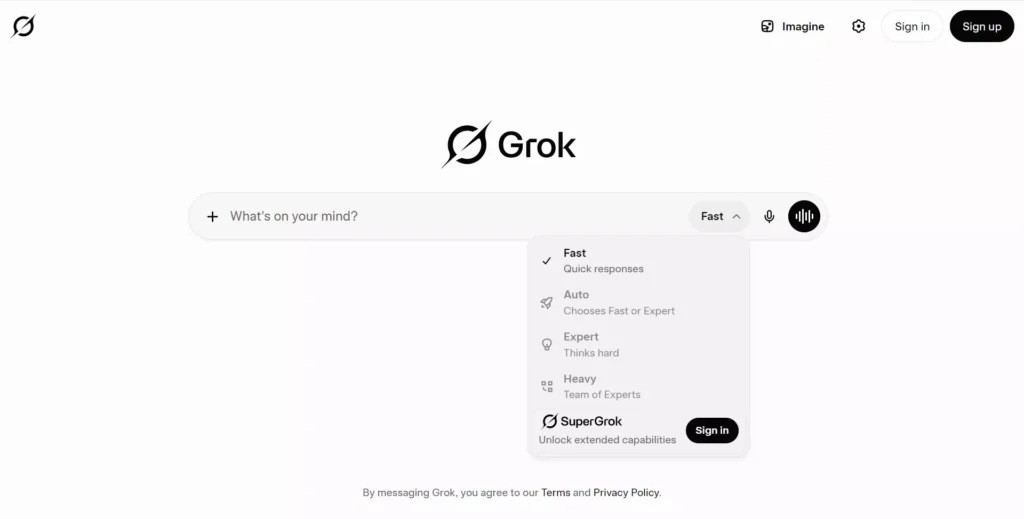
• Official Website Access: Visit the Grok website directly and start chatting without registration through a simplified interface. Advanced features such as image generation and higher conversation limits require login and an X Premium subscription. Users can sign in with X or Google accounts.
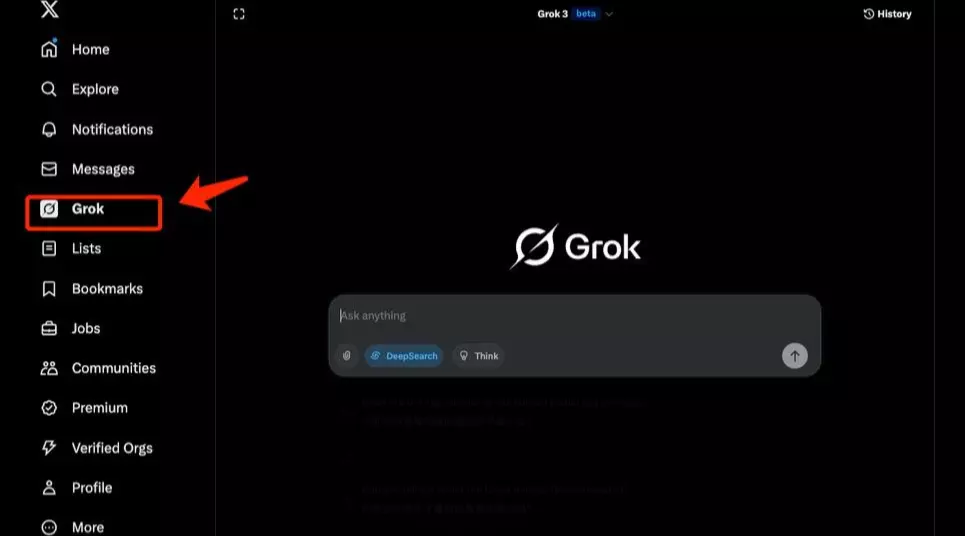
• Through an X Account: After logging into X (Twitter), simply open the Grok entry from the sidebar menu.
• Mobile App: Grok 4.1 is now fully available on both iOS and Android, including access for free users.
3.Basic Interface Overview
After entering the Grok dashboard, the interface is divided into three main sections:
Left Sidebar: Includes chat history, new conversation creation, account settings, and subscription management. Clicking any previous conversation instantly restores the session.
Center Chat Window: The main interaction area. Type a prompt and press Enter or click Send to start chatting. If you dislike a response, you can regenerate it or browse alternative response versions in the timeline. Clicking the attachment icon allows you to upload PDFs, images, CSV files, and more for analysis.
Top Toolbar: Includes settings, account login, and additional feature controls.
4.Useful Tips:
• Start a New Chat: Click the Grok icon or “New Chat” in the sidebar
• Upload Files: Use the attachment button to upload PDFs, images, CSV files, and more
• Switch Thinking Modes: For complex reasoning or mathematical tasks, using Expert or Heavy mode is recommended
III. Practical Example: Using Grok to Generate a Brand Illustration Set
The following example demonstrates a complete AI illustration workflow using Grok. This process is useful for designers, marketers, and content creators.
Project Goal: Create a set of three consistent illustrations for a skincare brand focused on a “natural organic” identity, intended for social media use.
1.Define the Style Requirements
Enter the following prompt into Grok:
“I need 3 consistent brand illustrations for an organic skincare brand to post on Instagram. The brand tone is fresh, natural, and soft. The primary colors should be ivory white and green tones. Image 1: lavender field scene. Image 2: hands holding a plant extract bottle. Image 3: minimalist decorative background with the brand logo. Please generate them using Grok Imagine.”
2.Optimize the Prompt
Grok Imagine produces better results when prompts contain detailed visual instructions. Recommended additions include:
• Style keywords: watercolor illustration / flat design / botanical art
• Composition guidance: centered composition / soft lighting / minimal background
• Color constraints: sage green, ivory white, dusty rose
Improved Prompt Example:
“Watercolor illustration, a woman gently holding a glass bottle with plant extracts, soft natural lighting, sage green and ivory white color palette, botanical art style, minimal background, high detail, for organic skincare brand Instagram post.”
3.Batch Generation and Refinement
If the generated image does not fully match expectations, simply continue the conversation with follow-up instructions such as:
“Please make the composition more minimal and reduce background elements.”
Or:
“Adjust the color tone to feel slightly cooler.”
Grok can regenerate images while preserving context consistency instead of starting over from scratch.
4.Export and Final Editing
Once satisfied, save the images directly. The output resolution is usually sufficient for social media publishing. Final text layout and logo placement can be completed in tools such as Canva or Figma.
5.Key Workflow Tips
• More detailed prompts produce more controllable results
• Using English for style keywords and Chinese for scene descriptions often improves quality
• Multiple refinement rounds work better than trying to perfect everything in a single prompt
• Maintaining conversation context helps preserve visual consistency across multiple images
IV. FAQ
Basic image generation is available for free users with usage limits. Advanced features such as higher resolution outputs and increased generation quotas require an X Premium or X Premium+ subscription.
Grok focuses more heavily on real-time information access, logical reasoning, and entertainment-oriented conversation. Its biggest advantage comes from deep integration with the X platform, allowing it to retrieve trending information and analyze web content quickly. This makes it especially useful for creators and developers.
Grok can provide more direct and less filtered responses in certain scenarios, but users are still expected to use the platform responsibly and within legal guidelines.
V. Conclusion
Thanks to its deep integration with X, real-time web access, and more open conversational style, Grok has established a strong differentiating position in the increasingly competitive AI model market. For general users, the free plan is already sufficient for everyday Q&A, writing assistance, and lightweight image generation. For creators and developers, Grok’s live information retrieval and code execution capabilities offer even greater value. If you are looking for an AI assistant with faster access to real-time information, Grok is definitely worth trying.