












In e-commerce operations, advertising campaigns, and data research, a Google account is one of the most essential tool accounts. Whether using Gmail, YouTube, Google Ads, or Gemini, the Google account acts as the gateway to the entire digital ecosystem.
However, many teams encounter the same issue during daily operations: a Google account suddenly becomes disabled. The notification messages provided by Google are usually very short. Although these messages appear vague, each one actually corresponds to a specific risk-control logic. Understanding these official signals is the key to identifying the real problem.
This article explains the eight most common Google account suspension messages and the risk-control mechanisms behind them, along with practical solutions.
I. What to Do After Google Account Disabled
Before analyzing the reasons, it is important to understand the basic steps to take once you receive a suspension notification.
1 . Submit an appeal
You can submit an appeal through the Google security or sign-in page. The appeal process typically requires the following information: the account email address, recently used devices or network environments, an explanation of how the account is used, and verification through a recovery email or phone number.
When submitting the appeal, you can briefly explain that the account is used for legitimate business purposes, that no policy violations were intended, and that you have reviewed and adjusted relevant settings.
2 . Wait for the review
Google’s review process typically takes:
- 24–72 hours for standard reviews
- 3–7 days for complex cases or manual reviews
- More than 7 days usually indicates the request has entered a lower priority queue
If the appeal is successful, the account owner will usually receive a recovery notification email.
3 . Avoid triggering risk signals again
Avoid frequently changing the login environment. Highly repetitive or automated behavior can easily trigger Google’s risk detection system again.
II. 8 Common Google Account Disabled Messages and Practical Solutions
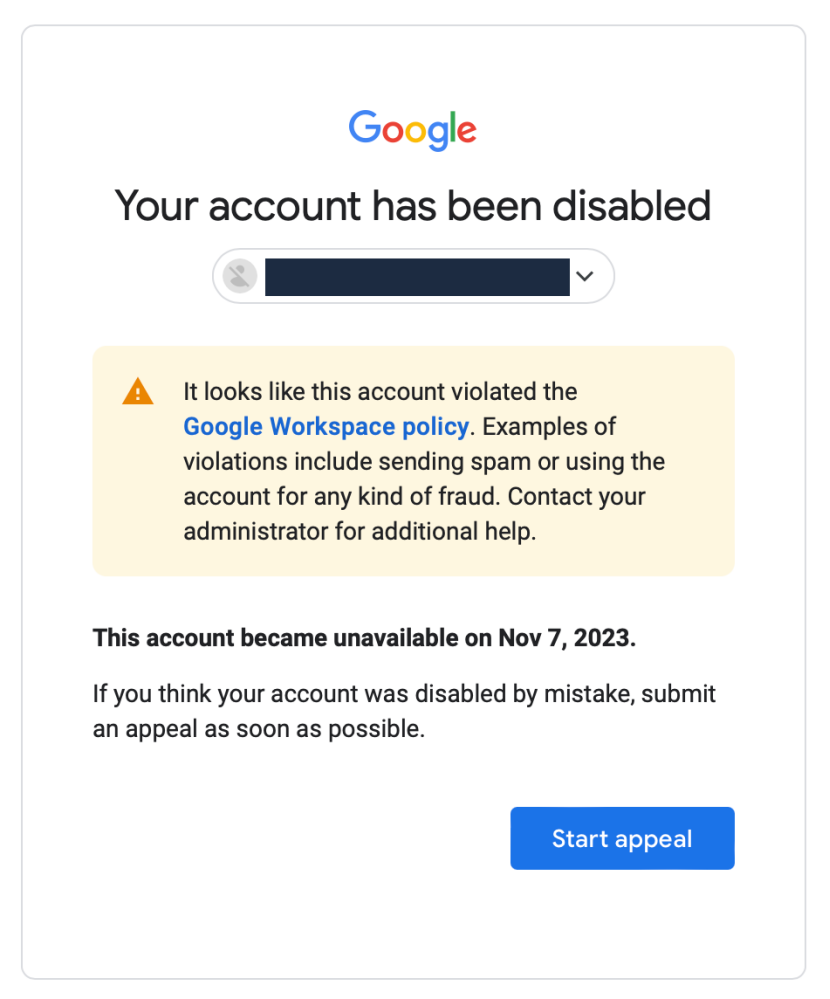
1、This account appears to violate Google Workspace policies
Risk logic
This situation usually occurs within Google Workspace environments, especially enterprise accounts or sub-accounts under an organization.
Google may detect the following issues:
- Large volumes of spam emails sent from accounts under the same Workspace domain
- Illegal or copyrighted content stored in Google Drive
- Payment methods associated with the Workspace domain flagged as fraudulent
- Suspicious activity across multiple accounts under the same domain
If Google determines that the entire domain environment is risky, multiple accounts under the same domain may be suspended simultaneously.
Solution
- Contact the Workspace super administrator to review backend settings
- Check whether the domain has been flagged as risky
- Stop bulk email sending or automated mass operations
If the account is a purchased Workspace sub-account and the domain itself has been flagged by Google, successful appeals are often difficult. In many cases, abandoning the account may be the practical option.
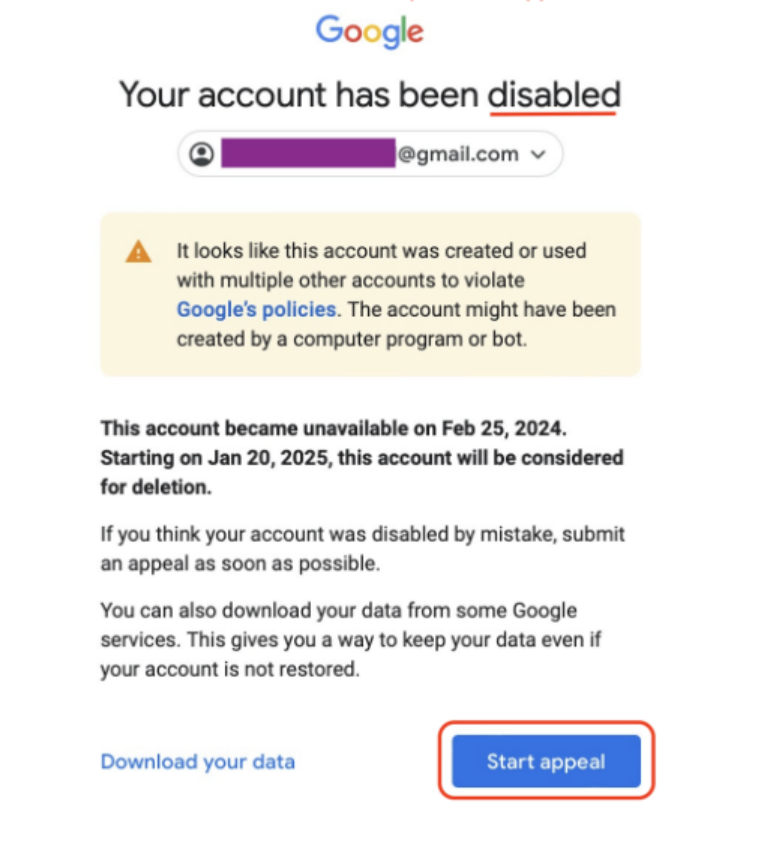
2、This account appears to have been created or used with multiple other accounts
Risk logic
This is one of the most common suspension reasons and is typically caused by multi-account association combined with abnormal fingerprint signals.
Google systems analyze factors such as:
- Registration IP
- Browser fingerprint
- WebRTC, Canvas, and font data
- Device hardware characteristics
- Registration time intervals
If multiple accounts are created from the same device environment or IP range within a short period, the system may classify the activity as automated registration or bot behavior.
Solution
When managing multiple accounts or creating accounts in batches, proper account isolation is essential.
(1)Environment isolation
Each account should operate in an independent environment, including:
- Independent browser profiles
- Independent device fingerprints
- Independent IP addresses
Typically, an Anti-detect browser combined with a dedicated proxy is used for proper account management.
(2)Clean and dedicated network
Avoid shared IP addresses or public proxy networks. These IPs may already be flagged or blacklisted by Google.
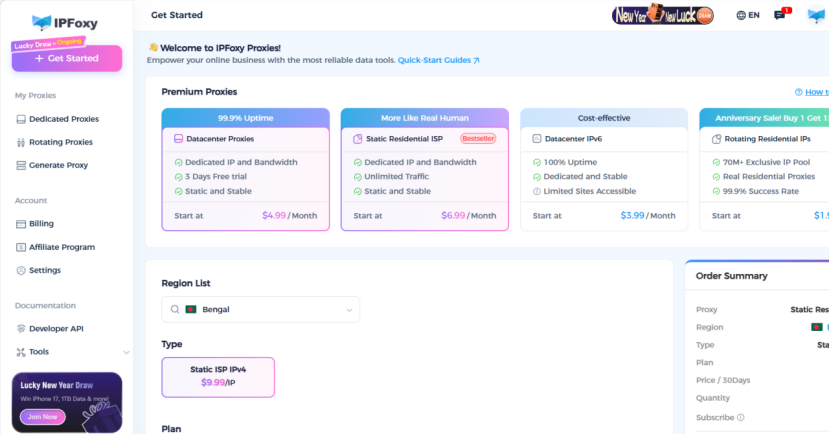
Using a clean dedicated proxy network is recommended. For example, Static Residential Proxy can be obtained from IPFoxy. After selecting a proxy that matches the target region, the proxy configuration can be applied to the Anti-detect browser, Chrome browser, or mobile devices to ensure network isolation.
(3)Simulate normal user behavior
After registering a new account, avoid starting marketing activities immediately.
It is recommended to simulate normal usage for 3–7 days, such as browsing Google search, using Gmail, setting location information, and enabling two-factor authentication. This helps establish a normal behavioral profile for the account.
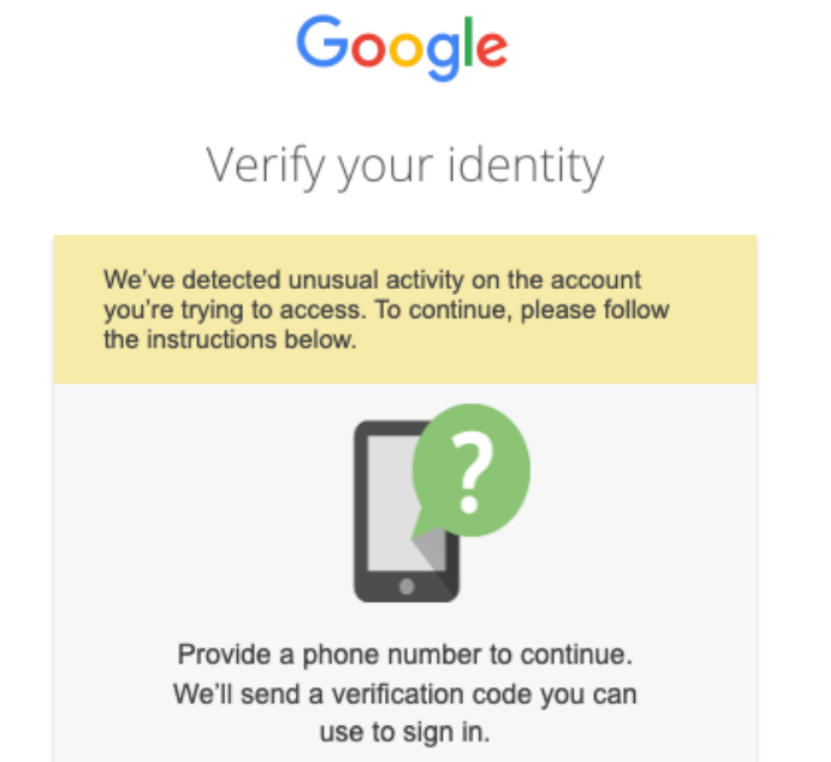
3、We detected unusual activity on this account
Risk logic
This warning is usually triggered by sudden changes in location or behavior.
Google continuously analyzes account login behavior patterns. The following situations may trigger abnormal activity detection:
- Sudden changes in IP country
- Multiple device logins within a short time
- Frequent switching between cities
- Sudden changes in network types
For example, if an account logs in from Los Angeles and shortly afterward from London, the system may suspect the account has been compromised.
Solution
- Use a stable and consistent IP environment. Once a device and static proxy environment are established, avoid changing them frequently.
- Avoid switching between different country IP addresses and avoid using rotating proxy environments. A long-term static proxy is generally safer.
- Enable two-factor authentication (2FA). This significantly reduces the likelihood of the account being flagged as suspicious.
4、This account was used in a way that attempted to trick users into sharing information
Risk logic
This situation is usually triggered by phishing detection.Google’s anti-phishing systems analyze multiple signals including:
- Gmail email content
- Google Forms links
- URLs contained in emails
- User complaint rates
The following behaviors may trigger account suspension:
- Sending large volumes of marketing emails
- Using excessive shortened links
- Recipients reporting emails as spam
- Links redirecting to risky destinations
Solution
- Pause large-scale email campaigns
- Adjust marketing email templates
- Reduce the use of shortened URLs
- Avoid performing marketing actions immediately with newly created accounts
5、We couldn’t verify that this account belongs to you
Risk logic
This typically occurs when security credentials are missing.
If the system detects suspicious login activity and the account lacks sufficient verification information, Google may be unable to confirm the real owner of the account.
Common examples include:
- No phone number linked
- No recovery email configured
- Two-factor authentication not enabled
Solution
- Submit the appeal from a network environment that has previously logged into the account successfully.
- Ensure the IP location matches the region where the account was originally registered.
- Bind a recovery email address and phone number.
6、Your account appears to be involved in malware, phishing, or harmful activity
Risk logic
This situation usually relates to technical security blacklists.
Google security systems monitor browser extensions, visited websites, and shared links. If the system detects that the account interacts with or distributes links associated with malicious websites, the account may be suspended.
Solution
- Remove suspicious browser extensions
- Use a clean browser environment
- Check whether promotional links have been flagged by Google Safe Browsing
7、Your account has been disabled for violating the Terms of Service
Risk logic
This is a general suspension message and is one of the most common notifications.
It usually indicates that multiple risk factors or violations across different Google services have been detected, such as:
- Google Ads
- Gemini
- Gmail
Solution
Submit a recovery request through the official Google appeal page.
In the appeal explanation, clearly describe:
- The account’s purpose
- The legitimacy of the business activity
- Actions taken to review and resolve potential violations
8、We noticed that this account may have been created by someone under the required age
Risk logic
This message indicates that Google suspects the account belongs to a minor.
If the account profile is incomplete and usage patterns are very limited—such as only watching YouTube, minimal interaction, and no payment activity—the system may classify the account under a minor user model.
Solution
- Submit identity verification documents
- Bind payment information such as a credit card
- Complete the official identity verification process
Conclusion
Google’s account suspension messages may appear brief, but they usually reflect specific risk-control logic.
Understanding the real meaning behind these notifications is far more important than blindly submitting appeals.
For teams that rely on long-term account operations, building a stable account environment, maintaining reasonable usage behavior, and using a secure network strategy are the most effective ways to prevent account suspension.

