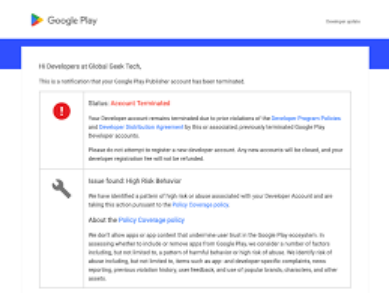
In recent years, Google Play has tightened its account management policies, and account suspensions and app removals have become a routine challenge for many developers. Whether independent developers or professional teams, running a stable operation on the platform has become increasingly difficult.
This article will analyze the common reasons behind Google Play developer account suspensions and offer preventive measures to help developers avoid common pitfalls, ensuring account safety and smooth app operation in the long run.
I. Main Reasons for Google Play Developer Account Suspensions
1. Account Linking and Unethical Behavior
Google Play highly values the independence and legitimacy of developer accounts. Any form of account linking can trigger suspension risks. Developers should pay attention to the following points:
Duplicate or Linked Registration Information
If developers use the same personal information (e.g., email, phone number, bank account, credit card) across multiple Google Play accounts, the system may automatically link these accounts, violating Google’s account usage terms. After an account is suspended, using the same information to re-register may lead to further suspensions.
Logging into multiple Google Play developer accounts from the same device or IP address increases the risk of account linkage. Google Play’s automated system analyzes login data, and if multiple accounts are frequently accessed from the same device or IP, it may conclude that these accounts are linked, resulting in suspension.
Automated Registration and Bulk Actions
Some developers try to use automated scripts to register multiple developer accounts. Google Play has strict mechanisms to detect automated behaviors. If bulk account registration is detected, suspensions are immediate.
2. Uploading Duplicate Apps and False Content
Google Play strictly prohibits developers from uploading duplicate apps, malware, or false content to boost downloads or gain unfair advantages. Violating this principle can lead to immediate suspension of the account.
Duplicate Apps and “Branded Apps”
Developers may upload multiple similar apps with minor differences in names, icons, or package names. This is known as “branded apps,” and if Google Play detects excessive repetition or similarity, it will consider it fraudulent. All related apps will be removed, and the developer account may face permanent suspension.
Malware and Fraudulent Behavior
Uploading malicious software, fraudulent ads, or spyware is also forbidden. If an app is found to be performing malicious actions (e.g., stealing user data, showing hidden ads), Google Play will immediately remove the app and suspend the associated developer account.
3. User Complaints and Negative Reviews: The Chain Reaction of Negative Feedback
User feedback and reviews directly affect an app’s performance on Google Play. If an app frequently receives complaints, especially related to false advertising, payment traps, or refund issues, Google Play will investigate these complaints. A large number of complaints could result in app removal or developer account suspension.
Negative Reviews and Refund Issues
User complaints and refund requests attract the platform’s attention. If an app fails to deliver on its promises or engages in misleading advertising, the developer’s account may face suspension.
4. Improper Updates and Misuse of Permissions: The Risks of Updates
Some developers violate Google Play’s policies when updating their apps, especially by misusing sensitive permissions or adding unnecessary third-party SDKs, which can result in app suspension.
Misuse of Sensitive Permissions and Privacy Issues
Some apps request excessive permissions during updates, especially permissions related to sensitive user information like location, contacts, or messages. If developers fail to inform users or obtain consent, the account may be suspended for violating privacy policies
II. How to Avoid Google Play Developer Account Suspension
1. Ensure Account Security: Avoid Linking and Bulk Operations
Unique Registration Information
Developers should ensure each Google Play account has unique registration information, such as email, phone number, and payment methods, to avoid using duplicate information for multiple accounts.
Use Clean Devices and IP Addresses
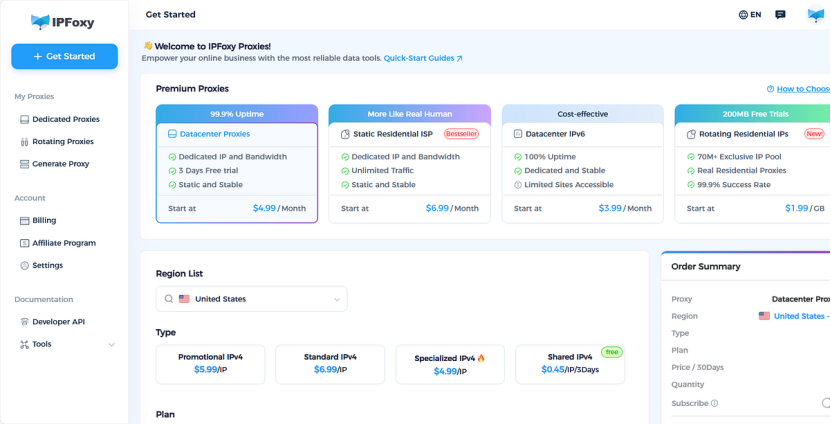
To avoid linking between accounts, developers should use separate devices and IP addresses for each account. If possible, a professional proxy service can help ensure each account operates in an independent environment. A solution using an Anti-detect browser combined with a rotating proxy can efficiently solve this issue.
Using a high-quality residential IP proxy service like IPFoxy can effectively resolve this problem. IPFoxy offers top-tier proxy IPs, ensuring that each account uses independent, clean IP addresses, thus preventing suspensions due to IP linkages.
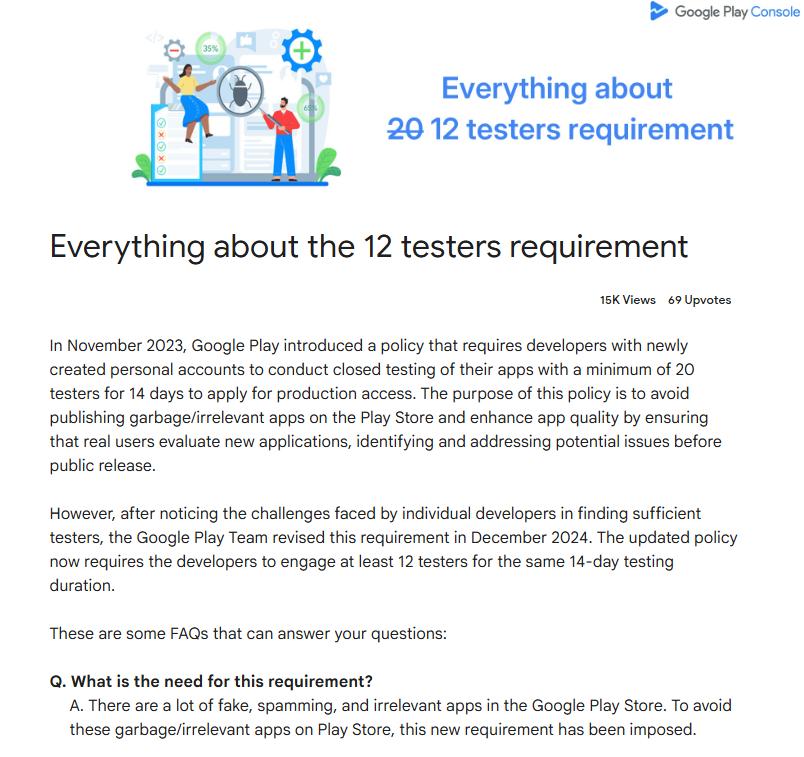
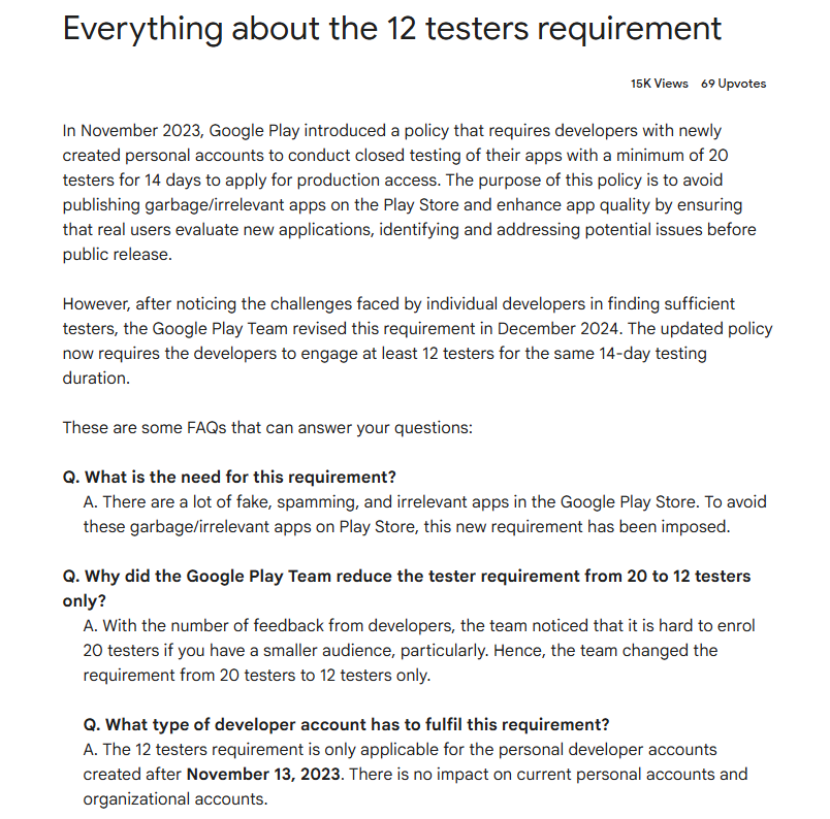
2. Complete 12 Testers + 14 Days Closed Testing for New Accounts
Under the current Google Play review mechanism, new personal developer accounts must complete at least 12 testers and 14 days of closed testing before releasing an app. This is a non-negotiable requirement.
Test Quality Review
Google doesn’t only check the number of testers; it also evaluates the quality of the testing. Developers must ensure the tester accounts are genuinely active and display natural interactions during the testing period. If the test appears formal, or the app’s quality is low, even if the required numbers are met, the account may be flagged as high risk and suspended.
Test Authenticity
Many developers simulate real user testing with multiple accounts, but they must ensure the accounts are genuinely active and not linked. A solution combining an Anti-detect browser and a rotating proxy can simulate real independent user environments, lowering testing costs. The AdsPower + proxy IP solution is recommended.
3. Code Isolation and Security
One of the main reasons developer accounts get suspended is code reuse and security vulnerabilities. Google Play is highly sensitive to app code detection. Developers should avoid code duplication, module abuse, and security flaws to prevent app removals and account suspensions.
Independent Codebase
A developer account should correspond to one independent codebase. Suspended accounts often use similar package structures, signatures, or identical SDK combinations. Google can detect code similarities accurately, and once multiple accounts are linked, suspensions are likely to happen at the account level, not just the app.
Code Compliance
Ensure the app complies with developer policies, especially privacy protection (e.g., informing users of data collection methods and providing privacy policies) and permissions minimization principles (only requesting necessary permissions). The app must also comply with legal regulations and avoid fraudulent, infringing, or offensive content.
4. App Compliance and Maintenance
Unique App Design
Ensure that each app uploaded has unique functionality and design to avoid “branded apps.” The app should be original and meet Google Play’s quality standards.
Regular Security Checks
Conduct regular security checks to ensure there is no malicious code or content that violates platform policies. This can prevent the app from being removed or the account being suspended.
Handling Negative Reviews and Refunds
Actively respond to user complaints and refund requests to resolve legitimate issues promptly. This will help avoid negative feedback and potential penalties from the platform.
Enhance User Experience
Optimize the app based on user feedback, fix bugs in a timely manner, and improve user experience and app ratings to maintain the app’s appeal and competitiveness.
III. Conclusion
In the competitive Google Play marketplace, following platform rules is a fundamental requirement for every developer. By taking effective preventive measures, developers can minimize the risk of account suspension, ensure stable app operations, and improve user experience and market performance.
Through the comprehensive analysis and practical suggestions in this article, developers can better understand Google Play’s policies and take the necessary steps to protect their accounts and ensure the long-term success of their apps on the platform.