












For many users, especially marketers, content creators, and data operators, not receiving SMS verification codes when registering, logging in, or verifying identity on Naver is a common “roadblock.” This issue not only affects account creation but also impacts marketing campaigns, content publishing, and data operations.
In this article, we analyze the root causes step by step and provide both short-term practical fixes and long-term strategies to help you reliably resolve Naver verification code issues.
Not receiving verification codes usually results from a combination of core factors:
1、Mobile Number and International SMS Restrictions
- Some mobile carriers block international messages by default, especially for non-local numbers. Verification codes from abroad may be filtered into spam or blocked.
- Phone number formats in certain countries may not fully comply with Naver’s requirements, causing routing issues.
- Incorrect country code entry is also a common small mistake.
Naver applies stricter security policies for requests from non-local networks, non-Korean IPs, or unstable IPs. This may trigger its risk control mechanisms, preventing or delaying verification code delivery.
If the account environment appears “unsafe” to Naver (e.g., using VPNs or virtualized environments), code delivery may be restricted.
3、Server Delays or Network Fluctuations
Even if the phone number is fine, temporary SMS delays, server congestion, or network fluctuations can prevent timely delivery.
4、Previous Bindings or History Issues
If a number has been used previously on Naver or requested codes frequently, it may be flagged as high-risk. This often occurs with untrusted virtual number services.
Assuming there is no official maintenance announcement from Naver (the platform rarely discloses server status), the following methods have been tested and widely verified by users:
1、Check Mobile Settings and Spam Filters
- Ensure your phone allows international SMS; enable data roaming if necessary.
- Check your “spam/blocked messages” folder, as verification codes may be automatically filtered.
- Add Naver official numbers (e.g., 1588-3820) to your whitelist.
2、Retry Multiple Times at Different Hours
Sometimes delays or network fluctuations prevent delivery. Retrying at different times often succeeds. Users report receiving codes after several attempts, even if the first try fails.
3、Change Network Environment
If using a local network, it may not provide a trusted signal. Try using a stable Korean network or reliable public nodes. Repeated connection attempts can improve success rates.
4、Use Third-Party Login to Bypass SMS Verification
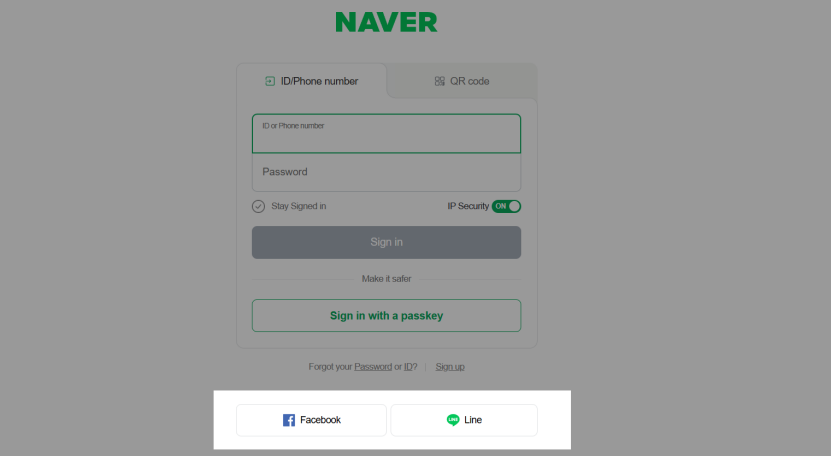
Some users can register or log in via LINE, Facebook, or Google under a Korean network, bypassing SMS verification if the environment appears trusted. New Facebook accounts should wait 60 minutes before using Naver login.
Note: This may become invalid depending on future Naver policy updates.
5、Use Temporary or Virtual Numbers (if the main number fails)
Third-party virtual numbers can receive verification codes if your main number cannot. While risky for long-term account use, this method is effective in emergencies.
Different Naver applications may have varying risk control mechanisms. Registering through Naver Maps, Naver Translate, or other apps can allow code reception for the main account.
III. Why These Fixes May Still Fail
These methods are often surface-level attempts. The deeper causes of Naver verification code issues usually involve network and security restrictions:
- Strict IP recognition by Naver blocks non-local or unstable IPs.
- Temporary virtual numbers are limited by number pool quality and server policies.
Long-term stability requires a consistent, reliable network and identity verification strategy.
IV. Advanced Solutions: Increase Success Rate & Reduce Risk
1、Improve Network Credibility
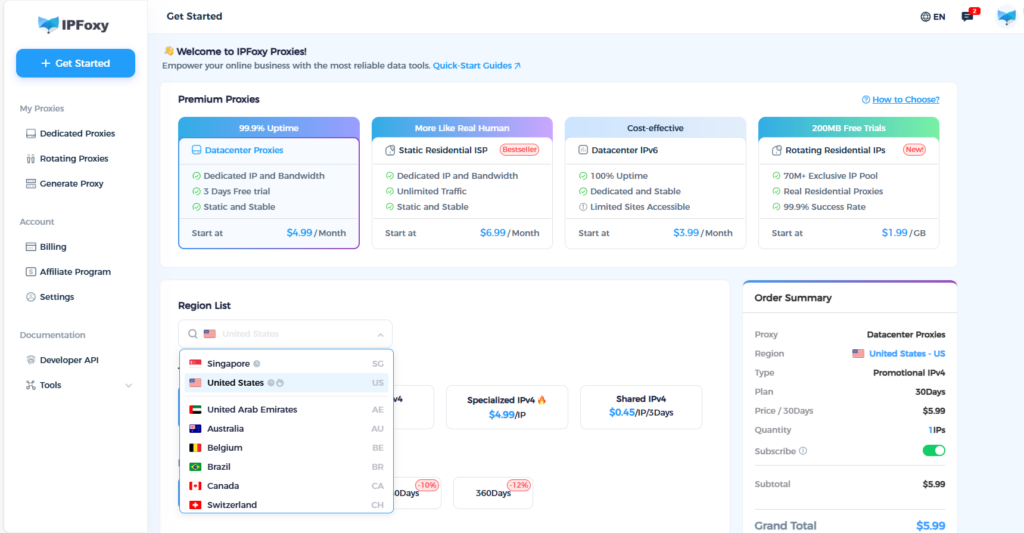
Using a solution like IPFoxy, which provides clean, independent proxies, can significantly enhance access environments. Choosing Korean native residential proxies increases account authenticity and reduces detection risks.
- Local geographic IP: IPs from Korean ISPs improve local affinity with Naver.
- Stability and reliability: More resistant to risk detection than free or shared VPNs.
- Compatibility with phone verification: Reduces the risk of code loss.
This approach fundamentally improves the “trustworthiness” of your access source, benefiting Naver and other region-sensitive services.
2、Use Official Support and Backup Verification Paths
If multiple short-term attempts fail:
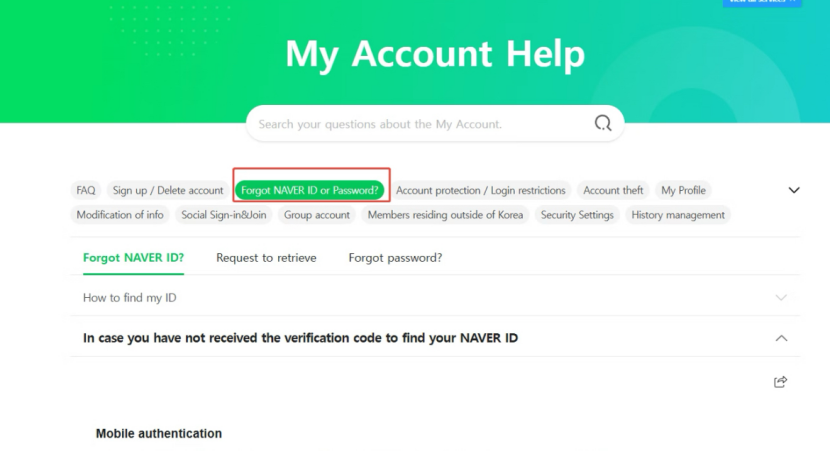
- Submit a verification failure ticket via Naver Help Center under “Registration/Login,” describing the issue (“verification code not received”).
- Upload optional proof for identity verification when feasible. This supports long-term account security and usability.
3、Align Mobile Number and IP Location
Many platforms favor matching the phone number region with the access IP:
- Select a mobile number from the same country as your IP.
- Optimize network environment according to phone location.
- Minimize cross-region risk factors.
V. Conclusion: Layered Approach to Solve the Problem
If you frequently handle account verifications or access channels requiring high-frequency operations, the key to reducing verification code failures is building a stable and trustworthy network environment combined with a reasonable phone number strategy.

