In recent years, Instagram’s risk control system has become increasingly strict. Account suspensions have become a common issue for many users, whether they are individual users, multi-account operators, e-commerce businesses, or advertisers. It’s frustrating to receive a sudden account ban, even when operating normally. New accounts may be suspended without warning, or multiple accounts linked together might be banned unexpectedly.
This article will provide a detailed guide on the appeal process, offering practical solutions for both immediate responses and long-term prevention. Whether you’re an individual creator or a brand operator, you’ll find effective strategies to minimize account suspension risks and ensure stable account operation.
I. Reasons for Instagram Account Suspensions
Before learning how to appeal, it’s important to understand the reasons behind Instagram account suspensions in order to prevent them at the root.
- Abnormal Login Status: Frequent switching of networks, IP addresses showing unusual geographic jumps (e.g., logging in from Asia then suddenly from Europe), or repeatedly switching between accounts on the same device can trigger the system to classify these actions as bot-like behavior.
- Violation of Guidelines: New accounts that engage in high-frequency actions like following, liking, or commenting within a short period, or multiple accounts performing synchronized actions, can be flagged as bots. Instagram especially focuses on activities related to new accounts.
- Incomplete Account Information: Accounts with missing profile pictures, bio details, or other information are less trustworthy, and such accounts are at higher risk of suspension, especially if login activity seems suspicious.
- Account Security Risks: If the platform detects signs of an account being hacked, or suspicious transaction activity, it may temporarily freeze the account for security reasons.
- Account Linkage: Multiple accounts using the same device, browser, or IP address could be linked and flagged by the platform. Instagram uses “fingerprints” and device information to identify linked accounts.
- Publishing Violating Content: Content related to violence, pornography, harassment, discrimination, fake advertisements, or illegal goods can lead to a suspension.

II. Two Immediate Actions to Take After Your Account Is Suspended
1.Identify the Type of Suspension:
Check your email for notifications from security@mail.instagram.com or support@instagram.com to determine the suspension type. Common suspension types include:
1) Temporary Restrictions
- Duration: From a few hours to 48 hours.
- Solution: Wait for the platform to lift the restriction automatically.
2) Content Violation Suspension
- Typical Symptoms: Certain content is deleted, and account features are limited.
- Duration: Varies based on the severity of the violation.
- Solution: Modify or remove the violating content, then appeal.
3) Temporary Account Deactivation
- Typical Symptoms: Account cannot be logged into, possibly due to suspected irregular activity.
- Solution: Submit an appeal.
4) Complete Account Ban
- Typical Symptoms: Unable to log in, message says “Your account has been disabled.”
- Solution: Submit an appeal.
5) Shadow Banning or Limited Reach
- Typical Symptoms: Basic account functions seem normal, but new content doesn’t reach recommendations or followers, and engagement drops dramatically.
- Solution: Gradually resolve by cleaning up violating content, adjusting post frequency, and improving engagement strategies.
Avoid Risky Actions:
Don’t repeatedly attempt to log in. Multiple failed logins may be considered an attack.
Don’t complain or attack Instagram on social media, as this could lead to monitoring and affect your appeal.
Don’t create a new account immediately. A new account could be linked and banned quickly.
III. How to Appeal an Instagram Account Suspension
You can appeal through the Instagram app, website, Help Center appeal forms, or by email.
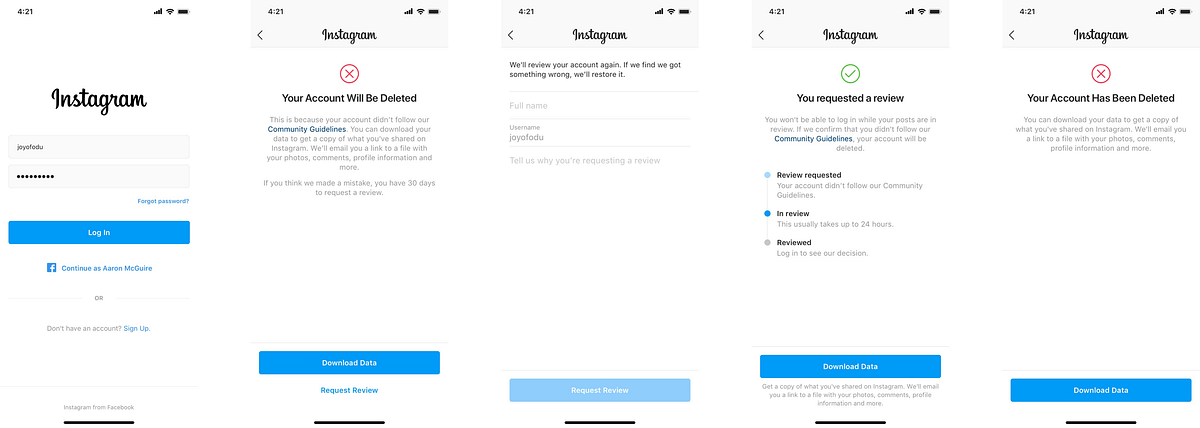
- Appealing via Mobile App:
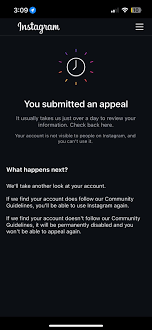
If you see the message “Your account has been disabled” or “Your feature has been restricted,” click the “Request a Review” or “Learn More” button to access the appeal process.
2.Appealing via Website:
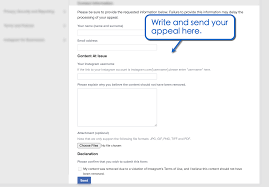
Go to the Instagram Help Center, find “Account Issues” or “Bans & Appeals,” and choose the relevant issue. Click “Need More Help?” or “Submit an Appeal” to fill out the appeal form.
3.Appeal Forms:
For specific types of bans (e.g., account being disabled, content mistakenly removed), submit directly through the designated appeal forms provided by Instagram.
4.Appealing by Email:
If the system appeal doesn’t work, send a structured email for manual review.Email Addresses:support@instagram.com,
Email Subject: [Urgent Appeal] Username@xxx + Short Description of the Issue
Email Body:
- Clearly state account information (username, registered email).
- Briefly describe the issue, including the date and details.
- Provide proof of account ownership (e.g., a screenshot with registration date).
- Commit to following Instagram’s terms and conditions.
- Politely request manual review.
5.Track Your Appeal Date and Wait for Response:
Record the date of your appeal and follow up regularly. Typically, it takes 5–7 working days for a response. If there’s no reply or you receive an automated response, follow up on the 8th day. If there’s still no progress, follow up every 7 days, up to 3 times.
IV. How to Avoid Instagram Account Suspensions
Once your account is reinstated, it’s often placed in a “monitoring period.” Any slight abnormality could trigger risk control. To prevent this, set up a stable protective system for your account.
1)Establish a Reliable Network:
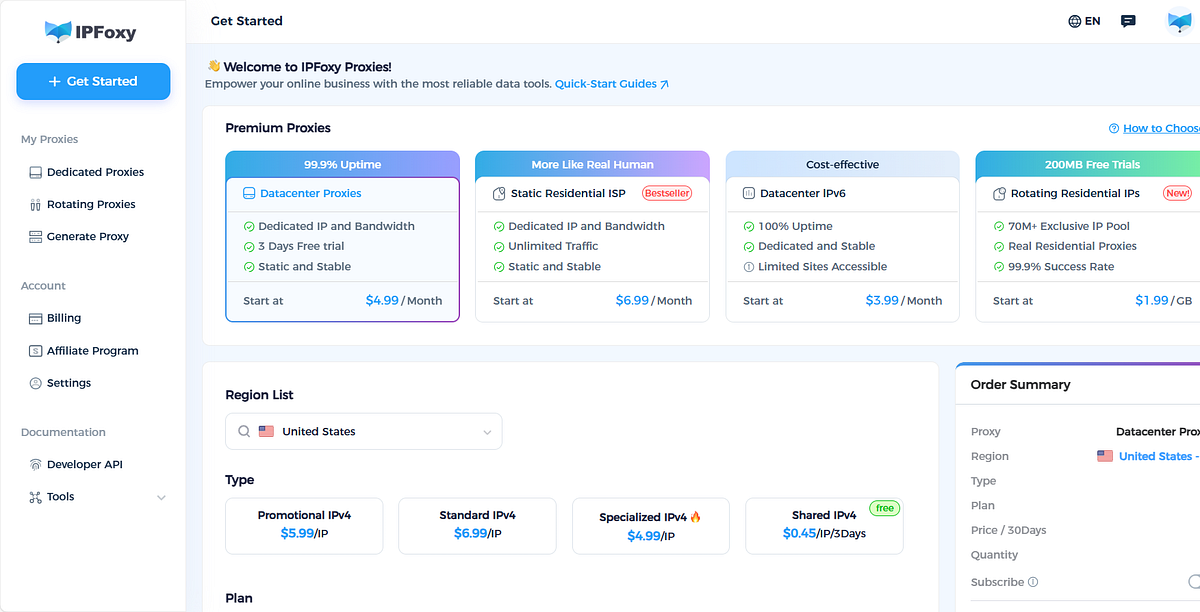
Instagram analyzes the network environment behind each connection. Using a stable and clean residential proxy network (e.g.,IPFoxy) reduces the risk of being flagged. Avoid using shared IPs or public proxies, and opt for professional residential proxies to ensure a high-quality connection.
2)Follow Proper Behavior:
Avoid sudden spikes in interactions or low-quality content. These can quickly lead to suspension. Here are recommended limits for common activities:
- Likes: No more than 200–300 per day, with a maximum of 40 per hour.
- Comments: 50–80 comments per day, ensuring each comment is unique and personalized.
- Follows: Limit to 50–100 follows per day, with a natural follow-back rate.
- Direct Messages: No more than 20–30 DMs per day, and ensure they are non-marketing, genuine conversations.
Focus on high-quality, original content. Ensure at least 70% of your posts are original (photos, writing, Reels, Stories). Regularly clean up old content that could be violating or have low engagement.
3)Account Security:
Enable two-factor authentication (2FA) to improve security. This not only protects your account but also signals to Instagram that you take security seriously.
4)Account Life Cycle Management:
New accounts should focus on building credibility rather than growing quickly. During the first month, avoid aggressive tactics. Gradually increase your engagement and activity. After 60 days, you can start testing additional features like adding links to your profile or applying for shopping features.
V. Conclusion
The Instagram appeal process can be tedious, but with the right preparation and clear communication, most accounts can be reinstated. During the appeal process, be patient, follow up systematically, and avoid resubmitting appeals repeatedly. Moving forward, focus on compliance, stable login environments, and controlled interactions to build long-term trust and influence on Instagram.