












In e-commerce operations, managing multiple accounts securely is one of the biggest challenges for sellers. To avoid account linking and suspensions, many opt for fingerprint browsers and incognito mode to protect privacy. However, these tools have different functions and use cases. This article will help you understand their differences, guide you to the right tool, and explain how to combine proxy IPs for enhanced account security.
I. How Fingerprint Browsers Work
The core of a fingerprint browser lies in actively spoofing and isolating browser fingerprints, creating a unique, stable virtual browser environment for each account.
1.Components of Fingerprint Browsers
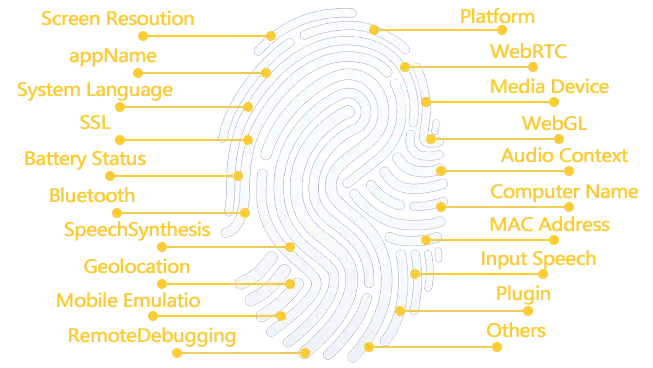
When a browser is accessed by a website, it exposes hundreds of parameters, including but not limited to: user agent (UA), screen resolution, time zone, language, fonts, Canvas rendering features, WebGL fingerprints, audio context fingerprints, hardware information, etc. These combinations form a unique “browser fingerprint” similar to a human fingerprint.
2.How Fingerprint Browsers Work
- Environment Isolation: Assigns each account an independent virtual browser profile, fully isolating cache, cookies, and local storage.
- Fingerprint Customization: Allows users to either generate a set of trusted fingerprint parameters or customize them (e.g., simulating a specific Chrome browser on Windows 11 commonly used in the U.S.).
- Underlying Masking: Alters the browser core code to ensure that hardware, Canvas, WebGL, and other fingerprints detected by websites match the spoofed identity, not the real computer information.
- Persistent Storage: Each environment’s state (login details, settings) is saved, ensuring continuity when reopened, maintaining consistent account behavior.
II. How Incognito Mode Works
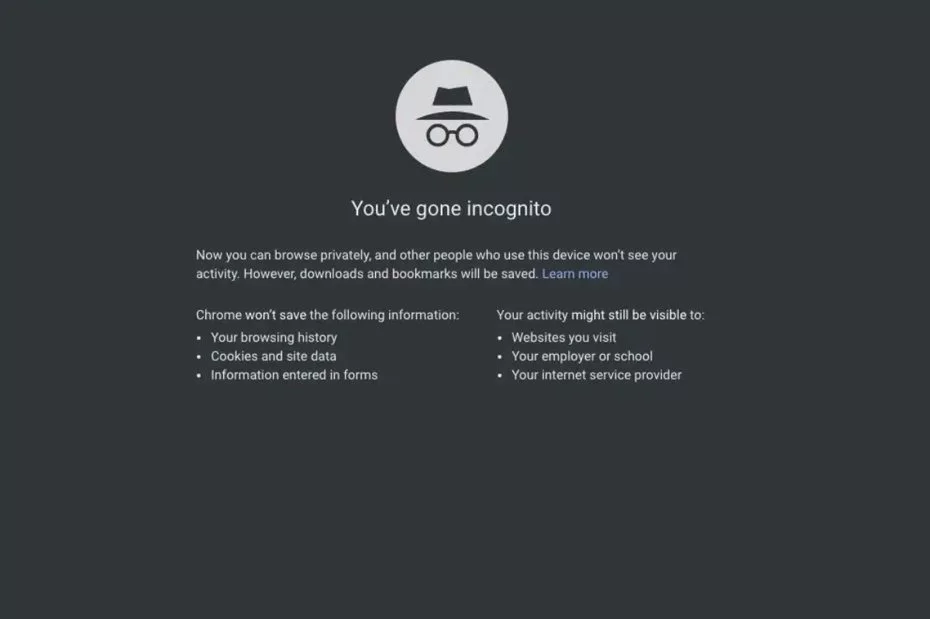
Incognito mode focuses on privacy protection rather than identity spoofing. It offers a temporary browsing session that leaves no local traces.
- Core Features of Incognito Mode
When closing an incognito window, the browser automatically deletes the browsing history, cookies, site data, and form data from the session, ensuring no data is permanently saved on the local device. - Nature of Incognito Mode
Incognito mode does not hide or alter your real information. The real IP address, browser fingerprint, and operating system information are still exposed to visited websites and network service providers.
III. In-depth Comparison: Fingerprint Browser vs Incognito Mode – Which One is Right for You?
After understanding how fingerprint browsers and incognito mode work, you can clearly determine their use cases.
1.Use Cases for Fingerprint Browsers
Fingerprint browsers can actively create independent, persistent, and spoofed identities, making them suitable for the following scenarios:
- E-commerce Multi-Account Security: Platforms often detect account links through browser fingerprints and cookies. Fingerprint browsers create fully isolated virtual environments for each store, with distinct fingerprint parameters, simulating multiple independent devices to prevent account suspension.
- Social Media Account Management: Social media platforms also track device fingerprints. Fingerprint browsers ensure each account has a “clean” and unique identity, avoiding cross-account associations and protecting account security.
- Large-scale Market Research: To obtain accurate, localized data, fingerprint browsers can work with region-specific proxy IPs, setting localized fingerprint parameters to make data collection harder for anti-scraping mechanisms to detect.
2.Use Cases for Incognito Mode
Incognito mode does not solve identity spoofing issues and is best suited for:
- Temporary Account Login: Its automatic session data deletion ensures no traces of another user’s login or personal information remain, making it convenient and secure for temporary use.
- Avoiding Ad Tracking or Clearing Login States: Since it does not save cookies or browsing history, incognito mode is ideal for temporarily stopping personalized ad tracking or quickly logging out of accounts, especially on public or shared computers.
- Testing Website Visitor Status: Web developers can use incognito mode to see how a new user would interact with a website, as it clears local website data, simulating a “new” visitor experience without complex setup.
IV. Fingerprint Browser vs Incognito Mode – Which is Best for E-commerce Multi-Account Management?
- Fingerprint Browser: Excellent at isolating environments and spoofing identity to prevent account linking and ensure account security.
- Incognito Mode: Does not mask identity and is ineffective in preventing account linking, as it leaves real information exposed.
Why E-commerce Sellers Need Fingerprint Browsers with Proxy IPs
Using fingerprint browsers with static residential proxy IPs addresses different risk control issues:
- Fingerprint Browser Solves “Software Environment” Linkage: If you use only fingerprint browsers but share an IP, all accounts have the same network source, leading to immediate linking and triggering risk control. By ensuring each account’s fingerprint, cookies, and cache are independent and fixed, the platform cannot detect that the accounts come from the same device.
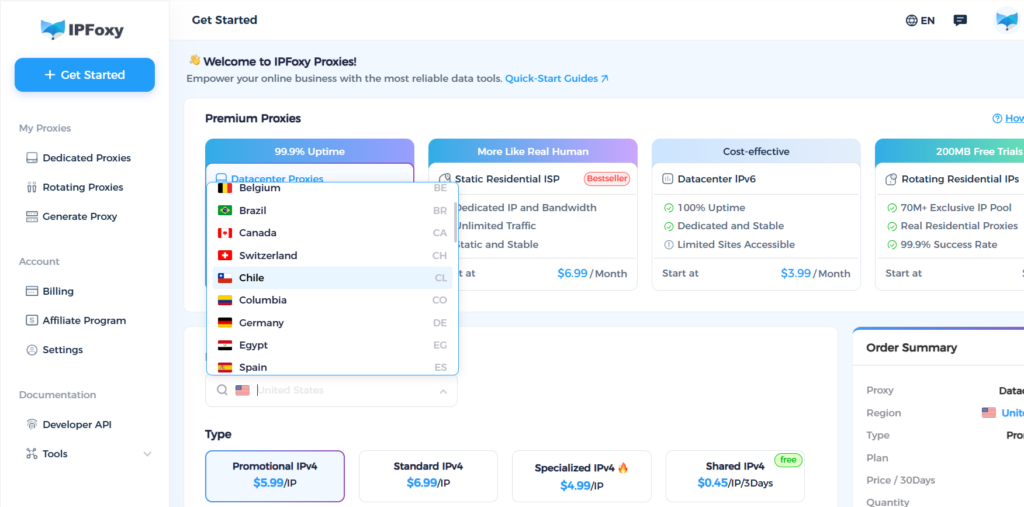
- Proxy IP Solves “Network Environment” Linkage: While fingerprint browsers isolate devices, they still use the same IP for login. Platforms can still identify accounts as coming from the same device. Therefore, combining fingerprint browsers with proxies is a common solution. Using IPFoxy’s proxy integration with fingerprint browsers, you can set up a unique environment for each account with geolocation-matched IPs, ensuring platforms cannot detect account links and reducing the risk of suspension.
- Which Proxy IP Types Work Best with Fingerprint Browsers?
Proxies typically come in static, dynamic, data center, and residential types, each suited to different business scenarios. For example, IPFoxy’s data center proxies are ideal for marketing and ad verification, dynamic proxies are suited for bulk data collection, while static residential IPs, known for their exclusivity and authenticity, are more advantageous for e-commerce and social media multi-account management.
V. FAQ
A1: No. Proxy IPs only change the “network address,” but all incognito windows share the same computer hardware and browser fingerprint, making it easy for platforms to identify accounts as linked.
A2: Yes. It’s best to bind a unique proxy IP (preferably static residential IP) to each virtual browser environment. This is key to preventing account linking.
A3: No method is 100% secure, but fingerprint browsers and proxies defend against most technical detection mechanisms. Account security still depends on operational behaviors (e.g., avoiding product description duplication, payment method associations, and shipping address similarities). Technical measures form the foundation, while compliant operations are key.
VI. Conclusion
Compared to incognito mode, fingerprint browsers excel at multi-account management and preventing account suspensions by isolating account behaviors and avoiding links. Combining fingerprint browsers with stable proxy IPs can further enhance account security and ensure smooth operations.

