












2026 marks a breakout year for AI applications, and the B2B industry is no exception. Among all B2B workflows, lead generation remains the most information-dense and time-consuming stage. The emergence of Gemini brings new opportunities to fundamentally improve this process.
This article systematically explains how to build an efficient B2B lead generation workflow using Gemini. It presents a fully actionable methodology, along with ready-to-use prompt examples, helping B2B professionals turn AI into a true productivity tool rather than a conceptual experiment.
I. Why Choose Gemini for Lead Generation? Core Advantages Explained
Compared with ChatGPT 3.5 and other AI tools, Gemini offers several irreplaceable advantages in B2B lead generation scenarios.
Real-time internet access and up-to-date data: Gemini directly leverages Google Search indexing, allowing users to access the latest company updates, exhibition information, and market activity without being limited to outdated datasets.
Native support for spreadsheet export (Excel): This is one of the most valued features for B2B professionals. Gemini can generate structured tables and export them directly to Google Sheets, which can then be downloaded as Excel files, eliminating manual copy-and-paste work.
Powerful multimodal image analysis: Gemini can interpret uploaded product images, analyze selling points, identify comparable products, and even generate outreach emails based on visual inputs.
Free and capable: Compared with GPT-4, which requires a monthly subscription, Gemini’s basic version is free and sufficiently powerful, with no complex payment barriers.
These four capabilities together form Gemini’s unique advantage. The following sections explain how to apply them step by step.
II. Building a High-Quality Lead Pool in 5 Steps
This section breaks down the complete process from account access to exporting an Excel lead list into five clear steps.
1. Accessing Gemini
- Enter the official website URL.
- Log in using a Gmail account or another international email account.
If access fails and the page appears blank or without a dialogue box, the issue is network-related in most cases.
Recommended solutions include using Chrome’s Incognito Mode, refreshing the page, or switching to a more stable proxy connection.
2. Building an Accurate Customer Profile
Before searching for leads, Gemini must first be guided to establish a filtering framework that turns vague searches into precise targeting.
- Defining the ideal customer profile
You need to clearly describe what your ideal customer looks like so Gemini can match results accurately.
Prompt example:
“I am a manufacturer exporting solar inverters. My target market is Germany. Please help me profile which types of companies in this market are likely to purchase my products in large volumes, such as system integrators, installers, or local distributors. Analyze their typical company size, pain points, and the top five factors they prioritize when selecting suppliers.”
- Localized keyword research
Once the profile is defined, the next step is identifying what these specific groups search for on Google.
Prompt example:
“Based on the above system integrator profile, please list 20 localized German keywords they may search on Google. Categorize them into product keywords, industry keywords, and intent keywords such as wholesale, supplier, or OEM, and provide the corresponding English meanings.”
- Identifying decision-maker roles
After identifying target companies, the next step is determining whom to contact.
Prompt example:
“In German energy system integration companies, what job titles are typically responsible for purchasing decisions? Please list 10 common titles with English–German equivalents for LinkedIn searches.”
3. Large-Scale Target Company Search
Using the keywords generated earlier, Gemini can retrieve real-time data directly from Google.
Instruction example:
“Using Google Search, search with the keyword [German keyword] and find 20 system integrator companies located in Germany. Output the results in a table including company name, official website, city, and a brief description of main business activities.”
Due to output limits, Gemini typically returns 10–20 results at a time. To build a large lead pool, continue with follow-up instructions such as “Continue and list 20 more.”
For deeper insights, you can also request detailed analysis of specific companies, including inferred purchasing preferences.
4. Data Consolidation and Excel Export
After Gemini generates the lead list, an “Export to Sheets” icon appears in the response interface. Clicking it automatically creates a Google Sheet in your Drive with all data structured.
You can then open the Google Sheet, select File, choose Download, and export it as a Microsoft Excel file.
A practical approach is to repeat the search multiple times, export several tables, and merge them locally into one comprehensive lead database. Before you begin your outreach to this new list, it is highly recommended to run a free email deliverability test to ensure your messages actually reach these high-quality prospects.
III. Advanced Techniques to Scale Lead Generation with Gemini
Once the basics are mastered, the following methods help transition from manual lead discovery to semi-automated acquisition.
1. Image-Based Analysis for Lead Discovery
When you have a competitor’s product image or are unsure how your product is referred to in a specific market, you can upload a JPG or PNG image and ask Gemini to analyze it.
Typical prompts include identifying key visual selling points, recognizing professional product terminology in the target market, and listing retailers or distributors selling similar products.
This method can also be extended to generate outreach emails based on image characteristics.
2. Bulk Website Analysis for Trade Show Leads
Gemini can access multiple live websites simultaneously. When handling hundreds of business cards from exhibitions or a large list of URLs from data sources, you can provide them directly to Gemini for batch analysis.
Prompt example:
“Here is a list of potential customer websites. Please visit them in bulk and summarize the company name, main products, estimated company size, and any indicators of importing from Asia. Then analyze which companies are most worth prioritizing.”
3. Local Lead Discovery via Google Maps
When on-site visits are not possible, Gemini can explore local markets digitally. Many wholesalers, showrooms, and warehouses have limited website visibility but are well indexed on Google Maps.
Prompt example:
“Search on Google Maps for building material wholesalers or showrooms near Los Angeles. Only include businesses with ratings above 4.0 and recent reviews within the past month. Output a table with business name, full address, official website, and phone number.”
These leads are highly reliable, and physical scale can often be inferred from location details and Street View imagery.
IV. Key Considerations When Using Gemini for Lead Generation
1. Guarding Against AI Fabrication
Gemini may occasionally generate highly realistic but inaccurate websites or contacts.
If exported Excel entries contain inaccessible websites or unrelated business scopes, secondary verification is necessary. Cross-check company names using LinkedIn or official “About Us” pages to confirm legitimacy.
2. Avoiding Keyword Homogenization
Using generic keywords often results in heavily targeted leads shared by many competitors.
A more effective strategy is indirect discovery, such as searching for industry association members, recent exhibition participants, or companies listed in public procurement records.
3. Network and Environment Stability
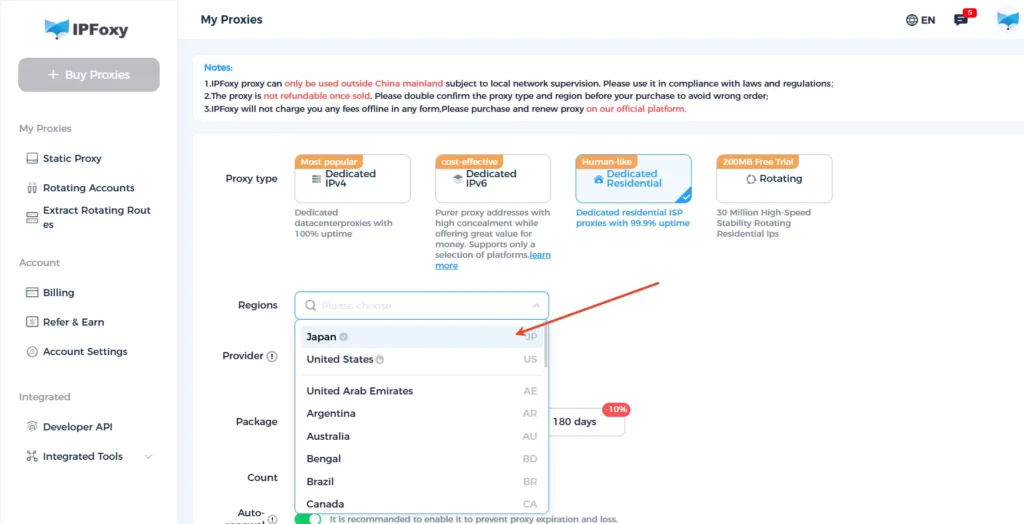
Frequent IP changes can trigger Google security checks, leading to access restrictions or account issues. For stable, long-duration lead generation tasks, using clean and stable residential proxy solutions such as IPFoxy helps reduce risk and ensure consistent access.
V. Frequently Asked Questions
Gemini excels at retrieving real-time company data, exporting structured Excel files, and performing image analysis, especially for free users. ChatGPT performs better in language refinement but is less efficient for live search and direct data export.
Ensure the correct URL is used and log in with a Gmail account. Network quality is critical, as low-quality proxy connections are prone to security restrictions. Switching to stable residential proxy solutions and clearing cookies in Chrome Incognito Mode is recommended.
Conclusion
In traditional B2B workflows, professionals spend excessive time on low-value repetitive tasks. By integrating customer profiling, keyword research, real-time search, structured organization, and data export into a single workflow, Gemini enables lead generation to become scalable for the first time.
As competition shifts from information asymmetry to efficiency optimization, building a stable and repeatable lead generation methodology becomes a decisive advantage. For B2B professionals aiming to secure high-quality customers beyond 2026, systematically mastering tools like Gemini is no longer optional—it is a foundational capability.

