











Can’t sign in to YouTube? It doesn’t necessarily mean your account is banned. Factors such as account status, Google security checks, and network connections can all cause login failures. Especially for users managing multiple channels or doing data analysis, a stable account and network environment directly impacts login security. This article breaks down the reasons and solutions for YouTube login issues in 2026 across three dimensions: account, network, and device.
I. Why Can’t I Sign In to My YouTube Account?
When encountering YouTube login failures, many users immediately assume their account has been banned. In reality, login failure can happen at various stages and is usually related to account status, access environment, or device settings. You can first identify the issue based on the login prompt, then troubleshoot according to your specific situation.
When troubleshooting YouTube login issues, use the following behaviors to identify the problem area:
| Login Behavior | Potential Issue Area |
| Cannot enter after typing password | Account verification or security check anomaly |
| Prompt “An error occurred, please try again” | Network connection or browser environment anomaly |
| Automatically logged out after signing in | Current login environment poses a security risk |
| YouTube page fails to load | Network access or configuration issue |
| Frequently asked to verify identity | IP, device, or login behavior anomaly |
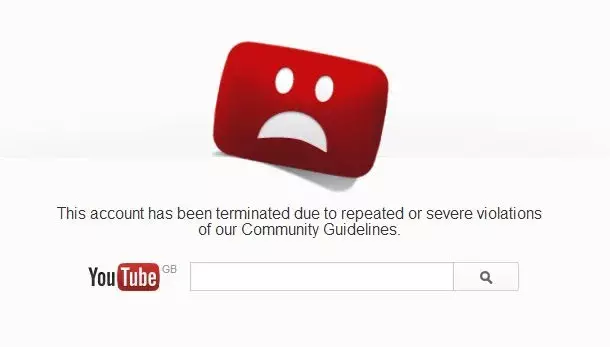
| Prompt account disabled or restricted | Problem with account status |
II. 6 Major Reasons Why You Can’t Sign In to YouTube and How to Fix Them
1. Browser Environment Anomaly
The browser environment is a key basis for Google to evaluate user login behavior. Major changes in browser configuration—such as device information, language settings, time zone, or browser data differing from historical usage habits—can trigger Google security checks, prompting YouTube to require identity reverification.
Common scenarios include:
- Frequent device switching: Switching frequently between different computers, browsers, or devices may cause Google to flag the current login behavior as suspicious.
- Significant browser environment changes: Large discrepancies in language, time zone, or system environment compared to the account’s historically used location will affect Google’s assessment of login credibility.
When fixing such issues, prioritize restoring a stable browser environment, such as using a browser long associated with the account, avoiding frequent device switching in a short period, and keeping basic settings like language and time zone consistent. If login still fails, try clearing browser data or testing with a different browser to further identify the source of the problem.
2. IP Address Anomaly
When an account’s access IP changes too frequently, or if an untrusted IP is used, or the login location differs significantly from historical usage, the system may trigger security verification, preventing normal YouTube login.
Common IP anomalies include:
- Frequent IP changes: Switching network environments across multiple countries or regions in a short time easily triggers extra verification.
- Using shared high-risk IPs: Certain public virtual network services or shared proxy nodes are heavily used by many people, which can undermine account login stability.
- Noticeable login location shifts: An account accustomed to long-term access from one region suddenly switching to another region’s IP may be flagged by Google as an abnormal login.
- Using data center IPs: Some data center IPs lack authentic residential network features and may be shared by multiple users. Using these IPs when long-term account maintenance or a fixed login environment is required can increase verification prompts.
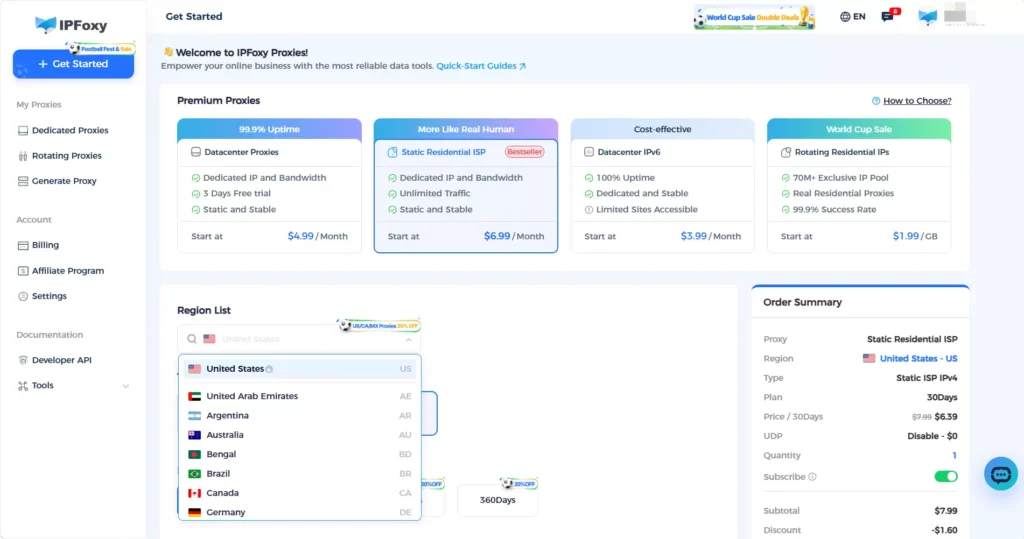
Users running YouTube channels long-term generally need to ensure a authentic, exclusive, and secure login network. For instance, dedicated static residential proxy options provided by IPFoxy proxy services suit scenarios requiring fixed access environments. Combining authenticity and exclusivity helps reduce repeated account verifications caused by frequent IP changes or region switching.
3. Association in Multi-Account Operations
Google evaluates not only single-account login behavior but also analyzes whether similar operating environments exist between different accounts. If multiple accounts share the same device, browser data, and network environment over time, the probability of system verifications increases.
Common association factors include:
- Shared IP address: Multiple accounts accessing through the same network environment over a long period easily form identical login footprints.
- Shared browsing data: Identical cookies, cache, and browser configurations increase environmental similarity.
- Highly consistent operation patterns: Multiple accounts executing similar actions in a short period may be flagged by the system as abnormal behavior.
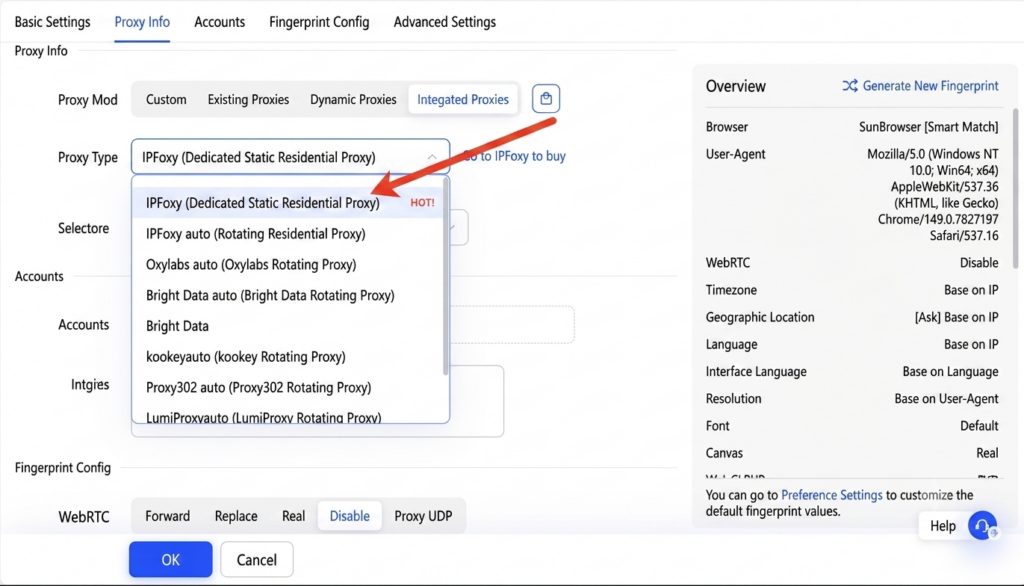
Therefore, multi-account management requires proper environment isolation to avoid long-term sharing of identical login conditions. Beyond using IPFoxy dedicated proxy IPs, configuring them into anti-detect browsers, cloud phones, and other multi-account tools creates a “one account, one IP” setup, lowering verification risks caused by IP duplication, environmental similarity, or frequent switching.
4. Extension or Cache Conflicts
Extension and cache issues can also affect the YouTube sign-in process. Some extensions modify page loading logic or network requests, such as ad blockers, privacy tools, and proxy management tools, all of which may interfere with Google account verification.
You can try the following steps in order:
- Clear cache and cookies, then try signing in again
- Test using Incognito mode
- Disable extensions that might affect web requests
- Switch browsers to confirm the issue source
If Incognito mode allows normal sign-in, it usually indicates that the account itself is fine, and the root cause is likely cached data or extension conflicts.
5. Google Account Security Protection Triggered
Because YouTube accounts rely on the Google account infrastructure, Google security policies directly impact YouTube login status. When the system detects suspicious access behavior, it may require identity verification or temporarily restrict sign-in.
Common triggers include:
- Signing in from a new device or new location
- Entering the wrong password multiple times in a short period
- Frequent failed sign-in attempts
- Access behavior differing significantly from historical habits
If this happens, navigate to the Google Account Security Center to review recent sign-in activity and complete identity verification as prompted. If you confirm the account belongs to you, enabling 2-Step Verification can enhance future sign-in security.
Note that repeated failed sign-in attempts can trigger further security restrictions, so it is recommended to identify the root cause before attempting further actions.
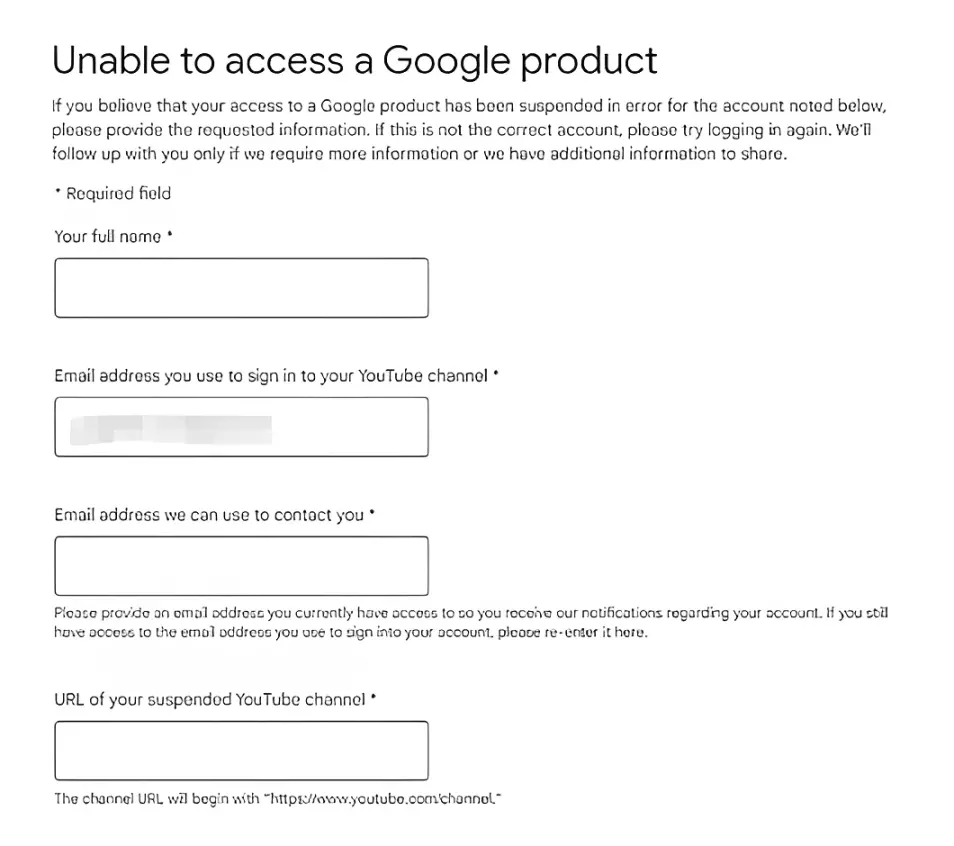
6. YouTube Account Restricted or Banned
If you still cannot sign in after checking account, network, and browser environments, you need to verify whether the account itself has been restricted. Unlike environmental issues, account restrictions are usually tied to content publishing, copyright strikes, or platform policy violations.
Conditions that may cause account restriction:
- Using automation tools or improper methods to operate the account
- Publishing content that violates YouTube Community Guidelines
- Receiving copyright claims or infringement strikes
- Suspicious operational behavior
- Account violating platform policies
To check account status, look at Google account notifications, YouTube Studio dashboard alerts, and official messages in your linked email inbox. If your account was restricted by mistake, submit an appeal according to YouTube’s provided appeal process and wait for platform review.
III. Complete Troubleshooting Steps for YouTube Login Failures
When resolving YouTube sign-in failures, avoid changing account, network, and device settings simultaneously. Following a structured step-by-step troubleshooting order helps locate the issue faster and prevents new verification challenges caused by frequent adjustments.
- Check Google account status: Confirm if the account is functioning normally and check for security verifications, abnormal alerts, or account restrictions.
- Check network access environment: Verify whether YouTube can be accessed normally and ensure the current network is stable, preventing access environment changes from affecting login.
- Troubleshoot browser and device settings: Check cache, cookies, extensions, and browser configurations to confirm if it is a local environment issue.
- Handle based on issue type: After completing basic checks, take corresponding action according to page prompts, such as completing identity verification, adjusting the network environment, or appealing account restrictions.
Following the sequence of Account Status → Network Environment → Device & Browser → Error Prompts helps solve YouTube sign-in failures efficiently without blindly modifying account setups.
IV. FAQ
Google continuously evaluates an account’s login environment and behavior. If an account frequently switches devices, networks, or access regions over time, security verifications may trigger again even after a successful login. Maintaining a stable usage environment helps minimize repeated verifications.
A proxy itself does not directly cause YouTube sign-in failures; the key lies in IP quality and usage patterns. High-risk shared IPs and frequent node switching can increase verification chances, whereas a stable residential proxy or ISP proxy is better suited for long-term account maintenance.
If you manage only a few channels for personal use, a standard environment is usually sufficient. However, for batch operations, channel matrices, or channels targeting different regions, account isolation is recommended—including independent browsing environments, stable network outlets, and differentiated operation habits.
Inactivity itself will not cause an account to be banned. However, signing in again after a long period using a device or network that differs significantly from historical environments may trigger Google security checks. Before resuming activity, try to use a stable, trusted login environment.
YouTube account sign-in is best suited for dedicated static residential proxy or ISP proxy options. In contrast, shared proxies suffer from low IP reputation due to multi-user sharing, rotating dynamic proxies easily trigger security verifications due to frequent changes, and data center IPs lack genuine residential features, making them unsuitable for long-term account maintenance.
V. Conclusion
Inability to sign in to YouTube does not automatically imply account penalties. In most cases, the issue can be resolved by checking account status, optimizing the network environment, and adjusting browser settings. Everyday users should focus on Google verifications and cache issues, while multi-account operators should prioritize IP stability and environment isolation. Maintaining a stable login environment and minimizing abnormal operations remain the key to reducing sign-in failures.