












In 2026, public data collection, automated testing, and SEO monitoring are critical to enterprise workflows. However, Cloudflare’s upgraded security—driven by Turnstile and AI behavioral analysis—presents major hurdles for automation.
Endless CAPTCHAs and “5-second challenges” cause widespread task failures, waste computing resources, and cut directly into ROI. This article breaks down Cloudflare’s latest detection mechanisms and offers key technical strategies to ensure workflow stability.
I. Why Does Cloudflare Trigger Challenges?
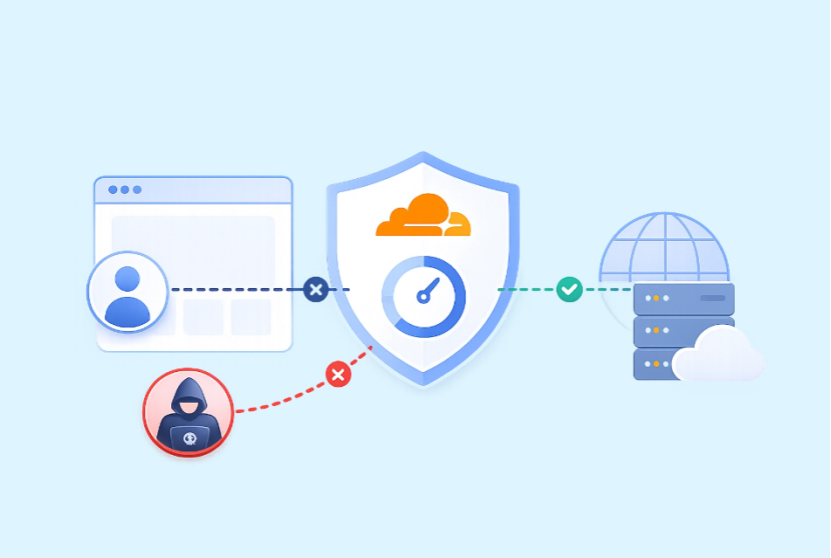
Cloudflare evaluates every HTTP request in milliseconds using a real-time Bot Score Assessment. High-risk requests trigger the 5-second challenge or Turnstile verification. If your environment remains suspicious, you’ll end up stuck in an infinite CAPTCHA loop.
Key triggers include:
- Poor IP Reputation: Shared or datacenter IPs carry high risk scores and get flagged during initial network connections.
- TLS / Protocol Fingerprint Leakage: Standard HTTP clients (e.g., Python requests, axios) reveal distinct TLS signatures (JA3/JA4). Rotating IPs won’t help if your TLS fingerprint screams “bot.”
- Browser Automation Signals: Background JavaScript checks for navigator.webdriver, CDP traces, Canvas rendering, and WebGL fingerprints to detect automated environments.
- Non-Human Behavior: Rapid request spikes or missing human signals—such as natural mouse curves, keystroke pauses, and scrolling—raise immediate red flags.
Common Cloudflare Error Codes Explained
| Error | Possible Cause | Optimization Direction |
| 403 Forbidden | Low IP reputation or abnormal access behavior | Improve network quality and reduce request frequency |
| 1020 Access Denied | Cloudflare Firewall rule triggered | Review access patterns and request behavior |
| 429 Too Many Requests | Excessive request rate | Reduce concurrency and add request intervals |
| 503 Service Unavailable | Challenge failure or server-side restrictions | Improve session and browser management |
II. Systematic Solutions for Cloudflare Challenges in 2026: Tools & Code Practices
Improving automation stability under Cloudflare protection requires reducing abnormal signals and maintaining consistency across network environments, browsers, and user behavior.
The following approaches are commonly used in 2026 automation workflows.
1. Using Puppeteer + Stealth Plugin
puppeteer-extra-plugin-stealth is commonly used to reduce automation-related browser differences. It helps optimize browser configurations, including webdriver-related properties, User-Agent consistency, and other automation indicators.
Install:
npm install puppeteer-extra puppeteer-extra-plugin-stealthExample:
const puppeteer = require('puppeteer-extra');
const StealthPlugin = require('puppeteer-extra-plugin-stealth');

puppeteer.use(StealthPlugin());

(async () => {
  const browser = await puppeteer.launch({
    headless: false
  });
  const page = await browser.newPage();

  // Randomize viewport settings
  await page.setViewport({
    width: 1280 + Math.floor(Math.random() * 100),
    height: 800 + Math.floor(Math.random() * 100)
  });

  await page.setUserAgent(
    'Mozilla/5.0 (Windows NT 10.0; Win64; x64) AppleWebKit/537.36 Chrome/124.0.0.0 Safari/537.36'
  );

  await page.goto(
    'https://protected-site.com',
    {
      waitUntil: 'networkidle2'
    }
  );

  // Data collection logic...
  await browser.close();
})();
2. Using Playwright + Persistent Browser Contexts
Playwright automation environments may also expose certain automation signals.
By combining Playwright with stealth techniques and persistent browser contexts, developers can preserve cookies and LocalStorage data, allowing session states to be reused and reducing repeated verification requests.
Example:
from playwright.sync_api import sync_playwright

with sync_playwright() as p:
    context = p.chromium.launch_persistent_context(
        user_data_dir="./playwright_custom_profile",
        headless=False,
        args=[
            "--disable-blink-features=AutomationControlled"
        ]
    )
    page = context.new_page()
    page.goto(
        "https://protected-site.com"
    )
    # After verification, future requests can reuse the session state

context.close()
3. Using Undetected ChromeDriver (UC)
For Python developers, undetected-chromedriver is a Chrome automation enhancement library designed to reduce detectable automation characteristics.
Example:
import undetected_chromedriver as uc

if __name__ == '__main__':
    options = uc.ChromeOptions()
    # Avoid headless mode when possible
    driver = uc.Chrome(
        options=options
    )
    driver.get(
        'https://protected-site.com'
    )
    driver.implicitly_wait(10)
    print(driver.title)
driver.quit()
4. TLS Fingerprint Alignment: Using curl_cffi Instead of Standard HTTP Libraries
If JavaScript rendering is not required, direct HTTP requests are usually faster.
However, standard Python requests may expose TLS fingerprint differences. Developers can use libraries such as curl_cffi, which support browser-like TLS fingerprint impersonation.
Example:
from curl_cffi import requests

response = requests.get(
    "https://protected-site.com",
    impersonate="chrome120"
)

print(response.status_code)
5. Proxy Rotation Strategy
Even with optimized browser fingerprints, requests from low-reputation IP addresses may still trigger Cloudflare challenges.
High-quality and rotating proxies resources can help improve network reliability.
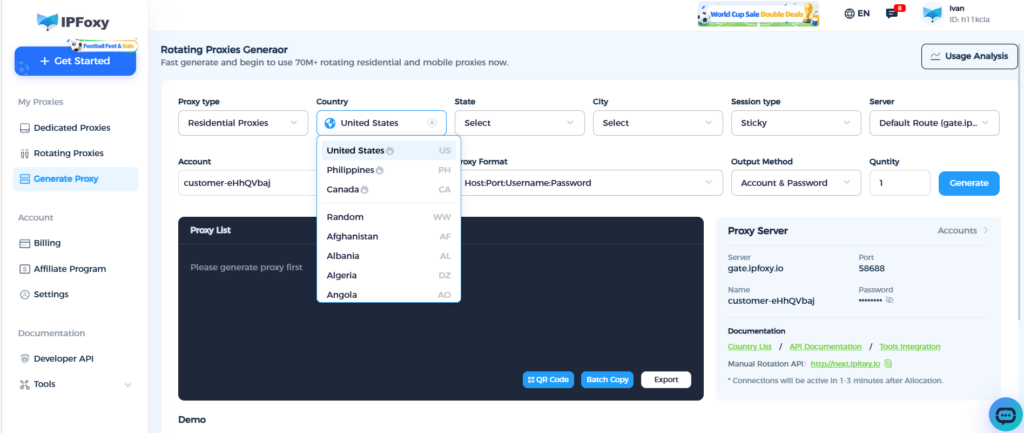
For example, IPFoxy residential proxies provide access to more than 90 million residential IP resources across multiple countries and regions. Users can select specific locations based on business requirements, helping improve stability for applications such as data collection, SEO monitoring, and automated testing.
Compared with low-quality shared data center proxies, residential proxies generally provide better IP reputation and lower risk of frequent blocks.
Proxy rotation can also help manage large-scale automation workflows. For general data collection, rotating IPs between requests can help reduce rate-limit issues. For multi-step workflows such as account sessions, sticky sessions can provide better continuity.
3. Common Cloudflare Optimization Mistakes and How to Avoid Them
When dealing with Cloudflare challenges, many teams make mistakes that appear effective at first but actually increase verification frequency and reduce efficiency.
Avoiding these common issues can significantly reduce debugging time and resource waste.
Mistake 1: Excessive Retries
Common Issue:
Repeatedly sending requests after receiving 403 errors or CAPTCHA challenges without adjusting the workflow.
Result:
Continuous retries may increase risk scores and cause temporary challenges to become stronger restrictions.
Better Approach:
When encountering access failures, adjust the request strategy, refresh the browser context when necessary, and avoid aggressive retry loops.
Mistake 2: Inconsistent Headers and TLS Fingerprints
Common Issue:
Changing the User-Agent to the latest Chrome version while the underlying TLS handshake and HTTP/2 characteristics still reveal a different client environment.
Result:
This inconsistency becomes a strong signal for automated traffic detection.
Better Approach:
Maintain consistency across browser settings, headers, and TLS characteristics. When using tools such as curl_cffi, ensure the impersonation profile matches the browser configuration.
Mistake 3: Using Free Proxy
Common Issue:
Using publicly available free proxies or low-quality shared data center IPs to reduce operational costs.
Result:
Free proxies are often heavily abused and may already have poor reputation scores. Many belong to known public data center networks, making them more likely to trigger verification.
Better Approach:
Choose high-quality residential proxies with better IP reputation. Combining clean residential networks with reasonable rotation strategies can improve access reliability.
Mistake 4: Ignoring Session and Cookie Lifecycle
Common Issue:
Restarting browser instances frequently or discarding cookies after every request.
Result:
Each new session may require additional verification steps, reducing efficiency and increasing risk signals.
Better Approach:
Properly manage cookies and browser contexts. After completing verification, maintaining valid session states can improve workflow efficiency for subsequent requests.
Conclusion
In 2026, overcoming Cloudflare challenges requires a multi-layered strategy across your network, TLS stack, browser environment, and session behavior. Simply tuning one variable isn’t enough—consistency across all signals is critical.
Building a clean, fully aligned access architecture is far more effective than constantly swapping tools or forcing brute-force retries.