












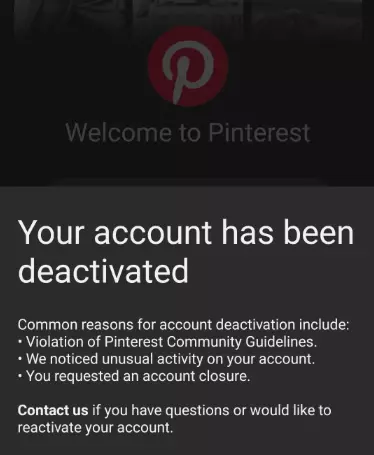
Pinterest is a visually-oriented social platform where posting high-quality images and creative content can significantly boost exposure and traffic for e-commerce sellers. However, many users report being banned right after registering an account or facing restrictions that prevent normal operation.
How can you effectively build and maintain a healthy Pinterest account to ensure smooth operation? This article will provide detailed answers to these questions, guiding you through the entire process of Pinterest account building.
I. Analyzing the Reasons Behind Pinterest Account Bans
Account bans are rarely caused by a single factor. Rather, they are typically the result of multiple risk factors combined. Here are the main causes of account bans:
1.IP Issues
- Shared and Blacklisted IPs: Using data center proxies or shared IPs can lead to being blacklisted by Pinterest, as these IP ranges may have been used for mass registration or spam.
- IP Fluctuations: If an IP’s physical location changes dramatically (e.g., from Beijing to New York), Pinterest may trigger an abnormal login alert.
- IP Bans: If Pinterest detects excessive activity from a particular IP within a short period, the IP will be blocked, affecting all devices under that network.
2.Account Information and Browser Fingerprint
- Unrealistic or Incomplete Information: Using fake information or unacceptable email addresses can lead to registration rejections.
- Account Association: Frequently registering or logging into multiple accounts from the same browser or device can result in Pinterest linking these accounts together. If one account violates the rules, others may be banned as well.
3.Suspicious Activity
- Excessive Activity: Engaging in excessive actions like rapidly following, saving large numbers of pins, or posting too many external links immediately after registration can make an account appear like a bot.
- Automation Tools: Using unauthorized automation scripts or scraping software for bulk operations can trigger bans.
4.AI Content Review Mistakes
According to user feedback, Pinterest’s AI review system has flaws, especially when it comes to detecting “AI-modified content.” The system often misidentifies manually created images as AI-generated content. Moreover, AI reviews may lead to account bans without manual verification.
II. Full Pinterest Account Building Process
To successfully build a high-authority Pinterest account in 2026, follow the process of “Preparation before Registration — Secure Registration — Gradual Account Building.” The steps are broken down into pre-registration, registration process, and post-registration account nurturing:
Stage 1: Preparation Before Registration
1.Clean Network Environment
Proxy IP: Use a clean, dedicated static residential proxy. Avoid using free public VPNs or data center IPs as these are often flagged by Pinterest and could result in account bans.
Example: IPFoxy offers high-quality static residential IPs. Here’s how you can set it up:
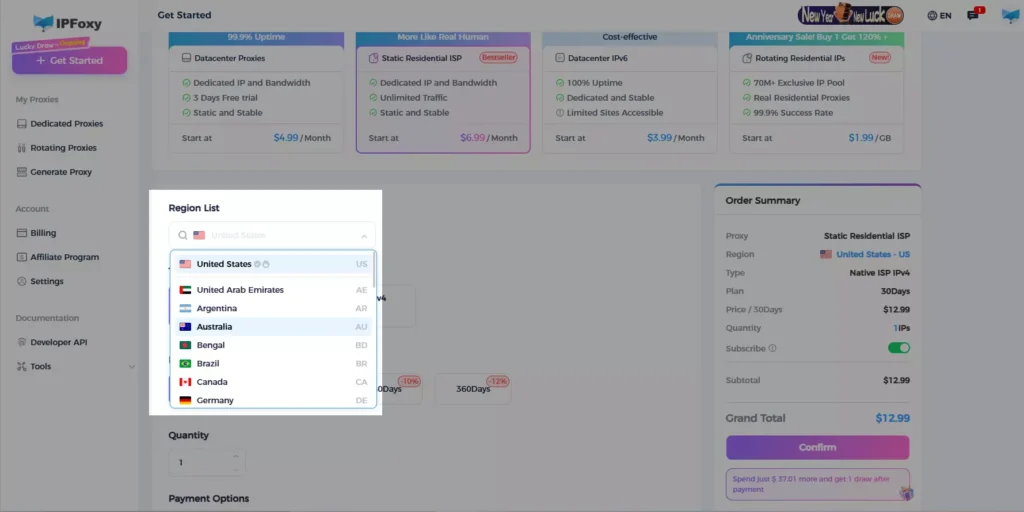
Step 1: Log in to IPFoxy and select “Static ISP Residential” for proxy type, then choose the target country or region. Be aware that different providers represent different family ISP sources (native/non-native, dual ISP/single ISP, etc.). Start with small tests before scaling up.
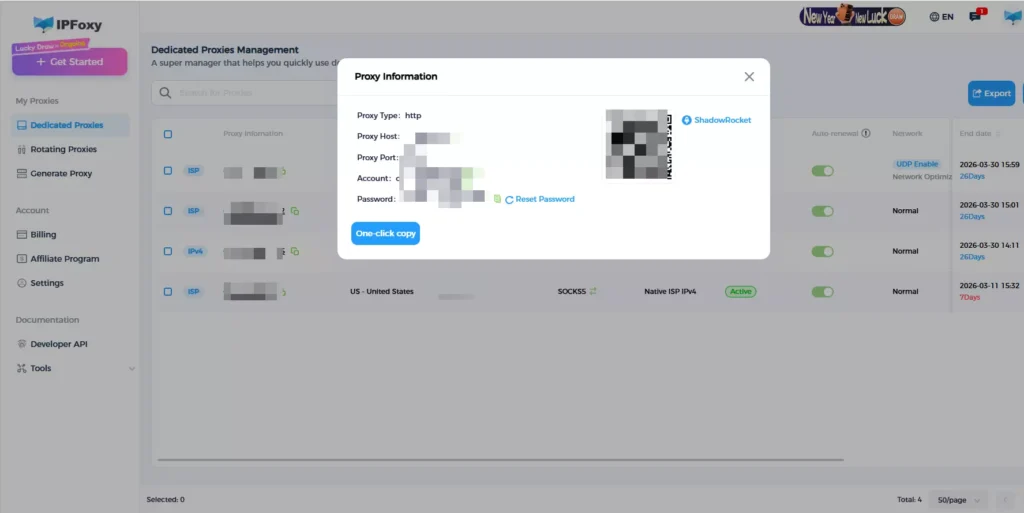
Step 2: On the “Static Proxy Management” page, you’ll find the IP address, port, username, and password. Copy these details one by one.
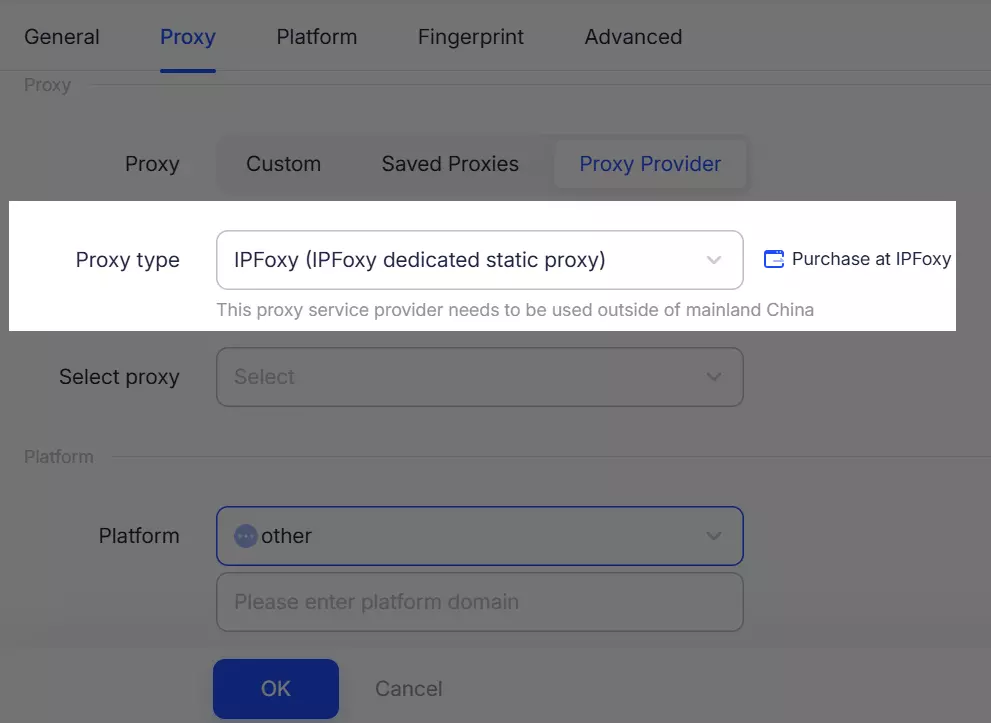
Step 3: Configure the proxy in a browser or Anti-detect browser. Create a clean, isolated environment for each account.
2.Account Information Preparation
- Email: Prefer international email services like Gmail or Outlook. If you must use QQ email, switch to the English version on the QQ webmail page to avoid system errors.
- Personal Information: Ensure the information you enter is genuine.
Stage 2: Registration Process
1.Choose a Registration Channel
- Computer: Visit Pinterest’s official website and use Google account login for smoother registration. This method usually avoids additional email verification steps.
- Mobile: When downloading the app, Apple users need a U.S. App Store ID, and Android users should download it via Google Play.
2.Fill in Details and Verify
If you encounter issues receiving the verification code, try clearing the cache or changing your network.
3.Interest Tags
Pinterest will prompt you to select 5 interest tags. Choose those that align with your business direction. Avoid random selections.
Stage 3: Account Nurturing
This is the key period for turning a “new account” into a “valuable account,” usually lasting 7-15 days.
Days 1-3: Observation (Cold Start Phase)
Focus on browsing rather than actions. Spend time viewing the homepage, watching videos, and browsing search results.
Simulate human behavior by pausing for a few seconds on each image. Click on images that interest you, but avoid saving or liking too many.
Conduct 3-5 keyword searches daily to help Pinterest’s algorithm understand your “preferences.”
Days 4-7: Light Interaction (Growth Phase)
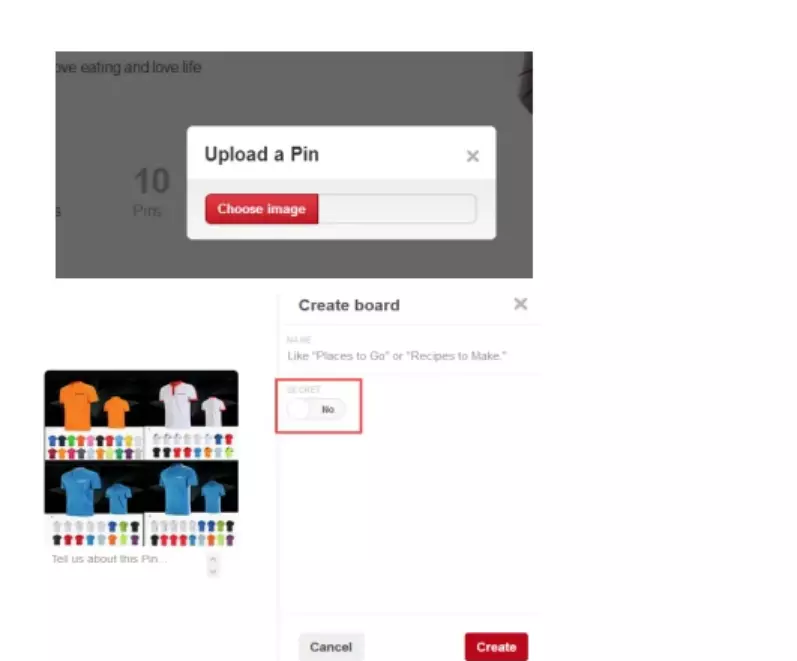
Start creating 1-2 curated boards, ensuring the board names contain relevant keywords.
Interact moderately by saving a few pins daily to your boards. Follow a few influential accounts in your niche.
Avoid being overly aggressive—limit daily saves to 20-30 and follow no more than 5-10 people at once.
Days 8-15: Content Output (Maturity Phase)
Begin posting your own original pins if you have content ready.
Optimize your SEO by crafting keyword-rich titles and descriptions for your pins.
Recommended image size: 1000 x 1500 pixels (2:3 ratio).
Maintain a consistent posting schedule of 3-5 pins per day.
III. FAQ
A: It’s recommended to have 1-2 accounts per IP, with a maximum of 3. The more accounts on the same IP, the higher the associated risk.
A: Yes, but in moderation. Tailwind is Pinterest’s official partner and is allowed. Even with Tailwind, avoid dramatically increasing posting frequency in a single day. Aim to simulate human posting patterns.
A: It’s recommended to nurture the account for 2-3 weeks, ensuring stable interaction before gradually adding external links.
IV. Conclusion
Pinterest is a platform with enormous potential traffic. By properly nurturing and managing your account, you can gain significant benefits for your brand and business. Understanding the causes of account bans and following the correct account-building process will help you maintain a healthy account and avoid unnecessary risks. Remember, account nurturing is not an instant process—it requires patience, attention to detail, and ongoing optimization.

