












Pinterest, one of the largest visual search engines globally, attracts countless users. However, many users face registration issues, from incomplete account information to IP address recognition errors. If you’ve encountered obstacles while registering on Pinterest, don’t worry—this guide outlines common causes of registration failure and provides detailed solutions to help you successfully complete the process and begin exploring Pinterest’s world of creativity.
I. 5 Common Pinterest Registration Failure Scenarios
1.Unable to Log In After Registering
Symptoms: After registering, users find themselves unable to log in, with the message “We seem to have encountered an issue.” This often happens due to unstable network connections or temporary technical problems on Pinterest’s platform.
2.Age Requirement Met, But Registration Denied
Symptoms: Despite meeting Pinterest’s age requirements, users are still shown the message “You seem to be ineligible to join Pinterest.”
3.Account Freezes Immediately After Registration
Symptoms: After registration, users encounter the message “Your account has been deactivated” on their first login. This is often because the registered IP address is flagged by Pinterest’s risk control, causing the immediate suspension of the account.
4.Detected as Spam or Fake Account
Symptoms: Pinterest may automatically identify certain email addresses or account details as spam or fraudulent, particularly if fake personal details or virtual numbers are used, which can block the registration.
5.Captcha Verification Failed
Symptoms: Due to environmental issues, users may not receive the verification code or fail to pass the captcha, causing registration to fail.
II. Reasons for Pinterest Registration Failure
1.Account Information Issues
- Incomplete or Untrue Information: Inaccurate or incomplete registration information (e.g., email, phone number, name) can lead to registration failure. Pinterest allows only one account per email address, so if the email is already registered or incorrectly formatted, the registration cannot be completed.
- High Account Association: Pinterest uses browser fingerprinting technology to detect account associations. If multiple accounts are frequently registered from the same device or browser, Pinterest may freeze or block those accounts.
2.IP Issues
- Unstable IPs: Using data center proxies or shared IP addresses may cause the system to flag the IP as suspicious, affecting registration.
- Blocked Regions: Certain IP addresses, especially from restricted regions, may be blocked by Pinterest, causing registration failures.
3.Unacceptable Email Address
Some domestic email services may be marked as unacceptable by Pinterest, causing registration failure. Pinterest may block specific email domains, preventing account creation.
4.Captcha Issues
Incorrect or Unreadable Captcha: Failure to input the captcha correctly or issues with captcha recognition can prevent successful verification and cause registration failure.
5.Device or Browser Incompatibility
Outdated Devices or Browsers: Using outdated devices or browsers may cause compatibility issues with Pinterest’s registration system, resulting in failure.
III. Solutions to Pinterest Registration Failures
1.Ensure Accurate Information
Double-check that all registration details are accurate, especially the email address, avoiding format errors or extra spaces. Using international email services like Gmail or Outlook is recommended for better recognition during verification.
Make sure your birth date meets Pinterest’s age requirement to avoid immediate deactivation.
2.Create a Stable Network Environment
A stable internet connection is essential for successful registration. Network instability may interrupt the process, causing failed submissions.
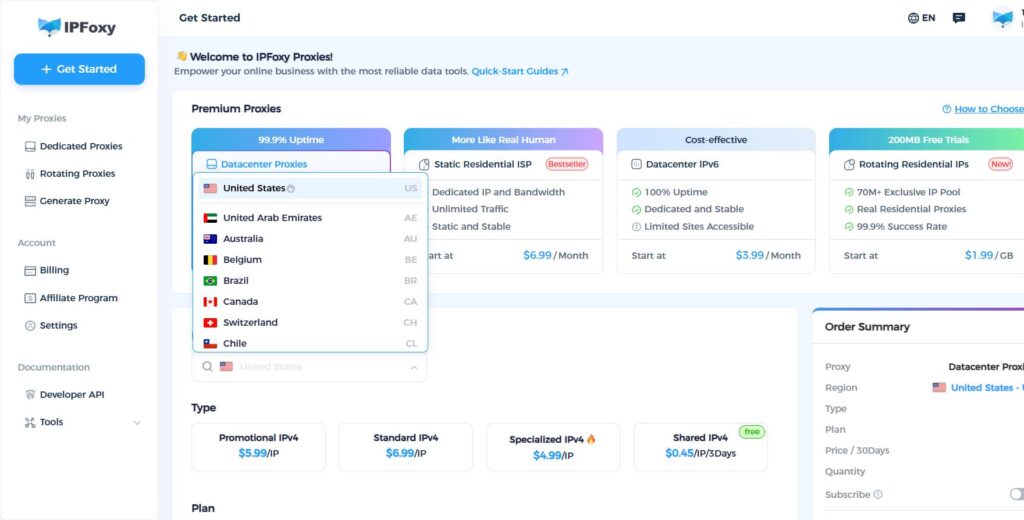
To ensure IP stability and independence, use clean proxy IPs. Avoid using IPs with a history of suspicious activity, as they may be flagged by Pinterest. Consider using a dedicated proxy like IPFoxy, which offers clean, stable IPs without the risk of misuse.
3.Use an Independent Device Environment
Avoid registering multiple Pinterest accounts from the same device or browser. It’s recommended to integrate proxy IPs into fingerprint browsers like AdsPower to isolate accounts, ensuring each one has a unique device and IP, reducing the risk of account association.
4.Follow Pinterest’s Registration Rules
Ensure each email is linked to only one Pinterest account to avoid duplication. Pinterest also prohibits bulk registration, and using automation tools or scripts to register will trigger security mechanisms. Strictly follow manual registration requirements to prevent being flagged by Pinterest’s security system.
5.Adjust QQ Email Settings
If using QQ email to register and encountering issues, log into the QQ webmail and switch to the English interface. This ensures the email settings comply with Pinterest’s requirements, avoiding registration failures caused by language or format issues.
6.Contact Pinterest Support
If you’re still unable to register after trying the above solutions, contact Pinterest’s support team. Go to Pinterest’s “Help Center,” select “Contact Us,” and submit a detailed description of the issue. Providing detailed information increases the likelihood of a successful appeal.
IV. Common Questions & Answers
Q1: What to do if the app shows “Authorization Failed” after mobile registration?
A1: It may be due to an outdated app version. Update the app from the App Store or Google Play, or clear the app cache manually.
Q2: What to do if QQ email shows “Registration Email Invalid”?
A2: Switch to the English version of QQ email or use Gmail or Outlook.
Q3: Will using a proxy IP make my account 100% secure?
A3: No method guarantees 100% security, but using clean, dedicated static residential ISP proxies can significantly improve security by addressing IP-related risks.
V. Conclusion
Registering a Pinterest account may seem complicated, but by following the right steps and keeping an eye on important details, success is within reach. From ensuring accurate personal information to using a stable network, and avoiding blacklisted email addresses, carefully address each issue to improve your chances of registration success. If you’re still unable to register, don’t hesitate to contact customer support. By adhering to Pinterest’s guidelines and staying patient, you’ll soon be able to showcase your creativity on the platform.

