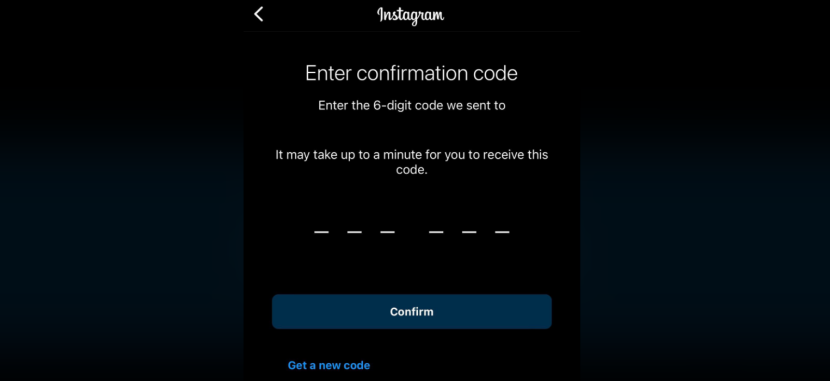
When using Instagram, have you encountered any of the following issues:
- Verification code never arrives during Instagram registration
- “Code sent” appears during login, but no SMS is received
- Verification fails immediately after changing device or proxy
- Multiple retries lead to temporary sending restrictions
This is not simply caused by poor network quality or SMS delays. By 2026, Instagram’s risk control system has become significantly more advanced.
This article explains the core reasons, practical solutions, and network and environment optimization strategies to help you fully resolve the issue of not receiving Instagram verification codes.
I. Six Common Scenarios Where Instagram Verification Codes Fail in 2026
- New Instagram accounts stuck on the verification page
- Old accounts unable to receive codes after switching devices or browsers
- Accounts failing verification when logging in from a different region
- Advertising accounts unable to verify after environment changes
- All accounts failing to receive codes after multi-account activity
- “Try again later” appears, but remains invalid even after hours
All of these scenarios point to the same root cause: the current environment is not trusted.
II. Why Instagram Verification Codes Are Not Delivered
1、Platform risk control has become stricter
Instagram evaluates login behavior to protect account security, including:
- Repeated verification code requests
- Abnormal proxy or IP environments
- Sudden location changes
- Unstable network connections
Such behaviors are easily flagged as abnormal, causing verification codes to be blocked or not sent.
2、Network or IP environment is flagged as suspicious
If the current IP:
- Is identified as high-risk
- Comes from VPS, cloud servers, or hosting providers
- Does not match the phone number’s country
Instagram may refuse to send verification codes. This is especially common when account environments change significantly.
3、Phone number or email configuration issues
Other common reasons include:
- Incorrect or changed phone numbers
- Emails filtered into spam folders
- Phone numbers that have blocked Instagram messages
- SMS service limitations or unstable signal
These basic issues are often overlooked but frequently cause verification failures.
4、Virtual phone numbers may be flagged
Phone numbers also affect verification success:
- Virtual numbers or SMS receiving platforms
- Numbers previously used by many accounts
- Numbers that do not match the proxy country
- Numbers with frequent verification requests
Even with a clean IP, once a phone number enters Instagram’s risk pool, verification codes may stop arriving.
III. Practical Solutions That Work in 2026
The following methods have been tested across many user and operational scenarios. It is recommended to try them one by one.
1、Verify phone number and account binding
First, confirm that the phone number linked to your Instagram account is:
- Correct
- Currently active
- Using the correct country code
Incorrect phone numbers are one of the most common causes of verification failure.
2、Check SMS and email filtering
Make sure your phone is not blocking messages from Instagram or carrier shortcodes (such as 32665). Also check spam or junk folders in your email inbox.
3、Avoid excessive retry attempts
Repeatedly clicking “Resend code” may trigger risk controls.
- Reduce request frequency
- Wait for risk cooldown
- Retry only after 10–30 minutes
If you have already retried multiple times:
- Stop all actions for 12–24 hours
- Avoid switching devices or proxies
- Retry using the same environment
Frequent retries only increase the risk level.
4、Switch to a stable and trusted network environment
Instagram evaluates verification requests based on:
- IP type and reputation
- Use of cloud servers or unstable proxy networks
- Whether the proxy country matches the phone number
- Login behavior patterns
- Account risk history
Untrusted IP types may cause verification requests to be blocked. Avoid data center interference and switch to a stable residential proxy environment.
Using trusted residential proxy providers such as IPFoxy, which offers real ISP residential proxy networks, can significantly improve environment credibility and increase verification success rates.
This type of network environment provides:
- Higher trust scores
- Lower risk labeling
- Significantly improved verification delivery rates
This is especially important for social media operations and advertising activities.
5、Try logging in via Instagram web version
If the app fails to deliver verification codes, try logging in through the Instagram website using a desktop or mobile browser. Different login methods may trigger different verification logic.
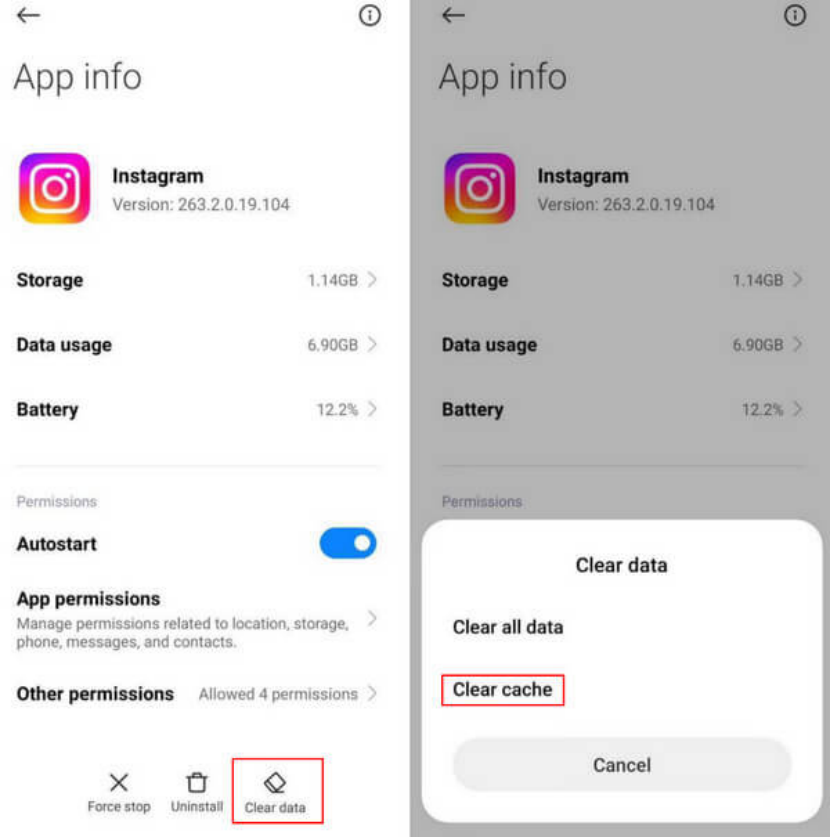
6、Clear cache or reinstall the app
Corrupted cache or data conflicts can prevent verification requests from being processed correctly.
- Clear the Instagram app cache (Android)
- Uninstall and reinstall the app
This method resolves many unexplained errors.
7、Alternative options: phone call or other verification methods
If SMS verification fails, you can also try:
- Authenticator app verification
- Logging in through a linked Facebook account
- Using a bound email or backup verification method
These alternatives may bypass SMS verification in certain risk-controlled accounts.
IV. Summary
If you cannot receive Instagram verification codes, remember that this is not simply an SMS delay or app malfunction. Instagram’s system performs risk assessment before deciding whether to send a code.
Key solutions include:
- Improving network and environment credibility
- Avoiding suspicious proxy usage and behavior
- Verifying basic account information and app status
By systematically addressing these factors, most verification code issues can be resolved successfully.