












Registering an account on X (formerly Twitter) is relatively straightforward, but how you use a new account after registration can directly affect its long-term operating experience and account lifespan.
New accounts should avoid performing a large number of actions immediately after registration. Instead, gradually complete the profile, browse content, and interact naturally. If you plan to operate multiple X accounts over the long term, you should also pay close attention to login devices, network environments, and account management.
This guide walks through a practical process from registration to daily account management, with basic recommendations for reducing the risk of restrictions or suspension.
I. X Account : What Risk-Control Rules Should You Know?
X primarily evaluates account relationships and abnormal behavior patterns as part of its risk controls. If the system detects multiple accounts operating from the same IP address, the same device environment, or with highly similar behavior patterns, those accounts may be more likely to face linked restrictions or suspensions.
For teams managing multiple accounts, it is important to prepare separate operating environments in advance:
| Dimension | Common Risk | Recommended Approach |
| Network / IP | Using unstable, heavily shared, or low-quality network routes can trigger additional verification or restrictions. | Use a stable, dedicated network environment appropriate for the account (for example, an IPFoxy dedicated static residential or ISP proxy). |
| Device fingerprint | Reusing the same browser cookies or highly similar browser fingerprints across many accounts can create account-linking signals. | Use separate browser profiles and keep account environments clearly organized. |
| Registration information | Repeatedly reusing the same phone number or low-quality account information can trigger verification. | Use legitimate email and phone information that you can reliably access for verification. |
II. 2026 X Account Registration Process
Step 1: Set Up the Environment
- Open an antidetect browser and create a separate browser profile for the account.
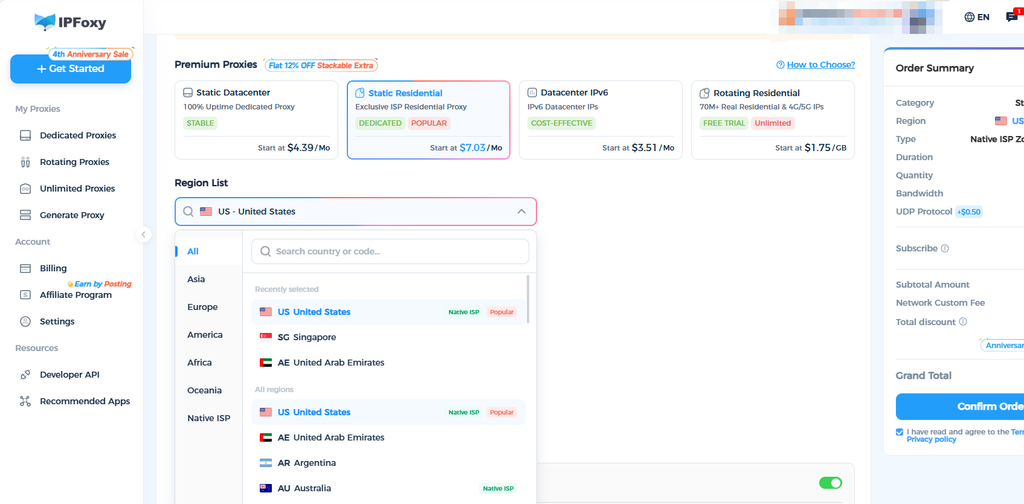
- Retrieve the required proxy details from the IPFoxy dashboard. A dedicated static residential proxy can be configured in the antidetect browser. Test the connection and geolocation before registration to keep the account environment consistent and isolated.
Step 2: Enter Account Information and Register
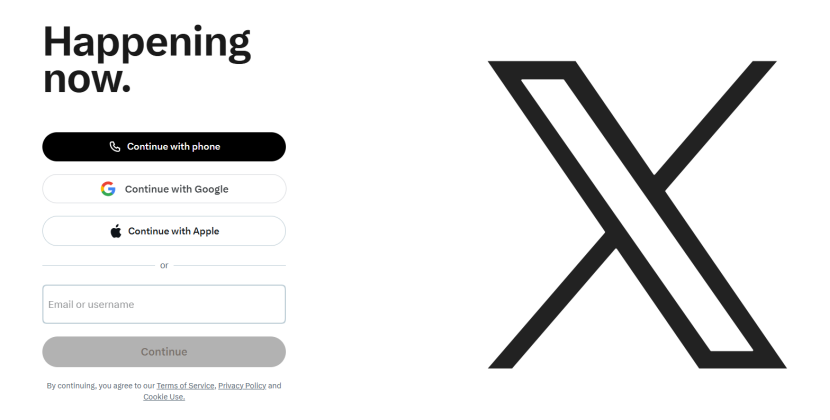
- Open the official X website and choose to sign up with a phone number or email address.
- An overseas email account can be used for registration. Avoid repeatedly switching pages or refreshing from the same IP during the process.
- Enter a plausible name and date of birth, and make sure the age entered is over 18.
Step 3: Verification and Initial Setup
- Enter the verification code sent to your email. If phone verification is requested, complete the verification as prompted by X.
- After successfully signing in, avoid making too many profile changes at once. Keep activity light during the first 24 hours.
III. X Account Warm-Up SOP and Best Practices
Account warm-up should not be treated as a rigid checklist of repetitive actions. It can be divided into several stages, each with a different goal and activity level. This guide uses 21 days as a full warm-up cycle, with the first seven days treated as the most cautious period.
Stage 1: Initial Adaptation Period (Days 1-7)
Goal: Establish normal browsing behavior before beginning regular content publishing.
Suggested daily activity:
- Log in 1-2 times per day and spend around 10-25 minutes per session.
- Browse the home feed and trending topics, search for a few topics of genuine interest, and read posts naturally.
- Like 3-8 posts, leaving reasonable intervals between interactions.
- Follow 5-10 accounts, prioritizing official accounts, news outlets, and relevant industry creators.
- Leave 1-2 short, natural comments where appropriate rather than relying only on emojis.
Avoid aggressive activity during the first seven days, including heavy posting, unsolicited DMs, frequent external links, repeated profile changes, or coordinated engagement. Also avoid repeatedly changing security settings during any platform-imposed security cooldown period.
Stage 2: Light Activity Period (Days 8-14)
Goal: Gradually complete the profile and establish a basic content history.
At this stage, you can begin completing the profile, including the avatar, header image, display name, bio, and location. Activity can also increase gradually:
- Like around 15-20 posts per day and leave 3-5 meaningful comments.
- Follow around 15-20 relevant accounts per day.
- Publish one original post every other day, using text or images without adding external links.
- Repost a small number of relevant posts and add your own perspective when appropriate.
Stage 3: Mature Activity Period (Day 15-21 and Beyond)
Goal: Build a more established account history and gradually expand normal activity.
- Publish 1-3 posts per day and keep hashtags limited to roughly 1-3 per post.
- You can begin testing posts with external links, while keeping the frequency moderate.
- Use DMs primarily with people who have already interacted with the account, and avoid mass-messaging strangers from a new account.
- Keep the login environment and overall activity pattern stable.
Once the account enters a stable operating phase, continue publishing at a consistent pace, such as 2-3 updates per week. Participate in relevant industry discussions and interact naturally with creators in your target niche to build followers and influence over time.

IV. FAQ
A: The platform may request verification or apply restrictions based on a combination of network, device, account, and behavioral signals. Follow the verification instructions shown by X and avoid repeatedly retrying actions in a short period.
A: Reusing the same environment across many accounts can make account management more difficult and may create shared points of failure. For legitimate multi-account operations, keep account access organized and use stable, consistent environments for each account.
A: Stop any automation or unusually high-frequency activity. Complete the verification steps requested by X, then keep activity light for the next 48-72 hours and resume normal use gradually.
V. Conclusion
Registering an X account is not difficult. What matters more is how the account is managed afterward. A sustainable approach can be summarized in three principles: keep the environment stable, avoid overly aggressive marketing activity, and build account history gradually.
For long-term operation, consistency matters more than rapid activity. Maintain a stable login environment, follow normal user behavior, and increase posting and engagement gradually. This creates a stronger foundation for future social media operations.