












OpenAI Codex is one of the most powerful AI coding agents available today, but its real potential is not determined by the model alone — Codex Skills are what truly unlock advanced workflows and productivity. This article recommends 10 of the best Codex Skills for 2026 based on popularity and practical value, along with suggested Skill combinations for different development scenarios, helping developers find the setup that best fits their workflow.
I. What Are Codex Skills?
Codex Skills are instruction packages centered around a SKILL.md file. Each Skill directory contains a SKILL.md file and optional helper scripts. When Codex starts, it reads the names and descriptions of all installed Skills (using only about 2% of the context budget). During a task, the system automatically matches and loads the relevant Skill instructions. If no Skill matches, it consumes no additional context, making the system highly efficient.
The Skill format is an open standard. The same SKILL.md file can work across multiple AI coding tools without modification, including Codex CLI, Claude Code, Gemini CLI, Cursor, and GitHub Copilot.
Skills can be stored in three scopes:
| Scope | Path | Use Case |
| Personal | $HOME/.agents/skills/ | Private skills shared across projects |
| Project | .agents/skills/ (inside repository) | Team-shared skills cloned with the codebase |
| Administrator | /etc/codex/skills | Machine-level or container-wide default configuration |
Skills can be triggered in two ways: explicit invocation (typing $skill-name in the CLI) or implicit activation (automatically triggered when the task matches the Skill description).
Since official Skills support launched in December 2025, the ecosystem around the openai/skills repository (19.3k+ GitHub stars) has grown rapidly.
II. 10 Must-Have Codex Skills for 2026
1.create-plan (Execution Planning)
Forces Codex to break down tasks and generate an executable plan before writing code. Suitable for all developers, especially medium-to-large projects involving multiple files and modules. It helps avoid chaotic “prompt-first coding” and reduces rework, making it one of the simplest yet most practical Codex Skills available.
Source: github.com/openai/skills/tree/main/skills/.curated/create-plan
2.gh-fix-ci (Automatic CI/CD Failure Diagnosis)
Reads failed GitHub Actions logs, summarizes the root causes, and suggests fixes automatically. Ideal for backend, full-stack, and DevOps developers who frequently use GitHub Actions. It can reduce CI troubleshooting from 20 minutes to just a few seconds.
Source: github.com/ComposioHQ/awesome-codex-skills/tree/master/gh-fix-ci
3.frontend-skill (Better Frontend UI Generation)
Encodes design standards and component styling into prompts so Codex can generate more visually polished frontend interfaces. Best suited for frontend developers and indie developers. It pairs especially well with figma-implement-design to cover the full workflow from design mockups to production-ready code.
Source: github.com/openai/skills/tree/main/skills/.curated/frontend-skill
4.webapp-testing (Automated Web Testing)
Runs automated testing for web applications and summarizes the results in reports. Ideal for full-stack developers and QA engineers. It automatically detects the testing framework and generates test cases consistent with the existing project style, reducing cleanup work.
Source: github.com/ComposioHQ/awesome-codex-skills/tree/master/webapp-testing
5.mcp-builder (High-Quality MCP Server Builder)
Guides developers through a four-stage workflow — planning, implementation, evaluation, and optimization — to build MCP Servers following best practices. Designed for developers building AI infrastructure and toolchains. It includes a built-in evaluation framework to verify output quality and reliability.
Source: github.com/ComposioHQ/awesome-codex-skills/tree/master/mcp-builder
6.composio-connect (Connect 1000+ External Services)
Uses the Composio CLI to integrate Codex directly with more than 1,000 popular services, including GitHub, Notion, Slack, and Linear. Best suited for teams building cross-platform automation workflows. A single Skill unlocks hundreds of integrations without configuring each service individually.
Source: github.com/ComposioHQ/awesome-codex-skills/tree/master/connect
7.cli-creator (Reusable CLI Tool Generator)
Packages repetitive commands, scripts, or API calls into reusable CLI tools compatible with the Codex ecosystem. Ideal for backend developers and infrastructure engineers. The generated CLI tools support PATH execution, stable JSON output, health checks, and include reusable Skills for future workflows.
Source: github.com/openai/skills/tree/main/skills/.curated/cli-creator
8.security-threat-model (AI-Assisted Security Threat Modeling)
Guides Codex to systematically analyze repository security risks, trust boundaries, and attack paths. Best suited for backend and full-stack teams focused on security compliance. It turns threat modeling into a repeatable workflow and generates documentation suitable for technical reviews or compliance processes.
Source: github.com/ComposioHQ/awesome-codex-skills/tree/master/security-threat-model
9.figma-implement-design (Figma to Production Code)
Reads Figma designs and converts them into near-production frontend code. Best for frontend teams working closely with designers. It is highly recommended to combine it with frontend-skill: one improves design accuracy, while the other enhances visual quality.
Source: github.com/openai/skills/tree/main/skills/.curated/figma-implement-design
10.Superpowers (Advanced Agent Workflow Enhancement)
Adds a complete engineering workflow layer to Codex, including requirement clarification, plan approval, TDD implementation, parallel sub-agent execution, and validation workflows. Suitable for developers who want Codex to behave more like a disciplined software engineer. It is currently one of the most starred AI coding workflow Skills on GitHub and emphasizes TDD, YAGNI, and DRY principles. Codex App users can install it directly from Plugins → Coding.
Source: github.com/obra/superpowers
III. Recommended Codex Skills Combinations for Different Development Scenarios
Mastering individual Codex Skills is useful, but combining Skills strategically delivers the best results in real-world development. Below are recommended setups for common development scenarios.
1.Fast Product Prototyping for Indie Developers
Recommended stack: create-plan + frontend-skill + figma-implement-design + Superpowers
Workflow logic: Plan first, then implement. Superpowers manages the workflow rhythm, frontend-skill improves UI quality, and figma-implement-design converts mockups into usable code. This minimizes manual corrections during development.
Note: figma-implement-design works best when Figma layers and components are well organized. Cleaner design files produce better code output.
2.Team Collaboration + CI/CD Maintenance
Recommended stack: gh-fix-ci + webapp-testing + security-threat-model
Workflow logic: CI failures are automatically diagnosed, automated testing ensures quality, and threat modeling covers security and compliance requirements. Together, they form a complete quality assurance system for team development.
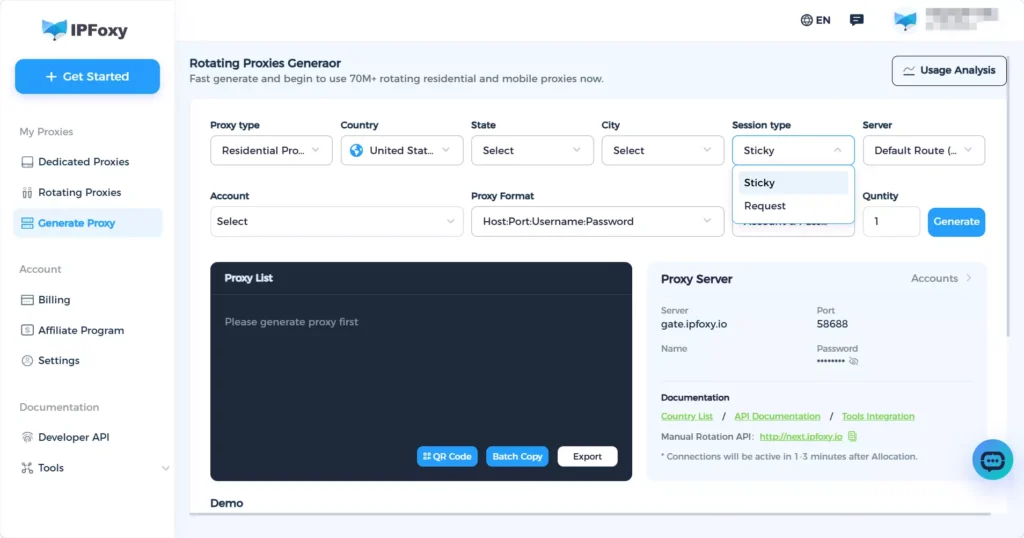
Note: When automation workflows frequently call external APIs or GitHub interfaces, rate limiting or IP bans can disrupt the entire pipeline. This issue is commonly addressed using rotating residential proxies from professional providers such as IPFoxy Proxies, allowing each automated request to use a clean exit IP and improving the success rate of CI/CD and testing workflows.、
3.AI Toolchain / MCP Infrastructure Development
Recommended stack: mcp-builder + cli-creator + composio-connect
Workflow logic: mcp-builder creates reliable MCP Servers, cli-creator packages repetitive operations into reusable tools, and composio-connect integrates external services. This setup is ideal for teams building internal AI platforms or toolchains.
Note: After building an MCP Server with mcp-builder, it is recommended to validate tool-calling behavior in a local sandbox environment before exposing it publicly or integrating it into production workflows.
4.All-in-One Development Environment (Recommended Default Setup for Beginners)
Recommended stack: Superpowers + create-plan + gh-fix-ci + frontend-skill + composio-connect
This setup covers four high-frequency needs: planning, CI workflows, frontend generation, and external integrations. It is ideal for developers who are unsure where to start with Codex Skills.
Note: As the number of installed Skills grows, regularly review the ~/.agents/skills/ directory and remove unused Skills to keep Codex startup indexing lightweight and organized.
IV. How to Install Codex Skills in 2026
1.Official Built-In Installer
Type $skill-installer in a Codex session and follow the prompts to install Skills from the official openai/skills repository.
2.Clone Community Repositories
git clone https://github.com/ComposioHQ/awesome-codex-skills.git
Then use the Composio installer script to install a specific Skill:
python skill-installer/scripts/install-skill-from-github.py \
  --repo ComposioHQ/awesome-codex-skills --path gh-fix-ci
3.Manual Local Installation
Suitable for installing any individual Skill from GitHub:
# Personal scope (available across projects)
git clone https://github.com/obra/superpowers ~/.agents/skills/superpowers

# Project scope (shared within repositories)
git clone <skill-url> .agents/skills/<skill-name>
4.Codex App Plugin Marketplace
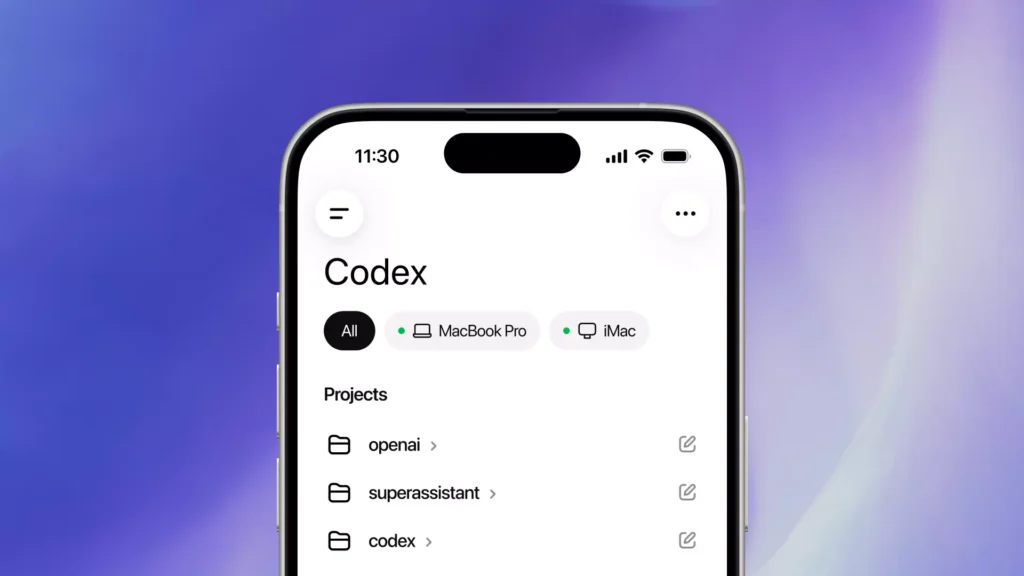
Some Skills, such as Superpowers, are already available in the Codex App plugin marketplace. Open the sidebar, click Plugins, and search to install directly.
After installation, restart Codex or start a new session for the Skills to take effect automatically. For Skills installed directly from GitHub, it is recommended to review the SKILL.md file before use to ensure security and reliability.
V. FAQ
Q: Are Codex Skills compatible with Claude Code Skills?
A: Yes. SKILL.md is a cross-platform open standard and works directly across Codex, Claude Code, Gemini CLI, Cursor, and similar tools without modification.
Q: A Skill is installed but not loading. How can I troubleshoot it?
A: Restart Codex or start a new session. Check whether the directory contains a SKILL.md file and confirm the path is under ~/.agents/skills/ or the project-level .agents/skills/ directory.
Q: How do I create custom Codex Skills?
A: Type $skill-creator in a Codex session. This built-in OpenAI system Skill generates SKILL.md files automatically through an interactive Q&A workflow, so manual writing is unnecessary.
VI. Conclusion
The Codex Skills ecosystem in 2026 now covers nearly every major stage of the software development workflow. All the Skills recommended in this article support cross-agent compatibility, meaning a single installation can benefit multiple AI coding tools at the same time.
At their core, Codex Skills transform your development experience into reusable instructions, allowing AI to truly understand and adapt to your workflow.