In today’s data-driven environment, LinkedIn has become a key source of professional and business information. Whether for lead generation, market research, or user analysis, LinkedIn data offers significant value.
However, due to platform restrictions and low manual efficiency, more developers are turning to Python for automated scraping. This guide provides a complete approach to LinkedIn data scraping, covering tools, methods, and practical implementation.
I. What Is LinkedIn Data Scraping?
LinkedIn data refers to publicly available professional and business information on the platform. It is widely used in scenarios such as lead generation, market research, and user analysis.
Common data types include:
● User data: name, job title, work experience, skills
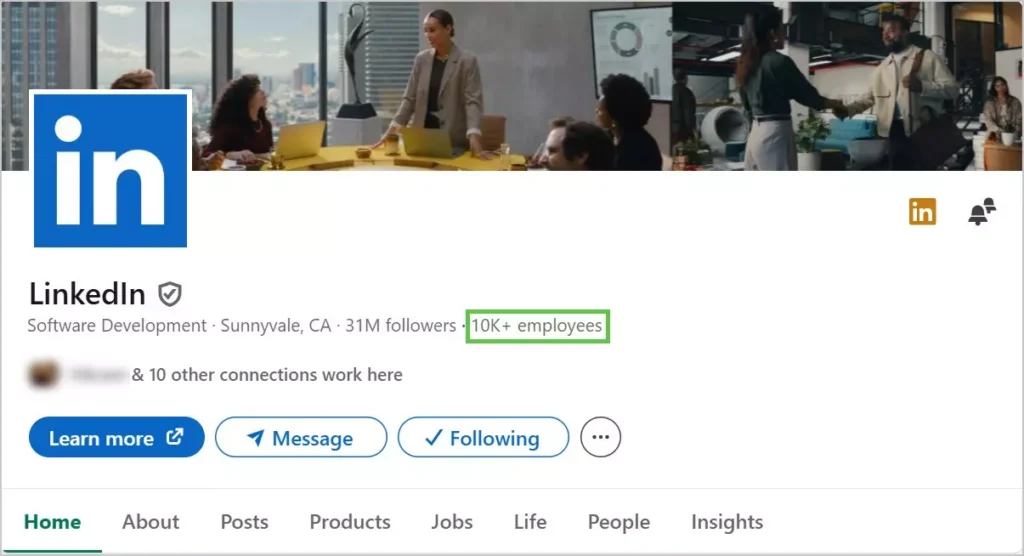
● Company data: company name, industry, size, hiring information
● Content data: posts, comments, likes
LinkedIn imposes several limitations on data access, such as restricted search results and no bulk export. As a result, many users rely on scraping to efficiently collect data for business and analytical needs.
From a technical perspective, Python is the mainstream choice due to its low barrier to entry, ability to handle dynamic content, and strong automation capabilities—making it ideal for large-scale data collection.
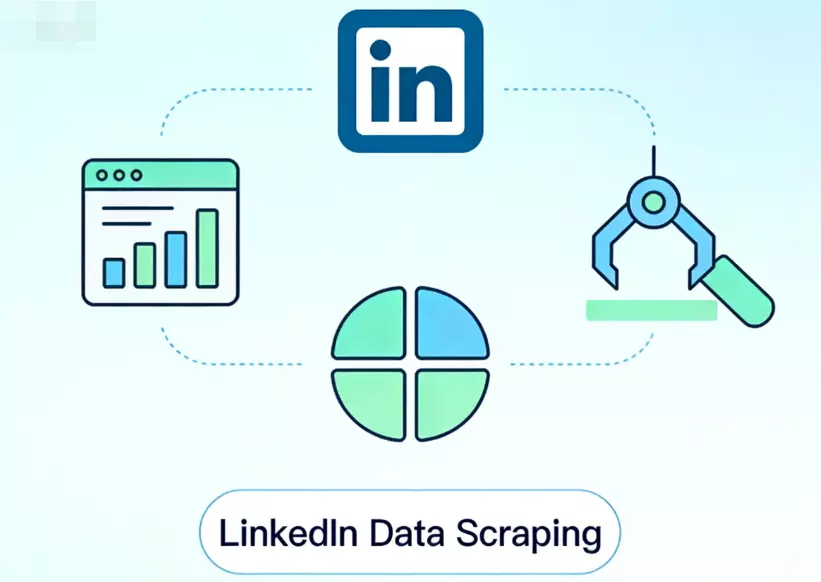
II. Methods for Scraping LinkedIn Data with Python
When using Python to scrape LinkedIn data, different approaches are selected based on page structure and scale:
1. Requests + Parsing Libraries (Basic Method)
This method sends HTTP requests to retrieve page source code, then extracts data using parsing libraries.
● Common tools: requests, BeautifulSoup
● Suitable for: simple pages or partially public data
● Limitation: difficult to handle dynamically loaded content
2. Selenium / Playwright (Browser Automation)
Simulates real user actions such as login, search, and navigation. Supports JavaScript rendering and mimics human behavior, making it more stable.
Playwright generally offers better performance and anti-detection capabilities than Selenium, making it more suitable for large-scale scraping.
3. Scrapy Framework (Scalable Crawling)
Scrapy is designed for high-efficiency data collection systems and is commonly used for batch scraping tasks.
It supports high concurrency and scalability, often combined with Playwright or Selenium for dynamic content.
4. APIs and Third-Party Tools
Using APIs or ready-made tools allows quick access to structured data and reduces development cost. However, data coverage is limited and costs can be higher.
In real-world projects, a hybrid approach is commonly used: Playwright or Selenium for dynamic pages, combined with Scrapy for large-scale scraping. For stability, it is also recommended to use proxy and well-designed request strategies.
III. Python Practice: How to Scrape LinkedIn Data
Below is a practical example using Python + Playwright to demonstrate the basic scraping workflow and different data scenarios.
1. Fetch Page Content with Playwright
Since LinkedIn uses dynamic loading, direct requests often fail to retrieve full data. Rendering is required first.
pip install playwright
playwright install
from playwright.sync_api import sync_playwright

def get_page_content():
    with sync_playwright() as p:
        browser = p.chromium.launch(headless=False)
        page = browser.new_page()

        # Open login page
        page.goto("https://www.linkedin.com/login")
        input("Press Enter after manual login...")

        # Go to search results page
        page.goto("https://www.linkedin.com/search/results/people/?keywords=marketing")

        page.wait_for_timeout(5000)

        html = page.content()
        browser.close()
        return html

html = get_page_content()
print(html[:500])
In production, it is recommended to use storage_state to save login sessions and avoid repeated logins.
2. User Data Scraping (People)
from playwright.sync_api import sync_playwright
from bs4 import BeautifulSoup

def scrape_people():
    with sync_playwright() as p:
        browser = p.chromium.launch(headless=False)
        page = browser.new_page()

        page.goto("https://www.linkedin.com/login")
        input("Press Enter after login...")

        page.goto("https://www.linkedin.com/search/results/people/?keywords=marketing")
        page.wait_for_timeout(5000)

        soup = BeautifulSoup(page.content(), "html.parser")
        results = []

        for item in soup.select(".entity-result"):
            name = item.select_one(".entity-result__title-text")
            title = item.select_one(".entity-result__primary-subtitle")

            results.append({
                "name": name.get_text(strip=True) if name else None,
                "title": title.get_text(strip=True) if title else None
            })

        browser.close()
        return results
3. Job Data Scraping (Jobs)
def scrape_jobs():
    with sync_playwright() as p:
        browser = p.chromium.launch(headless=False)
        page = browser.new_page()

        page.goto("https://www.linkedin.com/login")
        input("Press Enter after login...")

        page.goto("https://www.linkedin.com/jobs/search/?keywords=python")
        page.wait_for_timeout(5000)

        soup = BeautifulSoup(page.content(), "html.parser")
        jobs = []

        for job in soup.select(".jobs-search-results__list-item"):
            title = job.select_one(".job-card-list__title")
            company = job.select_one(".job-card-container__company-name")
            location = job.select_one(".job-card-container__metadata-item")

            jobs.append({
                "title": title.get_text(strip=True) if title else None,
                "company": company.get_text(strip=True) if company else None,
                "location": location.get_text(strip=True) if location else None
            })

        browser.close()
        return jobs
4. Company Data Scraping (Companies)
def scrape_company():
    with sync_playwright() as p:
        browser = p.chromium.launch(headless=False)
        page = browser.new_page()

        page.goto("https://www.linkedin.com/login")
        input("Press Enter after login...")

        page.goto("https://www.linkedin.com/company/google/")
        page.wait_for_timeout(5000)

        soup = BeautifulSoup(page.content(), "html.parser")

        name = soup.select_one("h1")
        about = soup.select_one(".org-page-details__definition-text")

        data = {
            "company": name.get_text(strip=True) if name else None,
            "about": about.get_text(strip=True) if about else None
        }

        browser.close()
        return data
5. Content Data Scraping (Posts)
def scrape_posts():
    with sync_playwright() as p:
        browser = p.chromium.launch(headless=False)
        page = browser.new_page()

        page.goto("https://www.linkedin.com/login")
        input("Press Enter after login...")

        page.goto("https://www.linkedin.com/feed/")
        page.wait_for_timeout(5000)

        soup = BeautifulSoup(page.content(), "html.parser")
        posts = []

        for post in soup.select(".feed-shared-update-v2"):
            text = post.select_one(".break-words")

            posts.append({
                "content": text.get_text(strip=True) if text else None
            })

        browser.close()
        return posts
In practice, while the scraping workflow is similar across data types (users, jobs, companies, content), differences lie in page structure and implementation details. Python combined with browser automation tools allows flexible handling of these scenarios.
IV. Stable LinkedIn Scraping Strategies: How to Avoid Restrictions
Common triggers for LinkedIn risk control include:
● High-frequency access in a short time
● Multiple accounts using the same IP
● Overly regular automated behavior
● Frequent changes in login environment
These behaviors are easily flagged as abnormal. Optimization should focus on request strategy and network environment.
1. Control Request Frequency
import time
import random

def random_delay(min_s=2, max_s=5):
    delay = random.uniform(min_s, max_s)
    time.sleep(delay)
2. Configure Rotating Residential Proxy
The network environment is one of the key factors in LinkedIn’s risk detection system. If all requests originate from the same IP, it is very easy to trigger restrictions. Even in single-account scenarios, using a proxy can significantly reduce risk. Common practices include:
● Assigning a dedicated IP for requests
● Using rotating proxy to distribute traffic sources
In practice, tools like IPFoxy provide flexible rotating residential proxy solutions that allow you to configure parameters and generate ready-to-use proxy credentials for integration into your scripts.
IPFoxy Proxy Example (Python)
You can configure the required proxy parameters in the IPFoxy dashboard and generate a proxy connection string for use in Python.
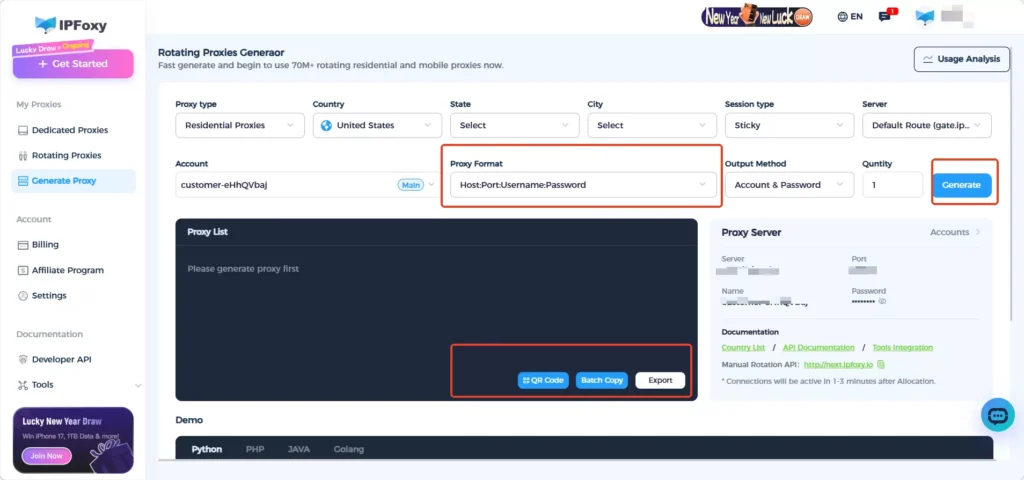
For example, if your proxy credentials are:username:password@gate-us-ipfoxy.io:58688
import urllib.request

if __name__ == '__main__':
    proxy = urllib.request.ProxyHandler({
        'https': 'username:password@gate-us-ipfoxy.io:58688',
        'http': 'username:password@gate-us-ipfoxy.io:58688',
    })
    opener = urllib.request.build_opener(proxy, urllib.request.HTTPHandler)
    urllib.request.install_opener(opener)

    content = urllib.request.urlopen('http://www.ip-api.com/json').read()
    print(content)
If the returned IP address changes, it indicates that the proxy is working correctly. You can then integrate it into Playwright for LinkedIn data scraping tasks.
3. Simulate Real User Behavior
def simulate_scroll(page):
    for _ in range(random.randint(3, 6)):
        page.mouse.wheel(0, random.randint(500, 1500))
        page.wait_for_timeout(random.randint(1000, 3000))
Simulating scrolling and random pauses helps mimic real users and reduce detection risk.
V. FAQ
Scraping publicly available data is generally allowed, but you must comply with LinkedIn’s terms of service and relevant laws. It is recommended for data analysis and research purposes only.
Design structured fields during scraping for easier analysis:
Small scale: CSV / JSON
Medium scale: MySQL / PostgreSQL
Large scale: MongoDB / data warehouse
No. Excessive speed increases the risk of detection. Stable and continuous scraping is more important than short-term high-volume collection.
Summary
LinkedIn data scraping is not just a technical task—it also requires careful strategy and stability optimization. By properly using Python tools, optimizing scraping methods, and adapting to real-world scenarios, you can achieve efficient and reliable data collection.