












Discord, as a popular global social platform, attracts a large number of users due to its powerful features and communities. However, account bans remain a common issue for many users. This article will help you understand the reasons behind Discord account bans, provide steps to take after a ban, and share the latest prevention strategies to help you avoid bans and ensure a smooth user experience.
I. Core Reasons Behind Discord Account Bans
Discord’s security systems are highly intelligent and detect any behavior that appears automated or unnatural. Understanding the reasons for bans is the first step in preventing account loss.
1.Abnormal Network Environment
- Low IP Purity: Free proxies, airport IPs, or data center IPs are easily flagged by Discord as “suspicious sources.” Shared IPs may affect multiple accounts if one user violates the rules.
- Frequent IP Changes: If your account logs in from multiple locations in a short time or frequently changes IPs, it will be considered a high-risk behavior, triggering additional verification or temporary bans.
- Network Mismatch: For example, if you use a US residential IP but the system clock or operating system language shows a European environment, this inconsistency can trigger an automatic security check.
2.Device Fingerprint Association
Discord scans your device’s hardware information to generate a unique ID (device fingerprint), including:
- Screen resolution and window size
- Audio driver settings (AudioContext)
- Graphics card renderer (WebGL)
- Installed fonts
When you log in to multiple accounts on the same device, Discord detects identical hardware fingerprints, identifying them as belonging to the same person, leading to mass bans.
3.Content Violations
Posting explicit, violent, hateful speech, or scam content that violates Discord’s community guidelines will lead to a permanent ban. This is the most irreversible type of ban.
4.Behavioral Anomalies
- Mistaken as a bot: Sending large numbers of private messages in a short time or using shared network tools.
- Frequent logins from different locations: This may indicate account theft or multiple users sharing the account.
- Private message spamming/marketing: Sending bulk private messages to strangers, especially with links.
5.Using Third-Party Tools or Cheating Software
Using unauthorized third-party plugins, cheats, or automation tools to modify client functions, gain unfair advantages, or bypass platform restrictions can lead to account bans.
6.Age Verification Policy (New for 2026)
Originally planned for March 2026, the age verification policy will be postponed until the second half of 2026. Discord will enforce mandatory age verification worldwide. Unverified accounts will face severe restrictions, including no access to age-restricted servers, inability to speak in Stage channels, and the inability to change certain settings. If banned due to age issues, recovery is unlikely.
II. Process After Discord Account Ban
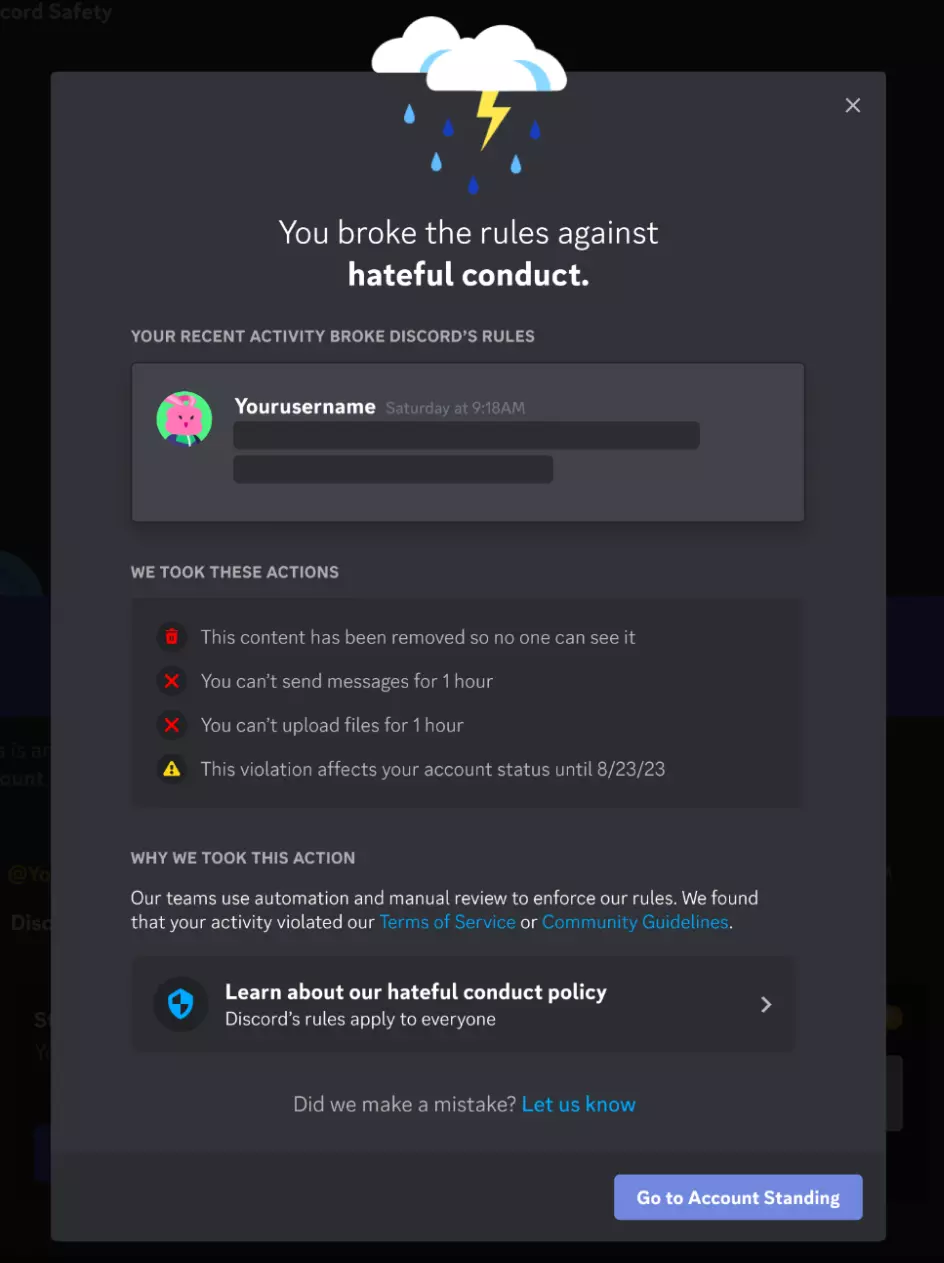
1.Confirm the Type of Ban
Log in to Discord and check the notification to determine the type of ban:
- Temporary Ban: For less severe violations, such as posting inappropriate images, users may face a temporary ban from posting certain content for a few hours.
- Server-Level Restrictions: The server may be deleted or lose certain features. Server owners may lose creation rights or face permanent suspension. Serious violations can impact members’ account reputations.
- Account Ban: Affects only the specific account.
- IP and Device Fingerprint Ban: A global ban that persists even if the IP is changed, as the device remains flagged.
2.Appeal Process
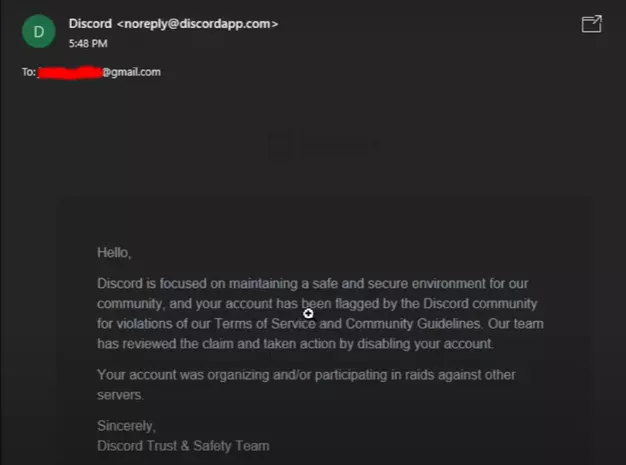
Step 1: Check Your Email
- Review the email from Discord to understand the reason for the ban.
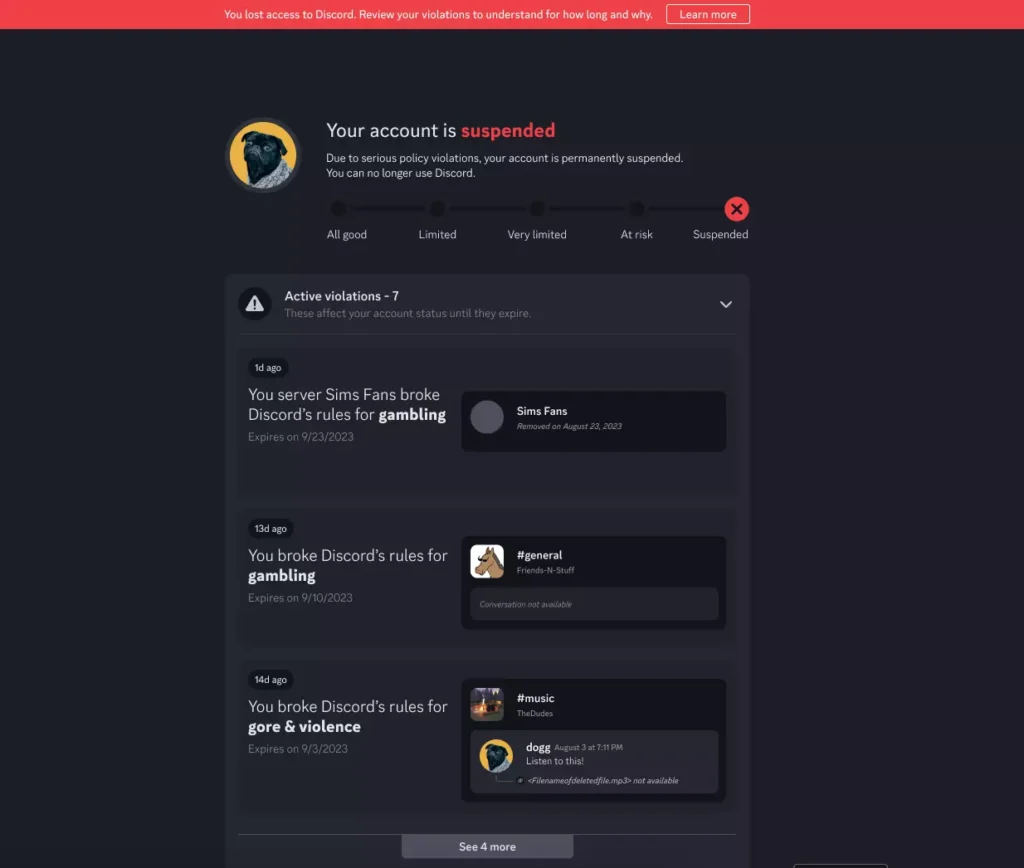
- Alternatively, log into the account reputation center to check account reputation, violation history, and suspension duration, and provide feedback to request a review.
Step 2: Access the Appeal Page
Visit the Discord Support Help Center to submit an appeal.
Step 3: Register a Support Account
A Discord Support account is separate from your Discord account. Register and activate the email as usual.
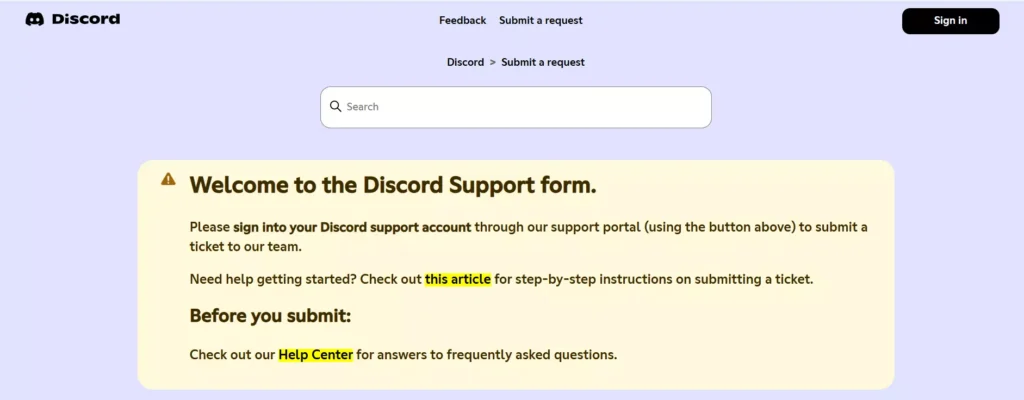
Step 4: Submit a Request
- Click “Submit a Request,” choose [Help & Support] – [General Issues], and fill in the information.
- Appeal Template:
Appeal to Reopen Discord Account
Dear Discord,
I was unable to log in to my account and realized that my Discord account was disabled. I did not know I violated the Terms of Service or Community Guidelines. I will now make sure to follow the Terms of Service and Community Guidelines to ensure a safer Discord community. Please consider reopening my account.
My account: [Enter your registered email]
Step 5: Confirm the Options
- My account was not banned for age-related reasons.
- I have read the Terms of Service and Community Guidelines before submitting the appeal.
- The email entered is linked to the banned account.
Step 6: Wait for a Response
Typically, it takes 2-7 business days to receive a reply. Do not repeatedly send emails to avoid being flagged as spam.
Note: Accounts registered with a phone number cannot be recovered this way, so it’s best to use an email during registration.
III. How to Prevent Discord Account Bans
1.Environment Isolation
Discord associates all accounts on the same device through device fingerprints. Multi-account operators should use an Anti-detect browser to create independent environments for each account.
- Generate unique Canvas, WebGL, and AudioContext fingerprints for each account.
- Ensure full isolation between accounts to avoid linked bans.
- Combine with dedicated static residential proxies to maintain environmental consistency.
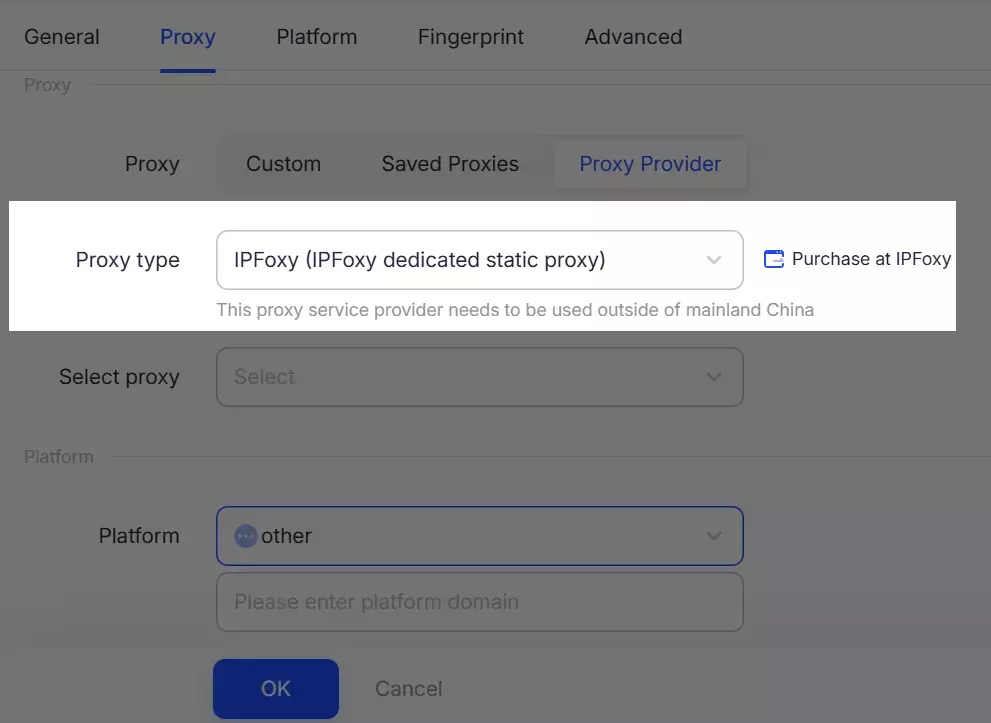
For teams managing multiple accounts, using an Anti-detect browser ensures stable usage in the same environment, improving security and stability. A recommended setup is: Anti-detect browser with IPFoxy dedicated static proxy.
2.Optimize Network Environment
Besides device fingerprints, low IP purity, frequent IP changes, and mismatched IP environments can trigger bans. It’s best to follow the principle of one device, one account, one IP, and pay attention to IP quality. Avoid using public airport IPs. It is recommended to configure dedicated, clean, and unique real IPs, which can be obtained from professional proxy services, such as dedicated static residential proxies with high purity and credibility, making it harder to trigger platform risk control.
Configuration Method:
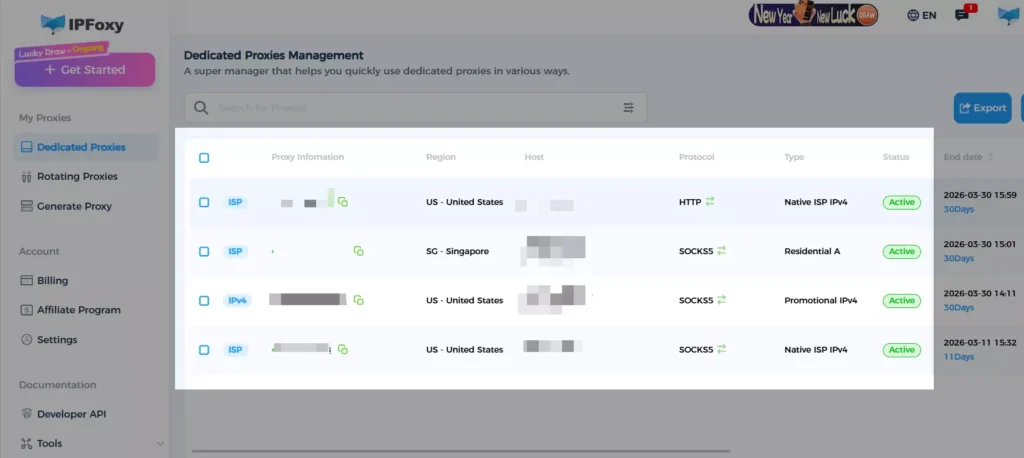
IPFoxy dedicated static residential proxy – Choose static residential ISP – Obtain line port, host, protocol, and account details – Configure Anti-detect browser/Chrome browser/cloud phone device.
3.Account Registration Guidelines
- Email Choice: Use mainstream international emails like Gmail or Outlook, avoid temporary emails.
- Complete Profile: Fill in the full profile to avoid being flagged as a “zombie account.”
- Phone Binding: Optional but recommended to increase account credibility.
4.Content Compliance
Strictly adhere to Discord’s community guidelines to avoid posting content that may be considered a violation. Be cautious when participating in discussions about sensitive topics such as cryptocurrency and international promotions.
5.Account Maintenance Practices
| Time Period | Behavior Guidelines |
|---|---|
| Days 1-3 | Login and browse only, do not speak or add friends. |
| Days 4-7 | Join 1-2 public servers, speak 1-2 times per day. |
| Week 2 | Gradually increase interactions, avoid mass private messages. |
| After 1 Month | Normal usage but control private message frequency. |
6.Age Verification
From the second half of 2026, age verification will be enforced. Prepare verification materials in advance or ensure that your account behavior meets the “age inference model” requirements—this model verifies age through server participation, behavior patterns, account age, etc.
IV. FAQ
Yes, but Discord typically bans both IPs and device fingerprints. Even if you change your IP, the device may still be flagged.
No, server owners and administrators cannot view your IP address or hardware metadata; this data is handled only by Discord’s backend.
No, incognito mode is designed for local privacy only and does not hide your identity from Discord. It still broadcasts your complete browser fingerprint.
V. Conclusion
Understanding Discord’s ban rules and taking preventive measures is key to avoiding account bans. Adhering to community guidelines, optimizing your network environment, and using Anti-detect browsers can effectively reduce the risk of bans. By following these strategies, you can ensure the safety of your Discord account and enjoy a seamless user experience.

