












In early 2026, X (Twitter) has significantly increased its account suspension and freezing enforcement. A large number of users have had their accounts restricted, locked, or suspended within a short period of time. Both newly registered accounts and long-term active accounts have been affected, with issues such as limited functions, inability to post, or full account lockouts.
Many eCommerce operators and social media managers are now urgently looking for reliable recovery methods and long-term account safety strategies.
This guide explains the latest official policies, common suspension reasons, step-by-step recovery processes, and practical tips to prevent future suspensions, helping you operate your X account safely and consistently in 2026.
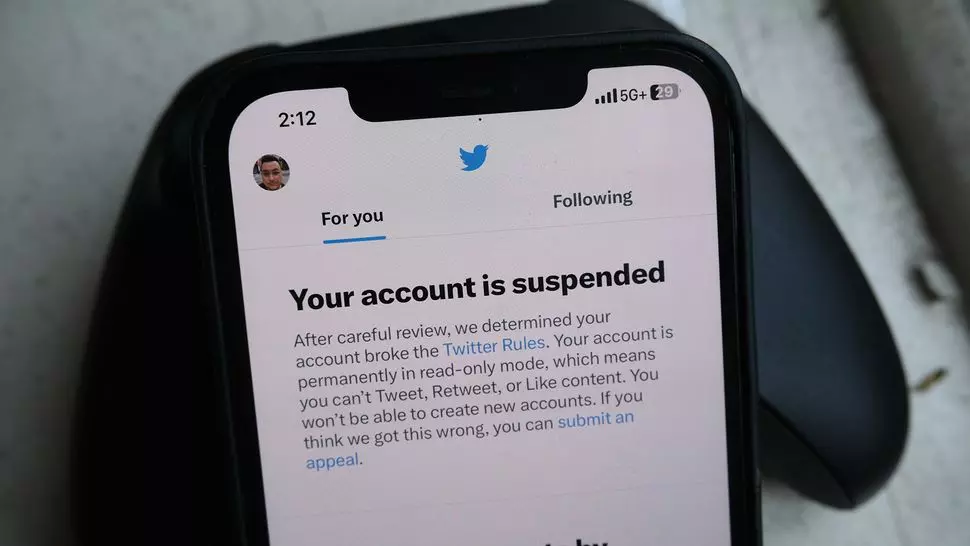
I. Common Reasons for X (Twitter) Account Suspension
When an X account is frozen, the issue generally falls into the following categories:
1. Suspended for Security Reasons
(1) Abnormal Login Environment (Most Common)
- Using low-quality or unstable network nodes
- Frequently changing IP addresses
- Logging in from different devices or geographic locations within a short period
(2) Suspected Account Compromise
- Sudden login from an unfamiliar device or region
- System detects abnormal login activity and temporarily locks the account for protection
X’s security system monitors the physical consistency of login locations. If your account appears to move an unrealistic distance within a short time (for example, logging in from Los Angeles and then shortly after from Singapore), the system may flag this as potential hacking activity.
In such cases, the platform automatically locks the account and requires identity verification. This type of suspension is usually recoverable. Completing phone or email verification typically restores access.
To prevent this issue, maintain a stable IP and network environment. Avoid frequent region switching or unstable nodes.
2. Suspended for “Automated Behavior”
Many users are suspended not because they actually used bots, but because their account activity resembles automation.
Common triggers include:
- Following many unfamiliar accounts in a short time
- Rapid consecutive likes or bulk reposts
- Posting repetitive or similar comments quickly
When the system detects dense interaction patterns, it may interpret the activity as scripted behavior and trigger automation-related risk control. In some cases, users can still browse content but lose the ability to post, like, or send messages.
This type of restriction can often be resolved through identity verification. The key lesson is to avoid high-frequency actions and maintain natural interaction behavior to reduce the risk of misclassification.
3. Suspended for Content Violations
According to official X platform rules, accounts may be restricted or suspended for posting spam, repetitive, infringing, or abusive content. Examples include:
- Posting spam or meaningless repetitive content
- Abusing unrelated hashtags or manipulating discussions
- Harassment, abuse, or hateful conduct
- Copyright or trademark infringement
Users should review the official X Rules and Policies page to ensure compliance and avoid penalties.
II. 2026 Latest X (Twitter) Account Recovery Methods
1. Self-Service Verification Unlock
Most accounts locked for “security reasons” or automation misjudgment can be restored via verification.
Steps:
- Log in and locate the message stating “Your account has been locked”
- Click “Start” and enter your phone number
- Submit the verification code
Phone verification helps reduce suspicion of automated activity. After unlocking:
- Do not immediately perform bulk actions
- Gradually resume normal activity with light browsing and limited engagement
2. Submit an Official Appeal (If Verification Is Not Available)
If phone verification is unavailable, the account is fully suspended, or manual review is required, submit an appeal through the X Help Center.
Key points in your appeal:
- Emphasize that you are a real user
- State that you did not use automation tools
- Mention possible login environment changes
- Maintain a polite tone
Appeal template:
Subject: Appeal for Account Suspension
Dear X Support Team,
I am writing to appeal the suspension of my account (@yourusername). I believe this is a mistake. I am a real person using this account for personal social interaction, strictly following the X Rules.
My account might have been flagged due to “automated behavior” or “suspicious activity.” However, I suspect this was caused by login environment changes. I have not used any bots or third-party automation tools.
Please review my account activity and restore it.
Thank you.
III. X (Twitter) Account Safety Guide: How to Prevent Future Suspension
1. Maintain a Stable Network Environment
In most suspension cases, unstable network conditions are the root cause. Common risk factors include:
- Frequent IP changes
- Cross-country login jumps
- Low-quality nodes
- Frequent device switching
The platform continuously monitors login patterns. If IP behavior appears inconsistent, it may trigger risk control.
Using a stable residential proxy such as IPFoxy can significantly reduce IP-related risks.
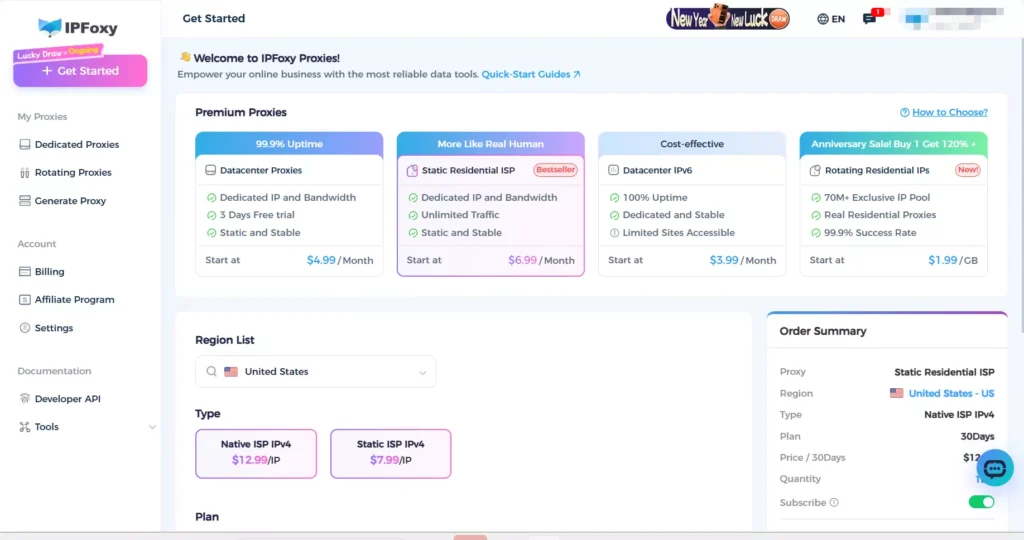
Compared to rotating proxy setups, a stable static proxy environment is more suitable for long-term account operation and weight accumulation.
2. Complete Your Profile and Avoid “Blank Accounts”
After registration, avoid performing large-scale interactions immediately. First:
- Upload a clear profile picture
- Set a background image
- Write a concise and identifiable bio
Accounts with incomplete profiles and no history are more likely to be flagged as bots or marketing accounts.
3. Enable Two-Factor Authentication (2FA)
Enable Two-Factor Authentication through account security settings. Options include:
- Binding a phone number
- Using an authenticator app
2FA improves account security and credibility. Accounts with completed security verification are generally considered more stable and less likely to be misjudged by automated risk systems.
IV. Frequently Asked Questions About X (Twitter) Suspensions
After submitting an appeal, X generates a support ticket. Results are sent to your registered email or message center.You can also log in to X via web or app and navigate to Help Center → Account Support / Appeal Status to check progress.
If no email is received, check your spam or promotions folder. Avoid submitting repeated appeals, as this may delay processing.
Typically, 3–7 business days.
If the case involves multiple violations or suspected automation, review time may extend up to two weeks. During this period, the account may remain suspended while awaiting review.
Yes. Delays may occur due to:Email filtered as spam,Support ticket backlog,Manual review required.
Conclusion
This article comprehensively explains the main reasons for X (Twitter) account suspension, including security locks, automation misjudgment, and content violations. It also outlines the latest 2026 recovery methods, from self-service verification and official appeals to network environment optimization.
By maintaining a stable network, completing your profile, enabling two-factor authentication, and avoiding policy violations, you can significantly reduce suspension risks and ensure long-term, stable account operation.

