












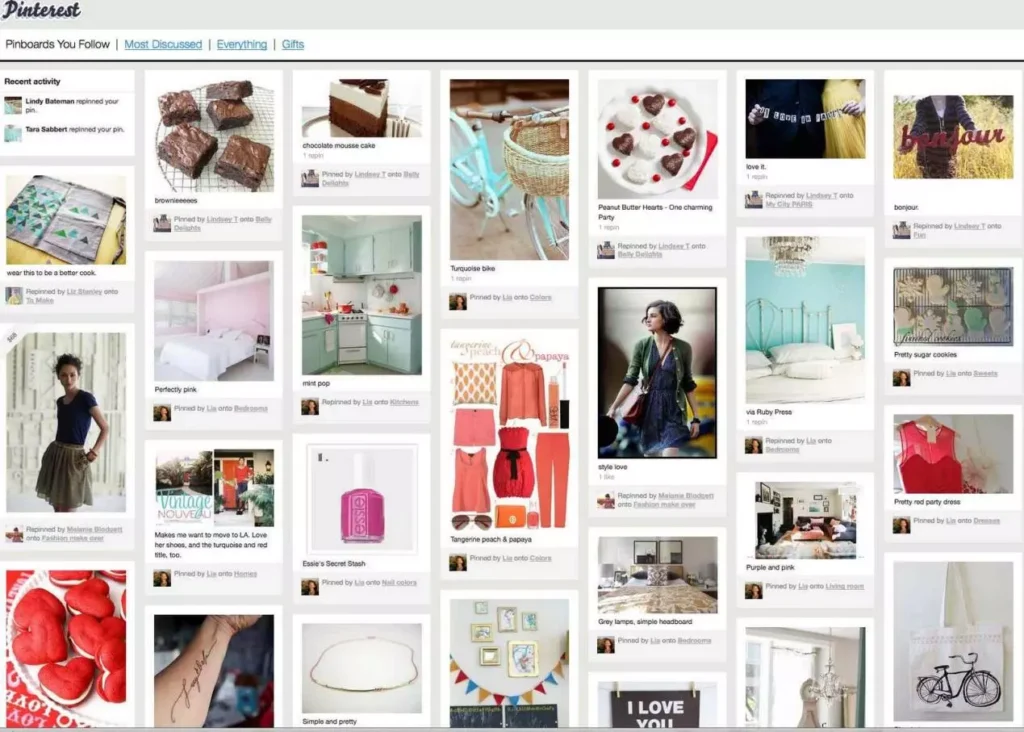
In the digital age, obtaining visual content has become increasingly important, especially on social platforms like Pinterest, which provides a wealth of high-quality images valuable to users and brands. As Pinterest continues to enhance its anti-scraping mechanisms, bulk scraping Pinterest images has become an essential skill for data analysis and content collection. This article explores how to efficiently scrape large quantities of Pinterest images, addresses common technical challenges, and helps you improve scraping success rates and efficiency.
I. Why Bulk Scrape Pinterest Images?
Pinterest, as a leading visual discovery engine with over 450 million monthly active users, offers several benefits through bulk scraping of images:
- Content Collection and Analysis: Many industries and brands use Pinterest images to analyze popular trends, market movements, and user preferences.
- Product Recommendations and Marketing: E-commerce platforms and marketers can enhance product recommendation systems and marketing strategies by scraping Pinterest images.
- Visual Data Processing: Scraping large volumes of images provides richer data for AI models, aiding in the development of visual recognition technologies and other applications.
II. Technical Challenges of Pinterest Scraping in 2026
Before diving into practical solutions, it’s crucial to understand the technical barriers set by Pinterest:
2.1Dynamic Content Loading Mechanism:
Pinterest is a single-page application that loads content like images via JavaScript. Traditional methods like requests + BeautifulSoup cannot fully fetch content, requiring browser automation tools to simulate real user behavior.
2.2Strict Anti-Scraping and Risk Control Systems: Pinterest employs multiple anti-scraping layers:
- IP-Based Restrictions: High-frequency access or abnormal IPs can be blocked, resulting in errors like “Access Denied” or “Your request looks suspicious.” Shared server IPs and public VPN IP ranges are often blacklisted by Pinterest.
- Behavioral Features: Scroll speed, mouse movements, and operation intervals are analyzed, with non-human patterns triggering risk controls.
- Fingerprinting: Browser fingerprints, cookies, and session behaviors are tracked.
III. How to Bulk Scrape Pinterest Images?
To address these challenges, several popular technical solutions exist:
3.1 Solution 1: Open-Source Python Library
For most developers, leveraging open-source solutions is a good starting point. Two well-established Pinterest scraping libraries on GitHub still perform well in 2026:
- pinterest-dl: This tool, based on reverse-engineering Pinterest’s API and browser automation, supports asynchronous downloads, video extraction, and private board access.
- pinterest-scrapper: Another noteworthy tool that provides a more user-friendly interactive interface and HTML gallery generation features.
Whether using pinterest-dl for rapid bulk downloads or building native automation scripts with Playwright, dynamic proxy services like IPFoxy can be applied via API calls or demo code for scraping.
For example, to integrate IPFoxy dynamic HTTP proxy in your script, use the following demo:
import urllib.request

if __name__ == '__main__':
    proxy = urllib.request.ProxyHandler({'https': 'username:password@gate-us-ipfoxy.io:58688'})
    opener = urllib.request.build_opener(proxy, urllib.request.HTTPHandler)
    urllib.request.install_opener(opener)
    content = urllib.request.urlopen('http://www.ip-api.com/json').read()
    print(content)
3.2 Solution 2: Playwright Native Automation
When open-source libraries fall short, using Playwright for browser automation offers more flexibility. This method provides complete control over the scraping process and allows for fine-tuned operations:
1.Infrastructure: Listen to Network Requests:
Pinterest is a single-page app, and data is dynamically loaded via XHR requests. Instead of parsing the DOM, directly intercept network responses to capture image URLs in JSON data.
2.Handling Infinite Scroll and Captchas:
In real-world scraping, captcha challenges and scroll failures are common. The following enhanced code includes anti-detection and captcha handling mechanisms:
class AdvancedScraper: async def stealth_init(self): stealth_js = """ Object.defineProperty(navigator, 'webdriver', {get: () => undefined}); Object.defineProperty(navigator, 'languages', {get: () => ['en-US', 'en']}); """ self.playwright = await async_playwright().start() self.browser = await self.playwright.chromium.launch( args=['--disable-blink-features=AutomationControlled'] ) self.context = await self.browser.new_context() await self.context.add_init_script(stealth_js) self.page = await self.context.new_page()3.3 Solution 3: Commercial API Services
For long-term, large-scale scraping, using commercial APIs is a wise choice. These services have already addressed issues like anti-scraping, IP rotation, and data formatting.
IV. How to Improve Pinterest Image Scraping Success and Efficiency?
These strategies are critical to ensuring long-term stability in scraping operations:
4.1 Use High-Quality Proxy IPs
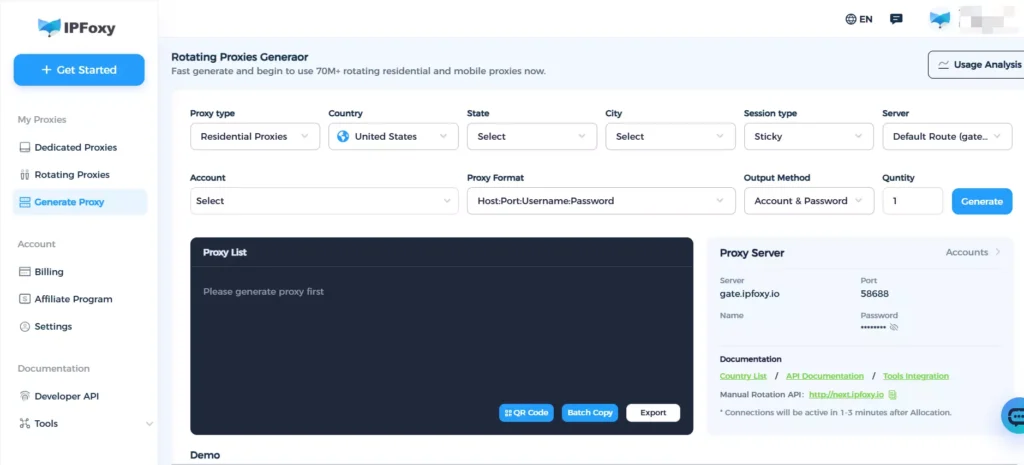
Data center IPs and public VPN IP ranges are often blacklisted by Pinterest. Pinterest’s risk control system also detects the purity of IPs. Residential proxies are closer to real users, making it less likely for Pinterest to flag them. During Pinterest bulk image scraping, IPFoxy proxies help bypass scraping restrictions:
- Residential IP Resources: Random rotation with up to 99.8% IP purity.
- Sticky Sessions & Rotation Modes: Simulate real browsing patterns with session management.
- API-Level Scheduling Control: Adaptable for automated scraping architectures.
4.2 Browser Fingerprint Isolation
Changing IP alone isn’t sufficient. Pinterest also tracks browser fingerprints. For multi-account or high-frequency scraping, using an Anti-detect browser is recommended to create separate browser environments for each scraping task, preventing fingerprint associations across accounts and tasks.
4.3 Request Frequency Control
Follow the golden rule: Mimic human browsing patterns.
Example from pinterest-scrapper configuration:
scraper.scrape_search(
    query="home decor",
    max_pins=100,
    max_scrolls=20,      # Limit scroll attempts
    scroll_pause=2.0,    # Pause for 2 seconds between scrolls
)
4.4 Cookie Reuse Technology
Reusing logged-in cookies can avoid repeated logins and reduce the risk of detection:
# Log in and save cookies
pinterest-dl login -o cookies.json
# Subsequent scraping automatically uses saved cookies
pinterest-dl scrape <URL> --cookies cookies.json
V. Frequently Asked Questions
A1: Ensure you understand the legal boundaries:
Verify Copyright: Most images are owned by creators; assume copyright protection before downloading.
Fair Use: Editing or transformative use may fall under fair use, but commercial use carries higher risks.
Recommended Practice: Trace image sources, retain attribution, and avoid removing watermarks.
A2: Not necessarily, but high-frequency abnormal behavior significantly increases the risk. Key triggers include: rapid request frequency, abnormal IPs, non-human patterns, and sharing environments across multiple accounts. Use recommended proxies, frequency control, and fingerprint isolation to minimize risk.
A3: By parsing Pinterest’s image URLs, you can retrieve the largest available image sizes.
VI. Conclusion
In 2026, developers must not only overcome technical challenges but also learn to navigate Pinterest’s anti-scraping systems to ensure safe and efficient scraping. By using high-quality proxies, controlling request frequencies, and adopting fingerprint isolation, you can significantly improve the success rate and efficiency of Pinterest image scraping. Remember, bulk scraping Pinterest images involves both technical challenges and balancing legal compliance with platform policies to achieve optimal data collection.

