












When running live streams for product sales or monetization on TikTok, many creators face the same issue:
suddenly, there are no viewers, online numbers drop sharply, and almost no new traffic enters the live room.
In most cases, this is not because the content is poor. Instead, TikTok has identified the account as an “abnormal” or “high-risk” account, and the live stream has entered a throttled state.
This article explains three key questions:
- What causes TikTok live stream throttling?
- How can you recover traffic in the short term?
- How can you prevent throttling in the long term?
I. Why Does TikTok Throttle Live Streams?
TikTok applies stricter risk control to live streaming than to short videos because live streams involve:
Real-time interaction
Sales conversion
Advertising and traffic redirection
Potential policy violations in speech
Common triggers include:
1. Abnormal account environment
This includes, but is not limited to:
- Frequently switching accounts on the same device
- Logging into multiple live accounts using the same IP
- Using unstable or flagged proxy IPs
- Unclean cloud phone or emulator environments
From TikTok’s perspective, these behaviors indicate that the account is not operated by a real user.
The direct result is that the live room is not given recommendation traffic and only receives minimal cold-start exposure.
2. Abnormal live streaming behavior
For example:
- Aggressively adding products immediately after going live
- Frequently guiding users to private messages or external contact methods
- Repeating the same script continuously
- Long periods without interaction
The system may judge this as low-quality or overly promotional live content, reducing recommendation weight.
3. Historical violations on the account
This may include:
- Short videos removed
- Live streams interrupted
- Community Guidelines warnings
Even if the current content is compliant, historical risk records may still affect live stream recommendations.
II. How to Tell “Real Throttling” from “False Throttling”?
Many people assume they are throttled whenever their live room has low traffic. In reality, low traffic does not always mean throttling. There are two typical situations:
- Real throttling: After 10–15 minutes of streaming, online viewers remain at 0–3. Recommendation traffic is almost zero, and most traffic comes from the follower page or profile page. When using the same content and time slot on another account, traffic performs normally. This indicates the problem lies with the account rather than the content.
- False throttling: Viewers enter within the first 3–5 minutes, and some recommendation traffic exists, but interaction is extremely low. In this case, the issue is related to content or live structure rather than risk control.
Distinguishing between these two situations is critical; otherwise, recovery actions may be misapplied.
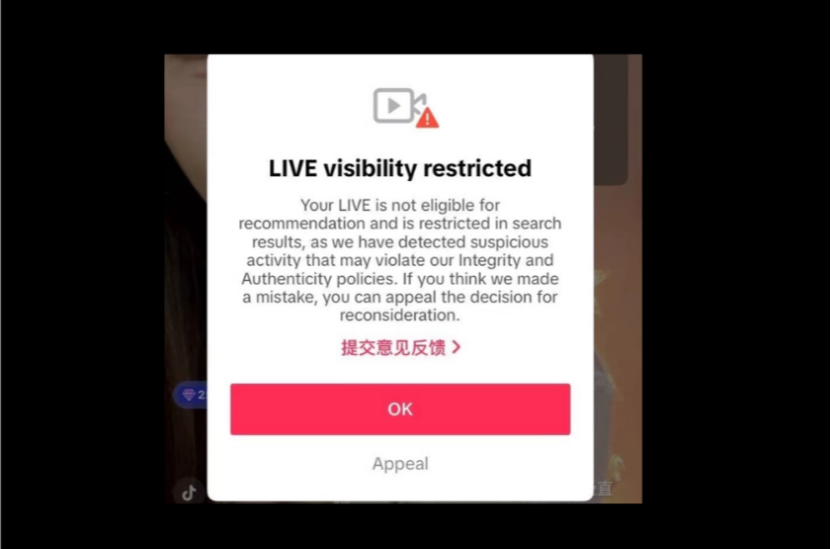
III. Short-Term Recovery Methods After Throttling
If you notice:
Online viewer numbers are significantly lower than usual
No natural traffic after 10 minutes
Recommendation traffic is nearly zero
You can follow this sequence:
1. Stop streaming for 24–48 hours
Continuing to stream will only reinforce abnormal labels and accumulate low-interaction data.
The correct approach is:
- Pause live streaming for 1–2 days
- Resume normal viewing, liking, and commenting behavior
- Allow the account to return to a normal user state
2. Use short videos to rebuild weight
Key actions:
Post 1–2 non-sales videos
Do not attach products or guide users to private messages
Focus on storytelling, product display, or scenario demonstrations
The goal is to rebuild content recommendation weight.
3. Adjust live streaming behavior
During the recovery phase:
- Do not sell products in the first 10 minutes
- Increase interaction by asking questions and calling out viewers
- Control speaking pace
- Avoid mentioning external links or redirecting to other platforms
Stabilize recommendation traffic before focusing on conversion.
IV. How to Prevent TikTok Live Stream Throttling
The core factor determining whether throttling will repeat is not scripting, but whether the account environment resembles a real user. For long-term stable streaming, three issues must be addressed:
1. One account, one environment
This includes independent browser fingerprints, independent device environments, and independent IPs. Otherwise, TikTok may associate multiple accounts through IP, device, and behavior patterns and classify them as being controlled by the same operator. This is the most common root cause of live stream throttling.
2. IP stability is more important than price
Many users rely on cheap or free proxies. These IPs are heavily reused, often flagged as data center IPs, and suffer from high latency and frequent disconnections. The result is that accounts can log in normally, but live stream recommendation weight never increases.
A stable residential proxy should provide:
- Real household network sources
- Long-term fixed outbound IP
- No frequent regional changes
Accounts should be operated as real user devices rather than batch tools. Using professional residential proxy services such as IPFoxy as the underlying live streaming network helps TikTok recognize the activity as coming from real household users and obtain more authentic local traffic.
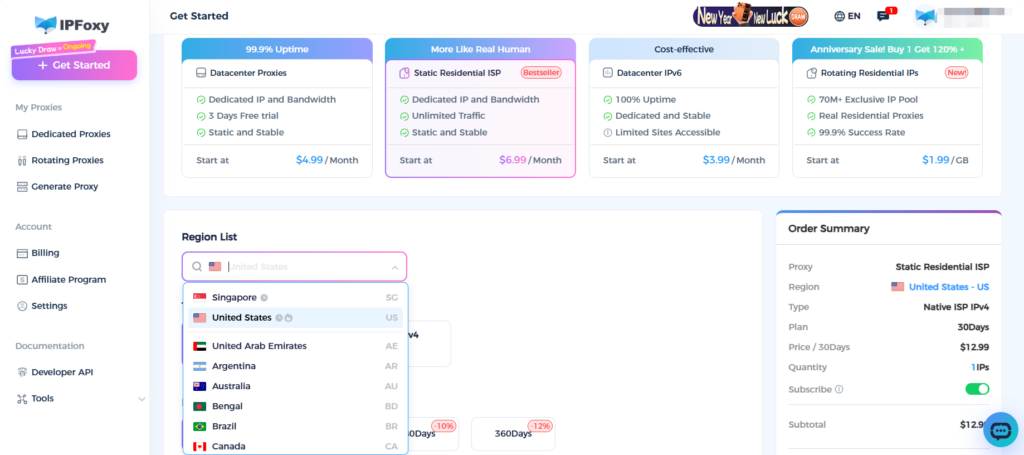
Test results of IPFoxy proxy in TikTok live streaming
| Test Dimension | Performance Description | Impact on Throttling |
|---|---|---|
| Cleanliness | IPs are not flagged and not listed in blacklists; new accounts are less likely to be throttled within the first 24 hours | Reduces early-stage risk control on new accounts |
| Exclusivity | One account per IP, avoiding shared network usage | Prevents chained throttling caused by IP association |
| Location Matching | IP location matches the target market | Aligns with TikTok’s real user environment judgment logic |
| Stability | Long-term use of the same IP, fewer switches | Reduces risk signals caused by node changes |
Overall, its role is to reduce the probability of throttling caused by network environment issues rather than to directly increase traffic.
4. Multi-account operations must be isolated
If you operate multiple live accounts, test accounts, or account matrices, you must ensure:
Different accounts use different networks
Different accounts use different environments
Different accounts use different login paths
Otherwise, throttling on one account is likely to affect others.
V. FAQ
Yes, but only if the original cause of risk control is removed, rather than relying solely on changing scripts.
Throttling means you can stream and have viewers but receive no recommendation traffic. Suspension means you cannot stream and the account is disabled. Throttling is a warning level, not a final outcome.
Yes. If a new account immediately starts selling, has an abnormal environment, or behaves like a marketing account, it is likely to enter a low-weight pool.
Conclusion
TikTok live stream throttling is not about the platform targeting you; it is about the system determining that your account does not resemble a real user.
Short-term recovery depends on behavioral correction, while long-term stability depends on environment consistency. If you repeatedly encounter situations such as no traffic after going live, multiple accounts being throttled at the same time, or live stream weight failing to increase, the problem is more likely related to how the account is operated rather than the content itself.

