












Instagram’s Shadowban can suddenly reduce your account’s exposure and traffic, affecting your account’s performance. Identifying the signs of limited reach and taking effective recovery actions is key to ensuring smooth account operation. This article introduces common scenarios of Shadowban and offers solutions for restoring account traffic and avoiding business or brand disruption.
I. How to Identify Instagram Shadowban? 3 Common Signs and Methods
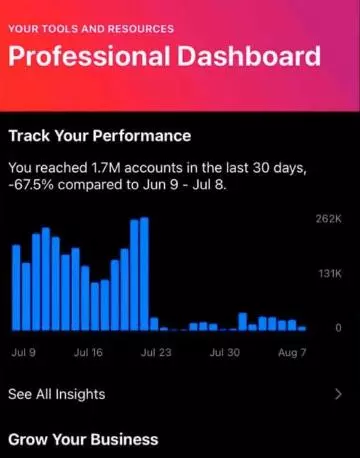
1.Sharp Decline in Engagement
Symptoms: If your reach drops suddenly, your Stories views decrease, and likes and comments diminish with minimal follower growth.
How to Test: Check your Reels views, followers, likes, and comments. If significantly lower than usual or compared to similar accounts, and your posts don’t appear under hashtags, you are likely shadowbanned.
Symptoms: When shadowbanned, your content won’t appear in hashtags or the Explore page. Only current followers can see your posts, while new followers cannot discover your account.
How to Test: Use a unique, unused hashtag, post, and ask someone who doesn’t follow you to search for it.
3.Account Almost Unsearchable
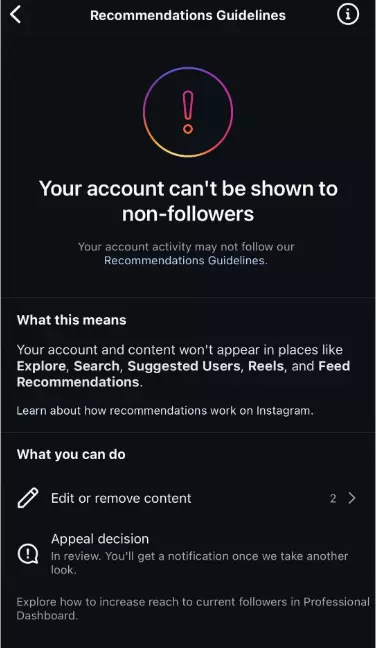
Symptoms: In extreme cases, your account may be hidden. People can’t see your content unless they manually search for your Instagram username.
How to Test: Go to your profile, click on the menu, and search for “Account Status.” If your content is flagged for removal or restriction, Instagram will display it here.
II. Latest 2026 Solutions for Instagram Shadowban
1.Pause Activity and Review Violations
Solution: Pause all Instagram activities for 48-72 hours—no posting, liking, commenting, or other actions. Review the last 30-60 days of content and delete any posts violating community guidelines. Avoid repetitive hashtags and overusing the same ones in each post.
2.Switch from Business to Personal Account
If you’re using a business account, switch to a personal one. Business accounts are often more strictly limited, while personal accounts may receive better reach and exposure.
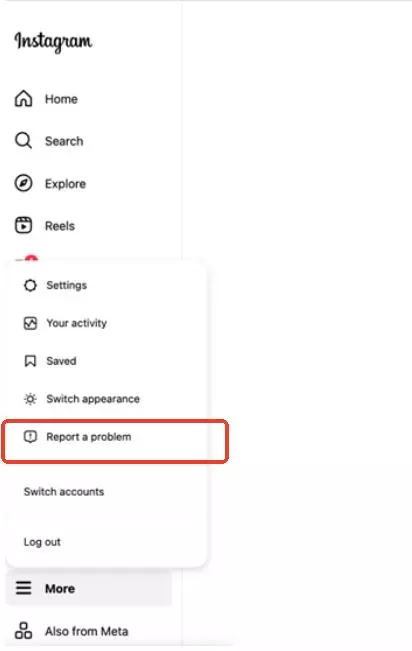
3.Request Instagram Review
In the settings, submit a report to Instagram explaining your situation, indicating that you have reviewed your content and followed the guidelines, requesting a recovery of your traffic.
III. How to Prevent Instagram Shadowban
1.Ensure Use of Independent IP and Device
Isolation is crucial for managing multiple accounts. This can be achieved through:
- Device Isolation: Use fingerprint browsers, VPS, or physical isolation.
- IP Isolation: Use one device with one account and one IP. Avoid using shared proxies or frequently changing IPs, as Instagram may flag this as suspicious.
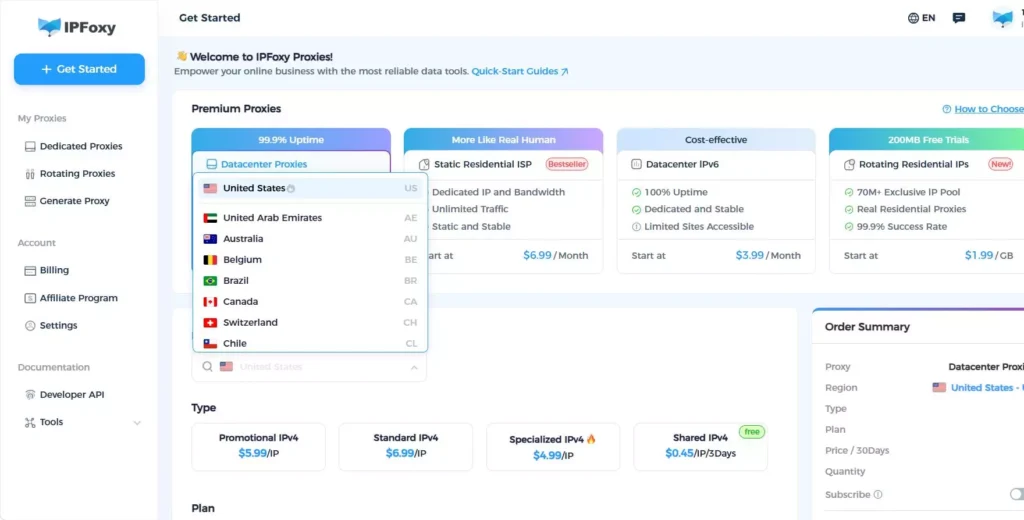
Recommended Tool: IPFoxy’s residential proxy service offers high-quality local IPs, ensuring better authenticity than data center IPs. It supports city-level geolocation and ensures that your IP matches your account’s location, reducing risk detection.
2.Avoid Spammy Behavior
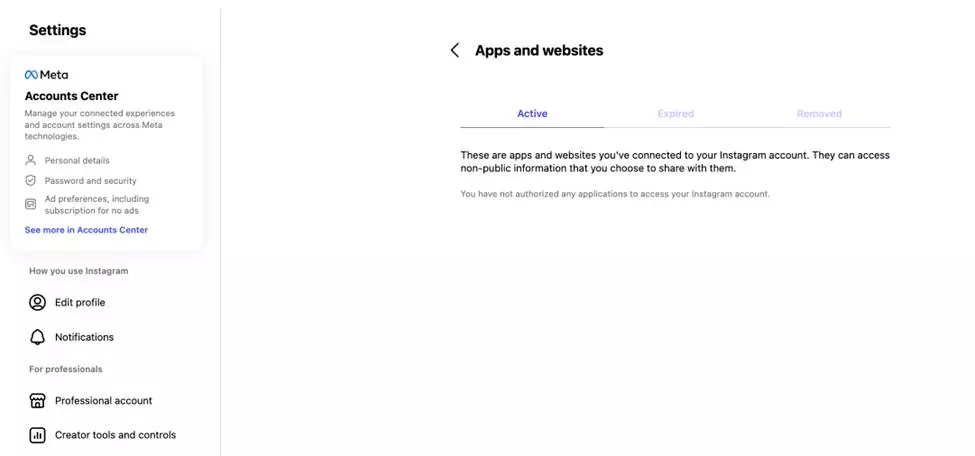
Avoid automation tools, excessive posting, or other spammy activities. Revoke access from apps violating Instagram’s community guidelines. Don’t like, comment, or follow/unfollow in bulk; keep your actions natural and human-like.
3.Use Content Warnings to Avoid Reports
When posting sensitive or explicit content, add content warnings in titles or posts. This allows viewers to decide whether to engage, reducing the chances of being reported.
4.Avoid Over-Marketing
Avoid mass marketing DMs. Over-sending promotional messages can mark your account as spam, triggering Instagram’s anti-spam measures. Focus on content creation and organic engagement with real followers to build brand reputation.
5.Never Buy Followers and Regularly Manage Your Follower List
Buying followers violates Instagram’s rules and may cause shadowbanning. Bought followers are often fake accounts that don’t engage with your content, harming your account. Regularly review your followers and remove inactive or low-quality accounts to boost credibility.
6.Avoid Third-Party Shadowban Testing Tools
Many third-party websites offer Instagram Shadowban tests, but these tools require account access, putting your account at risk. Hackers can misuse these tools for spam activities, leading to account bans.
IV. Conclusion
Shadowban can severely limit Instagram account traffic and exposure. However, by identifying shadowban signs early and taking appropriate actions, traffic can be restored. Following platform rules, optimizing content, managing followers, and using independent IPs and devices help prevent and resolve Shadowban issues, ensuring your Instagram account remains healthy and active.

