












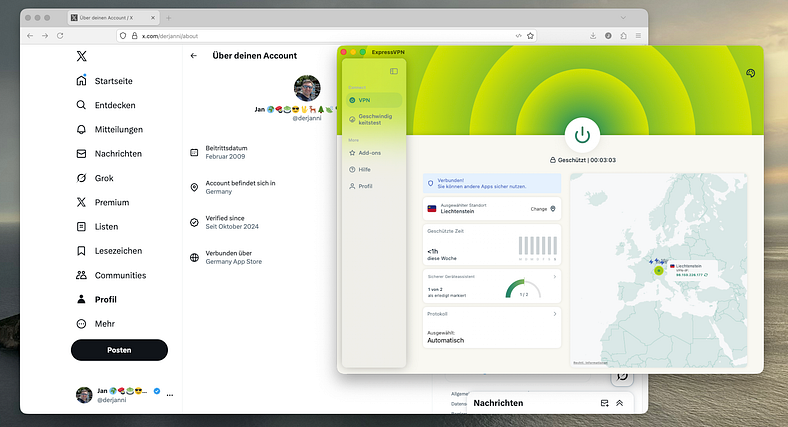
Recently, X (formerly Twitter) officially launched the Account Location Display feature. Every account’s profile page will automatically show the country/region associated with the account. Users may switch the display to “Continent Only” (Europe / Asia / North America), but the location cannot be turned off or manually edited.
This update quickly became a trending topic. Beyond content authenticity management, it also introduces new privacy and risk control challenges for users involved in international business operations, account teams, or those who log in from different regions.
I. Where does X obtain the account location? The official explanation matters
According to the official announcement, the displayed location is automatically generated based on “account registration information + long-term login IP.”
This means:
It is not real-time location
It is not GPS
It cannot be manually entered or edited
Proxy switching may affect the determination
Frequent logins from different regions may trigger updates
X states that the feature aims to improve transparency and reduce risks such as coordinated misinformation and manipulation by inauthentic accounts.
II. Why are users worried about privacy issues and misclassification?
1. Decreased Account Credibility (Misjudged as Fake or Externally Controlled)
Especially during sensitive trending discussions, some users worry that their posts may be misinterpreted as “inauthentic” or “manipulated by external actors.”
2. Business Accounts Incorrectly Tagged with the Wrong Location, Affecting Creditworthiness
For example, sellers or brand official accounts may face “location mismatch” risks due to inaccurate geographic labeling.
3. Multiple Team Members Sharing One Account → Frequent Location Switching
When team members log in from different cities or countries, the platform’s risk model may flag the account as abnormal.
4. Unclean IP Sources (Public Nodes / Shared Network Exit Points) Causing Location Drift
The platform evaluates IP ASN, reputation, and historical abuse patterns. Low-quality nodes can
III. What behaviors most commonly cause incorrect location determination on X?
1. Using public proxy nodes or low-quality shared proxies
2. Frequent region switching across devices
3. Sharing one account among multiple team members
4.Using hotel, café, or library WiFi where ASN varies widely
IV. How to keep the account location stable? (Four effective approaches)
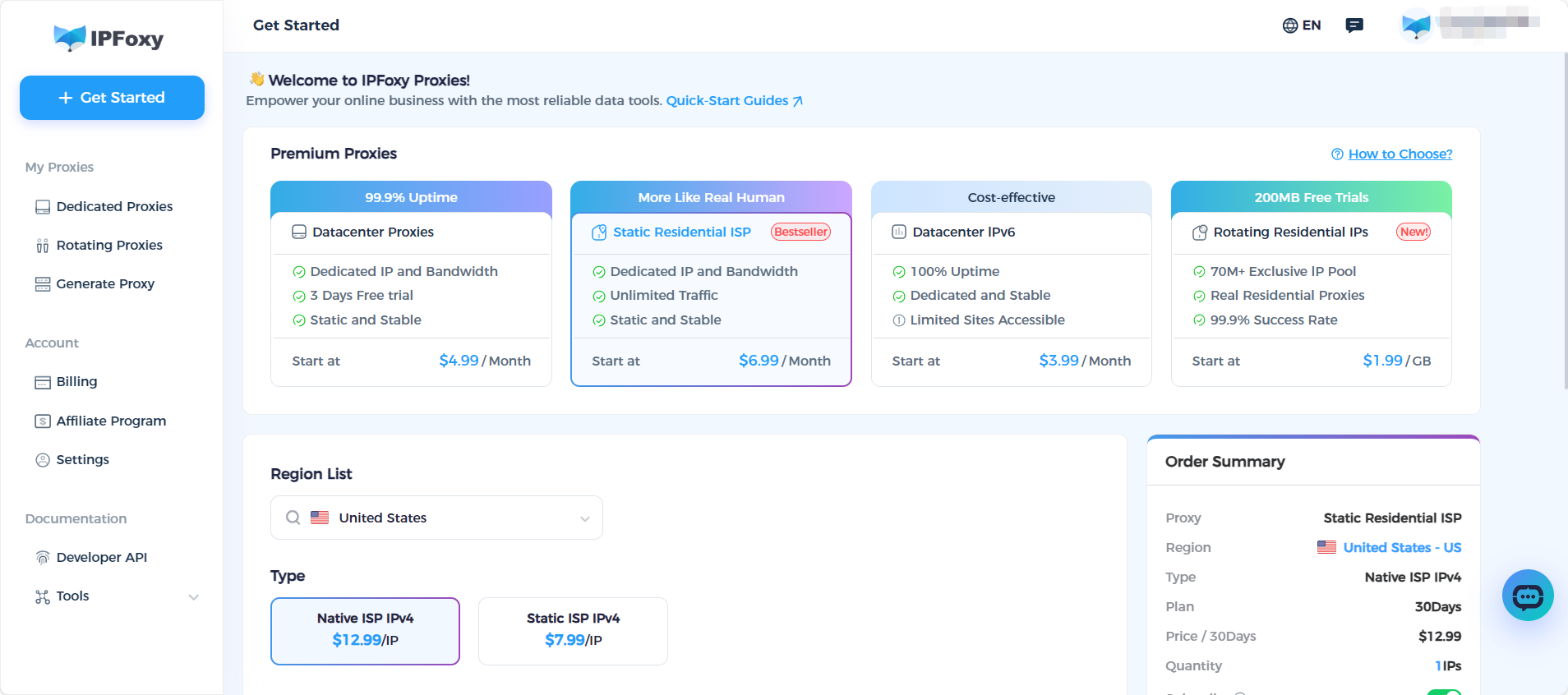
Method 1: Bind the X account to a fixed, high-quality residential IP
This is the most stable and effective method to avoid abnormal triggers. Dedicated static residential proxies with real ISP networks ensure:
Using IPFoxy static residential IP ensure:
- Fully dedicated and non-rotating
- Real residential ISP routes
- Home-network ASN, not data center
- Stable and controllable geolocation
- Long-term safe login across platforms
- No drift caused by public or low-quality nodes
Suitable for brand accounts, creators, business teams, or any account that requires a consistent displayed location.
Method 2: Keep login activity to a single device or single region
Avoid logging in from multiple devices or switching between different network environments. Assigning a dedicated device and network to the account is a best practice.
Discontinue using cheap shared IP services. Data-center IPs and shared IP pools are common triggers for X’s risk control models and often cause location anomalies.
Method 4: Check account activity records regularly
Path:
Settings → Account → Safety → Logged-in Sessions
If an unfamiliar region appears, clear sessions, change the password, and enable two-factor authentication immediately.
V. What should business teams and merchants do?
1. Assign Fixed Residential IP Networks to All Business Accounts
Prevent multi-user mixing → location jumps → rate limits / risk flags.
2. Provide Each Team Member with an Independent Account Environment
Using an Anti-detect browser + a dedicated static residential proxy offers the highest stability.
3. Establish an “Account Location Verification” Routine
Before running ads or launching campaigns, always verify that the account’s displayed region is correct.
VI. Conclusion
Whether you are a social media manager, brand operator, KOL/KOC, or part of a team handling sensitive operations, maintaining a stable account environment and ensuring the proxy source is real, local, and clean is essential. With X’s updated location display, this has become more important than ever.

