As a popular virtual number tool, Google Voice is highly useful for registering on overseas platforms, receiving verification codes, and linking accounts. However, many users face a common issue—even with a functional number, they can’t receive verification texts.
This problem is typically related to network environment, account status, carrier restrictions, number quality, and other factors. This article will help you systematically identify the root causes and provide actionable solutions to ensure stable code reception.
I. Common Causes of Google Voice Failed Verification Code Reception
1. Unclean Network Status
Google Voice is part of Google’s services, so account activities and login environments directly affect the stability of code reception.
An unstable IP address, frequent region switches, or an IP flagged as high-risk by Google can all hinder SMS delivery.
2. Abnormal Status of the Google Voice Number Itself
Including:
- Number frozen due to long-term inactivity
- Number marked for spam registration purposes
- Limited SMS reception quota (receiving too many texts in a short time triggers risk control)
3. Using a Recycled Second-Hand Number
Some purchased second-hand GV numbers may be in the recycling period or have a history of abnormal use by the previous owner, leading to failed SMS reception.
4. Platform-Specific Blocking of Verification Texts
Certain platforms by default block sending verification codes to US VOIP numbers. Examples include PayPal, some banks, TikTok (in select regions), and WhatsApp. If you need to link a number for these platforms, the chance of GV being blocked is high.
5. Browser or Mobile Device Cache Issues
If receiving texts via the app or web, delays or non-display issues may arise from browser cache or device verification problems.
II. Troubleshooting Steps + Corresponding Solutions
Step 1: Verify a Stable, Clean Network Environment for GV Login
Google Voice’s stability is strongly tied to the login environment.
Using a network with frequent IP changes, shared access, or unclean nodes will likely result in Google flagging the environment as abnormal, causing SMS delays or non-delivery. First, use an IP detection tool to check your IP’s purity and confirm if it’s a real residential IP.
Solution: Use a Clean, Dedicated Overseas IP Environment
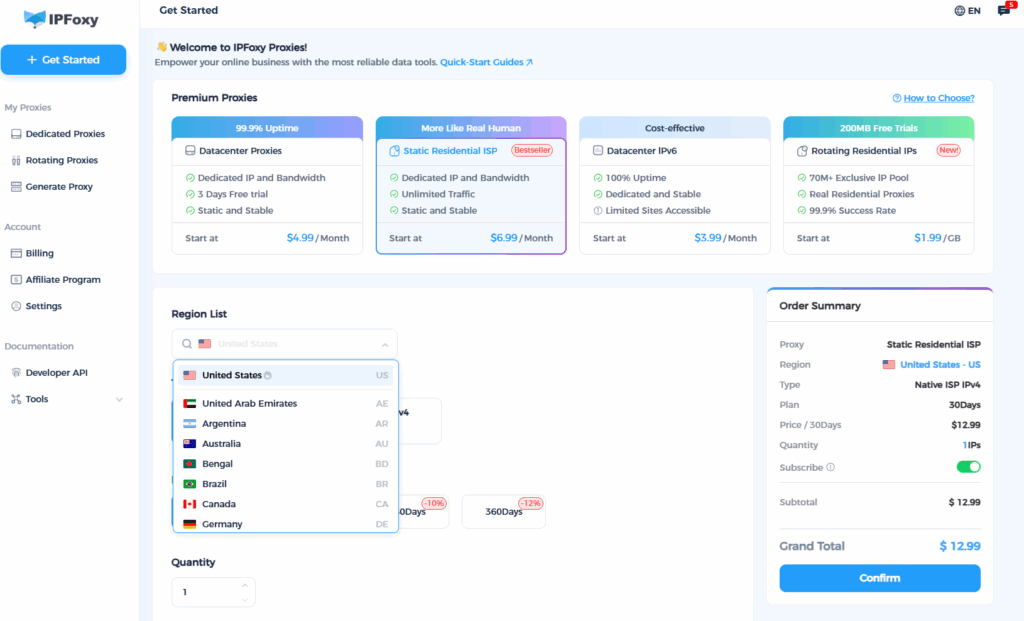
We highly recommend using IPFoxy’s high-quality overseas proxies to build a stable, pure environment for Google services—this is what Google Voice values most. IPFoxy offers:
- Independent exits and clean IPs (real residential IPs) with no shared environment interference
- High stability, avoiding frequent line switches that trigger Google’s abnormal login alerts
- Low latency for smoother access to Google Voice’s web and app interfaces
- Nodes covering multiple countries, supporting customized user environments
A stable IP environment not only ensures more reliable SMS reception but also reduces the risk of GV account restrictions.
Step 2: Confirm if the Target Platform Supports VOIP Numbers
Many users mistakenly assume GV is a universal registration tool, but not all platforms send verification codes to VOIP numbers.
Solution: Identify Platforms with “Virtual Number Bans”
The following platforms have strict VOIP restrictions:
- PayPal (high probability of non-reception)
- Banking apps
- WhatsApp (virtually unsupported)
- Sensitive risk control operations on e-commerce platforms (e.g., account recovery)
If the platform doesn’t support virtual numbers → Switch to a physical SIM card or a code-receiving platform.
Step 3: Check for GV Number Risk Control or Freezing
Log into Google Voice and check for the following:
- Prompts indicating the number is unavailable
- Infinite loading when attempting to receive SMS
- Receiving a large number of verification codes recently (frequent short-term requests trigger risk control)
Solution:
- Reaccess using a clean IP environment
- Wait 12–24 hours to lift SMS restrictions
- Maintain monthly activity by sending one SMS or making one call with GV
- Avoid frequent logins of the same GV number on multiple devices
Step 4: Avoid Recycled or Low-Quality Second-Hand GV Numbers
Many cheap GV numbers have the following issues:
- Previously used for mass platform registrations by the prior owner → Marked as high-risk
- Frozen due to long-term inactivity
- Classified as “recycled numbers” recently reissued → Unstable code reception
Solution:
Register your own Google Voice number if possible, or purchase a clean number from a trusted seller. Use it in a pure overseas IP environment.
Step 5: Troubleshoot Browser/APP Issues
If receiving texts via the web:
- Clear browser cache
- Log in via a different browser
- Open in incognito mode
- Try a different device
If using the mobile app:
- Uninstall → Reinstall Google Voice
- Log back in with the same Google account
Summary
Google Voice’s failure to receive verification codes is usually not a problem with the number itself, but a combination of network environment, platform restrictions, and number status. When these three factors are properly aligned, Google Voice typically delivers verification codes reliably.