Talkatone is a VoIP app that offers free US phone numbers, Wi-Fi/data calls, and text messaging. Many users rely on it to register for social media, communication, and financial accounts. However, in practical use, numerous users encounter issues such as failing to receive SMS verification codes or being unable to verify them—this not only delays registration but may also lead to account verification failure or suspension.
This article systematically analyzes the common reasons why Talkatone fails to receive verification codes and provides practical solutions to help you resolve the issue quickly.
I. Full Analysis of Why Talkatone Doesn’t Receive Verification Codes
1. Service Restrictions on Short Codes/Verification Codes Themselves
Talkatone virtual numbers are a type of VoIP service and are not equivalent to traditional mobile carrier phone numbers. Many platforms (such as WhatsApp, Facebook, banks, and certain apps) have strict requirements for verification code sources:
- These platforms may only send verification codes to traditional mobile carrier numbers and do not support VoIP/virtual numbers.
- Some verification codes come from short code numbers (e.g., 5-6 digit sender numbers), and Talkatone does not support receiving all short code SMS by default.
Therefore, in some cases, you may not receive verification codes sent to virtual numbers at all.
2. Unsubscribed to SMS Receiving Service / Credit System Restrictions
Talkatone users with 0 credits cannot receive verification code SMS either—you need to recharge a small amount of credits to receive certain verification messages.
- Insufficient credits or failure to subscribe to the corresponding service may prevent verification code SMS from being delivered.
- Some verification codes are marked as “premium SMS” and can only be received after payment.
3. Problems Caused by Network Environment or IP
Users may experience SMS receiving failures if their network is abnormal or restricted:
- Using public, shared, or abnormally identified IPs can trigger risk control measures on Talkatone or the target platform.
- An unstable or blocked network can cause communication failures or delays.
4. App Permissions and Device Settings Issues
If your phone settings prevent the app from receiving notifications, reading SMS, or running in the background:
- The verification code may have been sent, but Talkatone cannot display it properly.
- Special system power-saving modes or message blocking can also affect visibility.
5. Expired or Accidentally Deleted Verification Codes
Verification codes usually have strict time sensitivity—once expired, they cannot be used:
- Old verification codes become invalid, and you need to request a new one.
- If your email/message filtering accidentally deletes the verification code, you will also “not see” it.
II. Solutions
Tip: Before starting, ensure you are using the latest version of Talkatone, with a stable network and all required app permissions enabled.
1. Check Basic Settings and Network Environment
- Ensure a stable network: Turn off proxies/public Wi-Fi that may interfere with communication; try registering using a stable network environment.
- Verify app permissions: Ensure Talkatone is allowed to receive notifications, refresh in the background, and read SMS messages; check the system’s power-saving/message interception settings.
2. Ensure Sufficient Account Credits/Service Permissions
Some SMS verification codes (especially short code verifications from platforms) may require Talkatone credits or a subscription:
- A common solution is to recharge a small amount of credits (e.g., a $0.99 micro-recharge) to ensure normal receipt of verification code SMS.
3. Use a Pure, Stable IP Environment
To improve the success rate of receiving Talkatone verification codes, resolving the IP environment is crucial. The core criteria are three key points: Exclusive + Pure + Stable.
Many users encounter pitfalls here—using cheap shared proxies or VPN nodes often leads to more failures. If you experience blocks during registration or use, consider using a stable, real residential IP to simulate a legitimate network environment.
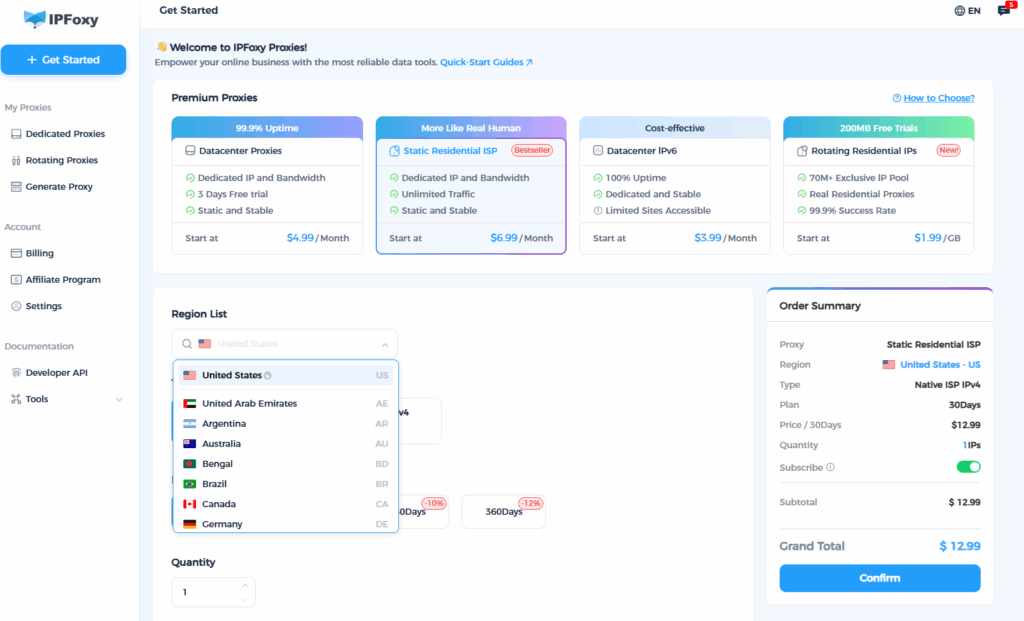
Recommended: IPFoxy’s overseas proxy service
- IPFoxy provides high-quality static residential proxy IPs that simulate real user networks, avoiding being identified as abnormal traffic.
- Residential proxies can significantly improve the success rate of account registration and verification code reception, especially in scenarios with strict risk control.
- For US number acquisition and registration processes, binding a residential IP can prevent rejection or blocking by verification code senders, thereby increasing verification success.
- Free trial: New users can get a free trial upon registration to experience the stable performance of real residential IPs.
4. Clear the Environment Before Re-registering
After switching IPs, it is recommended to perform the following operations simultaneously:
- Uninstall Talkatone
- Clear system cache / App data
- Restart your phone
This allows the system to recognize it as a brand-new registration.
5. Control Operation Rhythm to Avoid Triggering Frequency-based Risk Control
Correct practices:
- Wait 5–10 minutes between each verification code request.
- Do not attempt multiple failed registrations in one day.
- Do not frequently switch networks and retry immediately.
- If you have already failed multiple times, pause for 24 hours before trying again.
6. Restart / Re-request the Verification Code
- Delete old verification code request records and wait for the countdown to expire before requesting a new code.
- If the verification code is expired or incorrect, try uninstalling and reinstalling Talkatone, then restart the registration process, or contact official customer support for assistance.
Summary
Most cases of Talkatone failing to receive verification codes are not due to operational errors, but rather factors such as virtual numbers not supporting short code SMS, unactivated SMS permissions, abnormal network environments, or expired verification codes. By troubleshooting and optimizing step by step, most Talkatone verification code issues can be resolved smoothly.