Many advertisers have encountered such situations:
- The ad just starts to scale up, but suddenly you get a notification that the account is restricted;
- Shortly after recharging, ad functions are limited;
- Or even without any action, the account is directly banned or requires an appeal.
Facebook (Meta)’s risk control is not random, but a comprehensive judgment based on account behavior + payment + environment + association. This guide cuts through the fluff and helps you clarify:
- What are the common manifestations of restrictions?
- What are the real underlying causes?
- How to systematically resolve them and avoid pitfalls in the long run?
I. Common Manifestations of Frequent Facebook Ad Account Restrictions
First, identify the type of issue you’re facing—different restriction levels require completely different handling methods.
1.Restricted Ad Features
- Unable to create new ads
- Ad review pending indefinitely
- Notification: “Ad account at risk”
- Usually mild risk control; appealable and recoverable.
2.Disabled Ad Account
- Ad account status shows “Disabled”
- All ads stop running
- Required to submit appeal materials
- Moderate risk control; recovery probability depends on historical behavior.
3.Restricted Business Manager
- Unable to create new ad accounts
- Unable to add pages or pixels
- Asset management permissions revoked
- Usually related to association risks or abnormal business information.
4.Restricted Payment Method
- Card fails to deduct funds
- Notification: “Payment failed / Suspicious payment”
- Required to re-verify payment method
- Common for frequent card changes, virtual cards, or cross-region payments.
II. Full Analysis of Causes for Frequent Facebook Ad Account Restrictions
1.Ad Content or Landing Page Violates Policies
- Exaggerated claims (get rich quick, 100% effectiveness)
- Sensitive statements related to health, finance, or weight loss
- Inconsistency between landing page and ad content
- Facebook reviews both content and landing pages, not just the ad itself.
2.Abnormal Payment Behavior Triggers Risk Control
- Frequent credit card changes in a short period
- Using virtual cards from unknown sources
- Significant mismatch between ad account region and card-issuing region
- Facebook is extremely sensitive to “money”—it will directly restrict permissions if fraud is suspected.
3.Abnormal Account Environment
This is the most fatal factor ignored by 90% of advertisers:
- Multiple ad accounts sharing the same IP
- Logging into different accounts on the same browser/device
- Frequent IP country jumps
- Using public/free proxies
- In Facebook’s eyes, this constitutes strong account association.
4.Unhealthy Account History
- New accounts launching high-budget campaigns immediately
- Ads frequently rejected
- Accumulation of multiple violation records
- Risk control operates on a “point-based system,” not a one-time judgment.
III. Comprehensive Solution Guide
1.What to Do First When Restricted?
Submit a “Request review” through Meta Business Support (official portal) — follow the on-screen instructions to upload necessary materials (business license, ID proof, payment receipts, landing page screenshots, etc.).
(1) Organize and submit supporting documents:
- If accused of landing page/creative violations: Provide before-and-after modification comparisons, compliance explanations, and product compliance certifications.
- If accused of abnormal payments: Upload bank/card statement screenshots, payment authorization instructions, and company invoicing documents.
- If accused of identity/business issues: Upload company business license, legal person ID, tax ID, etc.
(2) Appeal Template
“We are [Company Name], with ad account ID: [ID]. Recently, we received a notification of ‘ad/account restriction.’ We have reviewed and confirmed that the ad creatives/landing pages have been revised in accordance with policies (see attachments), and the payment records are normal company budget expenditures (see attachments). We kindly request a review and clarification of the specific violation items. Thank you!”
Package attachments in chronological and evidentiary order (screenshots + original files) and upload them via “Request review.” Using the official portal increases the likelihood of processing.
(3) If Automatic Appeal Receives No Response, Try Human Customer Service/Chat Support
Access chat or tickets through Business Support Home, explain the evidence you’ve submitted, and request the case to be escalated or transferred to human review. Many practitioners report that “manual submission/confirmation” is more effective than simply clicking the appeal button.
2.Three Must-Do Things After Ad Recovery
(1) Stabilize Campaign Rhythm
- Gradually scale up the budget
- Test new materials with small budgets first
- Avoid frequent major structural changes
(2) Standardize Payment Methods
- Use fixed, long-term payment methods as much as possible
- Minimize card changes and avoid mixing cards from multiple countries
(3) Set Up IP and Account Environment
In actual campaigns, many advertisers’ pitfalls are not “lack of advertising skills,” but unclean IPs and unstable environments.
Therefore, for advertisers with multiple accounts, a common and mature practice is: set up an independent environment for each ad account, with a fixed country IP + independent browser fingerprint, to fully isolate different accounts.
However, many practical teams encounter problems with IP proxies: either using low-quality shared proxies that lead to account involvement, or purchasing IPs with high latency and poor stability. To solve such “network environment pollution” issues, more and more teams are using professional proxy IP services.
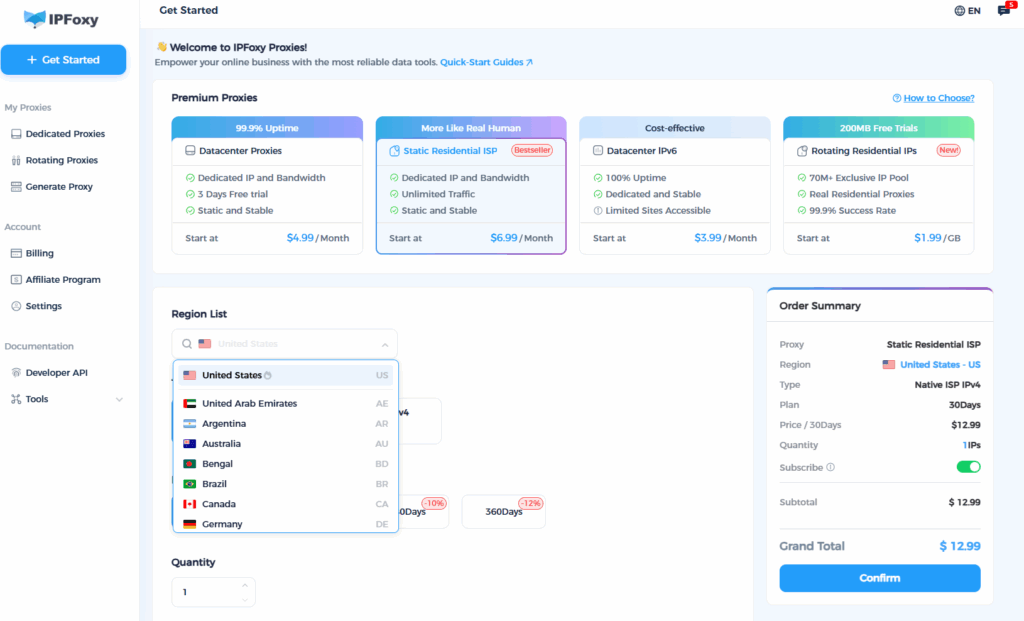
Proxy services like IPFoxy offer core values including:
- Providing real residential IPs that are cleaner and more stable, covering multiple countries worldwide, making it easy to match account IPs with the company/target market country;
- High stability and low packet loss, suitable for long-term online access and management of ad dashboards;
- Supporting use with fingerprint browsers (reducing device/fingerprint association risks) and providing documents and access guidelines for quick setup.
If you are currently facing frequent restrictions due to IP/association issues, you can do two things first: 1) Migrate one problematic account to a fixed static residential IP + separate fingerprint environment for a 7-day observation; 2) Record campaign behaviors and restriction trigger times to compare improvements. IPFoxy’s “free trial / technical support” can help quickly verify this approach.
Summary
Frequent ad account restrictions stem from three core areas: compliant content + reliable payments + a clean, stable account environment. Appeals can address emergencies, but environment optimization is the most direct and common long-term solution to protect your accounts.