Google unveiled Gemini 3 with a bang in late 2025, taking multimodal understanding, reasoning capabilities, and “Agent” functionality to new heights. For content creators, developers, and enterprise users, the opportunities are immense. However, integrating Gemini 3 Pro into production environments stably, cost-effectively, and for long-term use requires attention to numerous engineering details and environmental requirements.
Below is a directly implementable guide: first, a quick overview of Gemini 3’s key changes, followed by actionable steps and considerations for stable use of Gemini 3 Pro.
I. Key Highlights of Google’s Gemini 3 Launch
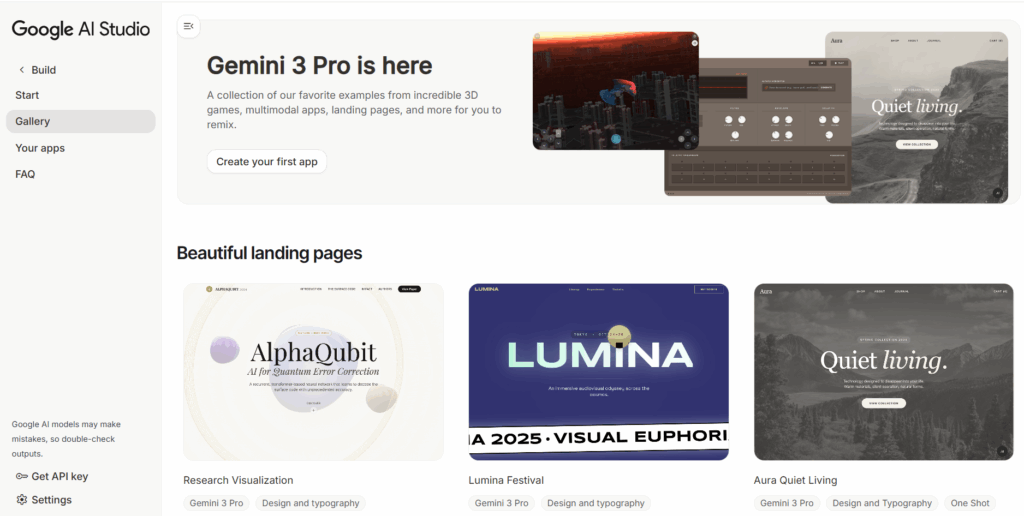
- Enhanced multimodal understanding and reasoning: Gemini 3 delivers significant improvements in cross-modal understanding (text/images/audio/video) and complex reasoning. Google emphasizes deeper reasoning and fewer superficial responses.
- Pro/Ultra tiering and broader availability: Gemini 3 Pro is now rolling out to Gemini App users and paid subscribers.
- Generative UI and rich responses (images/tables/simulations): Responses can be more expressive (with embedded graphs, tables, and media assets), suitable for direct use in reports, documents, and educational materials.
- Strengthened Agent capabilities & new tools (e.g., Antigravity): Google introduces an “Agent-first” development experience (Antigravity) built on Gemini 3. Agents can access editors, terminals, and browsers, and generate “Artifacts” (operation records, screenshots, recordings) to enhance controllability and auditability. Ideal for automated coding and workflow orchestration.
- API and developer control parameter updates: Gemini 3’s API offers new parameters to control latency, cost, and visual/multimodal resolution. It also enhances function calling, streaming output, and “thought signatures” verification to improve reliability in multi-turn interactions and function calls.
II. How to Use Gemini 3 Pro Stably
1. Choose the Right Account and Plan
- Prioritize Pro/Ultra tiers: Pro/Ultra provide higher concurrency quotas, Deep Think mode (for in-depth reasoning), and early access to Agent features. For production environments, directly use Pro/Ultra to avoid instability from quota switches.
- Account/region notes: The Gemini App and certain features are being rolled out in batches (varying by country/device). Verify availability in the target region and complete necessary enterprise/payment verification before deployment.
2. Network and Device Stability
- The two most common issues with Gemini 3 Pro are unstable networks and untrusted access environments. Multimodal calls (uploading images/audio/video) are sensitive to bandwidth, latency, and packet loss. Frequent IP changes trigger Google’s security verification, slowing down the experience or even leading to restrictions.
- Use professional high-quality IP proxy services for stable access. High-quality IP proxies ensure geographic location, node cleanliness, and long-term stability, minimizing:
- Failed uploads of multimodal materials
- Login/verification/2FA prompts
- API call timeouts
- Feature unavailability due to region mismatches
- Fix exit nodes: Use clean, stable overseas IPs
- Select residential IPs with low packet loss, optimized routes, high purity, and long-term stability to reduce Google’s risk control triggers.
- Significantly improve stability when uploading images/videos and increase multimodal reasoning success rates.
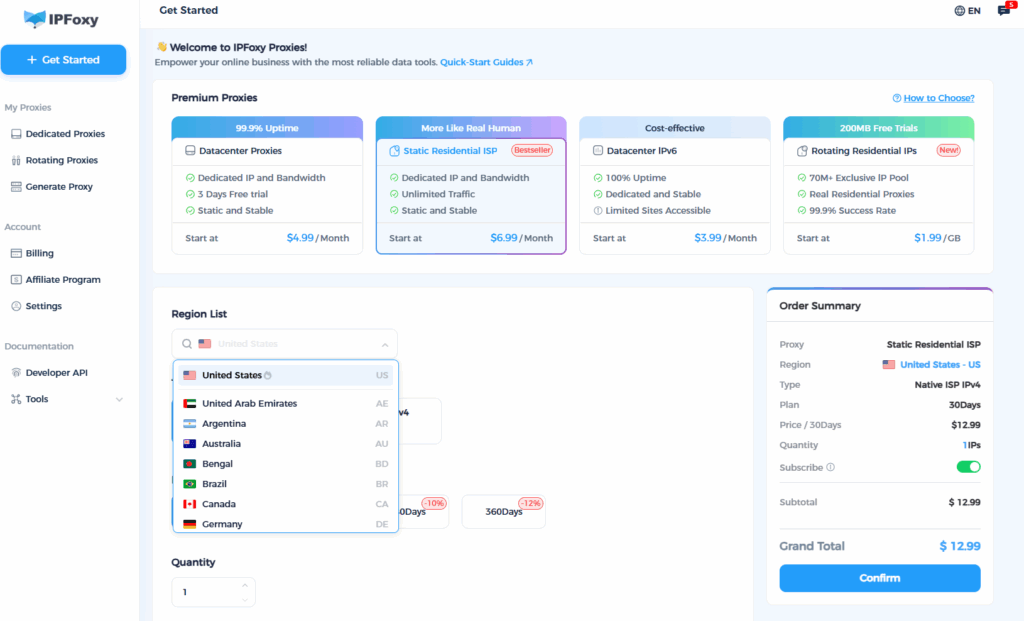
- For implementation, if you don’t want to maintain proxy pools or deal with node quality issues, use IPFoxy’s professional IP proxy service. IPFoxy offers:
- Clean, stable real residential IPs (high purity, non-shared, non-reused) that meet Gemini Pro’s regional access requirements.
- Multi-region static IPs to ensure your nodes match Gemini’s functional regions, avoiding “feature unavailability” or “login redirects to homepage.”
- Stable nodes with low latency, ideal for multimodal tasks.
III. Usage Notes for Gemini 3
- Control multimodal material size and format: Pay attention to resolution when uploading videos/images. Avoid uploading oversized files; select appropriate clarity based on business needs to ensure generation speed and stability.
- Avoid frequent account or region switches: Gemini’s services are sensitive to login environments. Frequent changes easily trigger verification or feature restrictions—fixing exit IPs is crucial.
- Pair API deployment with retry mechanisms and rate limiting: Prevent risk control triggers or failures from sudden high concurrency, making the system more resilient to fluctuations.
Summary
Google’s Gemini 3 represents a major leap in multimodal understanding, reasoning depth, and Agent capabilities, making it one of the most worthy AI models for production investment in 2025. However, simply creating an account does not guarantee a smooth experience. To use Gemini 3 Pro stably, you need to get multiple aspects right—including access environment and network exit.