












Modern affiliate marketing requires a comprehensive technical approach. Two key components play a crucial role here: proxies and an antidetect browser. Proxies help bypass regional restrictions and allow access from the required geo. An antidetect browser, in turn, makes it possible to safely create multiple isolated accounts for launching and scaling advertising campaigns.
In this guide we’ll take a look at how to integrate IPFoxy proxies with Dolphin Anty and use them effectively inside the browser.
Dolphin Anty Review
Dolphin Anty is an antidetect browser designed specifically for multiaccounting. Each browser profile receives its own unique digital fingerprint that closely mimics a real device. This setup allows users to bypass platform limitations on the number of accounts and work safely not only in affiliate marketing, but also in e-commerce, SMM, crypto and other fields where multiple independent digital identities are required.
A digital fingerprint can be configured using more than 50 parameters, including basic ones such as user agent, timezone, WebRTC, Canvas, WebGL, and fonts, as well as Dolphin Anty specific parameters like device name, which are especially useful when working with platforms that have strict antifraud systems.
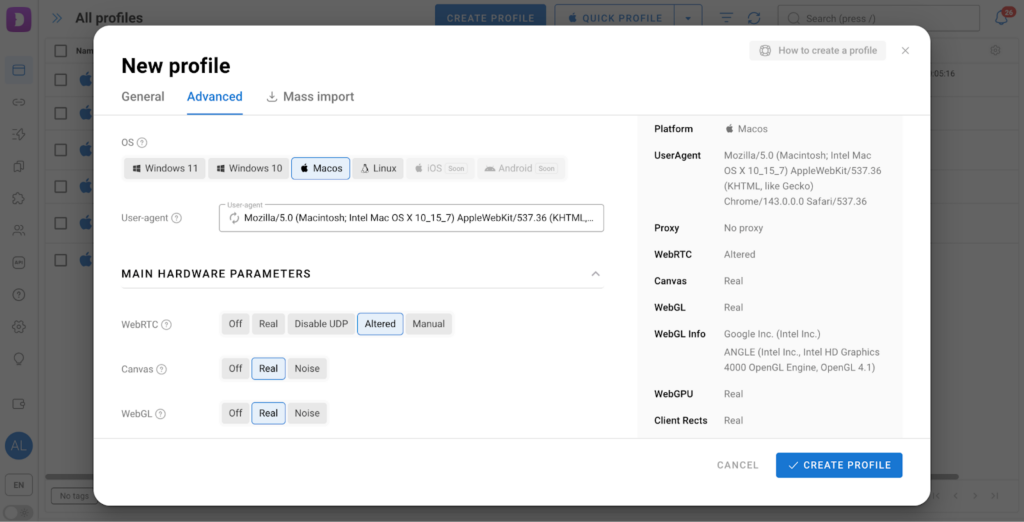
However, configuring a fingerprint alone is not enough. To maintain anonymity and avoid detection, each profile needs a unique and stable IP address. This is where proxies come into play. They mask the real location of the device and make the fingerprint even more realistic. That’s why it’s important to use proxies from a reliable provider such as IPFoxy.
Integrating Proxies into Dolphin Anty
Below we’ll walk through the proxy setup process using IPFoxy as an example and show step by step how to properly integrate them into Dolphin Anty.
Purchasing Proxies
Purchasing and generating IPFoxy proxies takes just a few minutes. Simply log into your account, choose the required proxy type, top up your balance and get your proxies. If you clearly understand what you are doing, proxies can also be generated using custom parameters.
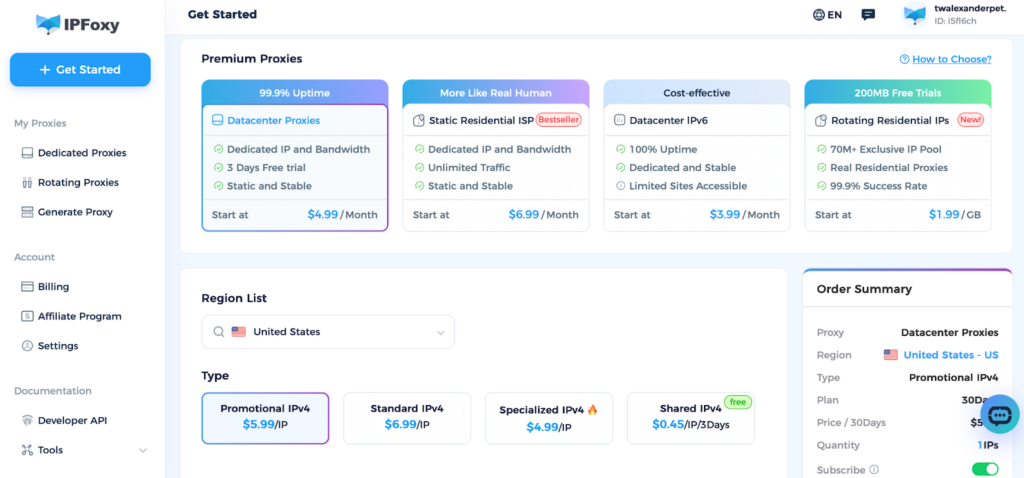
Adding Proxies to Dolphin Anty
Dolphin Anty offers two ways to add proxies: during the creation of a new profile or via a dedicated menu.
Method 1: Adding a Proxy During Profile Creation
This method is used when creating new profiles:
- Click Create profile in the Browser Profiles tab.
- Scroll down to the Proxy section.
- Paste the proxy using New proxy in any supported format.
- Click Check connection by pressing the icon with two arrows.
- Complete the fingerprint setup and create the profile.
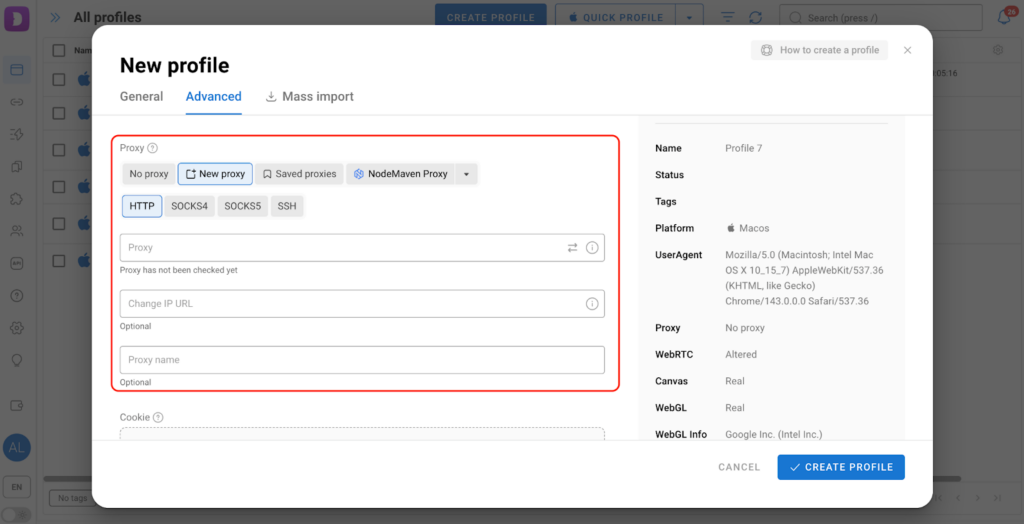
If the proxy connects successfully, the region and IP information will appear in the profile list. If not, an error message will be displayed to help identify the issue.
Method 2: Adding Proxies via the Proxies Tab
This option is suitable when working with a large number of proxies or when you want to keep them organized in one place:
- Open the Proxies tab in the sidebar menu.
- Click Add proxy.
- Enter the access credentials in the Quick input field to distribute them automatically.
If the credentials are not parsed automatically:
- Manually specify the proxy type, host, port, username, and password. The proxy name and IP rotation link can be filled in if needed.
- Save the proxy.
After that, when creating or editing a profile, the required proxy can be selected from the dropdown list.
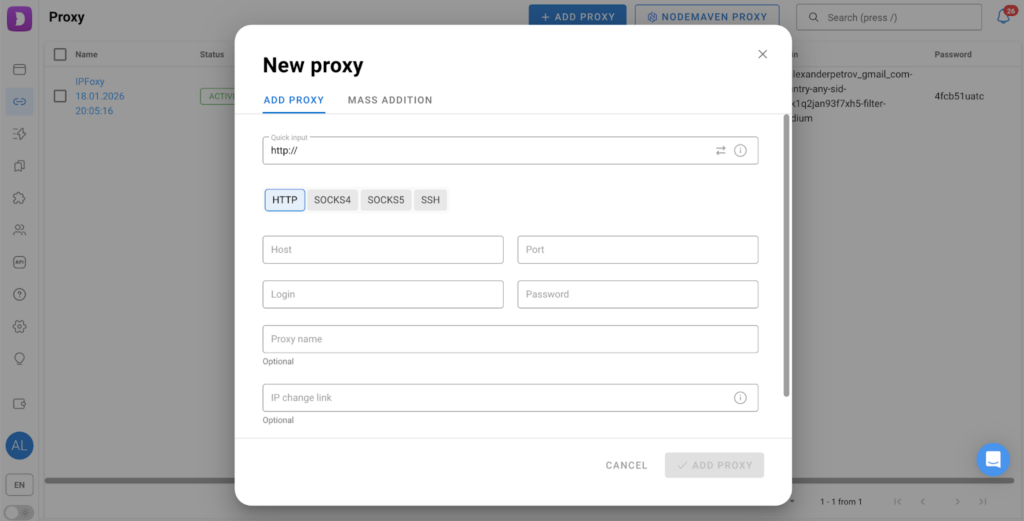
This approach helps maintain a clean structure and allows the same proxy to be reused across multiple profiles when necessary.
Additional Proxy Features in Dolphin Anty
Mass Addition and Assignment
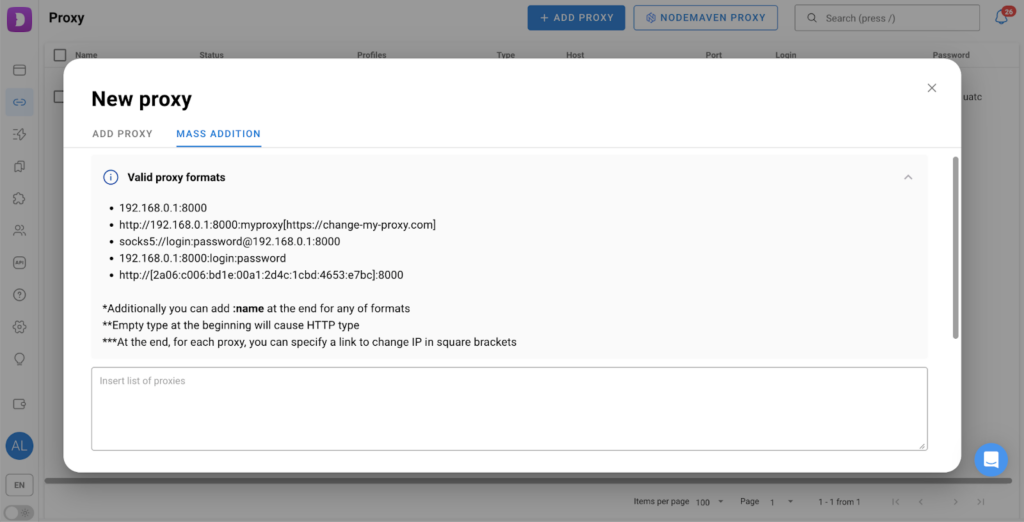
Dolphin Anty supports mass proxy addition, which is especially useful when working with dozens or even hundreds of accounts. Multiple proxies can be pasted at once and instantly assigned. All supported formats are listed directly in the interface.
Automatic Distribution
When creating or importing multiple profiles, Dolphin Anty can automatically assign proxies according to a selected algorithm, for example, sequentially, randomly or based on predefined rules.
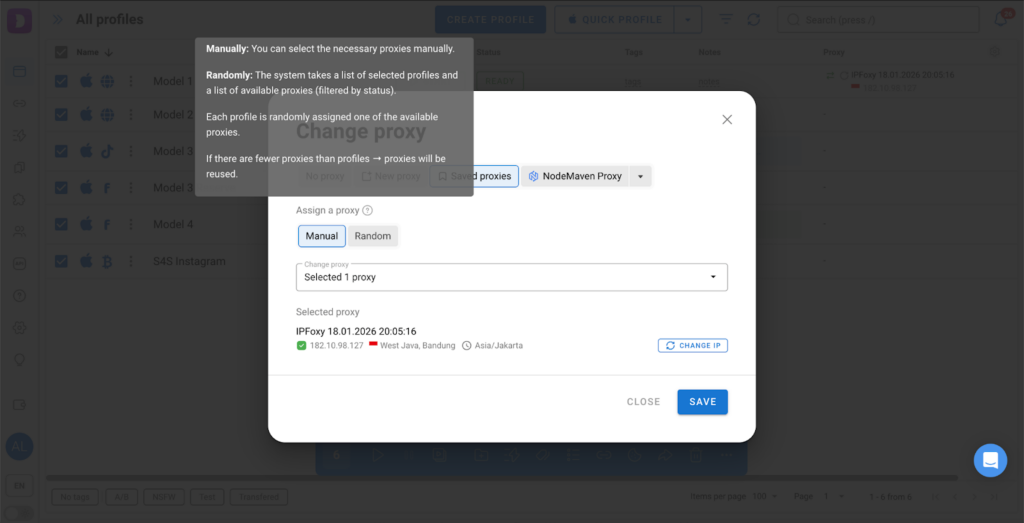
This saves time and reduces the risk of human error when scaling operations.
Why the Dolphin Anty and IPFoxy Combination Works Well for Affiliate Marketing
The combination of Dolphin Anty and IPFoxy is effective for several reasons:
- Fingerprint and IP consistency: clean proxies with accurate geo targeting make profiles look like real users.
- Stable sessions: proxies help reduce frequent logouts.
- Scalability: mass proxy generation combined with bulk profile management is perfect for teams and large campaigns.
- Reliable geo targeting: campaigns can be launched in specific regions without random IP changes or conflicting parameters.
- Fewer bans: high-quality proxies combined with isolated fingerprints reduce the risk of account linking.
For affiliate marketers this results in safer account farming, smoother launches and more predictable performance.
Conclusion
Managing proxies in Dolphin Anty is straightforward whether adding them manually, during profile creation or in bulk. By using a reliable proxy provider like IPFoxy, users gain clean IP addresses, stable sessions and high-quality digital fingerprints, which form the foundation of safe and scalable multiaccounting.

