












Virtual credit cards (VCCs) have become a popular payment method for shopping, subscribing to AI tools like ChatGPT and Claude, as well as managing funds for advertising platforms such as Google Ads and Meta Ads. However, issues like declined payments and verification failures are not uncommon in practice. Even if the card has a sufficient balance, it does not guarantee that the transaction will successfully go through.
Starting with 5 common causes, this article breaks down troubleshooting methods for failed virtual card payments and provides a complete step-by-step operation guide from card issuance and environment configuration to your first payment.
I. What is a Virtual Credit Card (VCC)?
A Virtual Credit Card (VCC) is a payment card issued in digital form, usually containing a card number (PAN), expiration date, and security code (CVV/CVC). It is mainly used for online payments, digital subscriptions, and online transactions.
Compared with physical credit cards, virtual cards do not require physical cards or mailing processes. Users can apply, top up, and manage them online through card issuance platforms. Some platforms also support custom settings for spending limits, validity periods, and card freezing.
The advantages of virtual cards lie in convenient card creation, flexible management, and controllable fund usage, making them suitable for SaaS tool subscriptions, advertising account top-ups, and e-commerce procurement. However, not all virtual cards possess credit card functions, and some prepaid cards may also be restricted by merchant payment rules.
II. 5 Common Causes of VCC Payment Declines
BIN Restrictions and Issuing Region Limits
BIN (Bank Identification Number) is the prefix of a bank card number, typically used to identify the issuing institution, card scheme, and issuing region. Some online platforms judge the card type and issuance source based on BIN information and set corresponding acceptance rules.
Some merchants only accept credit cards issued in specific regions, or do not support prepaid cards. If the issuance type of the virtual card does not meet the requirements, the transaction may be declined even if the card status is normal and the balance is sufficient. In addition, if the region to which the BIN belongs differs from the account registration region, it may also increase the complexity of transaction reviews.
Abnormal IP Address and Network Environment
Some merchants evaluate transaction risks by comprehensively analyzing login IPs, account historical activity, device information, and payment behavior, rather than inspecting the IP address in isolation. If the network location at the time of payment shows a significant discrepancy with the daily account usage records, the system may flag the transaction as abnormal behavior.
For example, if an account logs in from a fixed region for a long time, but an IP from another country suddenly appears at the time of payment accompanied by changes in equipment or login behavior, it may trigger additional verification or transaction reviews.
3DS Verification Failure and MCC Restrictions
3DS (3D Secure) is an identity verification mechanism for online bank card payments, primarily used to confirm whether the transaction is initiated by the cardholder. Some merchants strictly require 3DS verification. If the virtual card does not support this feature or the issuing institution fails to respond normally to verification requests, the transaction may be interrupted.
MCC (Merchant Category Code) is used to classify the business type of a merchant. Issuing institutions can set transaction permissions based on MCC, such as restricting certain digital services, gambling, or other specific spending categories. Therefore, even if a card can normally pay for regular items, it does not mean it can be used for all digital subscriptions or advertising platforms.
Billing Address and Identity Mismatch
Some merchants verify the billing address against the information registered with the issuing institution through AVS (Address Verification System), mainly involving the cardholder’s name, street address, and postal code. Inconsistent information may lead to address verification failures or declined transactions.
Verification rules vary among merchants. Before paying, you should rely on the billing information provided by the card issuing platform, focusing on checking the name, billing country, and postal code to avoid filling in random info or copying other addresses.
Insufficient Card Balance and Transaction Limits
The actual deduction amount of a virtual card may be higher than the listed price of the product. For instance, taxes incurred by digital subscriptions, exchange rate fees for multi-currency transactions, and pre-authorization holds by merchants may all lead to an insufficient available balance.
Additionally, single-transaction, daily, and monthly spending limits, as well as status like card freezing or expiration, can also affect payments. Before making a payment, check the actual available balance and spending limits rather than looking only at the account deposit amount.
III. Virtual Card Setup & Usage Guide: From Card Issuance to First Payment
Step 1: Apply for the Card and Confirm the BIN Range
First, choose a virtual card platform based on the payment requirements of the target merchant, and confirm the supported card scheme, issuing region, card type, and scope of application. At the same time, check whether the platform supports online payments, 3DS verification, and whether there are single-transaction or monthly spending limits.
After successful card creation, enter the card management page, confirm that the card is activated, and check whether details such as card number, expiration date, and CVV are complete. It is recommended to understand the acceptance rules of the target merchant before deciding to use the card for payment, avoiding finding out it does not meet requirements after creating the card.
Step 2: Configure a Stable Network Payment Environment
Before paying, check whether the network connection is stable. Frequent network interruptions or high latency may cause the payment page to fail to load, 3DS verification timeouts, or even situations where the submission succeeds but transaction status is not returned in time. Meanwhile, frequently switching IPs or devices during payment may cause the login environment to be inconsistent with historical records, increasing the probability of merchant risk control reviews.
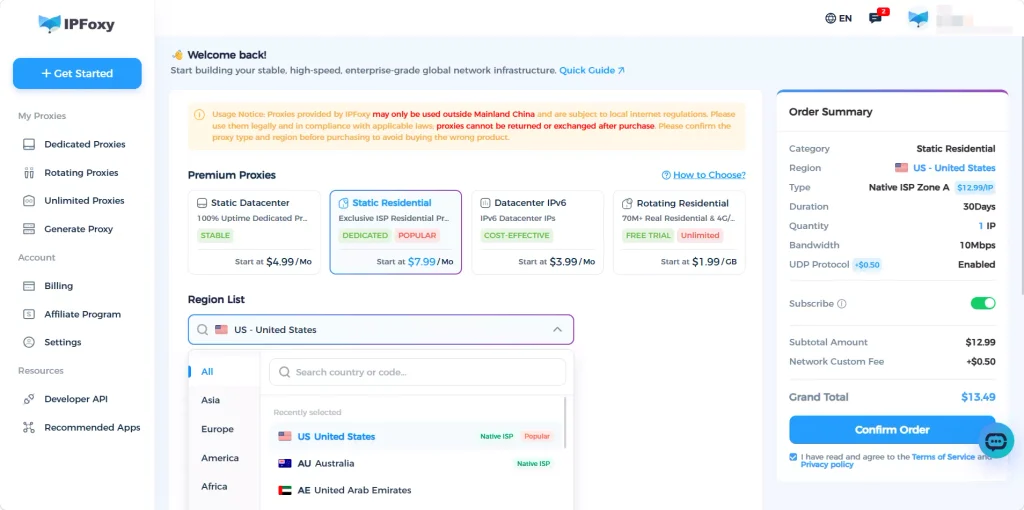
If business operations involve different regions, a relatively stable network exit is required. You can use dedicated static residential proxies provided by IPFoxy, which offer authentic and stable sources without IP drift. Select the corresponding region according to the target market and configure it into a stable network environment such as an anti-detect browser. Try to keep the IP location, device time zone, and card issuing region consistent to reduce payment failures or risk control reviews caused by IP issues.
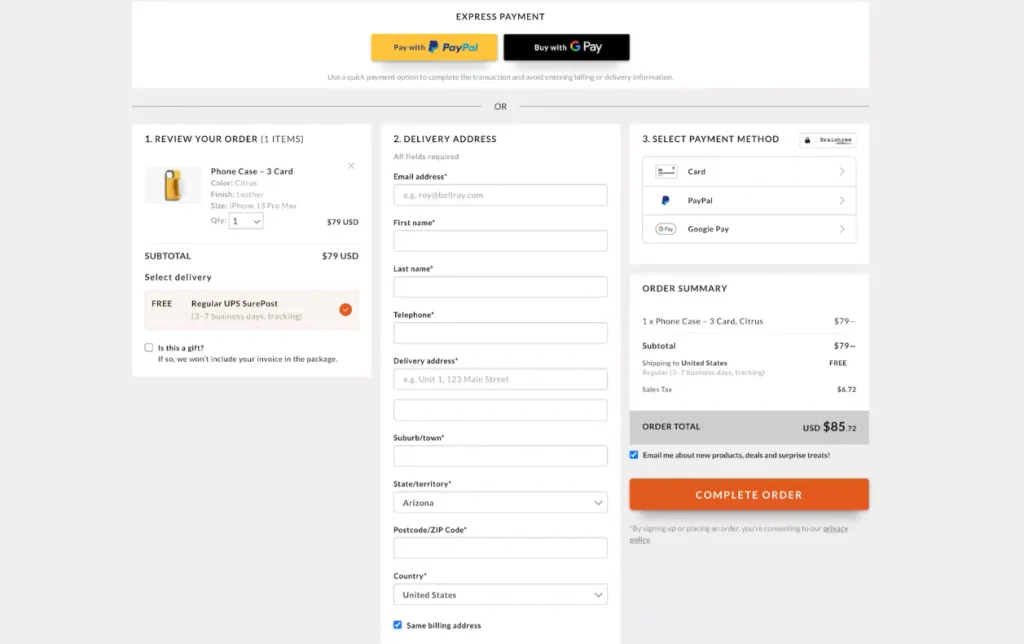
Step 3: Accurately Fill in the Billing Address
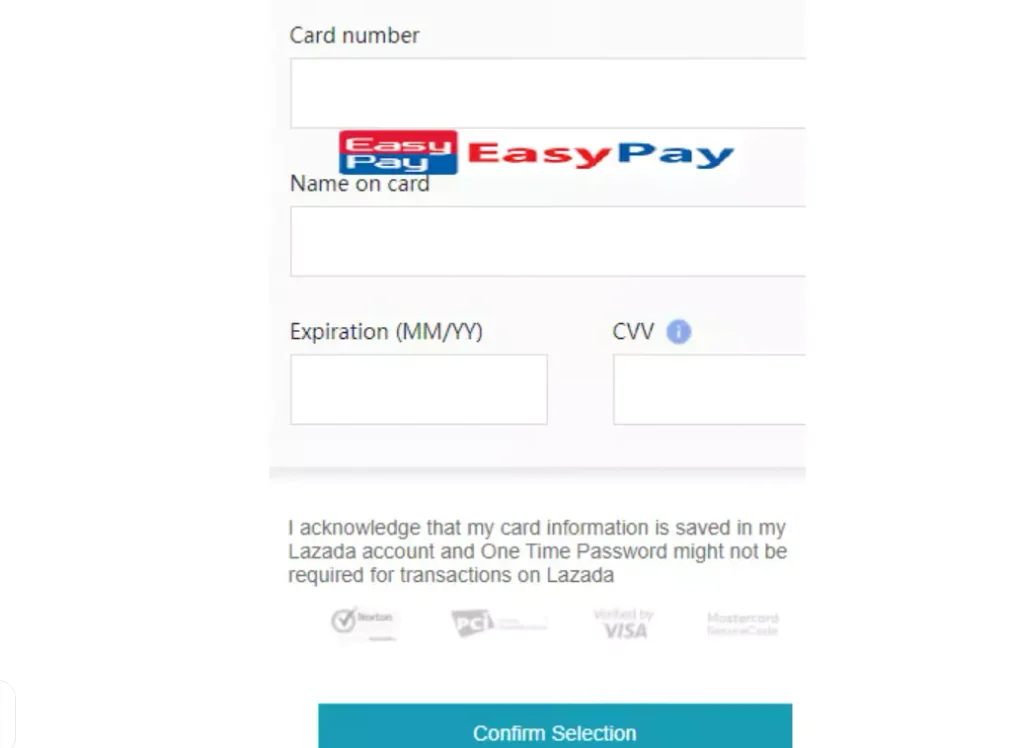
Enter the merchant’s payment page and locate the Billing Address section. Open the card details page on the virtual card platform and fill in the name, country, city, street address, and postal code item by item against the billing information provided by the platform.
Focus on checking the billing country, postal code, and cardholder name before submitting. If the merchant requires the billing address to match the information registered with the issuer, do not modify or copy other addresses at will. After filling in, check whether the card number, expiration date, and CVV are entered correctly before moving to the next step.
Step 4: Complete First Payment and Verification
After submitting the payment, if the page triggers 3DS verification, complete the identity confirmation according to the prompts. If the first payment is declined, do not immediately switch cards to try again; instead, perform the following troubleshooting:
- Check payment details: Verify whether the cardholder information and billing address match the merchant account profile.
- Check verification status: Confirm whether 3DS is completed and whether there are verification timeout or failure prompts.
- Check available balance: Confirm that the balance and transaction limits are sufficient to cover this payment.
If it still fails after troubleshooting, it is recommended to pause operations and contact the card issuer or merchant customer support. Frequently changing cards and repeatedly submitting payments within a short period may be flagged as abnormal card testing behavior, triggering stricter risk control reviews.
Step 5: Long-term Maintenance and Security Management
When using virtual cards to subscribe to AI services like ChatGPT and Claude, pay attention to the default auto-renewal billing rules. It is advised to confirm the renewal date in advance and reserve an available balance of about two months’ subscription fees to leave room for taxes, exchange rate fluctuations, and other potential fees.
For different uses such as AI tool subscriptions and advertising campaigns, it is recommended to adopt a dedicated card for dedicated use management rather than concentrating multiple business operations on the same card. This makes it easier to audit bills and reduces the impact on other payment scenarios if an anomaly occurs in one specific task.
Furthermore, regularly check the card expiration date, available balance, spending limits, and auto-renewal status. If a renewal fails, check the transaction records promptly and contact the card platform or service provider to handle it, avoiding service disruptions.
IV. Common Virtual Card Payment Errors & Troubleshooting Methods
When encountering virtual card payment anomalies, you can first judge the direction of the problem according to the page prompts and then handle it in a targeted manner:
| Common Error | Possible Cause | Troubleshooting Method |
| Card Declined | Issuer decline or risk control block | Check transaction history and decline reasons |
| Card Not Supported | BIN or card type not supported | Confirm merchant acceptance scope |
| Insufficient Funds | Available balance is insufficient | Check balance and pre-authorization |
| Authentication Failed | 3DS verification failed | Check verification code and verification channel |
| Billing Address Error | Billing address mismatch | Check address and postal code |
| Transaction Not Permitted | MCC or transaction permissions restricted | Contact card issuer platform to confirm permissions |
| Do Not Honor | Generic decline message | Further check issuer transaction records |
Additionally, if the page shows a payment failure, but the card already reflects a charge or pre-authorization hold, you should first distinguish between actual charges, pre-authorizations, and pending transactions, and do not repeat the payment immediately.
V. FAQ
No. Different AI platforms have varying requirements for issuing regions, card types, and payment methods. Before using one, check the officially supported payment methods and regional coverage.
Not necessarily. Some transactions may generate temporary pre-authorizations, holding available balance without completing settlement yet. It is recommended to check the transaction status and contact the card issuing platform to confirm funds handling.
Blindly switching cards is not recommended. You should first confirm the cause of failure, exclude issues such as address, balance, and verification, and then decide whether to change the payment method based on merchant rules.
VI. Conclusion
Virtual card payment failures are often not caused by a single factor; BIN location, network environment, 3DS verification, billing info, and transaction limits can all affect the final authorization result. When using a VCC, you should perform pre-payment checks and post-maintenance. If declined, inspect the error message and transaction records first before performing targeted troubleshooting, thereby minimizing unnecessary retries and ensuring smoother online payment experiences.

