












Getting traffic to an ecommerce site is becoming increasingly difficult. Many sellers are facing the same reality: rising ad costs, intensifying competition, and customer acquisition that relies more and more on paid ads.
However, in this environment, one high-converting channel is often overlooked—Pinterest. If you’re struggling with ecommerce traffic or looking for a way to acquire customers without relying entirely on ads, Pinterest may be the right platform for you.
This guide will walk you through how to build a Pinterest traffic strategy from scratch and gradually achieve consistent sales and scalable growth.
I. Why Pinterest Is a High-Quality Traffic Source
Pinterest is a visual search platform centered around images and videos. Users “pin” content they like to personal boards, creating their own inspiration libraries. More importantly, Pinterest functions more like a search engine than a social platform—users come with clear intent to discover ideas and products, rather than passively scrolling.
If your ecommerce products are visually appealing—especially those targeting female consumers—Pinterest is one of the most cost-effective free traffic sources available today.
1.Strong purchase intent
Pinterest users are fundamentally different from users on other platforms due to their proactive search behavior.
According to Pinterest data, 97% of searches are non-branded, meaning users are actively looking for new products and brands rather than sticking to familiar ones. More importantly, 83% of users say they have made a purchase based on content they saw on Pinterest.
This combination of active search and scenario-driven discovery gives Pinterest traffic significantly higher commercial value compared to other platforms. For ecommerce sites, traffic from Pinterest typically converts better than general social media traffic.
2.Long-tail traffic effect
Unlike most social platforms, content on Pinterest does not “expire.”
On platforms like TikTok or Instagram, content usually peaks within 24–48 hours after posting. Pinterest, however, operates like a search engine, where users discover content through keywords over time.
This means a Pin you publish today may start gaining traction months later and continue to bring consistent traffic to your site.
II. How to Set Up a Pinterest Account for Traffic
To drive traffic effectively on Pinterest, a well-optimized account is essential.
1.Basic account setup
Recommended settings:
- Username: include your main product keywords
- Email: use a stable email account and avoid frequent changes
- Region: match your target market (e.g., select US if targeting the U.S.)
Avoid aggressive actions during the first 3–7 days (such as mass posting or frequent edits) to reduce the risk of being flagged.
2.Optimize your profile
After registration, optimize the following:
- Bio: clearly describe your brand and include keywords
- Website: add your ecommerce site link
- Profile image: use a high-quality logo or niche-relevant image
3.What to post on Pinterest
Instead of directly posting product images, focus on “use-case content,” such as:
- How to use
- Before / After
- Step-by-step tutorials
- Lists (Top 10 / Must-have)
- Inspiration
4.How to optimize Pins (image + text)
- Image (most important): use a 2:3 ratio, bright and clear visuals, and add text overlays to improve CTR
- Title (SEO core): keep it within 40–60 characters, include keywords naturally
- Description: add keywords 2–3 times within 100–300 words
- Hashtags: use 3–5 relevant tags
5.How to add links for conversions
Traffic comes from Pins, but conversions depend on proper funnel design.
- Link placement: every Pin can include a direct link to product, category, or content pages
- Landing page: consider combining blog content with products rather than hard selling
- CTA examples: Shop Now, Learn More, Get the Look, See Details
III. Advanced Pinterest Growth Strategies
Once you’ve established a basic traffic flow, growth becomes about scaling and stability.
1.Multi-account strategy
When a single account reaches its limit, scaling requires multiple accounts.
However, frequent account switching or similar environments across accounts can trigger platform risk controls, leading to reduced reach or even suspension.
To avoid this:
- Ensure each account has an independent environment
- Use a unique proxy for each account
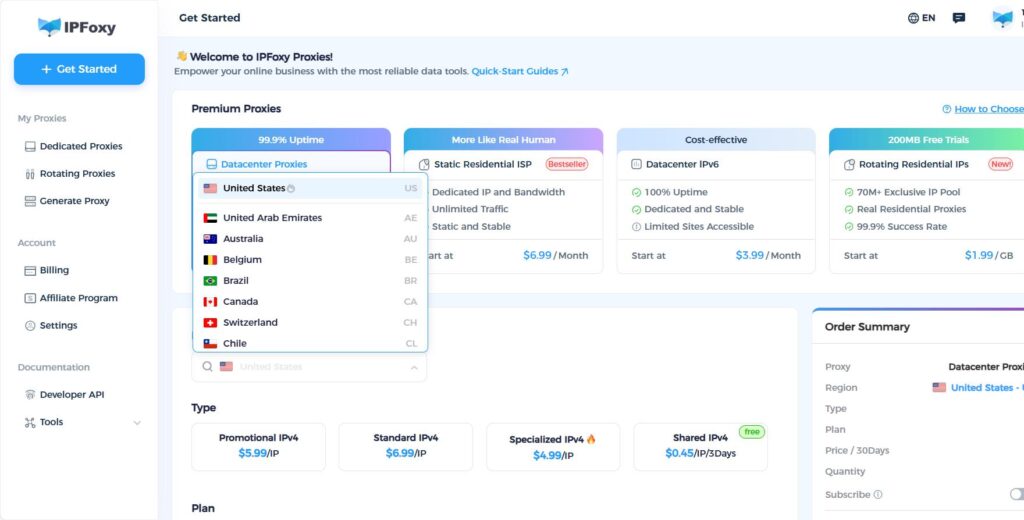
This is why many teams use IPFoxy Proxies with Anti-detect browser setups, along with dedicated static residential proxy resources, to isolate accounts, reduce linkage risk, and improve long-term stability.
2.Pinterest SEO strategy
On Pinterest, SEO determines whether your content continues to generate traffic or disappears after posting.
Keywords should be integrated across your entire account structure, including profile, boards, and Pins. This helps the platform better understand your niche and recommend your content to the right audience.
3.AI + automation for scaling
AI and automation tools can significantly improve content production efficiency. However, large volumes of repetitive actions in a short time may be flagged as abnormal behavior.
To stay safe:
- Maintain a natural posting rhythm
- Distribute actions across accounts
- Use a stable environment setup
4.Pinterest Ads to scale ROI
Once you identify high-performing Pins through organic traffic, the next step is to scale them with ads.
Compared to testing from scratch, promoting proven content leads to higher success rates and better cost control.
Recommended ad formats:
- Shopping Ads (direct to product pages)
- Promoted Pins (boost existing high-performing Pins)
For targeting:
- Start with keyword targeting
- Add retargeting audiences after initial data
Finally, install Pinterest Tag on your site to track the full conversion funnel from click to purchase.
IV. FAQ
Yes. The key is clarity and click appeal. You can use templates and make small adjustments to create effective Pins.
Most platforms work well, including Shopify and WooCommerce. The key factor is whether your product is visually suitable.
Use Pinterest to test content organically, then scale winning Pins with ads.
V. Conclusion
Driving traffic from Pinterest is essentially about leveraging content to capture long-term search traffic. By optimizing your account, structuring keywords, and consistently publishing high-quality Pins, you can achieve stable exposure and clicks. Combined with data analysis and ad scaling, this creates a full funnel from traffic acquisition to conversion—making Pinterest a sustainable growth channel for ecommerce sites.

