












As a social platform with billions of active users worldwide, Instagram has become an important channel for ecommerce brands, brand marketing, and website advertising.
Compared to regular user accounts that simply browse posts and chat, accounts used for advertising and traffic conversion require higher standards for environment stability, account quality, and risk control. Even minor issues may lead to ad rejection, reach limitation, or even account suspension. Therefore, Instagram accounts used for advertising must be built and operated professionally.
This article provides a full-process guide to Instagram advertising account operations, focusing on account setup, warm-up strategy, ad posting, and risk management.
I. Instagram Advertising Account Preparation
A stable account environment is the most important requirement when building advertising accounts.
1. Network Environment Preparation
Instagram detects account behavior through IP address, login location, and device fingerprint. These elements together form the account environment. An unstable environment may easily trigger platform risk control mechanisms. Professional teams typically use dedicated static residential proxy solutions for account registration to ensure stability.
2. Device Environment Preparation
Similar to network environment detection, device environment is also an important signal used by platforms. In platform detection logic, devices function as user “fingerprints” and help identify whether multiple accounts are operated by the same user.
To improve account security, it is recommended to use:
Independent device per account
Anti-detect browser for multi-account operations
Avoid:
Multiple accounts on the same device
Frequent browser switching for a single account
3. Email Preparation
High-quality email accounts improve account stability. In recent years, Instagram has tightened registration restrictions, and some domestic email providers may result in immediate account suspension.
Recommended email types:
- Gmail
- Outlook
- Business email
II. Instagram Advertising Account Registration Process
Before registering, note the following:
- Avoid frequent IP switching
- Avoid bulk registrations
- Avoid automation tools
Below is the registration process using desktop as an example.
- Visit the Instagram official website and open the registration page.
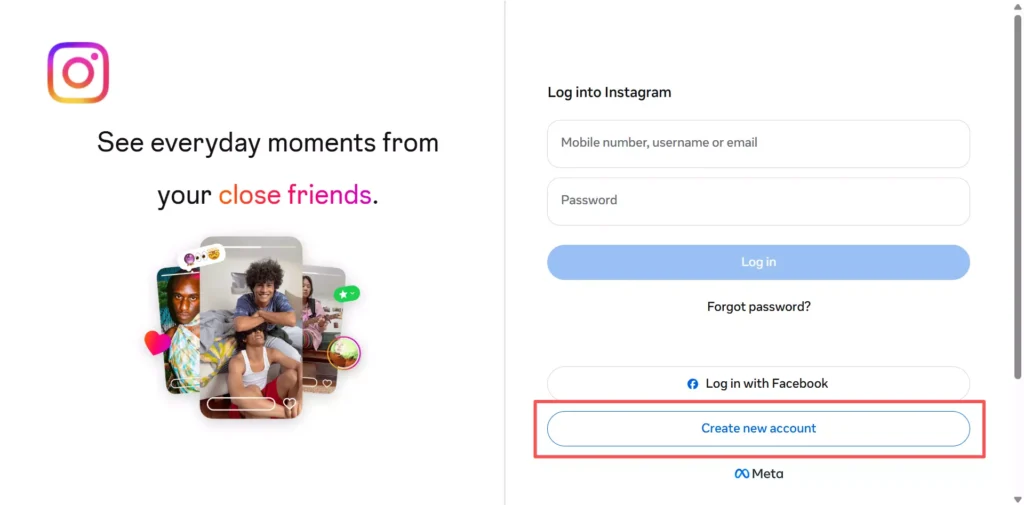
2.Click “Sign Up” to enter the registration page. Use a high-quality email and bind a phone number. If you have a Facebook account, you may log in directly
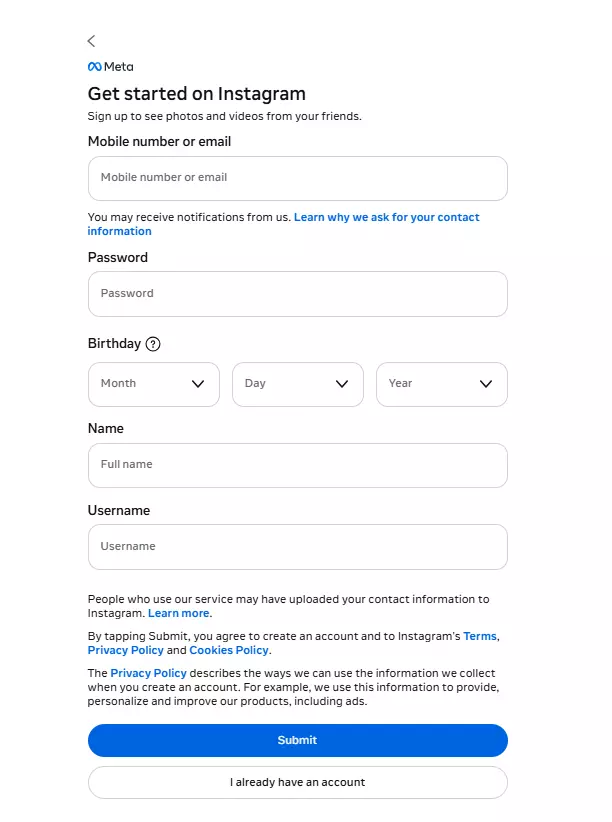
3.Fill in required information:
Username should be in English
Birthdate should be over 18
Click “Sign Up” after completion.
4.Instagram will send a verification code to your email. Enter the verification code to complete registration. If not found, check social or all mail folders.
5.After registration, complete account profile information. Avoid frequent changes.
III. Instagram Account Warm-Up Strategy
New accounts should not run ads immediately. Regular activity improves account trust and stability.
1. Warm-Up Timeline and Behavior
3–7 Days Initial Warm-Up
- Complete profile information using brand logo or product image
- Daily activity: 2–3 hours
- Follow: 5 or fewer accounts
- Like: around 20 posts
- Browse: 5–10 accounts
- Avoid comments or messages
- Write bio without words like order, sale, or external links
7–15 Days Stable Warm-Up
- Search and browse niche-related content
- Focus on Reels browsing
- Daily activity: 5–6 hours
- Follow: up to 20 accounts
- Like: 50+ posts
- Start posting 1–2 non-advertising posts after day five
2. High-Risk Behavior to Avoid
Frequent IP switching
Bulk account registration
Frequent profile changes
Running ads immediately after registration
Multiple accounts on the same device
IV. Pre-Advertising Optimization
After warm-up, convert the account to professional mode and optimize profile information.
1. Switch to Professional Account
- Go to profile
- Click Edit Profile
- Select Switch to Professional Account
For advertising purposes, Business Account is recommended. This unlocks advertising and analytics features.
2. Profile Optimization
Complete profile information improves trust and conversion:
- Add brand name in bio
- Add website link
- Add contact information such as WhatsApp or email
- Use consistent brand visuals
After optimization, begin advertising content.
V. Instagram Advertising Content Strategy
Before running ads, publish quality content to improve account trust and engagement.
1. Soft Promotion First
Avoid hard ads for new accounts. Recommended content:
- Product usage scenarios
- Customer feedback
- Product tutorials
- Brand story or brand concept
2. Posting Frequency
New accounts: 1–2 posts per day
Stable accounts: 2–3 posts per day
Avoid:
- Mass posting within short periods
- All posts being advertisements
- Single content format
3. Advertising Content Types (2026 Trend)
Instagram Reels now supports product tagging. Users can click tagged products and directly enter product pages, shortening purchase paths and improving conversions.
Recommended formats:
- Reels short videos
- Carousel posts
- Story content
VI. Advanced Multi-Account Advertising Strategy
As advertising scales increase, a single account is insufficient. Teams usually adopt multi-account structures to test markets, creatives, and reduce risk.
1. Multi-Account Grouping
Suggested account groups:
- US market group
- Europe market group
- Testing accounts
- Main advertising accounts
Grouping reduces risk and improves efficiency.
2. Independent Account Environment
Each account should have:
- Independent proxy
- Anti-detect browser
- Independent environment
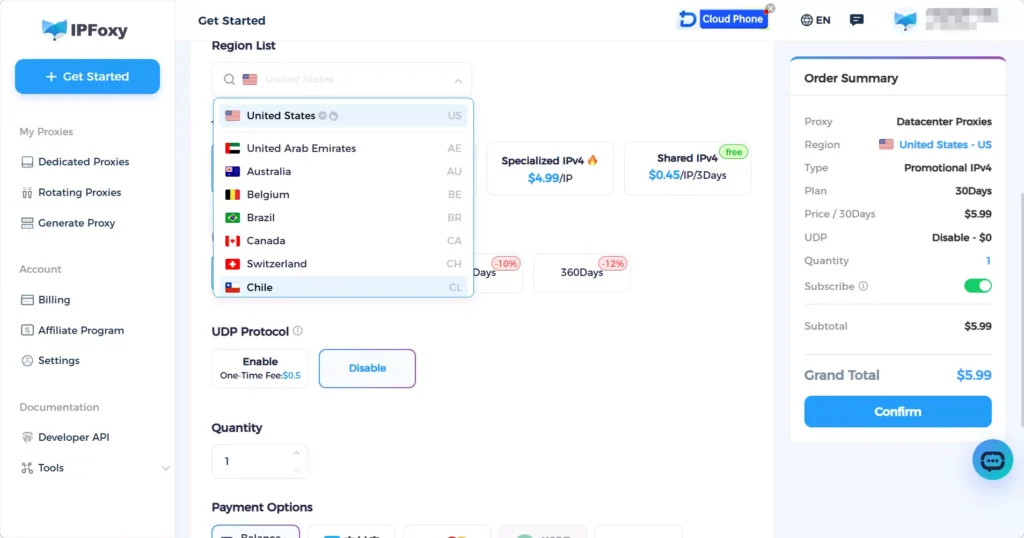
Many professional teams use IPFoxy Proxies, which are dedicated static residential proxy solutions to create multi-account environments for different regions.
3. Account Tier Management
Recommended account hierarchy:
- Testing accounts for creative testing
- Stable accounts for routine advertising
- Main accounts for core budget
This structure reduces operational risk.
VII. FAQ
Not recommended. Multiple accounts under one proxy may trigger account association. One account per proxy is safer.
It is recommended to warm up accounts for 7–15 days before advertising.
Yes. New accounts face stricter review. Publish content and warm up before running ads.

