












In 2026, Google Play app review standards are no longer limited to whether an app “works properly.” Many rejections are not caused by a single issue, but by a combination of permission compliance, metadata consistency, feature completeness, and development environment stability.
This article breaks down the latest Google Play review mechanism, common rejection reasons, and 10 practical tips to significantly improve approval rates, helping developers publish apps more efficiently and reduce repeated rejections.
I. Why Are Apps Rejected on Google Play?
In recent years, Google Play’s review system has evolved from manual-only review to a hybrid system combining automated scanning and human review.
After submission, apps are first scanned automatically. If issues or risks are detected, they move to manual review, where reviewers test the app’s actual functionality and user experience.
Most rejections are not due to code errors, but because the app is judged as “incomplete experience” or “high risk.”
1. New Accounts and First App Reviews Are Stricter
- New developer accounts are heavily reviewed, and the first app determines baseline trust score
- Review time is longer and approval probability is lower
2. Abnormal Development Environment
- Frequent environment changes may trigger risk control systems
- Suspicious behavior can directly affect review results
3. Mandatory “12 Users + 14-Day Closed Testing” Requirement
- Some apps must complete closed testing before production release
- Failure to complete results in “uploaded but not publishable” status
If permissions, content consistency, functionality, or submission environment is problematic, the app may be blocked at any stage. Many developers repeatedly fail not due to code issues, but because they do not understand Google Play’s review logic.

II. 10 Key Tips to Improve Google Play Approval Rate
Many app rejections are not caused by a single issue, but by multiple risk signals combined. These 10 tips are based on Google’s current review logic.
1. Apply Permissions Properly
During automated review, Google first scans app permissions.
- Only request permissions directly related to core functionality
- Clearly explain permission usage in privacy policy and within the app
2. Pay Attention to First App Trust Score
The first published app strongly impacts account trust.
- Start with a simple, compliant app
- Keep title, package name, and description consistent
3. Stable Development and Testing Environment
Google evaluates environment stability through device fingerprint, IP, and login behavior.
- Avoid mixing environments using Anti-detect browser setups
- Since 2023, Google requires at least 12 testers and 14 days of continuous closed testing before production release
Stable and consistent network environments are also important. Frequent IP changes or abnormal login behavior may trigger risk control or reduce account trust.
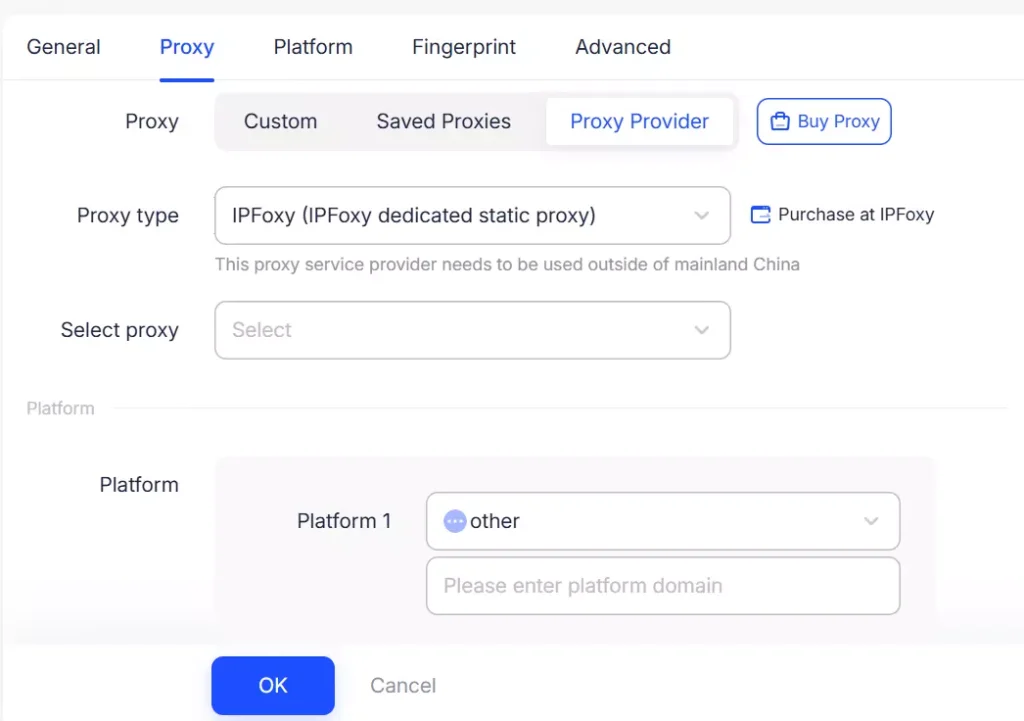
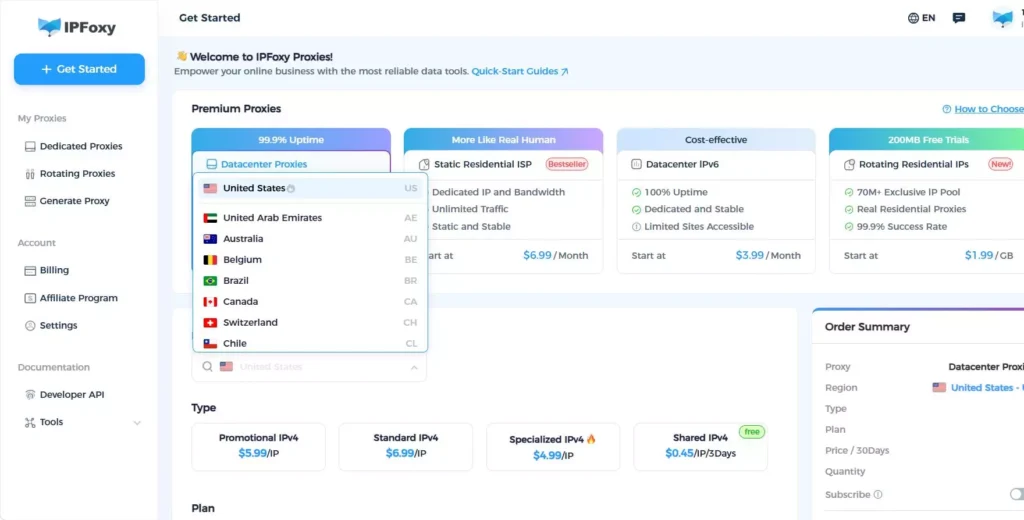
In Anti-detect browser setups, integrating residential proxies from IPFoxy helps simulate real user environments, maintaining consistent login conditions and improving overall developer account stability and approval rate.
4. Submit a Complete Version First
Submitting incomplete apps often leads to immediate rejection.
- First submission must be fully functional
- Test all features before submission
5. Ensure Consistency Between Function and Description
Google compares app description with actual functionality.
- Avoid exaggerated claims
- Do not list unimplemented features
6. Reduce Monetization Signals
Apps with heavy monetization early on may be seen as low quality.
- Avoid aggressive ads or forced purchases before approval
- Introduce monetization gradually after approval
7. Ensure a Complete Real Usage Flow
Manual reviewers simulate real usage.
- Ensure full workflow is functional
- Provide test accounts if login is required
8. Metadata Consistency Matters
Metadata consistency is critical for trust scoring.
- Keep title, description, and screenshots aligned
- Use real UI screenshots
9. Avoid Over-Generic App Ideas
Highly repetitive or template-based apps are often flagged as low value.
- Avoid copying existing app structures
- Focus on niche or unique use cases
10. Control Update Frequency and Version Changes
After approval, apps are still monitored.
- Avoid frequent or major structural updates
- Clearly document update changes
III. What to Do After Google Play Approval
Getting approved is only the first step. Growth depends on post-launch optimization.
1. ASO Optimization
- Optimize title and keywords for search visibility
- Use keywords naturally in descriptions
2. User Review Management
- Respond to negative reviews promptly
- Avoid fake reviews, which may trigger penalties
IV. FAQ
Usually a few hours to 3 days. New accounts or apps under manual review may take up to 7 days or longer depending on risk level and completeness.
Rejection is often due to low quality signals such as incomplete features, inconsistent descriptions, unclear permissions, or weak user experience.
Yes. New accounts have no trust history, so Google applies stricter evaluation to establish an initial trust score.
V. Conclusion
In 2026, Google Play’s review logic has evolved into a three-layer system: evaluating the app, the developer, and the environment.
Approval is no longer determined only by code quality, but also by trust signals, environment stability, and product consistency within Google’s overall risk control framework.

