In 2026, Pinterest is evolving from an “inspiration platform” into a high-value traffic source. Unlike channels that rely heavily on ads or platform rules, Pinterest is search-driven, making it a key source of long-term free traffic for independent websites. As a result, multi-account operations and matrix strategies are becoming core approaches for sellers and content creators.
This article explains the logic behind multi-account strategies, outlines how to build a Pinterest account matrix, and walks through the full process from account setup to precise traffic generation, helping you create a stable and sustainable traffic system.
I. Why More People Are Using Multiple Pinterest Accounts
In 2026, more independent site owners, ecommerce sellers, and content marketers are adopting multi-account strategies on Pinterest. This is not simply about creating multiple accounts, but a growth strategy based on platform traffic logic.
1. Single accounts have clear traffic limits
Many users find that even with consistent posting, traffic growth remains limited. This is because a single account can only cover a limited set of keywords and cannot access a broader traffic pool.
2. Pinterest is search-driven and ideal for matrix strategies
Users typically search for inspiration or products. Multiple accounts can target different niches, covering more search intent and generating stable traffic.
3. Multiple accounts amplify content performance
The same type of content can be published in different formats across accounts to test keywords, images, and titles, helping identify combinations that generate more clicks and saves.
4. Supports continuous traffic to independent websites
For independent site sellers, multiple accounts create multiple entry points. This reduces reliance on a single account and ensures more stable traffic flow.

II. Pinterest Account Matrix Setup and Traffic Workflow in 2026
When building a Pinterest matrix strategy, it is important to understand that the platform allows multiple accounts, as long as operations simulate real user behavior. Effective execution depends not only on the number of accounts, but also on a complete system from environment setup to traffic generation.
1. Matrix structure planning (1 + N model)
A “1 + N” structure is recommended:
- 1–2 main business accounts: used to capture core traffic, enable Rich Pins, and collect conversion data
- N traffic accounts: target different keywords and content styles to expand exposure and direct traffic to main accounts or independent sites
2. Account environment setup
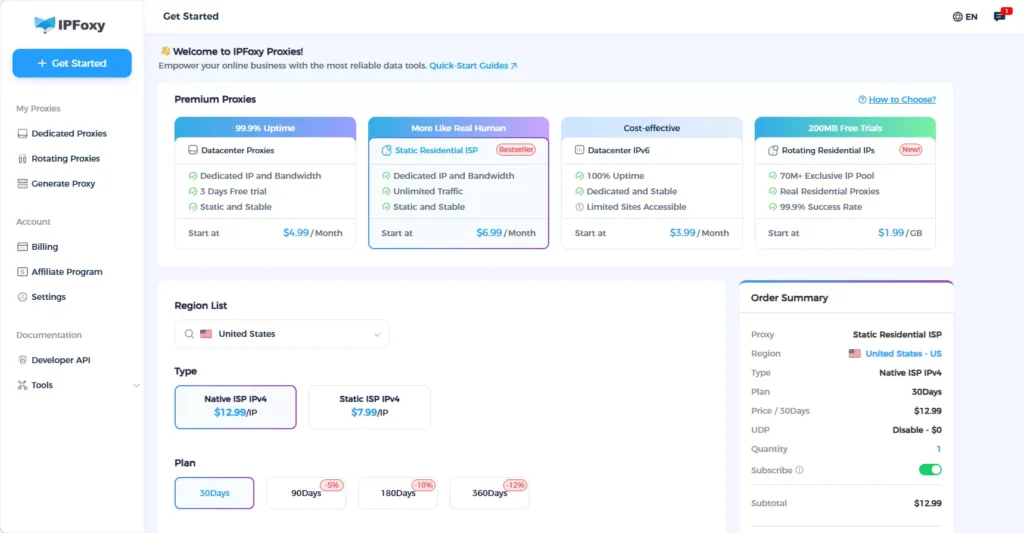
- Clean network environment: IP quality directly affects whether Pins enter the traffic pool. Datacenter IPs or shared nodes are easily flagged as bot activity. Many teams use IPFoxy dedicated static residential proxy, which provides real ISP attributes and simulates real user environments, avoiding IP switching and reducing risk
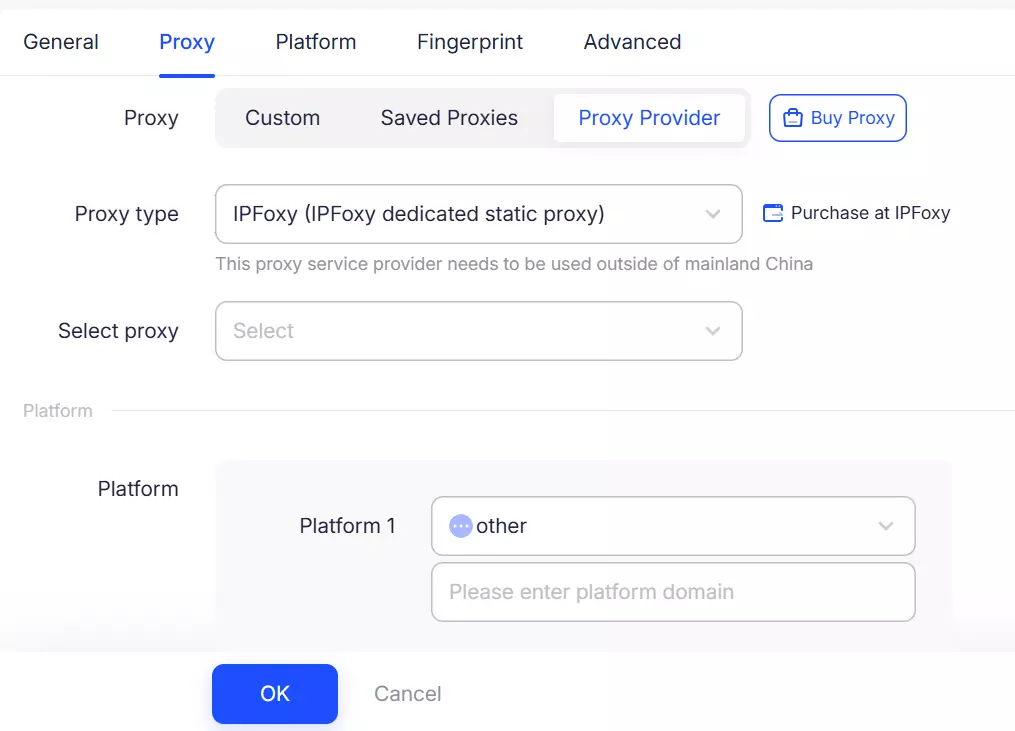
- Browser fingerprint isolation: Even with high-quality IPs, switching accounts on the same device can expose connections. Using an Anti-detect browser combined with IPFoxy proxy, each account can operate in a fully isolated environment, preventing linkage
3. Control registration and usage frequency
Account issues are often caused by overly fast or concentrated operations rather than the number of accounts.
Recommendations:
- Register accounts in batches instead of all at once
- Limit activity frequency for new accounts
- Maintain time intervals between different accounts
4. Full account warm-up process from 0 to 1
After setup, the key step is growing accounts from scratch and building stable traffic.
Phase 1: Initial warm-up (Days 1–7)
- Search and interaction: Use the search bar daily with core keywords and interact with top-ranking Pins
- Cold start: Create 3–5 niche Boards with descriptions of 150–300 characters, including 3–5 long-tail keywords
- Repinning strategy: 80% repins + 20% original content to build content depth and help the algorithm assign accurate tags
- Avoid: Do not add external links or follow too many accounts initially
- Content mix: Video Pins (40%) + Collage Pins (30%) + static images (30%)
- Video length: 6–15 seconds with native text overlays
- Test external links: Start linking to blog pages or non-sales pages to evaluate account authority
Phase 3: Targeted traffic generation (After Day 21)
- Catalog sync: Import product catalogs to automatically generate large volumes of product Pins
- Enable Rich Pins: Ensure metadata is configured so Pinterest can pull real-time price, stock, and titles
- Visual CTA: Add clear calls-to-action such as “Tap to shop the look” or “Check the link for 20% off”
- Data tracking: Monitor save rates and replicate high-performing content formats across matrix accounts
III. FAQ
This is usually due to flagged IPs or duplicate content. Check whether images have been modified (e.g., MD5 changes) and avoid overly promotional content that may be marked as spam.
Ideally, one IP per account is the safest setup. If cost is a concern, no more than three accounts per dedicated static residential proxy is recommended, combined with an Anti-detect browser.
Yes, but they should be edited. Pinterest can detect overly synthetic AI visuals. Adding native text overlays or brand logos is recommended.
IV. Conclusion
For those looking to increase traffic and conversions, Pinterest is not a short-term explosive channel, but a long-term traffic source that grows steadily over time. With the right strategy, matrix operations can deliver increasing value and sustainable results.