












As an essential tool for international trade, WhatsApp is crucial, but issues with receiving verification codes can be more troublesome than account bans. Some users struggle for months without receiving verification codes, or the “Call Me” feature fails. This article summarizes common reasons for this issue and provides solutions to help you successfully log in to WhatsApp.
I. Six Common Reasons Why You Can’t Receive WhatsApp Verification Codes
1.Network and IP Issues
- Network Problems: Unstable networks or poor network environments can affect the receipt of verification codes, especially when using unreliable network tools, which may prevent the successful delivery of codes.
- IP Restrictions: If the IP address has a history of account bans, WhatsApp may block registration requests from that IP, making it impossible to receive verification codes. Using public IPs or data center IPs can lead to this issue.
2.Carrier Issues
- Carrier Blocking: Some carriers block international SMS, including WhatsApp verification codes, particularly during anti-fraud measures.
- Policy Restrictions: In Mainland China, international OTT communication apps (like WhatsApp, Telegram) are often blocked at the network level, and WhatsApp messages are delayed when sent through international SMS providers like Twilio and Vonage.
3.Mobile Settings or Third-Party App Interference
- Phone Settings Blocking: Some phones’ anti-spam features or third-party apps may block verification SMS or voice calls.
- SMS Filtering: Some devices come with built-in SMS filtering that might block messages from specific numbers or international sources. Some Android phones with security or anti-spam apps (e.g., phone manager, SMS anti-spam) may filter out verification codes.
4.WhatsApp Official Restrictions and Account Issues
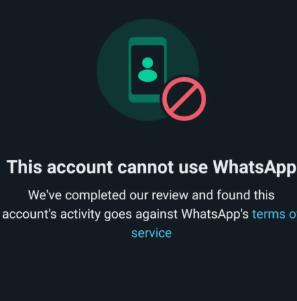
- WhatsApp Blocking: Accounts that misuse virtual numbers or engage in mass marketing may get blocked by WhatsApp, preventing the receipt of verification codes.
- Account Banned: If an account violates WhatsApp’s terms, it may be banned, and verification codes will not be sent.
5.Frequent Requests and Login Abnormalities
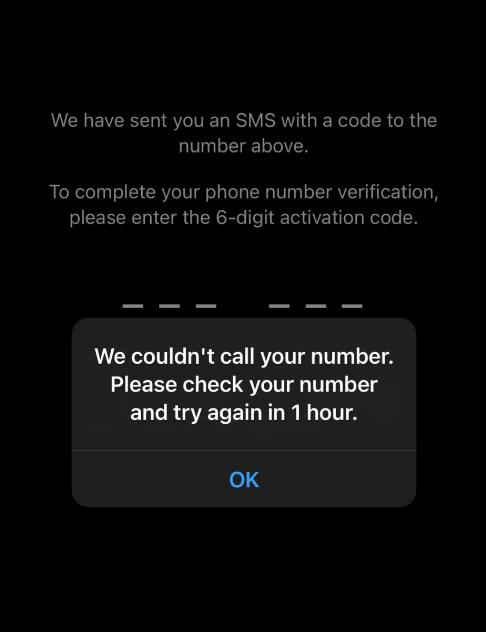
- Excessive Requests: Frequently requesting verification codes can be flagged as abuse by WhatsApp, temporarily halting the sending of codes.
- Frequent Device Logins: Constantly logging in from different devices or making multiple requests for verification codes can cause WhatsApp to block further attempts.
6.WhatsApp Version and Update Issues
Outdated Version: An outdated or unofficial version of WhatsApp may affect the normal receipt of verification codes. Make sure to use the latest official version to avoid such issues.
II. Effective Solutions to WhatsApp Verification Code Issues in 2026
By following these methods, you can systematically troubleshoot and solve the issue of not receiving WhatsApp verification codes. If the issue persists, contacting WhatsApp support is recommended.
1.Optimize Account Network
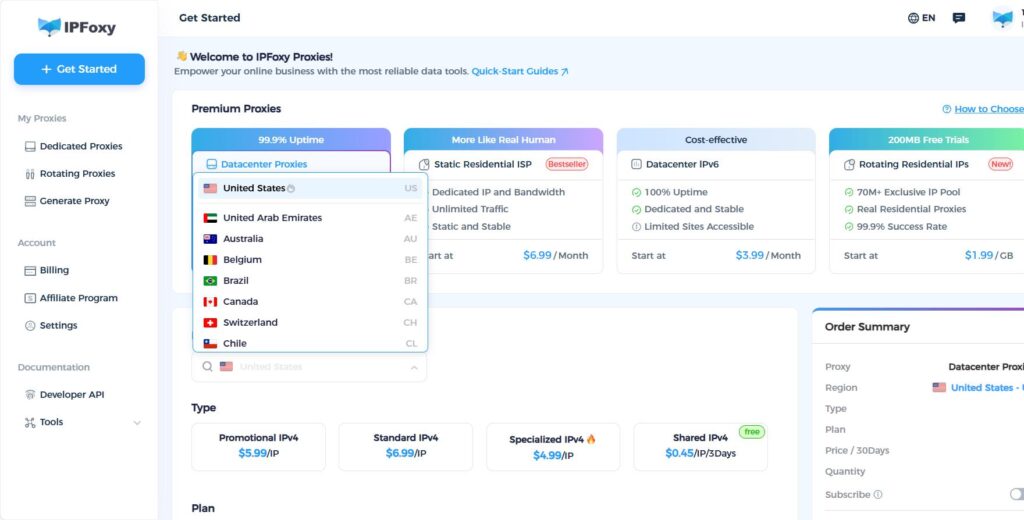
IP address or its association might be the reason you can’t receive verification codes on WhatsApp. Whether to maintain a clean IP address, prevent account association, or avoid IP restrictions, using a dedicated proxy plays a vital role in solving these issues.
Solution: Configure your account with a dedicated, clean residential IP, such as those provided by IPFoxy. This ensures a stable and high-quality IP, making it harder to be flagged or restricted. Each account gets its own independent network environment, increasing its authenticity and improving the code reception rate.
2.Try Voice Verification
If you can’t receive the SMS verification code, click the “Call Me” option to receive a voice verification code.
Note: When answering the call, the system may first announce two digits, each one at a time. Immediately open the dial pad and enter the numbers. Then, the system will announce the full six-digit code. If it still doesn’t work, try at different times during the day.
3.Action Suggestions:
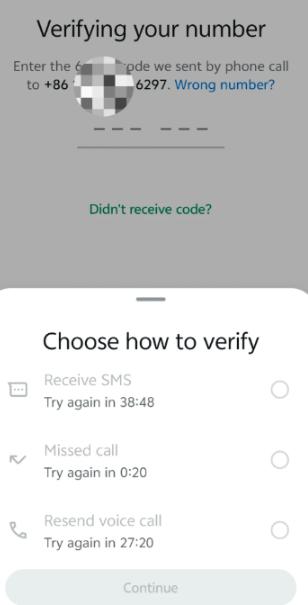
If the “Call Me” button is greyed out or unclickable, it may be due to frequent requests. Try no more than 3 times per day.
Wait for the button to become clickable again before retrying.
If there’s no sound or the call drops, attempt voice verification multiple times.
- Check Mobile Number and App Version
Carrier Settings: Some carriers require you to send a specific SMS to activate the receipt of verification codes:
For mobile users: Send “11111” to 10085.
For Unicom users: Send “KTGJDX” to 10010.
For Telecom users: Send “1031” to 10001.
Or, contact your carrier’s customer support to check for international communication blocks and request to remove the restrictions.
- Try a New Number: If the “Call Me” option is unavailable, test with a new phone number. If the button appears, it means your old number was flagged as a risk number, and you can try appealing.
- Switch Devices: If changing numbers doesn’t solve the issue, try logging in from a different device. Android devices may have compatibility issues, so switching to an iPhone often increases verification success rates.
- Switch to a Physical SIM Card: If you used a virtual number, it may have been flagged as high-risk. Try switching to a physical SIM card, preferably one from the local market of your target region.
- Check App Version: Ensure WhatsApp is the latest version. If not, update it from the official website or Google Play. If the problem persists even with the latest version, try uninstalling WhatsApp, clearing the cache, and reinstalling.
4.Check Phone Settings
- Phone Basic Settings: Turn off location services and set your phone’s language to English (Settings > General > Language/Region). Change your time zone to the target region and enable roaming on your mobile network. Finally, uninstall WhatsApp, reinstall it, and try logging in again.
- Anti-Spam Features: Ensure no anti-spam feature is blocking international SMS, especially for WhatsApp verification codes.
- Check Interception Settings: On Android, check Settings > Security & Privacy > SMS Filtering, and turn off any related filters. Also, ensure no apps are blocking international calls.
- Grant WhatsApp All Permissions: On Android, go to Settings > Apps > App Management > WhatsApp > Permission Management, and grant all necessary permissions.
5.Enable Two-Step Verification
Activate two-step verification in WhatsApp settings by setting a PIN code. You may also provide an accessible email address (optional, but recommended for PIN recovery). This adds an extra layer of security to your account, preventing bans due to security reasons.
6.Register with Other Phone Numbers
- Use a Different Phone Number: Consider using numbers from Hong Kong (+852), Singapore (+65), or Malaysia (+60), where the registration success rate is over 95%. Although this method carries some risks, it’s a convenient way to register a WhatsApp account.
- Use Virtual Numbers: For a one-time registration, virtual numbers may also work well for creating WhatsApp accounts.
7.Verify with WhatsApp Business
Download WhatsApp Business. Many users experience higher success rates with verification codes through the Business version of WhatsApp.
Conclusion
By following the above solutions, you can approach the issue of WhatsApp not receiving verification codes from multiple angles. Patience and systematic troubleshooting are key. Once resolved, you will be able to smoothly use WhatsApp and enjoy a more seamless communication experience.

