












With Google Play officially implementing its dynamic risk control system, more and more new developers are facing not only market competition but also strict platform review requirements and risk control detection when uploading apps. This has made what was once a straightforward app submission process much more complex and uncertain—especially for newly registered developer accounts, where Google’s high-risk behavior detection system causes many apps to be rejected during the review process, and in some cases, results in direct account suspension.
This article will delve into the purpose of account management, the theories behind it, and provide developers with a series of innovative account management tips and practical operational advice to help you better cope with Google Play’s risk control challenges, ensuring the successful launch of your app.
I. Why Do Google Play Developers Need to Manage Accounts?
The popularity of the concept of “account management” is not only due to the increasingly strict risk control mechanisms on Google Play but also because of the shared experience accumulated by developers. As early as the end of 2023, many developers noticed that the risks of launching new accounts had increased significantly, and the traditional method of “buying old accounts” was not always reliable and could even lead to more problems.
- Reduce High-Risk Account Associations: High-risk behaviors leading to account suspensions have been a common issue in recent years. Most high-risk accounts trigger issues from incomplete account management.
- Increase the Success Rate of Account Approvals: Many developers use account management operations to accumulate time and activity records, improving the account’s stability and increasing the likelihood of a successful review for new packages.
- Avoid Expensive Old Account Purchases: While purchasing mature developer accounts can be a solution, this method is costly and risky. Purchased accounts also require proper account management.
- Prevent Frequent Suspensions and Recurring Issues: The account management process helps the account gradually build trust with Google Play, reducing the chances of suspension.
- Prepare for Long-Term Operations: Through proper account management, developers can lay a solid foundation for future development and market operations, ensuring the account remains healthy over time.
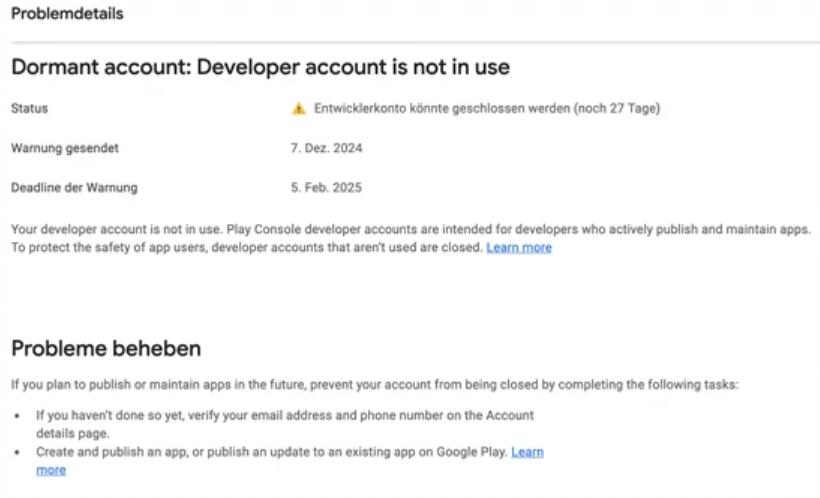
II. How Do Google Play Developers Manage Accounts?
1. Basic Operations
The initial account management process is critical. Improper handling of details can lead to the account being prematurely flagged as high risk.
- Ensure Basic Information is Accurate: When creating a Google developer account, ensure all information is true and accurate.
- Bind a Phone Number Using a Physical SIM: Avoid using virtual numbers.
- Use a Mature Developer Identity: Choose an email address that has been active for some time and complies with Google’s usage rules. This reduces the risk of being flagged as a “new account.”
- Use Google’s Ecosystem of Services: Developers can increase their account’s usage history by frequently using Google Search, Gmail, Google Drive, Google Calendar, etc. Regularly upload and manage photos and documents to ensure interaction with the Google account. Sync Android devices and participate in Google product testing and feedback to further enhance account activity.
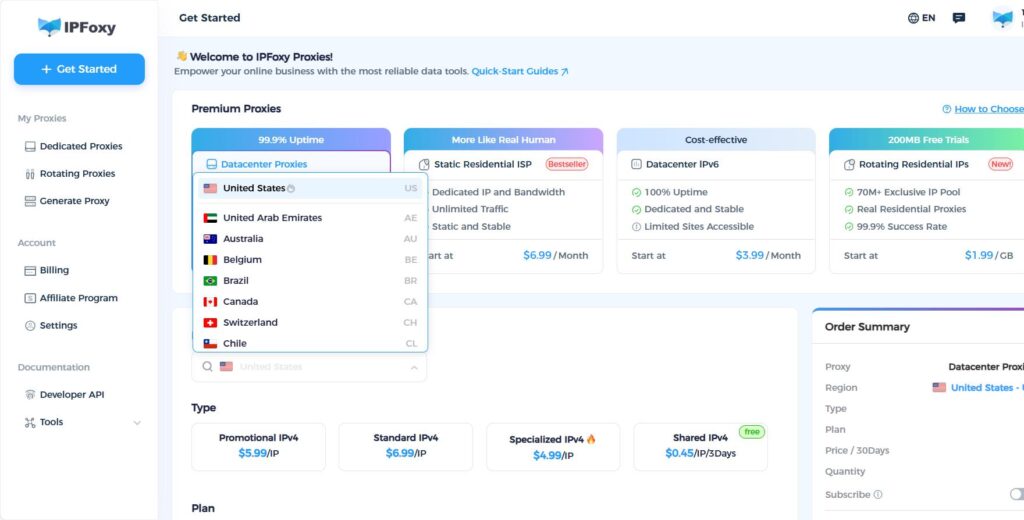
- Use a Stable IP Address: Frequent IP switching or using unstable proxy IPs can alert Google and increase the risk of account suspension. Therefore, using a stable IP ensures the account avoids being flagged due to excessive IP fluctuations. Developers often use IPFoxy‘s residential proxy service, which differs from other cheap proxy pools. IPFoxy provides real, native residential IPs, ensuring stable and controllable IP usage, making it more suitable for platforms like Google Play, which require stable access.
2. Daily Operations
- Upload Apps Moderately: In the early stages of account management, it is recommended to upload 1-2 simple apps and gradually accumulate activity. After each upload, regularly update and optimize the app.
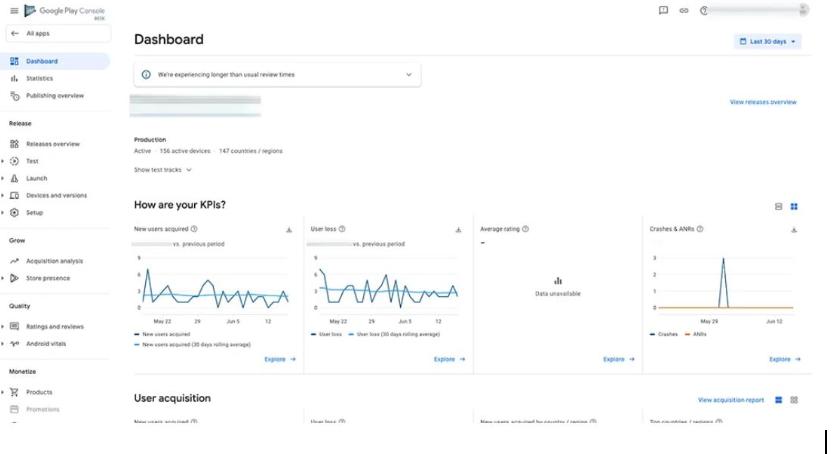
- Maintain Active Developer Behavior: Regularly log in to Google Play Console to check review statuses, respond to user feedback, and update app information.
- Avoid Excessive Frequency of Operations: Try to avoid frequently changing developer information, uploading the same app repeatedly, or performing large-scale updates.
3. Advanced Techniques
- Simulate User Behavior Patterns
- Simulate Diverse Operational Behaviors: Developers can periodically browse apps and leave reviews. Avoid uploading apps too quickly after registration. Wait until after the closed beta stage to upload apps, update them, or modify app descriptions to avoid repetitive actions.
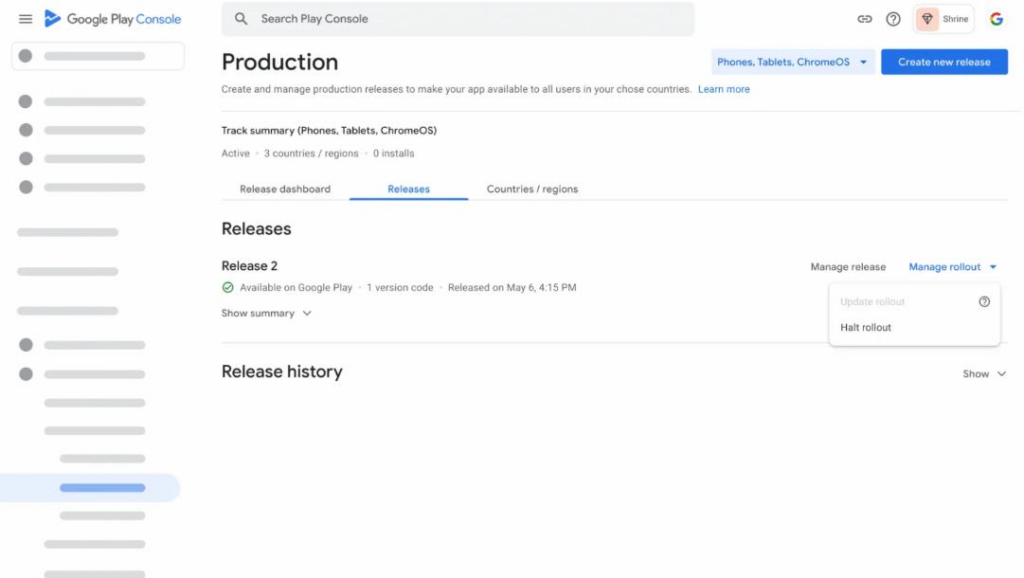
- Simulate User Behavior from Different Regions: Occasionally switch to different regions to simulate the behavior of global developers, reducing the risk of being flagged as suspicious due to abnormal behavior patterns linked to a single region.
- Analyze Data and Feedback to Optimize App Submissions
- Gradually Optimize Update Frequency: Avoid submitting updates too frequently or rapidly. Instead, adjust the update pace based on historical data to maintain stability and regularity.
- Monitor Google Play’s Review Trends: Regularly check Google Play’s review requirements and trends, and adjust your apps and behaviors accordingly to align with the latest platform standards.
- Participate in Community Interactions and Leverage External Resources
- Engage in Developer Training and Certification: Google offers many training courses for developers. Developers can use these official courses to verify if their account meets standards, gradually building trust with Google.
- Leverage External Platforms: Contribute to open-source projects or share technical knowledge on third-party platforms such as GitHub or Stack Overflow to enhance personal brand credibility, which indirectly boosts the account’s trustworthiness.
- Invite Real Users for Reviews: After the app is launched, invite real accounts to leave genuine ratings, improving the app’s credibility. Avoid using bot-generated ratings.
- Commit to Long-Term Optimization
Once the initial account management process is complete, developers can consider further optimizing the account, making it a high-authority developer account. This can include fully optimizing account information, setting up quality app profiles, providing transparent privacy policies, improving App Store Optimization (ASO), and more, ensuring the account remains healthy in the long run.
III. Conclusion
Google Play account management is not just a waiting process; it is about gradually building trust with precise behavior patterns, data analysis, and optimization through external resources. By employing scientific account management techniques, developers can effectively reduce the risk of account suspension, enhance account stability, and ensure the smooth launch of their apps.

