To improve overall app quality, Google Play introduced a mandatory closed testing requirement for newly created individual developer accounts starting November 13, 2023.
Before applying to release a production version of an app, developers must complete:
● At least 12 testers
● 14 consecutive days of active participation in Closed Testing
Important prerequisites (often overlooked):
This rule applies only to individual developer accounts created on or after November 13, 2023.
The following accounts are not affected:
Individual developer accounts created before November 13, 2023
Company / Organization developer accounts
If the closed testing requirement is not met, Google Play will directly restrict key features in Play Console, including:
● Production release (Release > Production)
● Pre-registration (Testing > Pre-registration)
This is why many new individual developers encounter the situation where they can upload builds in the console but are never able to publish a production release.
I. Detailed Closed Testing Workflow on Google Play
Closed Testing requires invited users to join via a test link and meet the “12 testers + 14 consecutive days” requirement. Google Play places heavy emphasis on data from this phase. For new individual developer accounts, this is the decisive gate that determines whether the app can go live.
The workflow is as follows.
1、Log in to Google Play Console
Visit Google Play Console and sign in with your developer account.
2、Select the app and access Closed Testing
In the console, select the app you want to test. From the left menu, click “Testing” and then choose “Closed Testing”.
If no test track exists, click “Create Track” to create a new closed testing track.
3、Select testers
In the “Testers” section, click “Create New Group” or choose an existing group.
Upload a CSV file or manually enter tester email addresses, ensuring at least 12 testers.
4、Confirm options and save
Ensure the Google Groups option is selected and tester email addresses are correctly entered.
Click “Save” to confirm the configuration.
5、Submit for review and wait for approval
After completing the setup, click “Save” in the top-right corner and submit for review. Google typically completes the review within 1–2 days.
6、Obtain and distribute the test link
Once approved, you will receive an Android testing link. Share this link with your testers so they can install and test the app.
7、Ensure testing lasts 14 consecutive days
Testers must actively participate over a continuous 14-day period. Any interruption may invalidate the test, so at least 12 devices must remain active throughout the entire period.
II. Why Many Developers Fail Even When “12 Testers” Is Met
This is one of the most misunderstood aspects of Google Play closed testing.
Google does not review “quantity” alone, but rather authenticity and continuity.
Google evaluates multiple signals in combination, including:
● Tester account quality (whether they are real users)
● Device independence
● Network environment correlation
● Whether user behavior appears natural and continuous
As a result, having 12 testers that “look automated” does not equal a valid closed test.
III. Key Preparation Before Closed Testing (Critical for First-Pass Approval)
Tester qualification standards
High pass-rate testers typically meet the following criteria:
● Long-standing Google Play accounts with normal usage history
● Previous app download and update activity
● Not newly registered accounts
● Not batch-created accounts; real Gmail accounts
It is not recommended to use:
● Newly registered Gmail accounts
● Multiple accounts on the same device
● Emulator-based accounts
● Cloud-based devices
Device and network isolation is a core risk-control factor
Google Play can detect:
● Overlapping IP ranges
● Similar device fingerprints
● Highly consistent login environments
If 12 accounts share the same network environment, they are very likely to be classified as non-authentic testing.
Each tester should ideally:
● Use an independent physical device
● Use a stable, independent network environment
● Avoid frequent IP switching or clustered logins
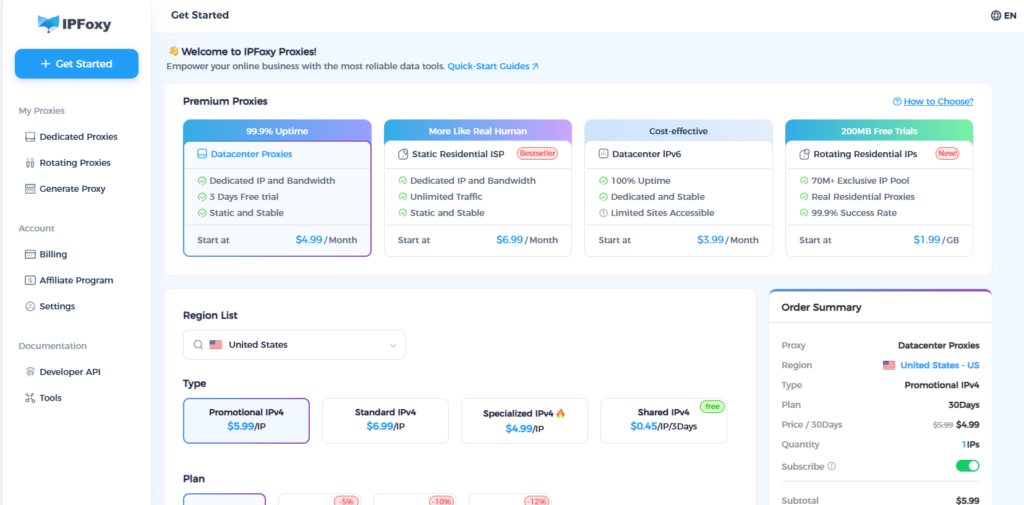
In practice, many developers use residential-grade IP resources to isolate test environments. For example, residential proxy services provided by IPFoxy are commonly used to:
● Assign independent IPs to different tester accounts
● Reduce network correlation between testers
● Simulate realistic global user distribution (US / EU / SEA)
Note: A proxy is not used for automation or manipulation. Its purpose is to reduce correlation risk. Tester behavior must remain genuine and natural.
IV. How to Test “Like a Real User” During the 14-Day Period
Recommended testing rhythm
Avoid opening the app only once over 14 days. A more realistic pattern is:
● Days 1–2: Installation and first-time experience
● Days 3–10: Periodic use of core features
● Days 11–14: Return usage to establish retention
Recommended testing actions:
● Open the app and stay for 1–3 minutes
● Register or log in
● Use core features
● Exit normally
The key is not the number of actions, but whether behavior appears natural.
V. Easily Overlooked but Highly Valuable Details
1、Testing feedback and interaction
After 3–5 days of testing, some testers can submit feedback (visible only to the developer).
Path: Play Console → Quality → Ratings and reviews → Testing feedback
Developers can reply to feedback, creating visible interaction records. This significantly improves Google’s trust in the authenticity of the test.
2、Small version updates during testing
You may release minor updates during the closed test, such as:
● Fixing small bugs
● Improving user experience
● Adjusting UI
Even minor changes signal to Google that the app is actively maintained and iterated.
3、Complete the post-test questionnaire carefully
After closed testing, Google requires a testing questionnaire. Key points when completing it:
● Be truthful and avoid generic responses like “no issues found”
● Describe problems identified during testing
● Highlight optimizations and improvements made
● Demonstrate a clear long-term plan for production release
VI. Summary: How to Maximize the Chance of Passing on the First Attempt
In one sentence:
Google Play closed testing is not a technical challenge, but a trust challenge.
To pass on the first attempt, ensure:
● Real tester accounts (not batch-created)
● Independent devices with low-correlation network environments
● Continuous, natural usage over 14 days
● Visible feedback, interaction, and optimization records
● A carefully completed testing questionnaire
During the closed testing phase, the appropriate use of stable, low-risk residential proxy resources can effectively reduce the likelihood of accounts or environments being flagged as abnormal, making the entire process smoother. Compliance is not a cost; it is a threshold. Taking closed testing seriously is a core capability for long-term success as an individual developer.