Many professionals have encountered issues like “account banned, unable to verify, sudden risk control” when registering for services such as Gmail, YouTube, Google Ads, and GA4. Especially as Google’s risk control becomes increasingly strict, once your original account is banned, can you reopen it directly? Do you need a new IP? Should you clear your browser? How exactly should you set up the environment?
This article will cover everything you need to know to help you avoid triggering risk control again.
I. Do You Need a New IP to Reopen a Banned Google Account?
In most cases, it is recommended to use a new, clean IP + a brand-new browser environment when reopening a banned account.
It is not mandatory, but the risk of “not changing” is extremely high, and the success rate of reopening will be significantly reduced.
Here is a breakdown of the reasons:
1、Google records your environmental fingerprint, not just your IP
Many people think Google only looks at IP, but in fact, it makes a comprehensive judgment based on:
- IP history: whether it is associated with a large number of banned accounts
- Device and Anti-detect browser fingerprint (device parameters, hardware, plugins, fonts, resolution, etc.)
- Cookies and LocalStorage
- Login trajectory: whether logging in from different regions in a short period of time
If you use the environment of your banned account to register a new one, Google can easily identify it as the same entity and trigger immediate risk control.
2、The original IP may have been marked as a high-risk IP by Google
Some users use data center IPs or shared proxies, which may have been marked by Google.
Continuing to use it is equivalent to telling Google: “It’s you again.”
3、Multiple accounts and frequent registration behaviors are more sensitive
Registering multiple times in a short period of time with the same IP and device is one of the most sensitive behaviors for Google’s risk control.
In particular, Gmail registration and Ads registration will trigger verification codes, SMS verification, and risk control reviews.
4、Google’s risk control chain is interconnected
Data is shared across Google ecosystem services:
- Gmail
- YouTube
- Ads
- Search Console
- Merchant Center
If one account is banned, it will have a knock-on effect on other accounts in the same environment.
Therefore, completely changing the IP and environment is the core reason for successful reopening.
II. The Most Reliable Plan to Reopen a Banned Google Account
1、Set up an account environment with both “clean IP + clean fingerprint”
Google judges whether you are the same entity based on your IP and device fingerprint.
If you only change the IP but keep the same Anti-detect browser fingerprint—you will still be identified.
If you only change the browser but use an IP from a “dirty pool”—you will still be flagged.
Therefore, the correct approach is:
Simultaneously replace with a clean and isolated IP + device fingerprint environment to build an environment that Google considers a “completely new user.”
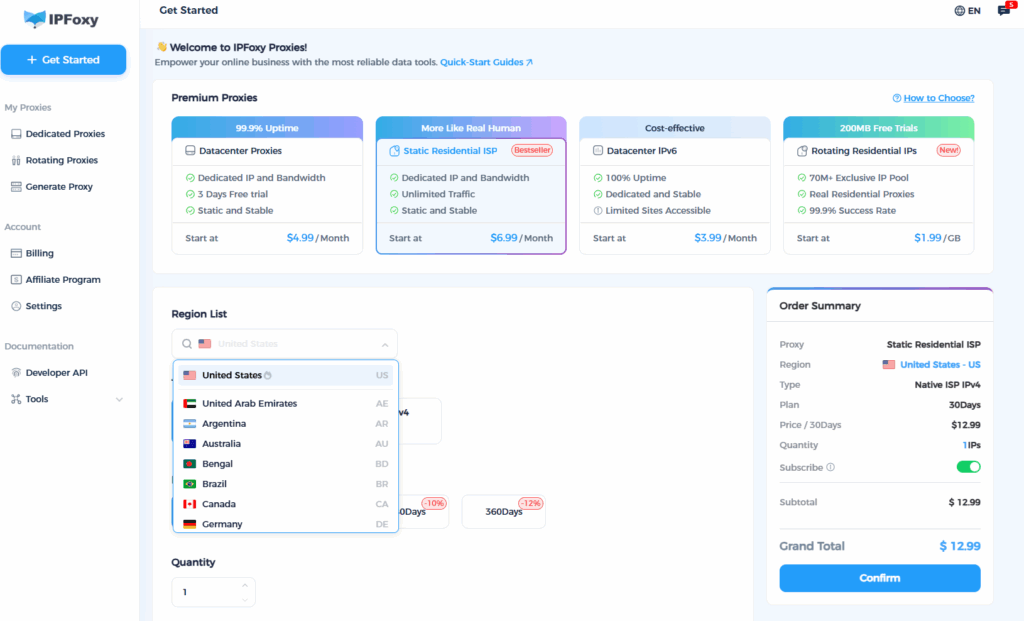
Use IPFoxy to create a pure IP + isolated account environment solution
Why do most people fail to reopen their Google accounts?
Because they use: shared, repeatedly used data center IPs, or “dirty pool” IPs that have been used for countless registrations.
Coupled with the exposure of local Anti-detect browser fingerprints, Google instantly marks the account as high-risk.
IPFoxy’s advantages exactly solve these two key problems:
- Provides real residential IPs, which are purer, more stable, and more like ordinary users, reducing the risk of risk control
- IPs are not shared with blacklisted account pools and will not be marked by Google as “high-risk IP segments,” making them suitable for registration scenarios such as binding Gmail / Google Ads / YouTube
- Can be paired with Anti-detect browsers to form a complete isolated environment
2、Create a brand-new browser environment
To ensure both “clean IP + clean device fingerprint,” you need to use an Anti-detect browser or a new system environment:
Recommended operations:
- Create a new isolated environment with an Anti-detect browser
- Do not inherit old cookies, caches, or plugins
- Disable unnecessary WebRTC and Canvas information leakage
- Ensure each login is completed under the “same IP + same fingerprint configuration”
This will make Google think you are using a completely new device.
3、Register Gmail like a real person
This is where many people fail.
Recommended actions:
- Do not click “Next” immediately
- Do not switch tabs quickly
- Do not refresh frequently
- Fill in basic information in line with regional logic (e.g., area code, name)
- You can browse Google’s official pages appropriately to establish a “behavioral trajectory” for the account
4、Bind a mobile phone number
The success rate of binding a mobile phone number to a new Google account will be greatly improved.
If your previous mobile phone number is associated with too many accounts, Google will refuse to bind it, and you will need a new one.
5、Maintain login with the same IP and device
Within 24–48 hours after successful registration, do not:
- Switch IPs
- Switch devices
- Log in to multiple Google services
Let Google believe this is a normal new user.
6、Gradually use Google services to build trust scores
Do not directly open Ads or Merchant Center right after registering Gmail.
Correct rhythm:
- Day 1: Log in to Gmail → Browse Google’s official website
- Days 2–7: Use YouTube, Search, and Drive
- Create Ads, Merchant, and GA4 only after one week
- Avoid recharging or bulk operations immediately
This is an important step in accumulating Google’s trust score.
Summary
Can you reopen a banned Google account? Of course. But the core is: do not use the original “dirty environment” anymore.
Replacing with a clean IP, building a brand-new Anti-detect browser fingerprint, and controlling the operation rhythm are the keys to the success rate of reopening.