












Telegram’s ecosystem is expanding rapidly. Group management, channel promotion, automated customer service, task systems, private domain operations… Almost every use case cannot do without Telegram Bot (robot). However, many beginners only have a vague idea about bots: where to create one? How to set it up? How to make the bot work automatically in groups? Actually, it’s not difficult to use at all.
This tutorial will guide you step by step from scratch to create a fully functional Telegram Bot ready for practical use. It will also clarify the types of bots, the problems they can solve, as well as common setup steps and automation configuration methods.
I.What is a Telegram Bot? What Roles Does It Play in Operations?
A Telegram Bot is a program account. Unlike regular users, it can receive commands, execute tasks, and send automatic replies, enabling automated management of groups and channels.
Common Types of Bots:
1.Group Management Bots
Features include automatically removing spam accounts, restricting spamming, keyword filtering, welcome messages, and automatic muting.
Suitable for community operations, project communities, and private domain cultivation.
2.Channel Publishing Bots
Bind a bot to a channel for automatic content publishing. It can connect with external programs (e.g., scheduled news pushes, automatic synchronization of independent website updates).
3.Customer Service/FAQ Bots
Let users receive automatic answers by sending commands, or set up menu-button interactions to improve conversion efficiency.
4.Tool-based Bots (Connected to External APIs)
Such as weather queries, logistics tracking, and website user system binding.
5.Webhook System Bots
Used for advanced automation development, such as building custom task systems, invitation code systems, lottery systems, and ticket systems.
II.Full Guide to Creating a Telegram Bot
1. Account Environment Setup
Before officially creating a Telegram Bot, setting up a stable account environment is the first and most easily overlooked step for beginners.
Telegram has strict security policies. The following actions may trigger abnormal verification or direct feature restrictions:
- Frequent IP/network switching, or repeated logins of multiple accounts on the same device
- Inconsistent login environments when a team operates a single Bot collaboratively
- Webhook deployed overseas while the main account is in another region
Therefore, before creating a bot, ensure: a stable, clean, and consistently used account environment, real IP sources (preferably residential nodes), and consistent regional IPs for all team members during collaboration.
Maintaining a “pure, stable, and long-term consistent” IP environment is key to ensuring the bot’s survival rate and stability.
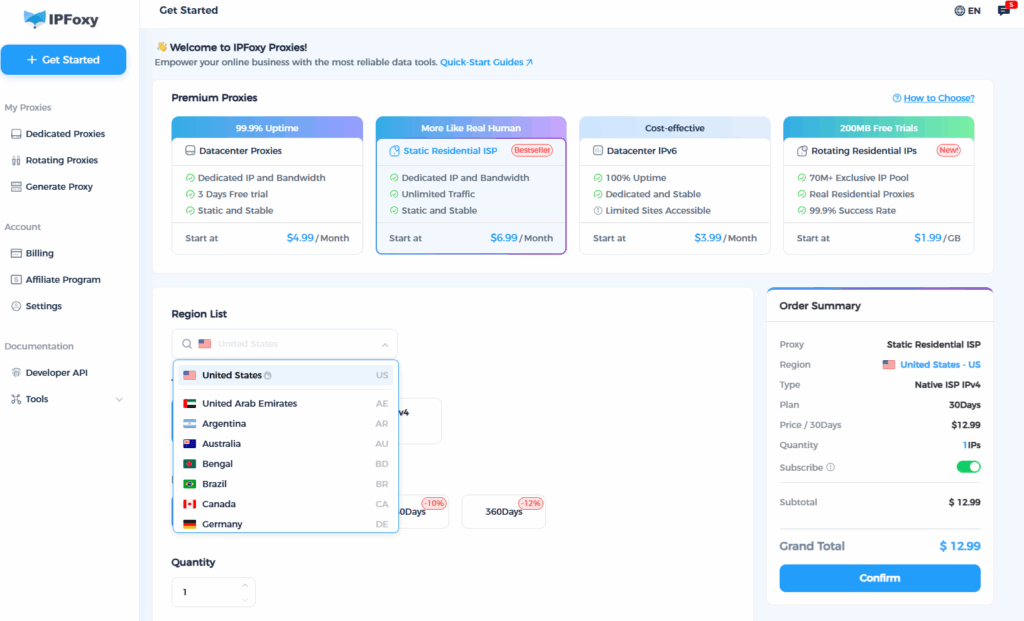
For a stable Telegram account environment, using IPFoxy’s real residential proxies + independent browser environments is a reliable solution:
- Real home broadband exits, safer than data center IPs and less likely to be flagged as high-risk by Telegram.
- Long-term fixed IPs to maintain consistent account environments, critical for BotFather operations, administrator actions, and Webhook development.
- Global node coverage, allowing region selection based on bot business needs and facilitating team collaboration with consistent environments.
This ensures long-term stable operation of your Telegram account + Bot, free from risk control or feature restrictions.
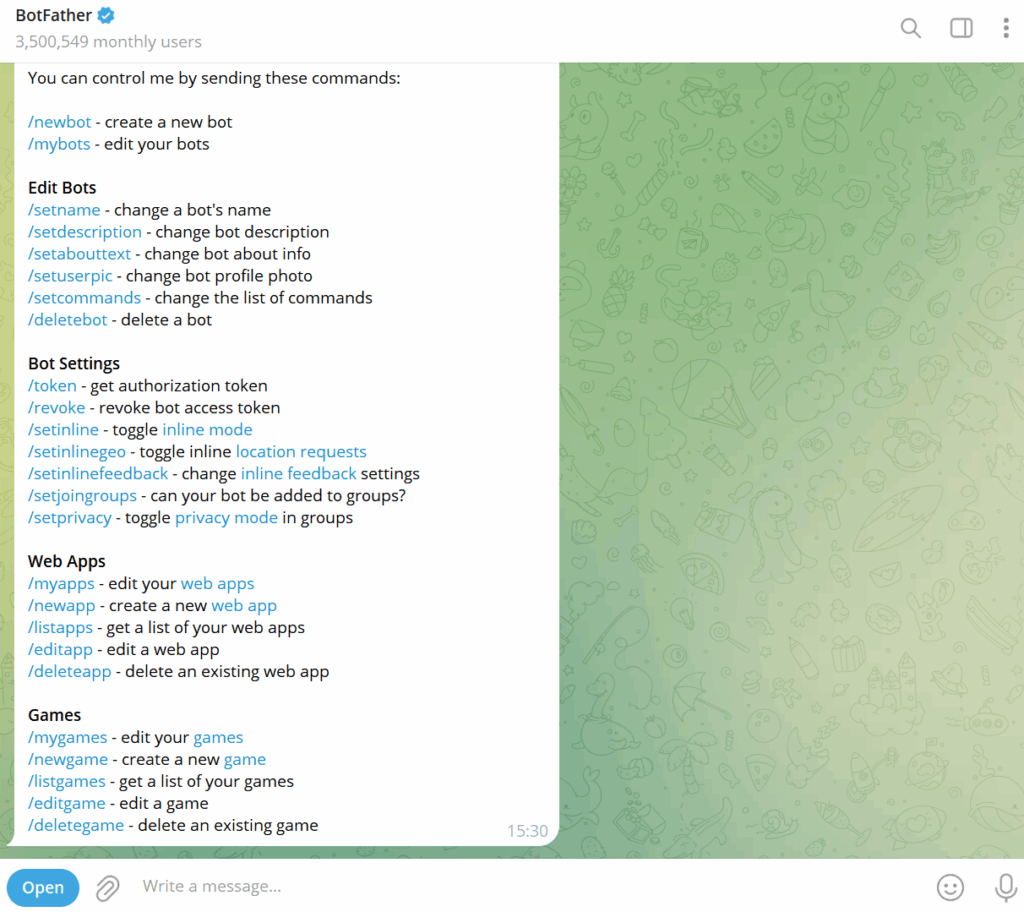
2. Locate Telegram’s Official Bot: BotFather
All Telegram Bots are created and managed by the official @BotFather.
Open Telegram and search for: @BotFather
Click “Start” to view all available commands.

3. Create a New Bot with /newbot
Enter the command: /newbot
BotFather will prompt you to input sequentially:
- Bot name (can be arbitrary, e.g., MyGroupManager)
- Bot username (must end with “bot”, e.g., mymanager_bot)

4. Receive Core Credentials
After completion, you will receive:
- An HTTP API Token
- A link to your newly created bot
This Token is crucial—it serves as the core credential for subsequent connections to automation systems, Webhooks, and group management settings.
5. Set Basic Bot Information
BotFather provides multiple commands; common ones are as follows:
| Command | Function |
| /setname | Modify the bot’s display name |
| /setdescription | Set the bot’s brief introduction |
| /setabouttext | Set the bot’s profile description |
| /setuserpic | Upload an avatar |
| /setcommands | Configure the bot’s menu (command list) |
Beginners are advised to set: Avatar + Brief Introduction + Command List.
This makes the bot appear more professional and improves user click-through rates.
6. Add the Bot to Groups/Channels and Grant Permissions
(1) Add to Groups
Invite the bot to your group.
Go to Group → Administrators → Add Administrator → Select your bot.
Enable the following permissions as needed:
- Delete messages
- Ban users
- Publish messages (for channels)
- Pin messages (optional)
Insufficient permissions will prevent the bot from executing automated commands.
7. Configure Bot Automation Features (No Coding Required)
If you are not a developer, use existing no-code automation Bot tools such as:
Common No-Code Automation Platforms
- Manybot (menu-driven bot creation)
- Controller Bot (channel management)
- Rose Bot / Combot (powerful group management)
Most group automation features (anti-spam, welcome messages, anti-spamming, muting) can be configured manually without writing any code.
8. Webhook Development – Connect the Bot to Your Systems
If you are a tech enthusiast or need advanced automation, use the Telegram Bot API to set up Webhook code, enabling your bot to communicate with external servers for:
- Automatic task systems
- User registration and binding
- CRM data synchronization
- E-commerce order pushes
- Custom command systems
Summary
Telegram Bot is a core tool for improving community efficiency and building automated operation systems, suitable for group management, channel promotion, customer service systems, task systems, and more. By following this step-by-step guide, you can build a fully functional, automated Telegram Bot from scratch for various scenarios such as group, channel, and private domain operations.

