Can You Open a Store on Facebook? A Step-by-Step Guide to Launching Your Facebook Shop
Many newbies in Facebook operations only know how to promote products through ads, but overlook a powerful feature—Facebook Shop. It not only allows you to display products directly on Facebook but also syncs with Instagram and Messenger, connecting multi-channel traffic to achieve higher conversions.
Especially after Meta fully enhanced its e-commerce ecosystem in 2025, Facebook Shop has become an essential exposure channel for sellers, independent website owners, and e-commerce entrepreneurs.
This article will take you from scratch, clarifying application requirements, environment configuration, and creation processes, helping you avoid pitfalls and successfully launch your Facebook Shop.
I. Facebook Shop Application Requirements
1. Valid Facebook Business Manager (BM) Account
- The BM must be verified (business verification or individual authentication).
- The account must have good overall health with no violation records for ads.
2. Bound Valid Facebook Page
Facebook Shop is attached to a Page, so the Page should be as complete as possible, including:
- Brand name, introduction, profile picture, and cover photo.
- Contact information and website URL.
- Clear e-commerce category.
3. Supported Payment Methods
Shopping features vary by country. For example:
- US sellers can use Facebook Checkout.
- Sellers in other regions may only be allowed to redirect to independent websites for payments.
4. Clean Access Environment
Facebook is highly sensitive to environment detection, especially for merchants. Even if you meet all previous requirements, an abnormal access environment can still cause issues such as failure to open the shop, restrictions on Business Manager, inability to bind the Page to the shop function, or product review rejection.
Three major environment issues to avoid for Facebook Shop:
- Unstable IP with frequent changes.
- Shared devices or inconsistent device fingerprints, leading to account association risks.
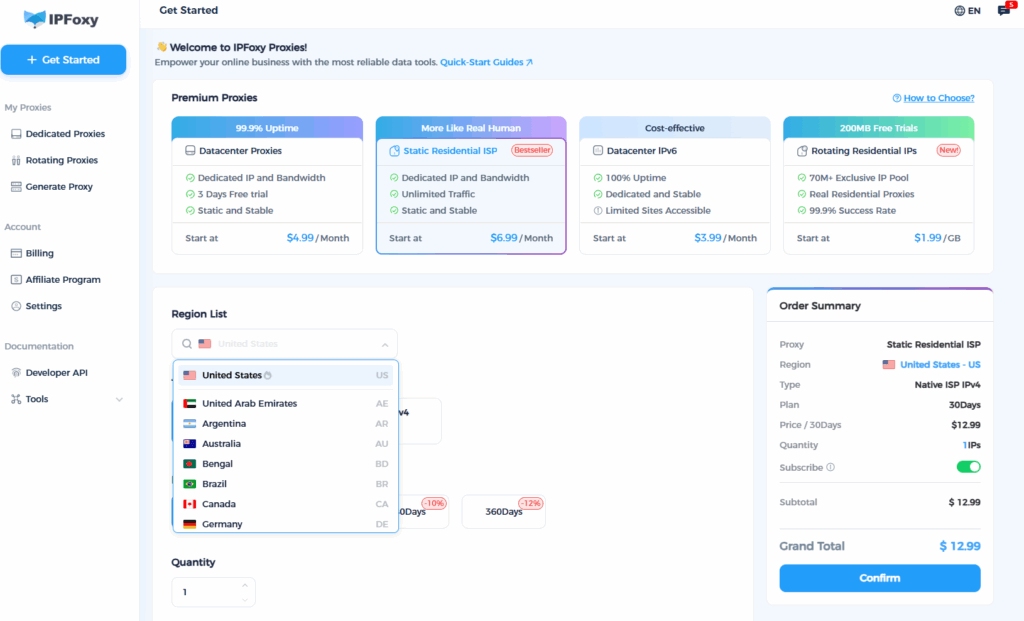
Therefore, when accessing Facebook Shop—especially for multi-account or multi-store operations—using a stable, clean, non-shared dedicated IP and a pure, isolated environment is crucial. If you need to stably use Facebook and Meta-related commercial functions, we recommend IPFoxy’s dedicated IP solution paired with an independent fingerprint browser environment. IPFoxy offers:
- Dedicated and pure IPs not shared with others, reducing account association risks.
- Precise regional selection, consistent with regions suitable for Facebook Shop operations.
- Stable nodes with almost no disconnections, ensuring continuous operation of BM and Page.
- Easy operation, compatible with fingerprint browsers to fully isolate devices, cookies, and fingerprint information.
A clean and stable IP is the bottom line for long-term Facebook Shop operations.
II. Create and Launch a Facebook Shop: Ultra-Detailed Guide
Step 1: Create and Complete Your Facebook Page
Ensure the following:
- Profile picture, cover photo, and introduction are complete.
- Page type is set to “Business/Brand”.
- Contact information (email, phone number) is real and valid.
- Publish at least 3–5 normal posts (do not open a shop with an empty page).
Facebook Shop reviews reference Page credibility—pages that look like real brands are more likely to be approved.
Step 2: Create a Business Manager (BM) and Complete Verification
After accessing Business Manager, complete the following:
- Bind an administrator.
- Add a primary domain.
- Fill in business information, including address and contact details.
Step 3: Access Commerce Manager in Business Manager
Path: Commerce Manager → Add Shop
You can choose to:
- Host the shop directly on Facebook.
- Integrate with platforms like Shopify / WooCommerce.
For higher conversions, we recommend enabling:
- Products can be browsed on Facebook and Instagram.
- Support for product display, tagging, and redirection to the website for checkout.
Step 4: Select a Shop Mode
Facebook offers 3 modes:
- Checkout with Facebook/Instagram (available only in selected countries).
- Checkout on your website (redirect to your independent website).
- Message to buy (purchase via Messenger or WhatsApp private messages).
Step 5: Configure Basic Shop Information
Include: Shop name, customer service email, return policy, privacy policy link, shipping instructions, brand introduction, etc.
Note: More complete information increases the chances of review approval.
Step 6: Upload Product Catalog
You can choose from three upload methods:
Manual upload—suitable for sellers with a small number of products.
Upload images, titles, descriptions, prices, inventory, etc.
Data feed upload
Suitable for sellers with many SKUs, enabling automatic sync.
Integration with Shopify/WooCommerce
The most convenient method, with automatic information sync.
Notes:
- Titles must be clear.
- No brand infringement terms are allowed.
- Do not upload prohibited products.
Step 7: Submit the Shop for Review
Reviews usually take 1–3 days, and may take longer if there are IP abnormalities, unauthentic-looking pages, or incomplete product information.
Once approved, you will see the Shop tab on your Page.
Summary
Facebook Shop is a key entry point in Meta’s e-commerce ecosystem, helping your products gain multi-channel exposure on Facebook and Instagram to boost conversions. Launching it is not difficult—the real challenge lies in maintaining a clean account environment, consistent information, and standardized processes.