












For people new to Claude, the main challenges often have less to do with the model’s capabilities and more to do with account registration, phone verification, subscription plans, and switching models. As the first flagship model in the Claude 5.5 series, Opus 5.5 offers advanced capabilities, but its requirements for access environments and account status can also be more sensitive than those of ordinary tools.
So, how can beginners get started with Claude Opus 5.5? This guide introduces its key features, walks through account registration and usage, and outlines troubleshooting approaches for common issues to help you get started more smoothly.
I. What Is Claude Opus 5.5? Key Features and Capabilities
Claude Opus 5.5 is a model in the Claude 5.5 series released by Anthropic in September 2026, primarily designed for complex programming and knowledge work. Compared with AI tools focused on simple question-and-answer tasks, it is better suited to work involving multi-step analysis, ongoing collaboration, and long contexts, such as software development, research, document analysis, and complex content creation.
Compared with lightweight models such as Sonnet, Opus 5.5 is not primarily about “answering faster,” but about “working independently for longer.” It performs an internal reasoning process before each response, provides progress updates more proactively during execution, and can maintain contextual consistency across longer tasks.
The following table provides a comparison of Claude Opus 5.5 and other Claude models:
| Comparison | Claude Opus 5.5 | Claude Sonnet 5.5 | Claude Haiku 5.5 | Claude Fable 5.1 |
|---|---|---|---|---|
| Model positioning | High-end, general-purpose | Balances speed and capability | Lightweight, fast, and low-cost | Complex reasoning and long-running tasks |
| Complex reasoning | Excels at complex reasoning | Strong reasoning capabilities | Suitable for routine tasks | Better suited to extremely challenging tasks |
| Coding and development | Complex development, cross-file edits, and code migration | Everyday development, debugging, and feature implementation | Simple code and auxiliary tasks | Long-running, complex agentic coding |
| Content creation | In-depth analysis, long-form content, and complex proposals | Everyday writing, documents, and reports | Summaries, classification, and simple rewriting | Complex research and multi-step analysis |
| Task execution | Suitable for long-running, multi-step workflows | Suitable for tasks with clearly defined scopes | Suitable for frequent, repetitive tasks | Suitable for highly challenging, long-running tasks |
II. Claude Opus 5.5 Registration and Usage Tutorial: A Step-by-Step Guide
After understanding the model’s capabilities, the next step is to register an account, confirm your access to the model, and choose a subscription plan that meets your needs.
1. Set Up a Stable, Dedicated Network Environment
Claude is highly sensitive to access IP risk controls. Shared nodes, data center IPs, and connections that frequently switch between regions are major causes of registration failures and subsequent account suspensions. It is best to use a clean, dedicated residential IP consistently for registration and everyday use. Consider a professional proxy provider such as IPFoxy Proxies, which offers genuine, clean, dedicated residential proxies.
Since Chrome does not have built-in proxy configuration for this workflow, you need a browser extension such as IPFoxy Proxy Manager to configure a dedicated residential proxy for Chrome. This allows connections to Claude to use a specified proxy IP, helping maintain a stable environment for registration and everyday use.
Follow these steps to configure your proxy:
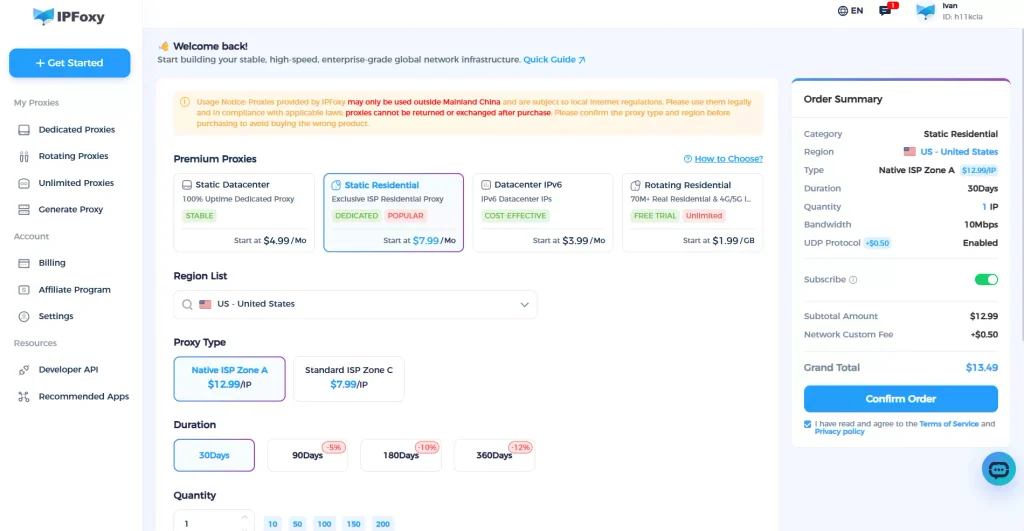
Step 1: Select a suitable proxy type in IPFoxy Proxies and obtain a residential proxy for your target region.
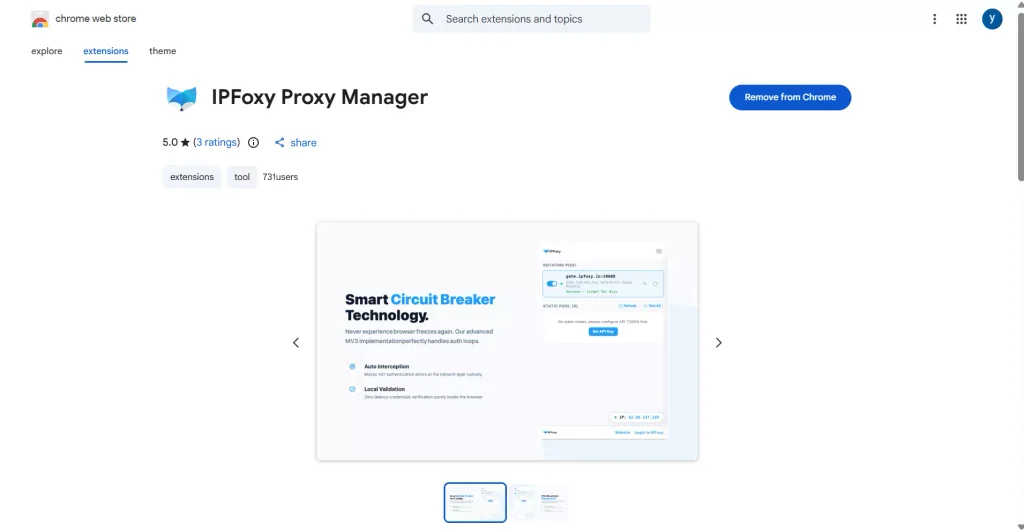
Step 2: Download the IPFoxy Proxy Manager extension from the extension store. Enter your IPFoxy user ID and API key in the extension, then save the settings.
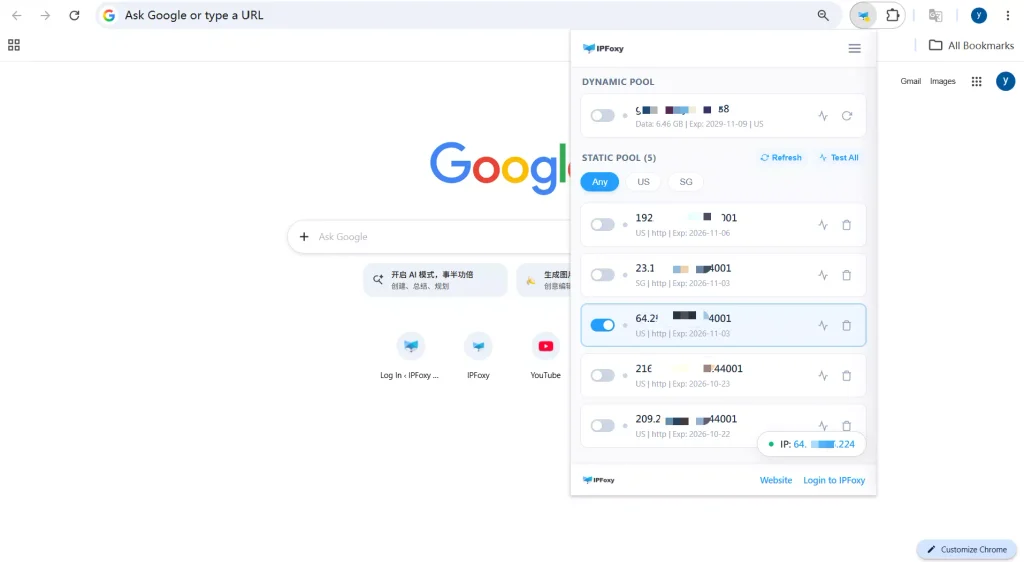
Step 3: Once the information is saved, IPFoxy Proxy Manager will automatically synchronize the proxies associated with your account. Find the residential proxy you want to use and enable it. Once the connection succeeds, Chrome will be using that proxy environment.
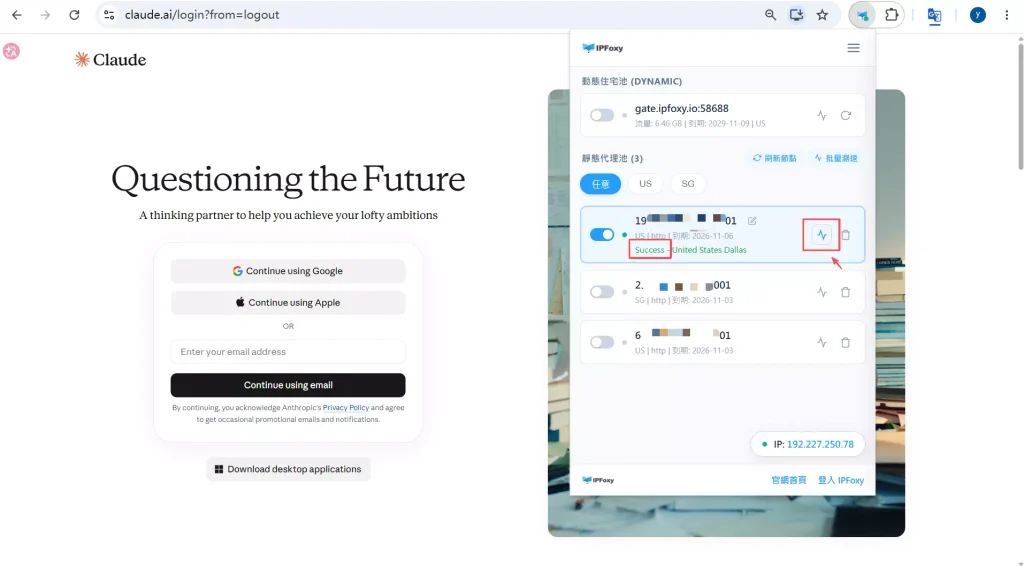
Step 4: Click the check icon next to the residential proxy. If the status displays “Success,” the proxy environment is active. Keep using this environment throughout the subsequent registration and usage process.
2. Claude Opus 5.5 Registration Process
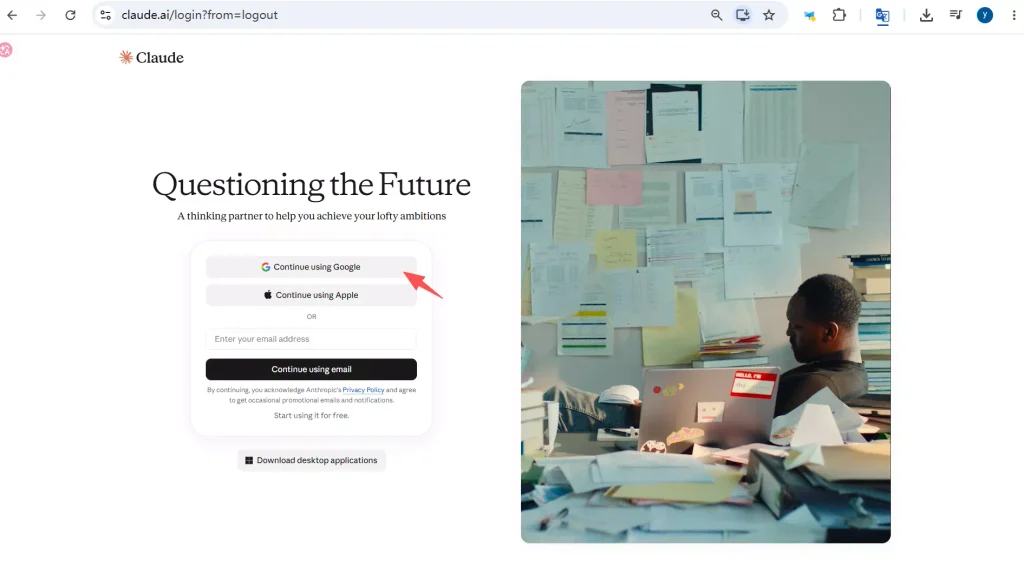
Step 1: Visit the official website and click Sign Up. Gmail or Outlook and other widely used email services are recommended.
You can refer to a Google account registration tutorial if needed. In some situations, email addresses from certain local providers may not complete verification successfully, or subsequent logins may trigger risk controls.
If your residential proxy is sufficiently clean, phone verification may not be required. If the page requests phone verification, provide a valid phone number from a supported region as required by the official service and complete verification. The phone number’s region should match the location of your proxy IP; otherwise, the account may be more likely to trigger risk controls.
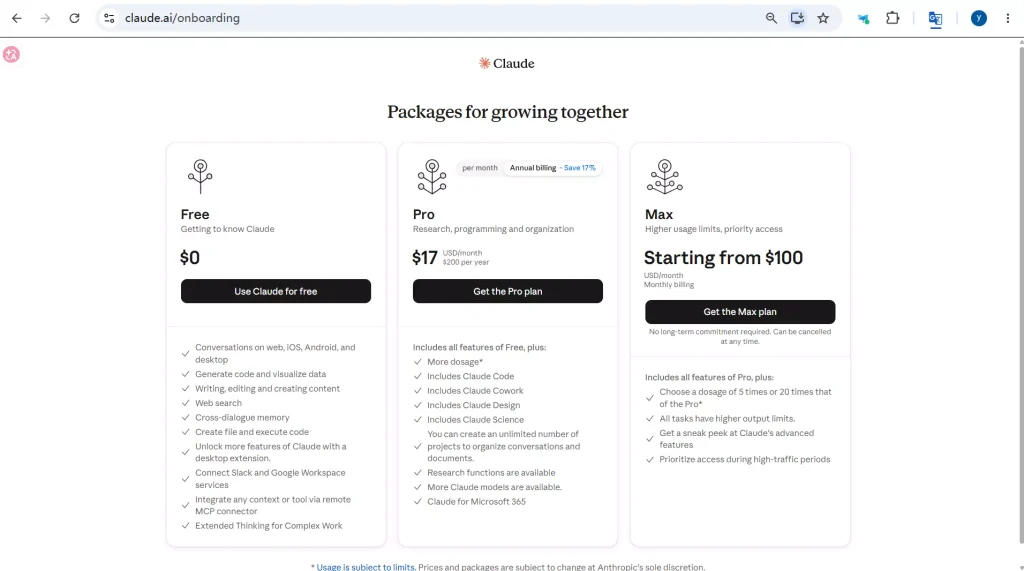
Step 2: Choose a suitable subscription plan.
When subscribing to Pro or Max, credit cards issued in China may be declined at Claude’s checkout, and conventional WeChat Pay and Alipay payments are not supported by the official service. You can use a physical Visa or Mastercard issued by a bank in another supported region, or try other options such as virtual cards or gift cards where available.
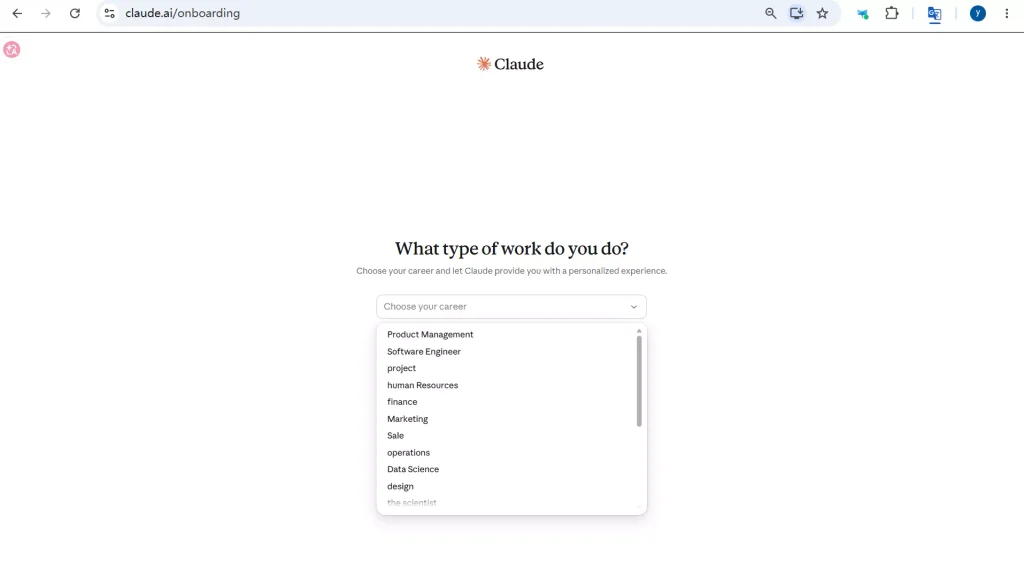
Step 3: Enter a nickname, select an occupation or identity option, or skip this step to go directly to the chat interface.
3. Open the Chat Interface and Select Claude Opus 5.5
Select the Opus 5.5 model from the model selector in the chat interface. When using the model, explain the task background, objectives, and delivery requirements clearly in one prompt. There is no need to repeatedly add vague instructions such as “think carefully.”
Common use cases include:
- Video creation: Ask Claude to write video scripts, design storyboards, or generate animation code.
- Coding and web development: Ask Claude to write or debug code, fix software errors, or generate webpage prototypes and interactive tools.
- Document summarization: Upload reports, PDFs, or other supported file formats and ask Claude to extract key points, organize section content, and list important conclusions.
- Spreadsheet analysis: Provide business data tables and ask Claude to identify changes, compare different metrics, and suggest findings that need further verification
III. FAQ
In some cases, Claude Opus 5.5 may respond more slowly because requests are routed to an older model when platform risk controls are triggered. You can use the model selector or enter /model to switch back to Opus 5.5.
If you do not want the model to switch automatically, you can turn off “Switch models when a message is flagged” in Settings.
You can first export your data and work. Then, use the appeal form provided in the Claude official account interface to request a manual review. Briefly explain your legitimate usage scenario and politely request that your account be reviewed.
Yes. Usage limits depend on several factors, including your subscription plan, conversation length, selected model, and task complexity. Once you reach a limit, you can wait for your allowance to reset or upgrade your subscription according to your needs.
IV. Conclusion
To use Claude Opus 5.5 smoothly, first confirm Claude’s regional availability and account verification requirements. During everyday use, clearly explain your task background, objectives, and expected deliverables, then refine the results through staged reviews and additional information.
If you encounter issues such as flagged messages, an unavailable model selector, or account restrictions, first check the on-screen notices, subscription permissions, and official policies before taking action. Choosing the appropriate model, using your account responsibly, and verifying important outputs will help you get more value from Claude Opus 5.5.