











Thinking about launching a TikTok Shop? The main challenge goes beyond registration—it lies in selecting the right shop model, preparing compliant documentation, and maintaining a stable operating environment. Onboarding requirements and fulfillment rules vary across different markets. This comprehensive guide breaks down the process into four key areas: business model selection, the onboarding process, audit pitfalls, and multi-account operations to help beginners get started smoothly.
I. How to Choose the Right TikTok Shop Model?
TikTok Shop Models
TikTok Shop models are mainly divided into non-local shops and local shops. The core difference lies in the operating entity and the degree of localization: non-local shops are better suited for expanding into target markets using existing supply chains, while local shops place greater emphasis on local operations, warehousing, and fulfillment capabilities.
Compared to non-local shops, local shops are closer to local business scenarios and offer distinct advantages in local content distribution, creator collaboration, and customer conversion. Specific traffic and promotional benefits depend on current site rules.
Here is a quick comparison of the core differences:
| Comparison | Non-Local Shop | Local Shop |
| Registration Entity | Usually compliant non-local entities | Usually local entities in the target market |
| Key Advantages | Expands markets using existing supply chains with relatively lower local resource investment | Offers greater flexibility in local warehousing, fulfillment, operations, and content layouts, aligning more closely with local consumer habits |
| Main Challenges | Requires solving international logistics and fulfillment timeliness issues | Imposes higher requirements on local entities, payment collection, and warehousing resources |
| Target Audience | E-commerce sellers, brand owners, and supply chain teams | Merchants with established local resources and operational teams |
TikTok Shop Operating Modes
Once you determine your shop type, choose a specific operating mode based on how much operational work you want to handle and your team’s capabilities.
- Fully-Managed Mode: Sellers mainly focus on product supply, while the platform handles operations and fulfillment. Ideal for sellers looking to reduce operational overhead.
- Semi-Managed Mode: The platform and sellers share operations, warehousing, or fulfillment responsibilities. Ideal for sellers wanting a balance between efficiency and control.
- POP (Platform Open Plan): Sellers independently manage products, content, promotion, orders, and customer service. Ideal for teams with full operational capabilities. Creator Affiliate: A post-launch promotional strategy that leverages content creators to bring products into short videos and live streams, driving supplementary traffic to the shop.
- Selection tip: Choose managed modes to lower operational workload; choose POP for full store control; and combine with Creator Affiliate to boost content traffic after opening the shop.
II. A Step-by-Step Guide to TikTok Shop Onboarding for Beginners
Step 1: Confirm Eligibility and Prepare Required Documents
Visit the TikTok Shop seller onboarding page for your target market to check current shop types and requirements, then prepare the necessary documentation. Common materials include business licenses, owner/legal representative ID proofs, contact details, proof of address, and payment accounts. Requirements vary by target market.
Focus on three key checks before submission:
- Information Consistency: Ensure the company name, legal representative name, and registered address match the identity documents and application details.
- Document Clarity: Ensure documents are complete, valid, and legible. Avoid blurry, cropped, or expired files.
- Payment Matching: Verify payment account requirements in advance to prevent audit issues caused by mismatched entity or account details.
Step 2: Maintain a Stable Registration and Operational Environment
If you plan to launch a TikTok Shop local store, pay special attention to the quality of your network connections. Unclean IP addresses or frequent IP drifting can cause a loss of local organic traffic, trigger extra verification checks, increase onboarding uncertainty, or even lead to account suspension if flagged as a fake account.
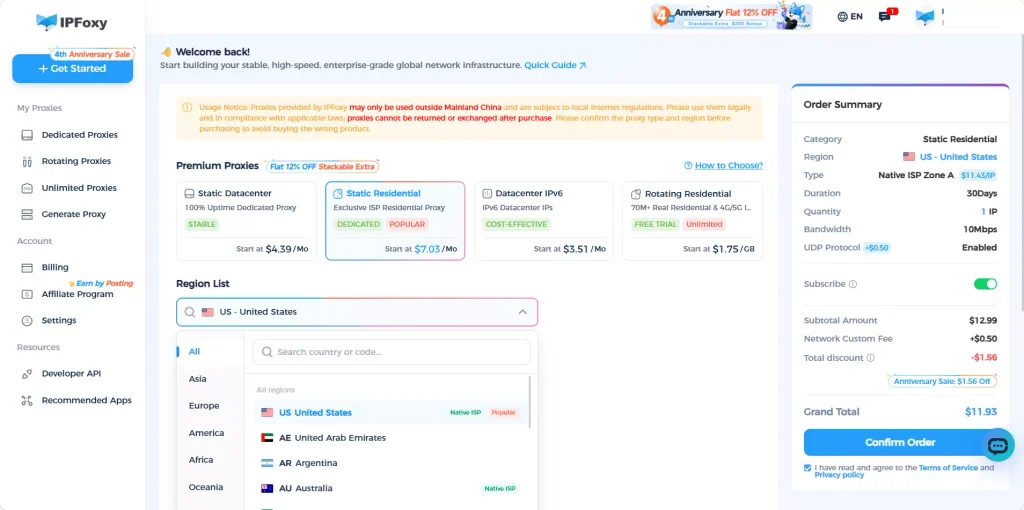
For long-term operations, it is recommended to use dedicated static residential proxies or ISP proxies matched to your target market for higher stability. Shared proxies offer lower costs but harder-to-control environments; data center proxies are better for public data scraping; while dedicated static residential proxies are ideal for long-term account management.
For sellers running TikTok Shop local stores long-term, the platform heavily scrutinizes network authenticity. Building an environment using a dedicated IP paired with a dedicated device environment is highly recommended. Utilizing native dedicated static residential proxies provided by IPFoxy—which originate from clean residential ISP networks with high trust scores—and configuring them into an Anti-detect browser environment will significantly enhance account stability. Avoid frequent device switches or logging in across multiple devices.
Step 3: Submit Application and Await Review
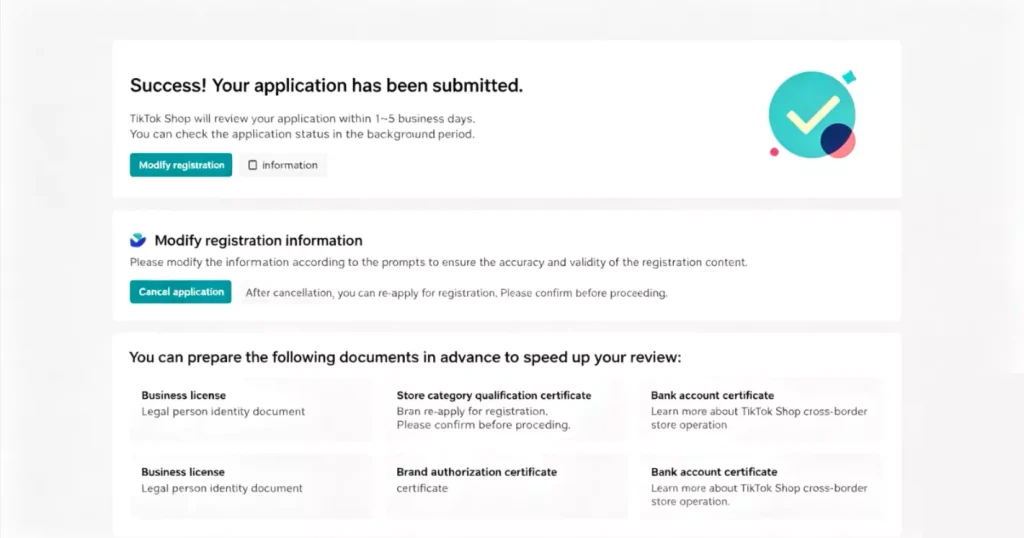
Log in to the Seller Center, fill in the required business entity, store, and contact information, and upload the corresponding documents. If the platform requests identity verification, selfies, or additional documents during the process, follow the prompts accordingly.
Re-check all core information before final submission. Once submitted, wait patiently for the review result. Avoid creating multiple identical applications out of impatience.
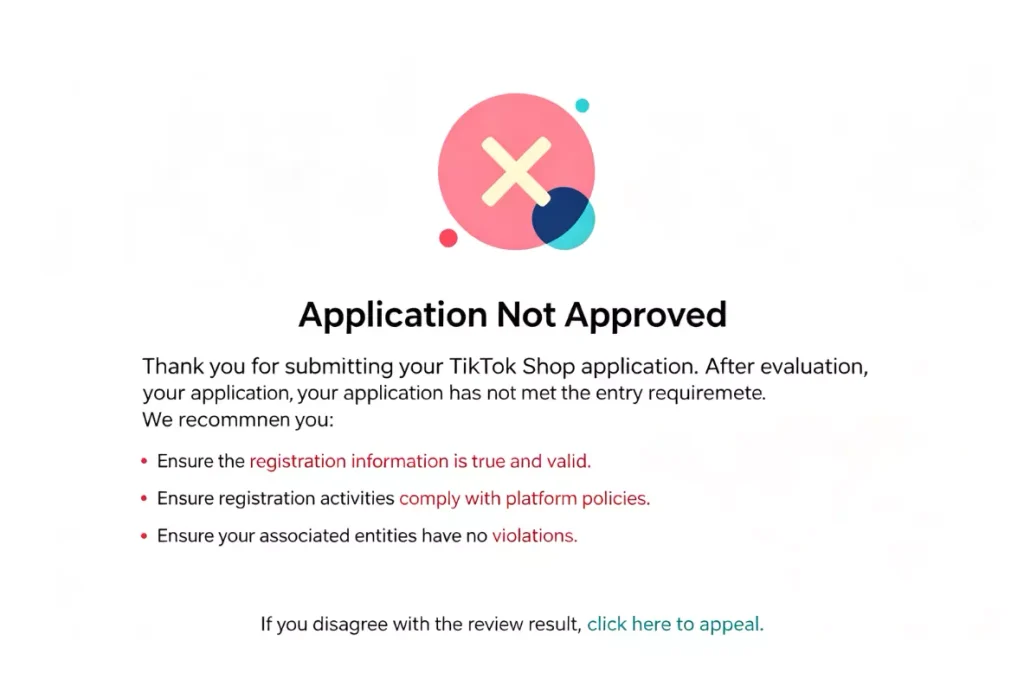
Step 4: Common Rejection Causes and Solutions
If your application is rejected, do not re-submit immediately. Review the specific rejection reasons provided by the platform first. Common issues include inconsistent information, unclear or expired IDs, incompatible payment accounts, failed identity checks, or entities not meeting target market eligibility.
Troubleshoot in the following order:
- Review the audit feedback: Identify whether the issue lies in documents, entity details, payment setup, or identity verification.
- Verify original documents: Check names, addresses, ID validity dates, and other details.
- Fix specific issues: Avoid making unnecessary changes to unrelated documents.
- Resubmit: Ensure all materials are complete and accurate before submitting again.
Step 5: Activate Shop and Complete Store Setup
Once approved, follow the Seller Center instructions to complete basic configurations, including payment account setup, security deposit (if applicable), logistics options, and return addresses.
Next, link a compliant TikTok account, and proceed with product listing, store customization, content preparation, and creator affiliate setups. Gradually increase product inventory and marketing investment only after all basic configurations are verified to prevent operational bottlenecks. Once these setups are confirmed, your TikTok Shop can officially enter the daily operational stage.
III. TikTok Shop Onboarding: 3 Essential Preparations for Beginners
Multi-Account Management and Anti-Association
When operating multiple TikTok Shops, manage them using a “one shop, one environment” strategy. Each store should correspond to a unique TikTok account, business entity, Anti-detect browser profile, device, and network exit point. Avoid sharing accounts, browser caches, or network connections across multiple stores.
In practice, configure the aforementioned IPFoxy proxies into isolated environments within an Anti-detect browser. Establishing a strict “one account, one proxy, one operating environment” mapping reduces risk from cross-contamination between stores. Once configured, maintain the original setup for daily logins, product management, and routine operations without constantly changing the browser profile, device, or proxy exit point.
Product Selection and Basic Listing Optimization
Avoid listing huge numbers of products right away. Start with a curated selection of products backed by strong supply chain advantages and clear market demand to test the market. Before publishing, review titles, main images, descriptions, pricing, inventory, and logistics settings, ensuring products comply with local restricted items rules. Monitor exposure, clicks, add-to-cart rates, and conversion metrics after launching to optimize winning items and adjust underperforming ones promptly.
Content Strategy and Traffic Generation
After listing products, focus on traffic testing and order fulfillment. Beginners can start with short videos, then test live streaming and creator promotions to identify effective traffic channels before scaling up investment.
Simultaneously, finalize your fulfillment, warehousing, logistics, and return processes in advance. Track shipping timelines closely to ensure account health and customer satisfaction are not impacted by fulfillment issues.
IV. FAQ
First, review the specific rejection reason. Focus on checking entity information, identity documents, addresses, and payment details. Avoid submitting duplicate applications in a short period.
Rules differ between official accounts and marketing accounts. Usually, only one official account can be linked, while the limit on marketing accounts depends on target market rules and current Seller Center policies.
Focus on isolating and matching business entities, TikTok accounts, devices, Anti-detect browser profiles, and proxy environments for each store, while strictly abiding by platform policies regarding multi-store operations and identity verifications.
V. Conclusion
Beginners can approach TikTok Shop onboarding through a clear workflow: “determine shop type, choose operating mode, prepare documents, stabilize network environment, submit application, activate store, and manage products.” Speed should not be the sole objective—business entity details, payment processing, proxy quality, and fulfillment setups must be verified early on. When expanding into multi-account operations, maintaining strict compliance across accounts and browser environments remains critical for long-term success.