












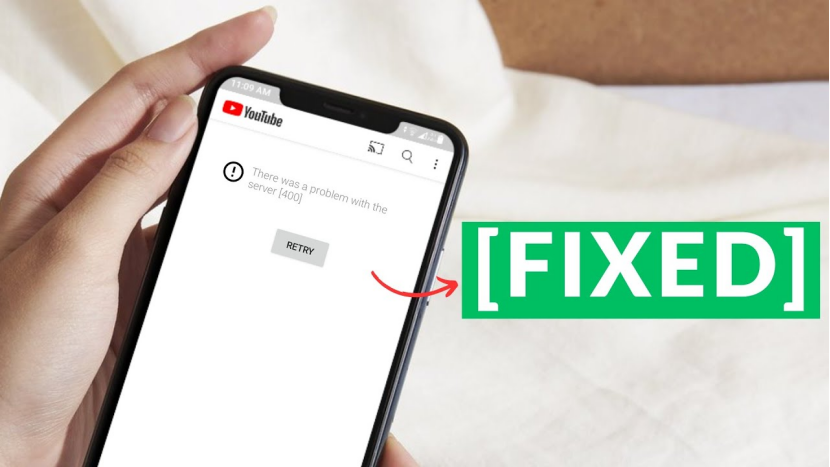
In 2026, YouTube remains a core platform for traffic acquisition. However, many operators encounter the “400 Bad Request” error when accessing YouTube through automation tools, multi-account setups, or scraping scripts.
This not only disrupts workflows but may also indicate that your environment has been flagged. This guide explains the root causes of YouTube Error 400 and provides a complete fix from basic troubleshooting to advanced solutions.
I. What Is YouTube Error 400?
From a technical perspective, HTTP 400 means “Bad Request,” indicating the server cannot understand the client’s request. However, in real YouTube scenarios, this error often implies more than just parameter issues. It may indicate:
Request format is abnormal
Header information is incomplete or invalid
The request is flagged as abnormal traffic
In simple terms, your request “does not look like a normal user.” That’s why even seemingly normal actions can still trigger a 400 error.
II. Why Does YouTube Error 400 Occur? 7 Common Causes
1、Cookie or Cache Issues
Corrupted or expired cache can lead to invalid requests. If browser cookies are damaged due to updates or interruptions, request headers may become malformed or oversized, triggering a 400 error.
2、Incorrect Request Headers
Headers act as the “identity card” between client and server. Missing fields (like User-Agent or Referer), incorrect formats, or invalid characters can result in rejected requests.
3、IP Issues
This is one of the most common causes:
- IP flagged: The IP has a history of suspicious activity
- Low-quality IP: Shared IP pools with poor reputation
- Datacenter IP detected: Lacks characteristics of real residential networks and is easily identified
4、Abnormal Request Behavior
YouTube monitors access patterns:
High frequency: Too many requests in a short time
Regular intervals: Predictable patterns (e.g., every 10 seconds) expose automation behavior
5、Browser Fingerprint Inconsistency
Advanced detection focuses on fingerprint mismatches. If your IP location conflicts with device fingerprint data (timezone, language, etc.), it raises suspicion.
6、Browser or Extension Conflicts
Certain extensions (especially ad blockers or proxy tools) may interfere with requests or block required verification data, causing incomplete or altered requests.
7、URL or Parameter Errors
Common in automation and API usage. Improper encoding, special characters, or incorrect parameter construction can prevent the server from resolving the request.
III. How to Fix YouTube Error 400: From Basic to Advanced Solutions
When encountering a 400 error, refreshing the page is rarely enough. In 2026, stricter detection systems require a systematic approach across environment, network, and fingerprint layers.
1、Basic Fixes
If the issue is occasional, try resolving local environment problems:
- Clear browser cache and cookies
- Use incognito mode
- Disable browser extensions
- Update your browser
- Check URL validity
- Re-login to your account
These methods solve most local issues, but if IP or detection systems are involved, the error will likely return.
2、Network and IP-Level Fixes
If switching browsers or devices doesn’t help, the issue likely lies in IP quality:
- Datacenter IP detected
- IP flagged or rate-limited
- Repeated use of the same IP
Solutions:
- Switch to a cleaner network, such as mobile data
- Avoid excessive reuse of the same IP
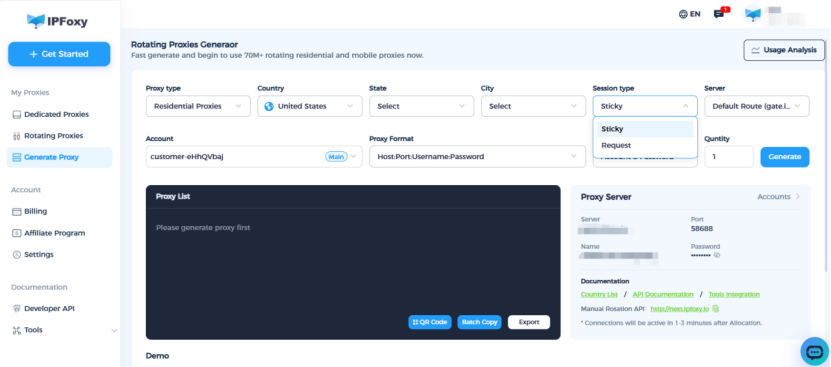
- Use residential proxy services, which simulate real ISP users and reduce detection risk
3、Optimize High-Volume Request Environments
For automation, scraping, or bulk access, simply changing IPs is not enough. The key is IP quality and environment authenticity.
Effective strategies include:
- rotating residential proxy for high-frequency requests with automatic IP rotation
residential proxy for stable long-term account usage - When requests come from clean residential IPs, they are more likely to be recognized as normal user behavior.
4、Combine Anti-detect Browser and Rotation Strategy
For continuous automation or multi-account operations:
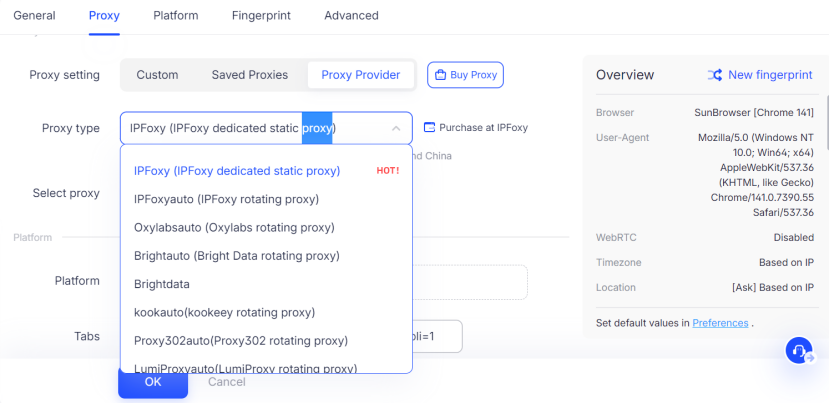
- Use an Anti-detect browser to isolate accounts
- Ensure IP location matches browser fingerprint (timezone, language, etc.)
- Set randomized request intervals to avoid predictable patterns
- Monitor success rate and adjust IP rotation when errors increase
IV. FAQ
A1: No. It usually indicates a request issue, but frequent occurrences may mean your activity is being flagged.
A2: Two main reasons: low-quality IPs (especially shared datacenter IPs), or abnormal request behavior such as high frequency or concurrency.
A3: Yes, but it requires optimizing IP, behavior, and environment together rather than fixing a single factor.
Summary
In 2026, YouTube Error 400 is no longer just a technical issue—it is a clear signal of abnormal request environments. Whether you are a regular user or running automation or data collection tasks, success depends on IP quality, behavior patterns, and environment consistency.

