












ChatGPT has become widely used across work, study, and creative fields. However, many users face a common issue—account bans. Why do ChatGPT accounts get banned? How should you handle it once banned? More importantly, how can you prevent account bans and ensure stable account usage?
This article explores these issues in detail, helping you understand the reasons behind ChatGPT account bans and offering practical strategies to address them.
I. Common Reasons for ChatGPT Account Bans
1.Content Violations
These typically involve repeated or intentional rule violations, including:
- Illegal Activities: Fraud, gambling, drugs, money laundering, or encouraging criminal activities such as hacking or bypassing platform security mechanisms.
- Content Violations: Posting content related to minors, adult material not in line with platform policies, or harmful content such as hate speech, discrimination, or violence.
2.Network and Device Anomalies
- Frequent IP and Environment Changes: Frequent IP address changes, especially across different countries or regions, can trigger bans.
- Device and Browser Fingerprint Anomalies: Switching devices or browsers too often leads to abnormal login patterns, raising red flags.
- Frequent Device Switching: Multiple device switches or rapid logins from the same account, especially within a short period, heighten the risk of being banned.
3.Abnormal User Behavior
- Shared Account Usage: Sharing an account among multiple users, particularly through unofficial methods, can lead to account theft and security breaches. Frequent requests and simulated human actions may be flagged as suspicious, increasing the risk of a ban.
- Automated Interactions: Using scripts, crawlers, plugins, or simulating human actions with abnormal request frequencies can trigger security checks.
4.Payment Irregularities
- Suspicious Payment Methods: Using virtual credit cards, stolen cards, frequently changing payment methods, or having chargebacks/refunds on record can trigger bans, especially if the payment method is from an untrusted source.
- Mismatched Subscription and Payment Regions: If the subscription region doesn’t match the login region, it could be seen as suspicious activity.
- Renewal Issues: Failed renewals, expired subscriptions, or repeated renewal attempts may lead to restrictions or bans.
5.Intentional Rule Evasion
- Testing Platform Limits: Frequently attempting to generate sensitive or gray-area content or testing the platform’s security boundaries could result in a ban.
- Intentional Rule Avoidance: Using misleading language to bypass content restrictions or repeatedly trying to bypass security measures leads to bans.
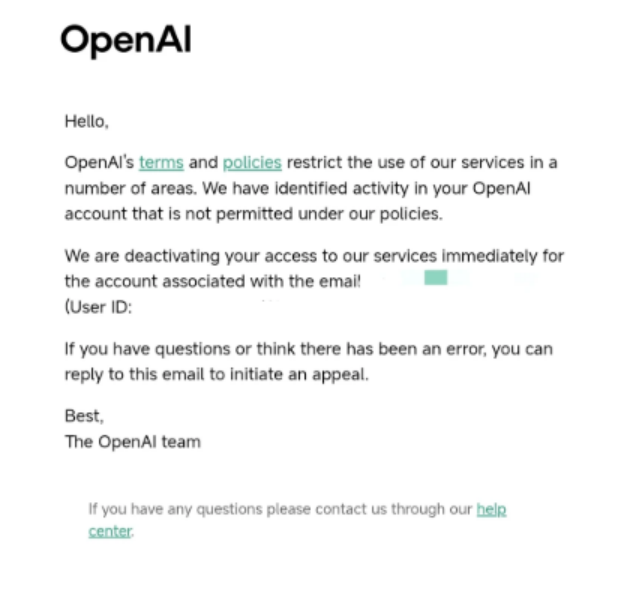
II. What to Do If Your ChatGPT Account Gets Banned?
1.Confirm the Ban Reason
A ban does not necessarily mean a permanent loss of all functionality. First, check the specific reason for the ban, and look for clear notifications such as “Account disabled,” “Suspended,” or “Restricted.”
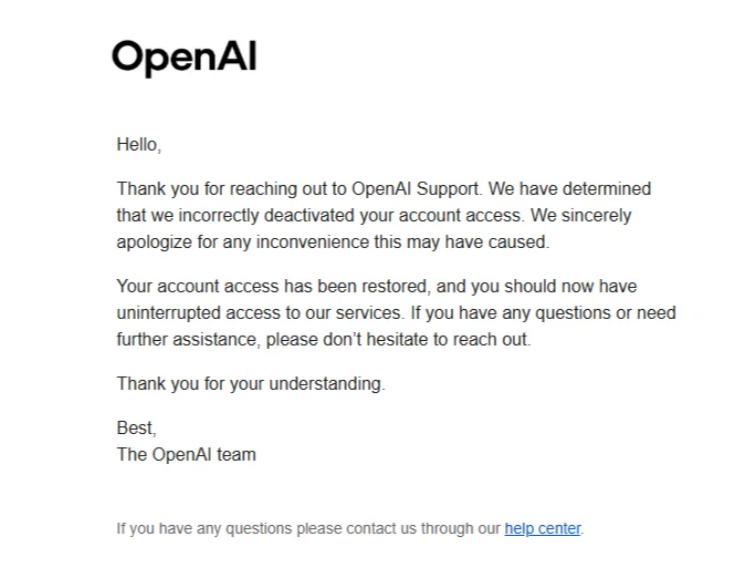
2.Submit an Official Appeal
- Submit Appeal: Use the registered email to submit an appeal through OpenAI’s official support channel. Ensure your appeal is clear, concise, and describes the situation before the ban without emotional or confrontational language.
- Provide Supporting Evidence: If the issue relates to subscriptions, payments, or billing, provide relevant proof such as valid subscription receipts or payment screenshots.
- Wait for Processing: Appeals usually take 3-7 business days. If you don’t receive a reply, follow up with a polite email.
- Note: Appeals related to platform violations are less likely to succeed compared to issues like accidental bans or payment problems.
3.Register a New Account
- Prepare New Registration Info: Use a new email address not previously associated with ChatGPT.
- Maintain a Stable Login Environment: Keep your browser and device consistent when logging in to the new account to avoid raising flags.
- Avoid Excessive Operations: Initially, avoid high-frequency operations or engaging with sensitive topics that may increase the risk of being flagged.
4.Backup and Data Migration
- Regular Backups: Periodically save your conversation history and interaction settings, especially important prompts or memory data.
- Restore Data: If you switch accounts, you can restore your old data and preferences by copying and pasting it into the new account.
III. How to Prevent ChatGPT Account Bans?
1.Strictly Follow Platform Rules
- Follow Content Guidelines: ChatGPT’s content generation capabilities are robust, but adhering to platform guidelines and avoiding sensitive content is the key to preventing bans.
- Avoid Violating Actions: Do not generate counterfeit content, malicious code, or engage in improper behavior such as harassment or illegal actions. The platform monitors generated content and evaluates user behavior to identify violations.
- Control Interaction Frequency: Avoid making repeated or high-frequency requests, especially testing the model’s boundaries or discussing sensitive topics.
- Avoid Sharing Accounts: Sharing an account among multiple people can trigger bans due to suspicious login patterns.
2.Avoid Unstable Networks and Automation
- Use a Stable IP Address: Try to log in using a fixed IP address to avoid raising red flags. A service like IPFoxy, offering real residential IP nodes, ensures a high degree of credibility and low risk of being flagged.
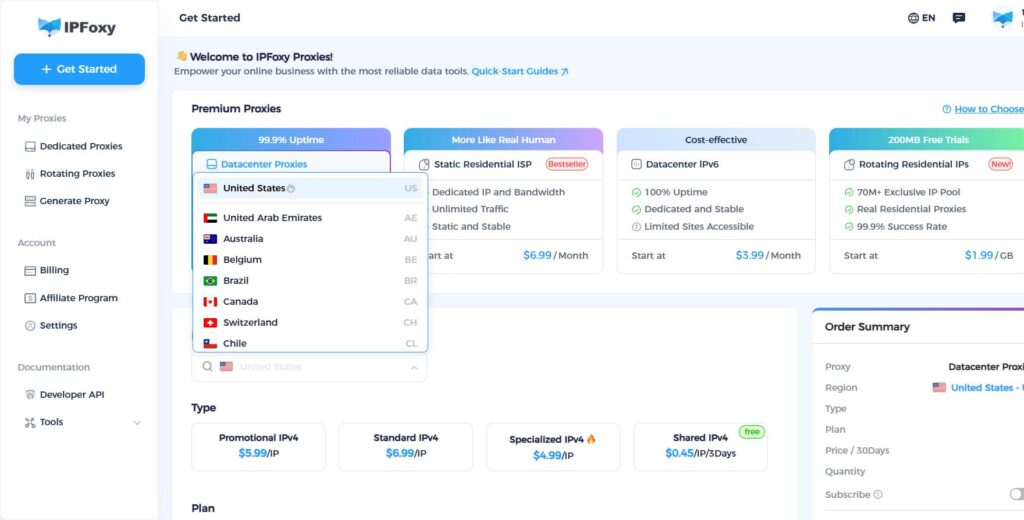
- Avoid Batch Operations and Excessive Requests: When using the official API, adhere to its access limits and avoid overloading the system with too many requests. Even when using automated scripts or crawlers, ensure that actions mimic natural user behavior and avoid sending high-frequency requests.
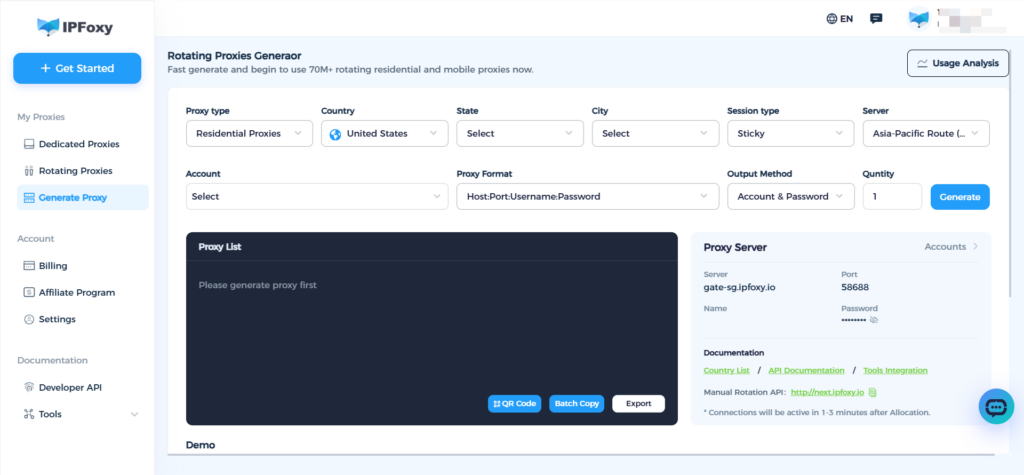
- Proper Use of Dynamic IP: Using dynamic IP services like IPFoxy can prevent bans due to excessive requests from a single IP. Its large IP pool, low repetition rate, and stable nodes can support diverse region needs and frequent IP switching.
3.Avoid Suspicious Payment Methods
- Use Legitimate Payment Methods: Pay for subscriptions through official channels and avoid using virtual credit cards or unreliable payment methods that could be flagged as suspicious. Once the platform detects abnormal payment methods, bans can be triggered.
- Avoid Cheap Recharge Services or Exploiting Regional Pricing Loopholes: While these services may seem tempting, using them often leads to bans. Once flagged, the account may not be recoverable, even with valid payment proof.
IV. Conclusion
A ban does not mean all is lost. By understanding the cause of the ban and taking appropriate steps, you can often restore your account. The best way to prevent future bans is to follow platform rules, maintain a stable login environment, avoid excessive automation, and ensure legitimate payment methods. We hope this guide helps you enjoy the convenience of ChatGPT while keeping your account secure.

