In 2026, the digital advertising industry reached a new milestone. OpenAI officially launched Ads Manager Beta, a self-service advertising platform that introduced CPC (Cost Per Click) and other monetization capabilities, marking the beginning of AI-native advertising on ChatGPT. With its unique conversational advertising model, ChatGPT Ads is quickly becoming a new traffic channel alongside Google Ads and Facebook Ads. This guide walks you through the complete process of getting started with OpenAI Ads Manager Beta and launching your first ChatGPT ad campaign.
I. ChatGPT Ads: What Is OpenAI Ads Manager Beta?
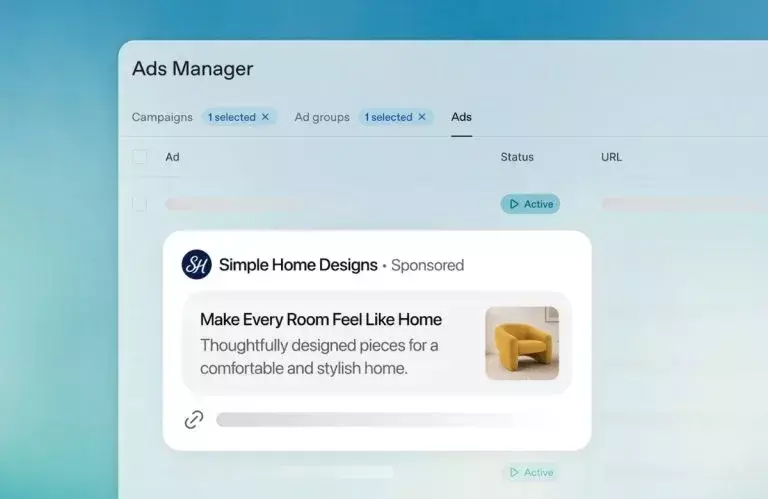
Ads Manager Beta is the platform used to create, publish, and manage advertising campaigns in ChatGPT Ads. It also provides centralized tools for monitoring campaign performance and managing updates.
Ads appear as clearly labeled blocks with a subtle background color below AI responses, ensuring they do not interfere with ChatGPT’s actual answers. This design preserves the user experience while giving brands dedicated visibility. Instead of relying on traditional keyword targeting, the platform matches ads based on the current conversation, previous chat history, and prior ad interactions.
It is especially suitable for:
- Performance advertisers with clear conversion goals, such as registrations, purchases, or downloads
- Brand advertisers looking to reach high-intent decision-makers
- Small and medium-sized businesses (SMBs) seeking a flexible budget and an independent channel for testing new campaigns
Advertisers in regulated industries such as healthcare and finance may also qualify if they meet OpenAI’s strict eligibility requirements. Political advertising is currently not supported.
II. ChatGPT Ads: How to Sign Up for OpenAI Ads Manager Beta
The registration process consists of four key steps.
1.Create an Account and Complete Verification
Visit the OpenAI Ads Manager Beta website and sign in with your existing OpenAI account. The self-service interface is being rolled out gradually. Businesses can register now and receive full platform access after the OpenAI team completes account verification.
If you do not already have an OpenAI account, create one first. Using a business email address is recommended to speed up the verification process.
2.Complete Your Advertiser Profile
After your account is approved, fill in your advertiser information, including:
- Brand name
- Official website
- Website favicon
These details will be displayed directly within your ChatGPT ad creatives and serve as users’ first impression of your brand, so accuracy and professionalism are essential.
3.Configure Billing and Payment
Within Account Settings, you can manage billing information and payment history. Advertisers can choose either a daily budget or a total campaign budget based on their advertising goals.
Based on feedback from early Beta users, OpenAI introduced a Daily Budget option, providing greater flexibility in spending control and making budget management comparable to Meta Ads and Google Ads.
4.Invite Team Members
Account Settings also allow you to manage team members and assign different permission levels. It is recommended that creative, optimization, and analytics teams receive separate roles to improve collaboration and responsibility management.
Many companies require multiple users to manage Ads Manager accounts or test campaigns and preview ads from different regions. Frequent network switching can increase the risk of abnormal logins.
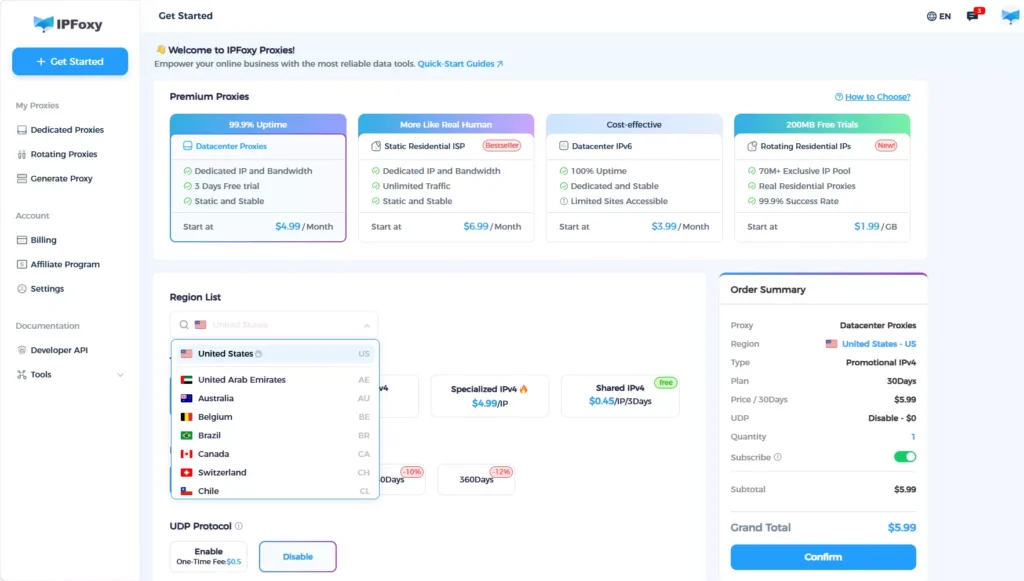
A common solution is to use a stable residential proxy network to maintain a consistent network environment. Many professional advertising teams use dedicated static residential proxies from IPFoxy Proxies to access target-market IP addresses, helping maintain account stability, reduce verification risks, and simplify multi-user collaboration. Once invitations are completed, you can begin creating campaigns.
III. ChatGPT Ads: Complete OpenAI Ads Manager Beta Campaign Setup
After configuring your account, follow these steps to create and launch your first ChatGPT advertising campaign.
1.Choose a Campaign Creation Method
The platform supports two methods:
- Guided campaign creation directly within Ads Manager Beta
- Bulk CSV upload for larger deployments or managing multiple campaigns simultaneously
Every campaign follows the same three-level structure:
Campaign → Ad Group → Ad
2.Create a Campaign
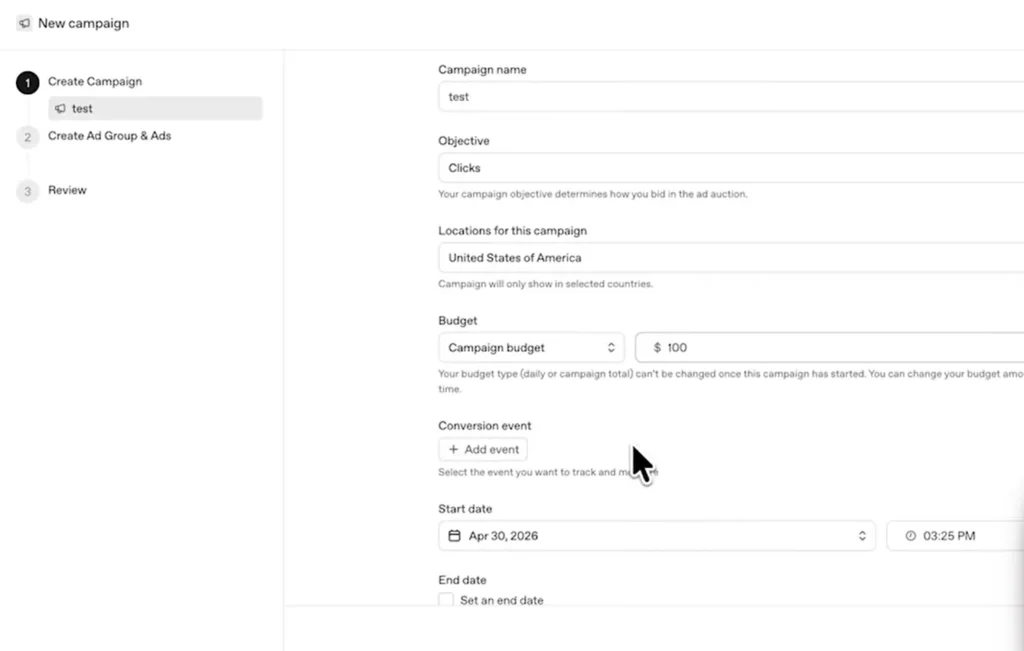
The campaign is the top-level object that defines your advertising objective, budget, and targeting.
In the guided workflow, click Create → Create Campaign and complete the following required fields:
- Campaign name (unique and descriptive)
- Budget (maximum campaign spend)
- Start and end dates (YYYY-MM-DD format)
- Delivery objective (reach or clicks)
- Target country or region
3.Create an Ad Group
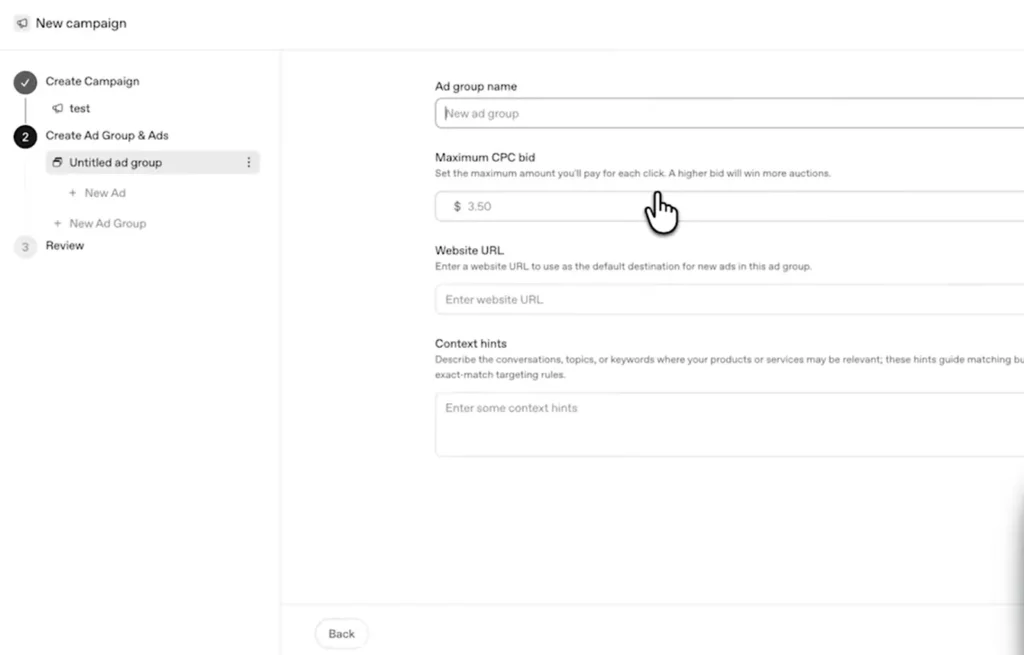
An Ad Group defines the campaign’s theme, intent, and contextual targeting, directly influencing where and how ads are displayed.
Each Ad Group requires:
- Ad Group name
- Maximum bid
- Context Hints
Context Hints are unique to ChatGPT Ads and specify the conversation scenarios where your ads should appear. For example:
[“buy running shoes”, “sports gear recommendations”]
They must be entered in JSON array format.
4.Create an Ad
The Ad is the creative unit displayed within ChatGPT and includes:
- Brand name
- Logo
- Headline
- Ad copy
- Landing page URL
- Image
Creative specifications include:
- Headline: 16–24 characters recommended
- Ad copy: 32–48 characters recommended
- Image format: PNG or JPG, square, up to 1200 × 1200 pixels, publicly accessible
- Landing page URL: Must be valid, publicly accessible, and not blocked from OpenAI crawlers
5.Validate and Submit
Before submission, confirm that:
- All required fields are completed
- Naming is consistent across all campaign levels
- Context Hints use the correct format
- Creative assets meet size requirements
Once the campaign status is set to Active, submit it for delivery.
6.Launch and Monitor Performance
After launch, verify that the Campaign, Ad Group, and Ad are all marked as active. Impressions and clicks typically begin within 24 hours.
Keep in mind that reporting data displayed in Ads Manager Beta may be delayed by up to seven hours.
If performance data does not appear, contact the official support team for assistance.
The platform also provides table views, charts, and CSV exports for monitoring impressions, clicks, and spending across campaigns, ad groups, and ads.
IV. Tips to Improve ChatGPT Ad Performance
Launching a campaign is only the beginning. Continuous optimization is essential for improving your ChatGPT advertising ROI.
1.Increase Click-Through Rate (CTR)
ChatGPT Ads perform differently from traditional search ads.
The average CTR for ChatGPT Ads is approximately 0.91%, compared with around 6.4% for Google Search Ads. However, users who click conversational ads often demonstrate stronger purchase intent.
Focus your headlines on users’ immediate decision-making needs rather than introducing your brand. Headlines of 16–20 characters with concise, scenario-based messaging tend to attract more clicks.
2.Reduce Cost Per Acquisition (CPA)
Set a reasonable CPC bid cap and begin with moderate bids to collect conversion data. Increase bids gradually based on actual CPA performance.
The accuracy of Context Hints directly affects ad relevance. The more closely your Context Hints match real user intent, the higher the traffic quality and the lower your CPA.
3.Improve Conversion Rate
Take advantage of the platform’s Conversions API and pixel-based tracking tools.
These tools help advertisers measure user behavior after ad interactions, including purchases, registrations, and lead submissions, while reporting aggregated data to protect user privacy.
Your landing page should closely match your ad messaging, minimizing expectation gaps. Ideally, page load time should remain under three seconds.
4.Run A/B Tests
Create multiple ad creatives within the same Ad Group to test different headlines, copy, and images.
Only change one variable at a time, and allow at least 72 hours of data collection before evaluating results.
You should also test different combinations of Context Hints to identify the highest-quality traffic sources.
V. FAQ
Ads are currently shown to Free and Go users in the United States, Canada, Australia, and New Zealand. Additional regions will be added over time.
No. OpenAI maintains a strict separation between ad delivery and AI-generated responses, ensuring advertisements never influence ChatGPT’s answers.
The platform currently supports both CPM (Cost Per Mille) and CPC (Cost Per Click). OpenAI has also announced plans to introduce additional bidding and optimization options in the future.
VI. Conclusion
The launch of OpenAI Ads Manager Beta marks the beginning of the AI-native advertising era. For advertisers looking to capture emerging traffic opportunities, now is an ideal time to enter the platform with a modest budget and build experience with conversational advertising.
Unlike traditional search advertising, the key to ChatGPT Ads lies in contextual intent matching rather than keyword bidding. Understanding this difference is essential to maximizing campaign performance. Start with a small budget, continuously optimize based on performance data, and build an early advantage in the rapidly growing field of generative AI advertising.