Facebook is one of the most popular social platforms globally. However, users may encounter the issue of being unable to send messages to others. This can be frustrating and disrupt regular social interactions and work communications. Why does the “unable to send message” problem occur? What causes this? This article will analyze the common reasons for Facebook message sending failures in 2026 and offer practical solutions to help you quickly restore the messaging function.
I. Common Reasons for Facebook’s Unable to Send Message Issue
1.Network and Technical Failures
- Empty circle showing continuously: This indicates a complete or unstable network disconnection.
- Send button unresponsive: It could be caused by insufficient phone storage, excessive app cache, or a bug in the current app version.
- Failed to send specific files: Sending files like images or videos might fail if their size exceeds platform limits or there’s insufficient storage.
- “Session expired” message: This occurs when the current login session has expired, or if no action has been taken for a while, requiring re-login.
2.Account Behavior Triggering Platform Restrictions
- Red exclamation mark: If the message is blocked with a notification like “you recently violated community guidelines,” it could be due to being flagged as spam.
- Content violations: If the system detects any clear violations in a single message, it will prevent the message from being sent and provide a specific reason.
3.Receiver’s Status Causing Sending Block
- Hollow circle with a check mark: This means the message has reached the Facebook server but cannot be delivered to the recipient’s device, usually because they are offline or have closed their device’s network.
- Message still showing as “Sent”: The message has entered the recipient’s system but hasn’t shown “Delivered.” This could mean you’re not friends, and the message is in the “Message Requests” or “Unknown Inbox.”
- “This person cannot receive messages” prompt: This indicates that you’ve been blocked by the recipient, or their account has been deactivated or deleted.
II. How to Fix the Facebook Can’t Send Message Issue
Step 1: General Troubleshooting
- Refresh network connection: Switch between Wi-Fi and mobile data, or turn on “airplane mode” for 10 seconds and then turn it off. This is the quickest way to resolve issues like the “empty circle” due to temporary network fluctuations.
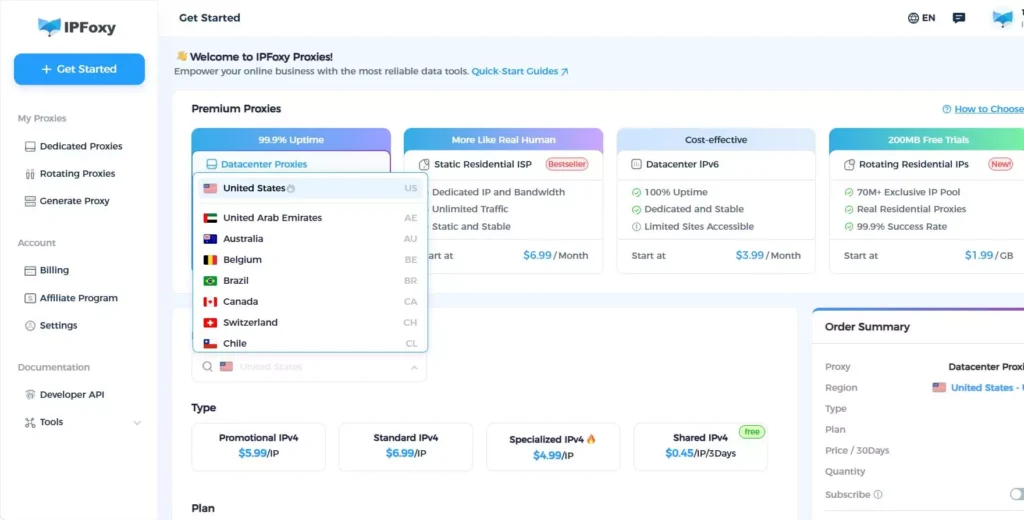
- Check IP network stability: Facebook is sensitive to login environment abnormalities, such as frequent IP address changes or unstable public proxy IPs. To ensure stable connections, keep your network clean and avoid switching networks frequently. Using a reliable static proxy service, such as IPFoxy, provides clean, dedicated residential IP addresses and reduces the risk of being flagged by Facebook’s security systems.
- Restart app and device: Close Facebook completely, restart your phone, and clear temporary app errors and system cache.
- Check and update the app: Go to the App Store or Google Play to ensure the app is updated to the latest version.
- Clear app cache: This operation won’t delete chat history but can solve issues caused by conflicting cache data.
Step 2: Fix Network and Technical Failures
- Check phone storage: Ensure at least 1GB of free space is available. If not, clean up some files.
- Verify file size within platform limits: If the file exceeds the limit, use third-party tools to compress it or upload it to a cloud service and share the link.
- Re-login: If “session expired” is prompted, fully log out and then log in again.
Step 3: Address Account Behavior Restrictions
- Stop all actions and wait: If you’re flagged for spam, immediately stop all friend requests, messaging, and similar actions. Carefully read Facebook’s official notice, which usually specifies the restriction period (commonly 24–72 hours).
- Appeal: Click on “Tell us if this is incorrect” in the pop-up or submit an appeal via “Help and Support.”
- Modify violative content: If a specific message was blocked for violating content, the system will provide guidance. Delete or modify the message to ensure it complies with community guidelines before trying to send it again.
Step 4: Address Receiver-Related Blockages
- Wait: If the empty circle with a check mark shows, the recipient is offline, and you’ll need to wait for them to come online.
- Try other ways to politely remind: If the message remains stuck in the “Sent” status, it might be in their “Message Requests” folder.
III. FAQ
IP or network issues: Frequent IP switching or using unstable IP addresses can trigger security checks.
Malicious reporting: Even if you haven’t violated any rules, receiving a high number of reports in a short time can lead to automatic review.
Friend-related violations: If many of your friends’ accounts have been banned for violations, your account might be considered high-risk.
“This person cannot receive messages”: This usually means the person has blocked you, or their account has been deactivated.
“You cannot send messages”: This typically means your account is restricted, usually due to a violation.
Behave like a real user: Avoid performing large repetitive actions in a short time (such as mass adding friends or sending the same message to many people).
Publish original content: Don’t copy-paste text, links, or ads from other sources.
Use a stable network: Log in from a fixed network using a clean, stable IP address (e.g., through a reliable static proxy service) to avoid frequent IP switches between different countries or regions.
It depends on the quality of the proxy IP. Free, public, or shared proxy IPs are often abused and flagged by Facebook, leading to account restrictions. A dedicated, reliable proxy service like IPFoxy offers clean, residential IPs that resemble real user behavior and reduce risk.
IV. Summary
The inability to send messages on Facebook could be caused by network failures, account behavior triggering restrictions, or the receiver’s status. By following the troubleshooting steps in this article, you can better resolve these issues. We hope this guide helps you restore Facebook’s message sending feature and improve your social experience.